Still Copy-Pasting with AI Coding? A Guide from Craft Workshop to Automated Engineering
Still Copy-Pasting with AI Coding? A G…
Upgrade AI coding from manual copy-paste to engineered automation with CLAUDE.md, Skills, and MCP.
Most developers still use AI coding tools in an inefficient ask-and-copy loop. This article traces one developer's evolution from Copilot to Claude Code, revealing the keys to automated AI engineering: using CLAUDE.md for context management, Skills for packaged capabilities, MCP for external tool integration, Sandbox to eliminate production fears, and Non-Interactive mode for unattended operation. The real gap isn't the tools — it's engineering mindset.
Is Your AI Coding Tool Still in the "Stone Age"?
Many developers have been using AI coding tools for six months, a year, or even longer, but if you observe their daily workflow closely, you'll notice an awkward truth: most people are still using them the same way — ask a question, copy a snippet, ask again, copy again.
AI could be standing on an assembly line doing work automatically, but instead we've assigned it the role of a porter who picks code out of a box and drops it into our project. It's not that AI isn't capable — it's that our usage is too "cottage industry."
This article traces one developer's complete journey from AI coding "craft workshop" to "automated engineering," along with the systematic methodology they've distilled.
The Real Struggle: Why Can't You Run Unattended AI Tasks?
You often see people online sharing how they "kick off a dozen AI tasks at night and check results in the morning," but for most people, this is virtually impossible. The reason is simple: constant confirmation popups completely block the workflow.
Take Claude Code as an example — writing a file requires confirmation, running a test requires confirmation, changing a config requires yet another confirmation. Red popups stack up on screen, making it impossible to step away for a few hours. Frequent confirmation popups effectively demote AI from a capable engineer to an intern who needs constant supervision.
But this isn't your fault — it's a matter of not yet knowing how to configure your AI coding tools.
One Developer's AI Coding Evolution
Phase 1: Glorified Search Engine (Copilot Era)
In the earliest days of using Copilot and various AI plugins in VSCode, the essential usage was treating AI as a fancy search engine. Ask it questions, get answers, digest them, then write code yourself. AI was present but lightweight — just providing a slight assist on the side. The actual AI-assisted percentage was extremely low.
Phase 2: Afraid to Push the Door Open (Cursor Era)
Later came Cursor, which was genuinely useful, but the primary mode was still Chat — AI gives me a solution, I manually carry the code into my project.
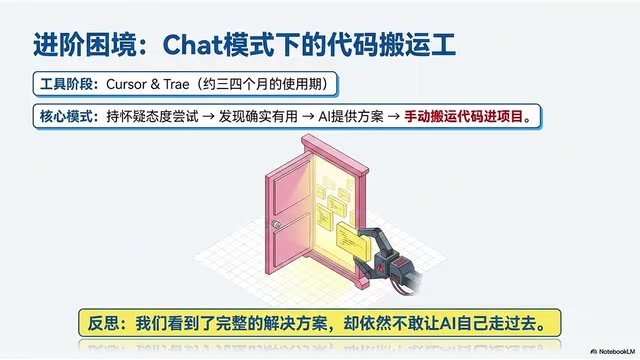
There were always two concerns about Agent mode: first, insufficient tool capability — early AI IDEs writing code directly would cause various issues (in hindsight, much of this was due to poorly written prompts); second, reverence for production environments — maintaining live production projects meant constant worry that AI would break things, so every line was manually reviewed.
Sounds responsible, but the cost was: craving automation on one hand, pinned in place by fear on the other.
Phase 3: The Turning Point (Claude Code Era)
Claude Code is Anthropic's command-line AI coding tool. There's no switching between Chat mode, Composer mode, or Agent mode. It has one usage: you talk to it, it gets the work done. No IDE visual cues, no flashy buttons — just a terminal, a command, a conversation.
This CLI design isn't accidental — CLI naturally supports scripting, piping, and automation integration. It can be incorporated into CI/CD pipelines, Makefiles, or Shell scripts, making AI a true link in the development toolchain rather than a standalone window requiring manual switching. This isn't just a tool change — it's a paradigm-level leap. When a single command-line terminal can serve as an invisible control center running your entire project, that's the first time you touch the edge of true automation.
95% of Code Accepted Directly — Why Still Confirm Each One?
As Claude Code usage grew, trust in AI-generated code steadily increased. A simple statistic revealed the key fact:
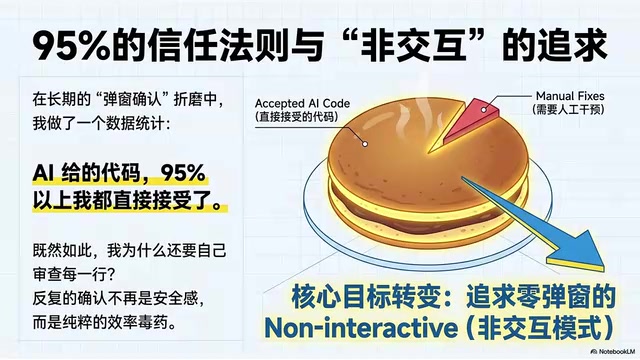
Over 95% of AI-generated code was accepted directly, with only 5% needing manual modification. So the question becomes: if you're accepting 95% anyway, why get interrupted before every single operation?
Repeatedly hitting yes, yes, yes isn't security anymore — it's pure efficiency poison. The core goal thus shifted: from carefully reviewing every line to pursuing zero-popup Non-Interactive mode.
Non-Interactive mode means the program runs without requiring real-time user input or confirmation. In Unix/Linux systems, this is a basic requirement for automation scripts — batch jobs and cron jobs must all run non-interactively. For AI coding tools, achieving Non-Interactive mode requires pre-declaring the AI's permitted operation scope through Permissions configuration files, with the system automatically approving actions based on policy at runtime rather than popping up questions each time. This essentially transforms dynamic runtime authorization into static pre-launch policy declaration.
Guerrilla vs. Regular Army: Where's the Gap?
A friend's single comment broke through the mental barrier: "Your approach is guerrilla warfare, not a regular army's — too token-wasteful, not cost-effective."
The comparison makes the gap obvious:
| Dimension | Guerrilla (Craft Workshop) | Regular Army (Automated Engineering) |
|---|---|---|
| Interaction Logic | Frequent popups, step-by-step confirmation | Non-Interactive, unattended |
| Context Management | Verbally explaining background each time, burning tokens | Crystallized into CLAUDE.md, structured assets |
| Task Breadth | One dialog box for everything, single-point breakthroughs | MCP, Skills, SubAgent for distributed operations |
| Tool Invocation | Relying entirely on natural language prompts | Directly calling system-level instruction packages |
It's not that AI isn't capable — it's that the usage is too cottage-industry.
The Regular Army's Three Core Weapons
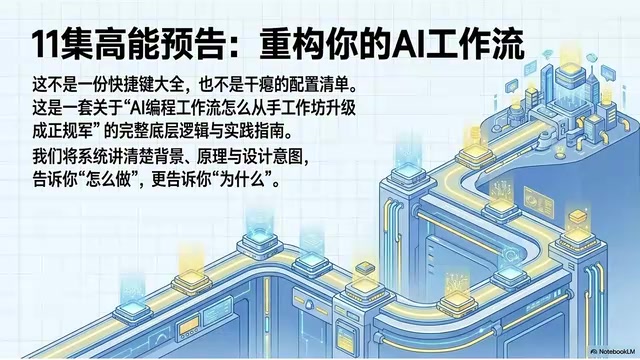
CLAUDE.md: The Project's "Constitution"
CLAUDE.md is the project-level configuration file read by Claude Code, a concrete embodiment of the emerging practice of "Context Engineering." Since LLMs start each conversation from scratch with no persistent memory, developers must re-describe project background, coding standards, and prohibited operations every new session — not only burning massive tokens but also risking behavioral drift from inconsistent descriptions. CLAUDE.md stores this information in a structured format within the code repository, version-controlled and shared across team members as a unified "AI behavior specification." It crystallizes all the background info you used to repeat every conversation into reusable structured assets, saving tokens while ensuring consistency.
Skills: Giving AI Professional Execution Capabilities
Instead of re-teaching AI how to do something every time, you make it already know how. Domain-specific professional execution capabilities are packaged into callable skill packs, drastically reducing repetitive communication costs.
MCP: The Super Data Bus Connecting the External World
MCP (Model Context Protocol) is a standardized protocol open-sourced by Anthropic in late 2024, designed to solve the fragmentation of AI model integration with external tools and data sources. Before MCP, every AI tool needed custom integration for each external service, with extremely high maintenance costs. MCP defines a unified server-client communication specification — similar to how USB standardized peripheral connections — letting AI not just converse with you, but connect to your databases, your tools, your services. MCP transforms AI from a closed dialog box into an intelligent hub that reaches your entire tech stack.
These three "chips" together upgrade past ad-hoc Markdown experiments into a true engineered system.
Four Unavoidable Core Concepts
Before diving into advanced usage, you must understand four core terms — otherwise every document will feel like jargon overload:
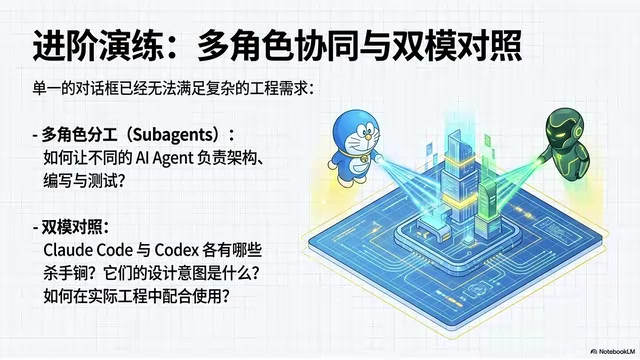
- Agent: Not just a dialog box — it can proactively plan and act. For complex tasks, a SubAgent architecture can decompose large tasks into multiple parallel subtasks — the main Agent coordinates and aggregates while SubAgents handle their specialties, similar to microservice decomposition in software engineering, dramatically increasing overall throughput.
- Sandbox: The absolute safety zone that eliminates your fear of production environments. Typically implemented via Docker containers or VMs, AI can freely perform high-risk operations like file I/O, database operations, and service restarts within it. Even catastrophic errors simply require destroying and rebuilding the container, with zero impact on live services.
- Permissions: A precise control system for what AI can and cannot do. By pre-declaring permitted operation scopes, it transforms dynamic runtime authorization into static pre-launch policy — the technical foundation for Non-Interactive mode.
- Non-Interactive: The non-interactive mode that lets AI run in a terminal without popups.
Among these, Sandbox is the key to overcoming fear. The only way to conquer fear isn't being more careful — it's building yourself an absolutely safe playground. In a sandbox environment, AI can operate freely, and even mistakes won't affect production. This is the true first step from craft workshop to automation.
Final Thoughts
The core transformation from craft workshop to automated engineering isn't about which tool you use, but about how you understand and configure these tools. While you're still asking questions and copying snippets in a dialog box, the regular army is already managing context with CLAUDE.md, packaging capabilities with Skills, connecting data with MCP, and achieving unattended operation with Non-Interactive mode.
This isn't a tool gap — it's an engineering mindset gap. The next phase of AI coding isn't finding a stronger model — it's learning to manage your AI toolchain the way you'd manage an engineering team.
Related articles
 Tutorials
Cursor + Codex Dual-IDE Collaboration: A Practical Methodology for Open-Source Project Customization
A complete methodology for open-source project customization based on real-world experience, detailing the Cursor+Codex dual-IDE workflow, seven-stage process, MVP validation, and AI source code reading techniques.
 Tutorials
Cursor Multi-Agent in Practice: Building a Full-Stack Next.js Blog in 50 Minutes
Build a full-stack blog in 50 minutes using Cursor IDE's multi-Agent mode with Next.js, Clerk auth, and Supabase. Learn the 4-phase AI Agent workflow and key integration pitfalls.
 Tutorials
Building an AI Software Factory from Scratch: A Cursor Engineer's Hands-On Experience with Multi-Agent Collaboration
Cursor engineer Eric shares practical insights on building an AI software factory: automation levels, guardrail design, parallel Agent management, and scaling to 1000+ Agents for 24/7 development.