Trae Agent Deep Dive: Hands-On Review of ByteDance's Open-Source AI Coding CLI Tool
Trae Agent Deep Dive: Hands-On Review …
ByteDance open-sources Trae Agent, a lightweight MIT-licensed AI coding CLI tool competing with Claude Code and Gemini CLI.
ByteDance has open-sourced Trae Agent, the core AI agent behind its Trae editor, as a standalone CLI tool under the MIT license. This lightweight, locally-run coding assistant supports Anthropic and OpenAI models, features built-in tools for file editing, bash execution, and sequential thinking, and records detailed execution traces. Its design prioritizes automation and CI/CD integration over real-time interaction, positioning it as a free alternative to Claude Code and Gemini CLI.
Overview
ByteDance has open-sourced the core agent behind its AI editor Trae, releasing a standalone CLI tool called Trae Agent. This open-source project under the MIT license provides developers with a lightweight, flexible, and completely free AI coding assistant that runs directly in the terminal, competing head-to-head with tools like Claude Code and Gemini CLI.
The MIT license is one of the most permissive open-source licenses available, allowing anyone to freely use, copy, modify, merge, publish, distribute, sublicense, and sell copies of the software—with the only requirement being that copyright and license notices are included in all copies. Unlike copyleft licenses such as GPL, MIT doesn't require derivative works to also be open-sourced, meaning companies can build commercial products on top of Trae Agent without disclosing their source code. ByteDance's choice of MIT over a more restrictive license signals a strategic intent to maximize community adoption and consolidate technical influence through ecosystem expansion.
What Is Trae Agent
Positioning and Core Features
At its core, Trae Agent is an LLM-based agent designed specifically for general-purpose software engineering tasks. It originated from the Trae AI Editor—a well-regarded free AI editor (supporting models like Claude and Gemini)—but is now released as a standalone open-source CLI tool.
The term "Agent" here refers to a specific AI system architecture pattern. Unlike simple LLM calls, an agent possesses the ability to autonomously plan, invoke tools, and execute iteratively. Its core work loop typically follows: receive task → analyze requirements → select tools → execute actions → observe results → decide next steps. This ReAct (Reasoning + Acting) paradigm enables AI to go beyond text generation and interact with external environments. In software engineering contexts, this means the agent can read codebases, execute commands, modify files, and dynamically adjust its strategy based on execution results, forming a complete problem-solving loop.
Several key characteristics are worth noting:
- Fully open-source: MIT license, free to use, modify, and contribute code
- Runs locally: No routing through Trae servers—uses your own API keys (Anthropic or OpenAI) directly
- Lightweight: Runs in the terminal without requiring a bloated IDE environment
- Highly configurable: Nearly all settings can be overridden via command line, config files, or environment variables
Comparison with Claude Code and Gemini CLI
Trae Agent's competitors include terminal-based AI coding tools like Claude Code, Gemini CLI, and Open Code. The rise of CLI (Command Line Interface) tools in the AI coding assistant space reflects a deeper shift in developer workflows. Traditional AI coding assistants mostly exist as IDE plugins (like GitHub Copilot's VS Code extension), but CLI tools offer several unique advantages: they can run in any terminal environment without depending on a specific editor; they integrate easily into shell scripts and automation pipelines; they consume fewer system resources; and they better align with the Unix philosophy of "do one thing well."
What sets Trae Agent apart is its focus on background integration scenarios—it doesn't stream responses but instead continuously updates trace files, making it better suited for embedding in automated workflows. This design choice means it's naturally suited for unattended batch processing scenarios rather than real-time interactive coding.
Installation and Configuration Guide
Quick Start
The official recommendation is to use UV for environment setup (much faster than PIP), though in practice using PIP directly is simpler:
git clone <repository-url>
cd trae-agent
pip install -e .
UV is a Python package manager and project management tool developed by Astral (the creators of the Ruff code linter), written in Rust and 10-100x faster than traditional pip. It's compatible with pip's command syntax while providing all-in-one functionality including virtual environment management, dependency locking, and Python version management. UV addresses the long-standing package management fragmentation in the Python ecosystem (where pip, pipenv, poetry, conda, etc. each have their trade-offs) and is becoming the new standard tool in the Python community. Trae Agent's recommendation of UV also reflects its positioning toward modern Python development practices.
After installation, simply set up your API key based on your LLM provider. This can be done either by editing a JSON config file or directly exporting environment variables.
Configuration Priority
Trae Agent's configuration system is designed to be quite flexible, with the following priority order:
- Command-line arguments (highest priority)
- JSON configuration file
- Environment variables
- Default values
This layered configuration pattern draws from mature CLI tool design practices (like Docker, Kubernetes' kubectl, etc.), ensuring developers can flexibly override settings across different scenarios—config files for local development, environment variables in CI environments, and command-line arguments for ad-hoc debugging. This means you're never locked into a particular configuration and can switch models, providers, or adjust parameters at any time.
Core Features Explained
Two Operating Modes
Single Command Mode: Input natural language instructions directly via the traclite run command. For example, "create a hello world Python script" and it will generate the code directly. You can also specify the provider, model, working directory, and other parameters.
Interactive Mode: Run traclite interactive to enter a continuous conversation interface where you can input tasks, check status, clear the screen, or exit at any time—an experience similar to using Claude Code.
Built-in Tool Ecosystem
Trae Agent provides four core tools out of the box:
-
File Edit Tool: A string-replacement-based editor that can directly create, view, and modify files. This approach based on exact string matching (rather than line numbers) is more robust because line numbers can change during multi-step editing processes, while target strings typically remain unique.
-
Bash Tool: Executes shell commands while maintaining persistent state, supporting multi-step workflows without losing context. Persistent state means environment variables, working directories, etc. remain consistent across multiple invocations, simulating the experience of a developer performing consecutive operations in the same terminal session.
-
Sequential Thinking: Allows the agent to break complex problems into smaller steps, generate hypotheses, and dynamically adjust its approach. This is a reasoning strategy inspired by cognitive science that combines Chain-of-Thought reasoning with dynamic planning: rather than generating a complete solution at once, the agent progresses step by step, evaluating and adjusting at each stage based on previous results. This approach is particularly well-suited for software engineering tasks because code modifications often have cascading effects—modifying one file may require synchronous updates to tests, documentation, and dependency configurations. Through sequential thinking, the agent can verify results after each step, catch and correct errors promptly, and avoid going further down the wrong path.
-
Task Done Tool: Signals when the agent determines a task is complete. This seemingly simple tool actually solves a critical problem in agent systems—termination condition judgment. Without a clear completion signal, an agent might fall into infinite loops or over-optimize.
Execution Trace Recording
This is a particularly distinctive feature of Trae Agent. It records every step of execution in detail, including all LLM interactions, tool calls, and state transitions.
The concept of execution traces borrows from observability practices in distributed systems. In traditional software, logs, metrics, and traces are the three pillars of debugging and monitoring; in AI agent systems, execution traces play a similar role. They record every decision the agent makes, the input/output of every tool call, and the LLM's complete reasoning process. This is not only crucial for debugging but also provides the foundation for evaluating agent performance, optimizing prompt engineering, and meeting enterprise compliance audit requirements. As AI systems see increased deployment in production environments, this kind of "AI observability" is becoming an industry standard practice.
Even without real-time monitoring, you can understand the agent's complete decision-making process through trace files—particularly important for team collaboration and issue reproduction.
Real-World Performance Testing
In actual testing, using Trae Agent to add a light theme option to an existing application, it was able to complete the task smoothly with generated code that ran correctly. Notably, some similar tools fail on this test task, while Trae Agent performed reliably.
Of course, as an alpha version, it still has some known limitations:
- No streaming response support (a design choice, not a deficiency)
- Documentation could be more detailed in some areas
- Limited model support in the terminal currently (more PRs are being merged soon)
Why Developers Should Pay Attention to Trae Agent
The Significance of Open Source
A company that already has a mature AI editor choosing to open-source its core agent is itself a positive signal. It means:
- Developers can fork the project and add custom tools or adjust workflows
- The community can contribute code and accelerate feature iteration
- The underlying code structure is clean, making it easy to learn from and build upon
From an industry competition perspective, ByteDance's move is also a direct response to Anthropic (Claude Code) and Google (Gemini CLI). By open-sourcing the core agent, ByteDance is attempting to establish influence in the developer tools ecosystem while lowering migration costs for developers—if you're dissatisfied with a commercial tool's pricing or feature limitations, Trae Agent provides a zero-cost alternative.
Use Cases
For developers who prefer working in the terminal, value privacy (local API calls), or need to integrate AI coding assistants into automated workflows, Trae Agent is worth trying.
In terms of CI/CD (Continuous Integration/Continuous Deployment) integration, Trae Agent's design is particularly well-suited. CI/CD is a core practice in modern software development that improves delivery efficiency through automated build, test, and deployment processes. Integrating AI coding assistants into CI/CD pipelines represents an emerging DevOps evolution: AI can automatically perform code reviews after commits, generate test cases, fix simple bugs, update documentation, and even automatically generate PRs based on issue descriptions. Trae Agent's design of updating trace files rather than using streaming is optimized precisely for these unattended automation scenarios—CI/CD systems don't need to watch the AI's thinking process in real time; they only need the final results and a complete execution record.
Its lightweight nature and high configurability make it especially suitable as an AI-assisted component in automated development workflows.
Conclusion
Trae Agent represents an important trend in AI coding tools: moving from closed IDE plugins toward open-source CLI tools. While still in alpha, its solid foundational architecture, flexible configuration system, and active community contributions give it the potential to become a mainstream developer tool. If you're interested in AI-assisted coding, it's worth cloning the repository and trying it out yourself.
Related articles
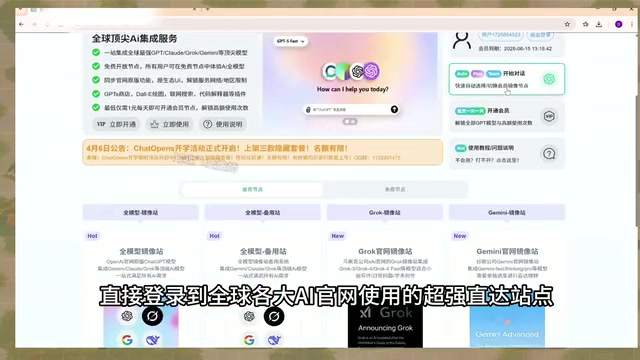
AI Aggregator Platforms Tested: A Complete Guide to Using GPT 5.5 and Other Top Models for Free
A hands-on guide to using GPT 5.5, Gemini 3.1 Pro, and Grok 4.2 for free via AI aggregator platforms, covering cross-model context memory, account pool mechanisms, and key security risks.
Vibe Coding in Practice: A Junior Student Uses Cursor to Build a Multi-Agent System with 51 AI Officials Based on the Three Departments and Six Ministries Framework
A junior student uses Cursor and Vibe Coding to build a multi-agent system with 51 AI officials modeled on China's Three Departments and Six Ministries, featuring task distribution, approval workflows, and Token cost visualization.
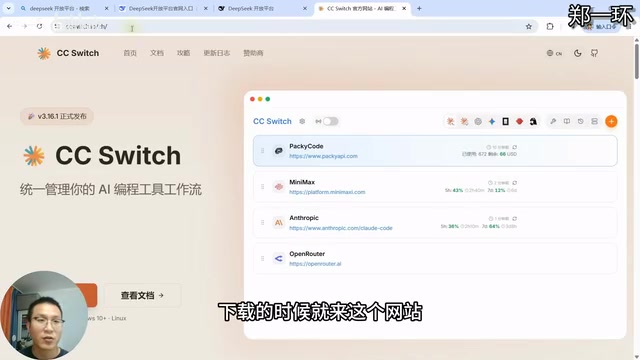
How to Connect Codex to DeepSeek Models: Free Switching via CC Switch
Learn how to connect OpenAI Codex to DeepSeek models via CC Switch, enabling free switching between DeepSeek and GPT with complete setup and routing guide.