UE5 + AI in Practice: Using MCP to Bridge Blueprint and C++ Development Workflows
UE5 + AI in Practice: Using MCP to Bri…
Full-stack UE5 automation combining AI-powered C++ coding with MCP-driven Blueprint operations
This article documents a UE5 developer's real-world experience using the AI coding tool OpenCode with Unreal Engine's MCP protocol. The core approach: write business logic in C++, let Blueprints handle UI, and have AI drive the entire process. A custom document-driven context management system bridges AI memory gaps. In practice, AI writes C++ with exceptional efficiency, but MCP Blueprint operations remain slower due to lacking documentation, high token costs, and node system complexity — though marginal efficiency improves steadily as skills documentation accumulates.
Introduction: An AI-Driven Unreal Engine Development Workflow
This article is based on real working footage from a UE5 developer, showcasing a complete workflow that combines an AI coding tool (OpenCode) with Unreal Engine's MCP (Model Context Protocol) to automate both C++ coding and Blueprint operations. This isn't a polished demo — it's a raw, unfiltered development session, complete with compilation errors, timing bugs, and all the bumps that come with MCP calls.
The core philosophy behind this workflow: write all core business logic in C++, let Blueprints handle only UI presentation and asset binding, with AI serving as the primary coder and Blueprint operator throughout the entire process.
Document-Driven Context Management: Solving AI Memory Gaps
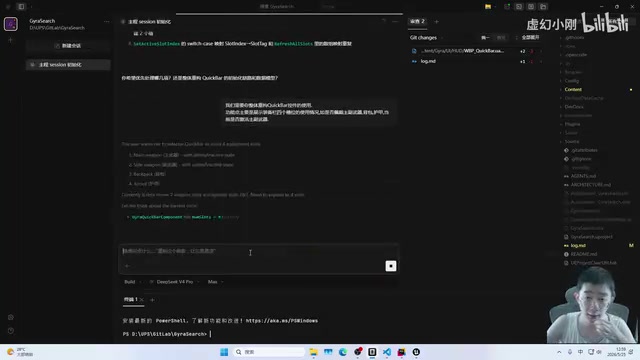
Since the developer uses the open-source OpenCode tool, which lacks the polished indexing and context history features of commercial products, they built a custom document-driven context management system:
- log.md: Records the development timeline and work done in each session. The AI reads the most recent entries at startup to understand project progress.
- Coding Reference: A running log of code cleanliness issues, to-do items, and technical roadmap decisions.
- MCP Skills Document: Records previously used MCP interface signatures, avoiding the need to call
ListToolsetsfrom scratch every time.
This system solves a critical problem: AI context windows are limited, so structured documentation is essential to bridge memory gaps. At the end of each session, the developer has the AI summarize the MCP interfaces used and update the skills document, creating a continuously iterating knowledge base.
Hands-On Task: C++ Refactoring of the Quick Slot UI Component
Current State and Problem Diagnosis
The task at hand was refactoring the game's quick equipment bar — expanding it from a temporary 2-slot display to 4 equipment slots, while adding durability, active state, extra attributes, and inventory slot bonus information.
The project uses a plugin-based architecture where all game business logic lives in a standalone GameLogic plugin rather than the main project module. The benefit: modifying a single file only requires recompiling that module, without affecting other parts, significantly reducing compile times.
The existing quick slot implementation had an obvious problem: to get things working quickly, the developer was fetching data every frame in the Blueprint's Tick — clearly not ideal. After the AI read the Blueprint's JSON structure via MCP, it accurately identified this issue, along with other details like unmarked variables and improper size configurations.
AI Research and Plan Formulation
The AI's workflow was remarkably clear:
- Read C++ code: Directly read source files through the file system
- Read Blueprint structure: Export the Blueprint's JSON representation via custom MCP tools, analyzing node connections and variable configurations
- Cross-analysis: Combine information from both the C++ and Blueprint sides to understand the current architecture
- Propose a plan: List optimization points and implementation paths, then wait for developer confirmation
The developer emphasized a crucial principle: always have the AI draft a plan before writing code, modify files one at a time, and always read and confirm the current code state before making changes. This isn't an unnecessary step — it's a critical safeguard against AI "hallucinations" overwriting code.
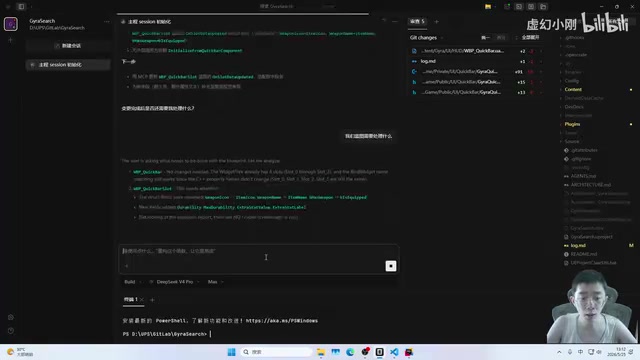
During the requirements discussion phase, the AI proactively asked questions: Where does the inventory's extra slot data come from? What are the rules for toggling active states? The developer could either answer directly or let the AI search the codebase on its own. This progressive requirements clarification approach is especially well-suited for real development scenarios where requirements are still evolving.
C++ Coding: Where AI Efficiency Peaks
C++ code writing was by far the most efficient part of the entire process. Once the plan was confirmed, the AI quickly completed the following:
- Added new quick slot data structs with fields for durability, active state, extra attributes, etc.
- Refactored the data pipeline from Blueprint Tick polling to event-driven updates on the C++ side
- Exposed interfaces to the Blueprint layer for UI presentation via
BlueprintImplementableEvent - Unified logging using the project's custom logging plugin, outputting by module and severity level
During compilation, a typical error surfaced: TObjectPtr doesn't support the ! operator — it needs to be changed to != nullptr for null pointer checks. The developer mentioned a practical tip: write these kinds of rules into the AI's Skills configuration to prevent the same mistake next time. This is experience crystallization — every compilation failure is an opportunity to optimize AI behavior.
The entire C++ coding process was fast and clean, forming a stark contrast with the subsequent Blueprint operations.
MCP Blueprint Operations: Huge Potential, Still Needs Polish
How MCP Works
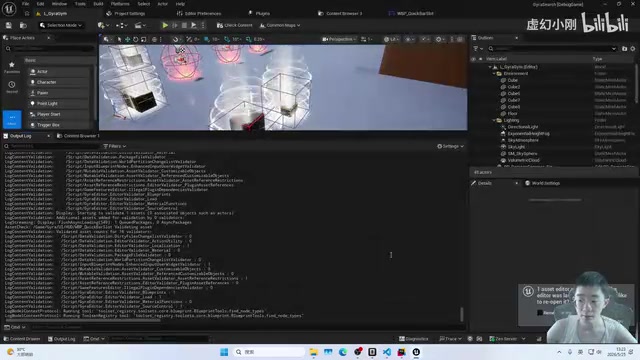
Unreal Engine's MCP provides hundreds of tool interfaces covering Blueprint creation, node operations, widget addition, property configuration, and more. The AI first calls ListToolsets to get the list of available interfaces, then calls them one by one to complete operations.
In this session, the AI used MCP to:
- Add TextBlock, Border, ProgressBar, and other widgets in UMG Blueprints
- Set widgets as variables (equivalent to manually checking "Is Variable")
- Configure widget styles and visibility
- Compile Blueprints to make variables take effect
- Create and connect nodes in the Event Graph
Current Pain Points and Limitations
However, MCP Blueprint operations were far less efficient than C++ coding, for three main reasons:
1. Lack of Documentation, High Interface Discovery Cost
The official MCP doesn't provide detailed documentation. With hundreds of tool interfaces, the AI has to call ListToolsets each time and essentially "guess." This not only burns through tokens but slows down the entire workflow. The developer's workaround is to manually organize interface signatures into the skills document after each session.
2. Massive Token Consumption with No Caching
Every MCP call generates significant token consumption, and since requirements are dynamic, this consumption can't be cached and reused like static documentation.
3. Complexity of the Blueprint Node System
The Blueprint Graph system — node connections, pin matching, execution flow control — operates on a completely different paradigm from conventional code writing. Even for human developers, writing tooling code to manipulate Blueprint Graphs is quite challenging.
The developer was candid: what might take 2-3 minutes to do manually in Blueprints took 45 minutes with MCP. But what he values is the marginal efficiency gains — 45 minutes the first time, 30 minutes the next, then 20 minutes, because the skills document keeps improving.
Debugging and Iteration: The "Last Mile" in Real Development
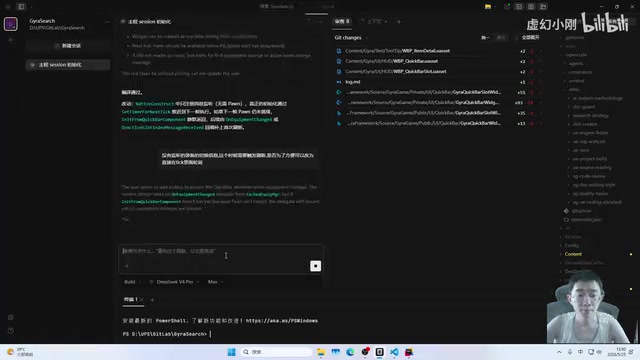
After MCP completed the Blueprint operations, testing revealed that the quick slot bar wasn't rendering correctly. Investigation uncovered an initialization timing issue: the component was trying to fetch data in its constructor, but the game world wasn't fully ready yet, resulting in empty data.
The developer made a pragmatic decision: switch back to Tick polling rather than spending time designing a precise event-driven mechanism. The reasoning was solid — this UI query logic only runs on the client side, and per-frame queries are perfectly acceptable at this stage of development. Just add a note to the to-do list and move on.
This reflects an important mindset in AI-assisted development: don't aim for perfection in one shot — get the feature working first, then optimize incrementally. AI excels at rapid iteration, not producing flawless code on the first try.
Key Takeaways
Workflow Best Practices
- C++ first, Blueprints second: Write core logic in C++ (where AI efficiency is highest), use Blueprints only for UI presentation and asset binding
- Plan before code: Have the AI output a complete plan first, confirm it, then proceed with file-by-file modifications
- Summarize at the end of every session: Extract MCP interface signatures, coding rules, and lessons learned, then update the skills document
- Control parallelism: Run at most 2-3 sessions simultaneously — any more and your brain's context overflows too. "AI has context limits, and so does the human brain."
Tool Selection and Model Recommendations
The developer repeatedly emphasized: use good models and good tools. Don't let a poor experience with free tools lead you to dismiss the entire AI coding paradigm. Open-source tools require you to build a lot of infrastructure yourself (context management, indexing, documentation), but they offer control and customizability.
Looking Ahead
MCP Blueprint operations aren't efficient enough yet, but as interface documentation improves and skills accumulate, efficiency will continue to increase. More importantly, this workflow has already proven that AI can truly participate in full-stack UE5 development — not just writing C++ code, but also reading Blueprint structures, operating the editor, triggering compilations, and committing code, forming a complete development loop.
Related articles
 Tutorials
Cursor + Codex Dual-IDE Collaboration: A Practical Methodology for Open-Source Project Customization
A complete methodology for open-source project customization based on real-world experience, detailing the Cursor+Codex dual-IDE workflow, seven-stage process, MVP validation, and AI source code reading techniques.
 Tutorials
Cursor Multi-Agent in Practice: Building a Full-Stack Next.js Blog in 50 Minutes
Build a full-stack blog in 50 minutes using Cursor IDE's multi-Agent mode with Next.js, Clerk auth, and Supabase. Learn the 4-phase AI Agent workflow and key integration pitfalls.
 Tutorials
Building an AI Software Factory from Scratch: A Cursor Engineer's Hands-On Experience with Multi-Agent Collaboration
Cursor engineer Eric shares practical insights on building an AI software factory: automation levels, guardrail design, parallel Agent management, and scaling to 1000+ Agents for 24/7 development.