Vibe Coding Tutorial for Beginners: Three Steps from Idea to Product Launch
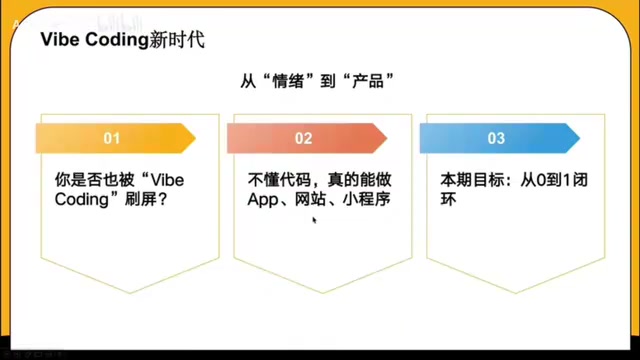
A beginner's guide to Vibe Coding: build products from idea to launch in three steps using AI tools.
Vibe Coding lets anyone build products using natural language and AI — no coding required. This guide walks through the full three-step workflow: generating a PRD with Gemini, creating UI designs with Figma Make, and producing runnable code with Cursor via Figma MCP. It covers who benefits most, the advantages of this approach, and its current limitations.
What Is Vibe Coding? A Paradigm Shift in Development
Vibe Coding is sweeping across the entire tech world. It's not a new programming language — it's an entirely new product mindset and development paradigm: using natural language to drive AI to write code, lowering the barrier to creation like never before.
This paradigm is made possible by breakthrough advances in Large Language Models (LLMs). Since ChatGPT captured public attention in late 2022, generative AI models built on the Transformer architecture have demonstrated remarkable abilities in code comprehension and generation. These models are trained on massive open-source code repositories (such as billions of lines of code on GitHub) and can understand programming language syntax, design patterns, and best practices. When a user describes requirements in natural language, the model maps them to corresponding code implementations — essentially performing a "semantics-to-syntax" translation, converting human intent into machine-executable instructions. This is the technological foundation that makes Vibe Coding possible.
In the past, building an app was like planning an expedition to Antarctica: you had to learn shipbuilding, navigation, and survival skills — mastering frontend, backend, and various programming languages through lengthy development cycles. For non-technical people, it was a nearly impossible task.
Now, the logic has completely changed. You communicate with AI through natural language, directing it to handle the entire process of design, development, and testing. You don't need to write a single line of code — your role is the creative director and project lead of the product.
A noteworthy case: a designer abroad used Vibe Coding to build a minimalist AI tool called "Screenshot to Code" in just one afternoon, requiring Apple-level premium color schemes and smooth scrolling. It now generates thousands of dollars in monthly revenue. This shows that the distance from creative idea to monetizable product has been dramatically shortened by AI.
Who Is Vibe Coding For? Four Groups That Benefit Most
The simple answer: everyone can do Vibe Coding. But the following four groups stand to gain the most.
1. Entrepreneurs Validating Ideas
Previously, entrepreneurs needed to find technical co-founders and invest heavily in development just to validate an idea. Now, you can independently build an MVP (Minimum Viable Product) in an extremely short time, quickly validate market demand, and dramatically reduce the cost of experimentation.
The MVP concept originates from the Lean Startup methodology systematically articulated by Eric Ries in The Lean Startup. The core idea is: don't spend massive time and resources building a "perfect" product. Instead, push a minimal feature set to market quickly and validate business hypotheses through real user feedback. Traditional MVP development, even at its most stripped-down, typically requires weeks to months of development time and tens of thousands to hundreds of thousands of dollars in investment. Vibe Coding compresses this process to the extreme, enabling the "Build-Measure-Learn" feedback loop to complete an iteration within hours — a quantum leap in experimentation efficiency for entrepreneurs.
2. Professionals Seeking Efficiency Gains
Within your company, you can use Vibe Coding to rapidly build automated management systems, data dashboards, and other internal tools, significantly boosting team efficiency and becoming an indispensable, multi-skilled talent. In today's competitive job market, this is an extremely valuable differentiator.
3. Freelancers Monetizing Skills
Treat Vibe Coding as a service capability — provide AI solutions for businesses, help develop applications, and optimize workflows to earn service fees. This is a clear monetization path.
4. Creators with Ideas but No Technical Background
Even without any technical background, as long as you have unique product ideas, you can easily bring them to life. In the AI era, the most valuable asset is no longer coding ability, but ideas and logic.
Vibe Coding Full Workflow Breakdown: Three Steps from Idea to Product
The core Vibe Coding workflow can be divided into three key stages, each supported by corresponding AI tools.
Step 1: Turn Your Idea into a Product Document (PRD) with Gemini
Core Tool: Google Gemini
The goal of this step is to transform the vague idea in your head into an actionable product requirements document. A PRD (Product Requirements Document) is a critical document that bridges strategy and execution in the software development process. A standard PRD typically includes: product overview and vision, target user personas, feature requirements list (prioritized as P0/P1/P2), user stories and use cases, non-functional requirements (performance, security, compatibility, etc.), information architecture, and project milestone planning. In traditional teams, writing a high-quality PRD requires a product manager with deep industry knowledge, user research skills, and technical understanding, typically taking days to weeks.
Here's how it works:
- Have a conversation with Gemini about your core features and target user groups
- Gemini takes on the role of a top-tier product manager and project manager, deeply deconstructing your requirements
- It performs in-depth analysis of the product's core value proposition
- It ultimately generates a complete PRD document, including feature lists, priority rankings, and a project roadmap
The key takeaway here: you don't need to understand product management methodologies — you just need to clearly express what problem you want to solve and for whom. AI has essentially "internalized" the methodological frameworks that product managers accumulate over years of experience, and Gemini will help you structure your fuzzy ideas.
Step 2: Convert the Document into Design Mockups with Figma Make
Core Tool: Figma Make
With the PRD in hand, the next step is transforming text descriptions into visual design mockups. Figma is currently the world's most popular collaborative UI/UX design tool, with core advantages in browser-based real-time collaboration and a rich plugin ecosystem. Figma Make is an extension of its AI capabilities, involving technologies such as structured understanding of design systems (component libraries, Design Tokens, auto-layout rules, etc.) and multimodal AI learning of visual aesthetics.
Here's how it works:
- Feed the Gemini-generated product document and your design preferences as instructions to Figma Make
- Figma Make understands natural language instructions and generates corresponding UI components and layouts directly in Figma
- No design background needed — you get a set of stylistically consistent, professionally polished high-fidelity prototypes
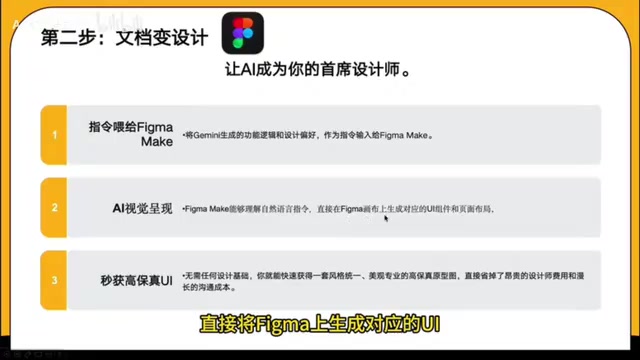
The high-fidelity prototype (Hi-Fi Prototype) mentioned here refers to a design mockup that closely approximates the final product in both visual appearance and interactive experience, as opposed to wireframes that only show layout structure. This step breaks down the professional barriers in the design field. Work that previously took UI designers days to complete can now be rapidly generated through natural language descriptions.
Step 3: Generate Runnable Code with Cursor and Other AI Coding Tools
Core Tools: Figma MCP + Cursor / Windsurf and other AI coding tools
The final step is converting design mockups into actual runnable code. The key technical bridge here is the MCP protocol. MCP (Model Context Protocol) is an open standard protocol released by Anthropic in late 2024, designed to provide AI models with a unified way to connect to and read external data sources and tools. In the Vibe Coding context, Figma MCP allows AI coding tools to directly read structured information from Figma design files — including layer hierarchies, component properties, spacing parameters, color values, font styles, and more — rather than merely "looking at" a screenshot. This dramatically improves code generation accuracy.
Here's how it works:
- Read design file information through the Figma MCP protocol
- Use AI development tools (such as Cursor, Windsurf, etc.) to automatically generate frontend and backend code
- All you need to do is confirm and fine-tune at key decision points
Cursor is an AI coding IDE deeply customized from VS Code, integrating multiple large models like GPT-4 and Claude, with support for code completion, conversational programming, and cross-file context understanding. Windsurf (formerly Codeium) is another AI-assisted coding tool known for its "Cascade" agent mode, which can autonomously plan and execute multi-step programming tasks. The common thread among these tools is that they elevate AI from a "code completion assistant" to an "autonomous coding agent."
Throughout the entire process, you consistently play the role of "commander" — no coding, only decision-making.
Advantages and Limitations of Vibe Coding
While Vibe Coding dramatically lowers the development barrier, we need to maintain a rational perspective.
The advantages are clear:
- Compresses the idea-to-product cycle from months to days or even hours
- Enables non-technical people to independently complete product development
- Dramatically reduces the cost of starting a business and validating ideas
But there are boundaries to be aware of:
- For complex enterprise-level applications, the quality and maintainability of AI-generated code still require professional assessment. According to a 2024 research report by GitClear, as AI-assisted coding tools have become widespread, the proportion of "code churn" (code that is modified or reverted shortly after being written) in codebases has risen significantly. Common issues with AI-generated code include: lack of unified architectural design, over-reliance on simple implementations while ignoring edge cases, security vulnerabilities (such as insufficient protection against SQL injection and XSS attacks), and hidden accumulation of technical debt. For personal projects and MVP validation, these issues have limited impact; but for enterprise applications requiring long-term maintenance and multi-person collaboration, code readability, testability, and architectural soundness still need professional engineers' oversight. This is why Vibe Coding is better positioned as a "0-to-1" creation tool rather than a "1-to-100" engineering solution.
- "No coding required" doesn't mean "no logic required" — clear product thinking and logical expression skills are essential prerequisites
- The toolchain is still evolving rapidly; today's best practices may soon be replaced by better solutions
As stated in the video: if you can send messages on WeChat and articulate product pain points, you already have the foundation for Vibe Coding. The key isn't waiting until you're fully prepared — it's starting now and learning through practice and iteration.
Conclusion: Start Your First Vibe Coding Project Now
Vibe Coding represents more than just a new development approach — it's a shift in mindset: from "I need to learn programming to build a product" to "I just need good ideas and clear logic." In this AI-empowered era, creativity and product thinking are replacing coding skills as the most critical competitive advantages.
For those looking to get started, I recommend beginning with a small project — pick a pain point from your daily life and try running through the full workflow with Gemini + Figma Make + Cursor. You might be surprised by your own creativity.
Key Takeaways
Related articles
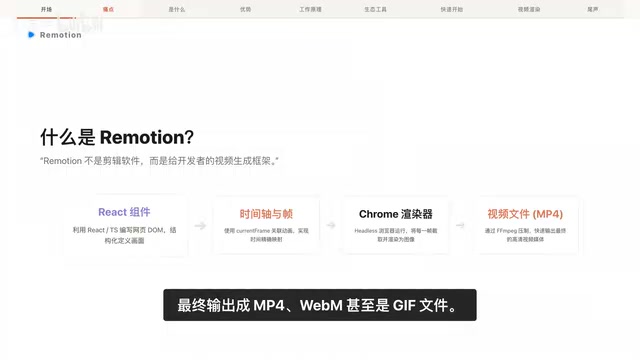
Remotion: The Open-Source Framework for Code-Driven Video Production with React
Deep dive into Remotion, the open-source framework for writing videos with React components. Covers core principles, use cases, comparison with traditional editors, and quick start guide.
Nex N2 Pro Real-World Testing: Top 5 on Official Benchmarks, Only 12th in Independent Tests
Deep-dive testing of Nex N2 Pro open-source Agent model comparing official benchmarks vs independent results. The 397B parameter model shows decent frontend generation but ranks 12th independently, not top 5 as claimed.
Claude Code Workflow in Practice: From Requirement Grilling to AFK Agent Auto-Coding
A detailed walkthrough of building real features with Claude Code: Grill Me requirement interrogation, auto-generated PRDs, AFK agent coding, and QA iteration loops with DDD and TDD strategies.