Vue3 NetEase Cloud Music Clone Tutorial: Core Feature Modules & Technical Highlights
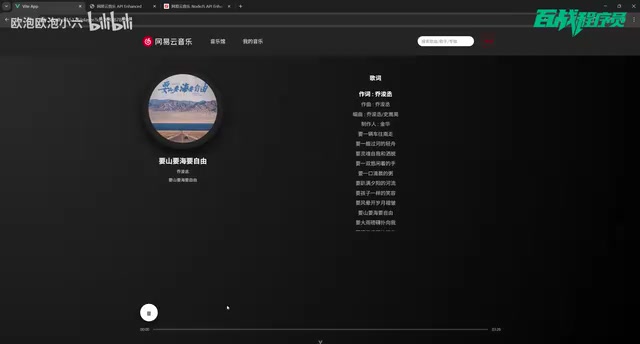
A practical Vue3 tutorial cloning NetEase Cloud Music with routing, auth, search, and audio playback.
This article analyzes a Vue3 hands-on project that clones NetEase Cloud Music, covering core modules including component-based homepage development, QR code authentication, search with debouncing, and HTML5 Audio API playback. With a local API service providing 200+ endpoints and complete source code, it's an ideal starter project for Vue3 beginners to learn routing, state management, and API integration.
Project Overview
It's not easy for frontend beginners to find a hands-on project that offers real practical value without being overly complex. There's a tutorial on Bilibili that builds a NetEase Cloud Music clone from scratch using Vue3, covering the most common modules in frontend development: page routing, API integration, user authentication, and audio playback. It also provides complete source code, a database, and project documentation, making it an excellent starter project for learning Vue3.
This article provides an in-depth analysis of the project's feature architecture, technical highlights, and learning value to help you decide whether it's worth following along and what you can learn from it.
Core Feature Module Breakdown
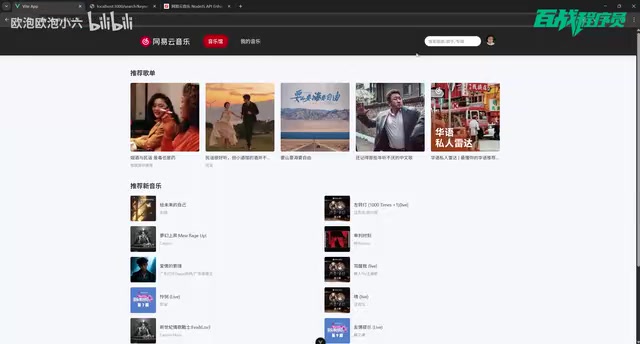
Music Hall Homepage: Data Display & Component-Based Development
The project homepage replicates the classic NetEase Cloud Music layout, including recommended playlists, new music recommendations, artist rankings, and other content sections. While these modules may seem simple, they actually involve the core philosophy of Vue3 component-based development — how to break a page into reusable components and how to handle parent-child component communication through props and emit.
Vue3 was officially released in September 2020, and its biggest architectural change was the introduction of the Composition API, which allows developers to organize code by logical concerns rather than option types. Compared to Vue2's Options API, which scatters data, methods, and computed properties across different options, the Composition API aggregates related logic within the setup function, greatly improving code readability and reusability. Component-based development is the core paradigm of modern frontend frameworks — its essence is breaking the UI into independent, reusable units where each component manages its own state and rendering logic, communicating with the outside world through well-defined interfaces (props for incoming data, emit for outgoing events).
From the homepage, clicking a recommended playlist takes you to the playlist page, and clicking a specific song navigates to the player page. Behind this complete user journey lies a typical application of Vue Router's nested routes and dynamic route parameters.
SPA (Single Page Application) is a web application architecture pattern where the entire application has only one HTML page, and page transitions are achieved by dynamically replacing DOM content via JavaScript rather than traditional full-page refreshes. Vue Router is Vue.js's official router, which uses the browser's History API or Hash mode to listen for URL changes and render corresponding components based on a predefined route mapping table. Nested routes allow defining child route outlets within parent route components to achieve multi-level page structures; dynamic route parameters (e.g., /song/:id) enable the same component template to display different data based on URL parameters.
For beginners, understanding how multi-level page navigation like "list page → detail page → player page" is implemented is a crucial step in mastering SPA development.
User Login: Complete QR Code Authentication Flow
One of the most technically rich modules in the project is the QR code login feature. When an unauthenticated user clicks "My Music," the system redirects them to the login page, which supports authorization via scanning with the NetEase Cloud Music mobile app.
QR code login is a variant implementation of OAuth authorization. The complete flow works as follows: the frontend requests the server to generate a unique session key; after receiving the key, the frontend encodes it into a QR code image displayed to the user; the user scans the QR code with their already-authenticated mobile app, which sends the key along with user identity information to the server to confirm authorization; the frontend polls the server at regular intervals (typically every 1-2 seconds) to check the authorization status of that key; once authorization is detected as successful, the server returns the user's token and basic information. This approach avoids the security risk of entering credentials on third-party pages and is an authentication scheme widely adopted by mainstream applications today.
Implementing this feature involves several key technical points:
- QR code generation and polling: The frontend needs to call an API to obtain the QR code key, generate the QR code image, and then periodically poll to check the scan status
- Login state management: After successful authorization, user information and tokens need to be stored locally and managed globally through Vuex or Pinia
- Route guards: Unauthenticated users accessing pages that require authentication are automatically redirected to the login page
Pinia is the officially recommended state management library for Vue3. As the successor to Vuex, it offers a more concise API and better TypeScript support. In user authentication scenarios, the token and user information obtained after successful login need to be shared across multiple components — this is a classic use case for global state management. However, state in Pinia is stored in memory by default and is lost on page refresh. Therefore, it needs to be paired with localStorage or sessionStorage for data persistence — synchronizing critical state to browser local storage and restoring state from local storage during app initialization to achieve a "remember login" effect.
After successful login, users can see their playlist collection on the "My Music" page, click a playlist to enter its detail page, and click a song to play it.
Search Feature: Data Flow from Input to Results
The search module implements keyword search and result list display. After users enter a song name, the frontend calls the search API to fetch matching results, and clicking any song in the search results navigates to the player page.
Although the feature appears simple, it involves common frontend development details such as input debouncing, search result data formatting, and empty state handling.
Debounce is a classic technique in frontend performance optimization. Its core idea is: when an event is triggered continuously, the callback function is only executed after a specified time interval has passed since the last trigger. In a search scenario, if an API request is sent immediately for every character the user types, typing "NetEase" (three Chinese characters) would generate three requests, with the first two results being overwritten by the third — causing unnecessary network overhead and server pressure. By setting a 300-500 millisecond debounce delay, the search request is only sent after the user stops typing, saving resources while improving user experience. In contrast, throttle ensures execution at most once within a fixed time interval and is commonly used for scroll event handling.
These "small issues" are often what distinguishes junior developers from mid-level developers.
Music Playback: Practical Application of HTML5 Audio API
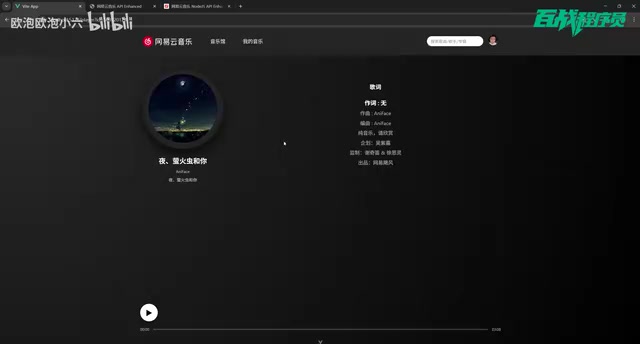
The playback feature is the core interaction module of the entire project. It implements basic controls like play and pause through the HTML5 Audio API.
The HTML5 Audio API is a native multimedia control interface provided by browsers. Through the HTMLAudioElement object, you can implement audio loading, playback, pausing, seeking, volume adjustment, and other operations. Core properties include currentTime (current playback position), duration (total length), volume, and paused (whether paused); core events include play, pause, timeupdate (playback progress updates), ended (playback finished), and canplay (ready to play). Developers can build custom player UIs by listening to these events without relying on the browser's default playback controls. Compared to using third-party audio libraries, directly working with native APIs gives beginners a deeper understanding of the browser's multimedia processing mechanisms.
This module gives beginners the opportunity to work with native browser APIs and understand that frontend development isn't just about page rendering — it also includes capabilities like multimedia control.
Local API Service: Backend Interface Deployment & Usage
One of the project's major highlights is the complete local API service it provides. All interfaces are deployed on local port 3000, allowing developers to call them directly on localhost without additional server configuration.
The local API service used in the project is based on the well-known open-source GitHub project NeteaseCloudMusicApi (maintained by developer Binaryify). This project wraps and proxies NetEase Cloud Music's interfaces through Node.js, providing RESTful HTTP endpoints for developers to call. It solves the biggest pain point for frontend developers in practice projects — the lack of real data sources. The project has over 30k stars on GitHub and is one of the most widely used music API services in the frontend learning community. All interfaces run locally, eliminating cross-origin issues and the need to apply for API keys, greatly lowering the barrier to getting started.
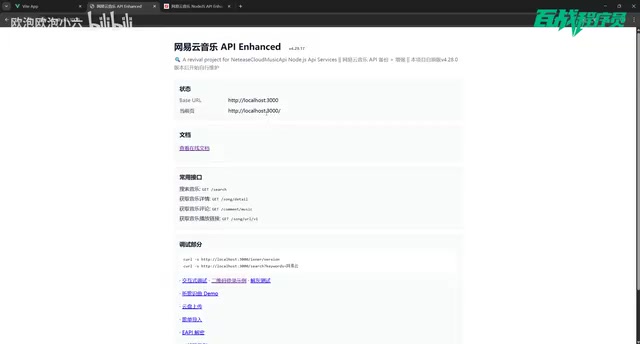
According to the tutorial, this API service provides approximately 200+ endpoints, while the current project only uses about a dozen. This means:
- Manageable learning curve: Beginners don't need to understand all endpoints — just mastering the core APIs used in the project is enough to get started
- Ample room for extension: After completing the basic features, you can pick other endpoints to extend functionality, such as comments, MV playback, lyric synchronization, etc.
- Zero backend barrier: No need to build your own backend service — just get the source code and start it up, letting frontend developers focus on frontend logic
Learning Value Analysis
Who Is This Project For?
This project is positioned as a comprehensive step-by-step tutorial, primarily targeting:
- Vue3 beginners: Those who already understand Vue3 basic syntax and need a complete project to connect the dots
- Frontend job seekers: Those who need a moderately complex project to strengthen their resume and portfolio
- Full-stack beginners: Those who want to understand how frontend and backend collaborate and how API integration works
Core Skills You'll Learn
| Skill Area | Specific Content |
|---|---|
| Vue3 Fundamentals | Composition API, reactive data, lifecycle hooks |
| Route Management | Vue Router configuration, dynamic routes, nested routes, route guards |
| State Management | Global login state maintenance, user information persistence |
| API Integration | Axios encapsulation, API calls, response data handling |
| Project Engineering | Project directory structure design, component splitting strategies, code organization standards |
Limitations & Areas for Improvement
The current version only implements some core features, and the tutorial author has mentioned that a 2.0 version with more features will be released later. If you've completed the basic version, you can try extending the following features as advanced exercises:
- Synchronized scrolling lyrics display
- Playlist management (previous/next/shuffle)
- Comment section functionality
- Responsive layout for mobile adaptation
Conclusion
Although this Vue3 NetEase Cloud Music clone project only uses basic functionality from about a dozen endpoints, it covers the most essential frontend development scenarios: data display, user authentication, search interaction, and multimedia playback. Combined with complete source code and a local API service, it delivers a ready-to-use learning experience.
For beginners looking for a Vue3 hands-on project, this is a solid choice with good return on investment. The key isn't perfectly replicating every NetEase Cloud Music feature — it's about understanding the development workflow and mindset of a complete web application, from route design to state management to API integration.
Related articles
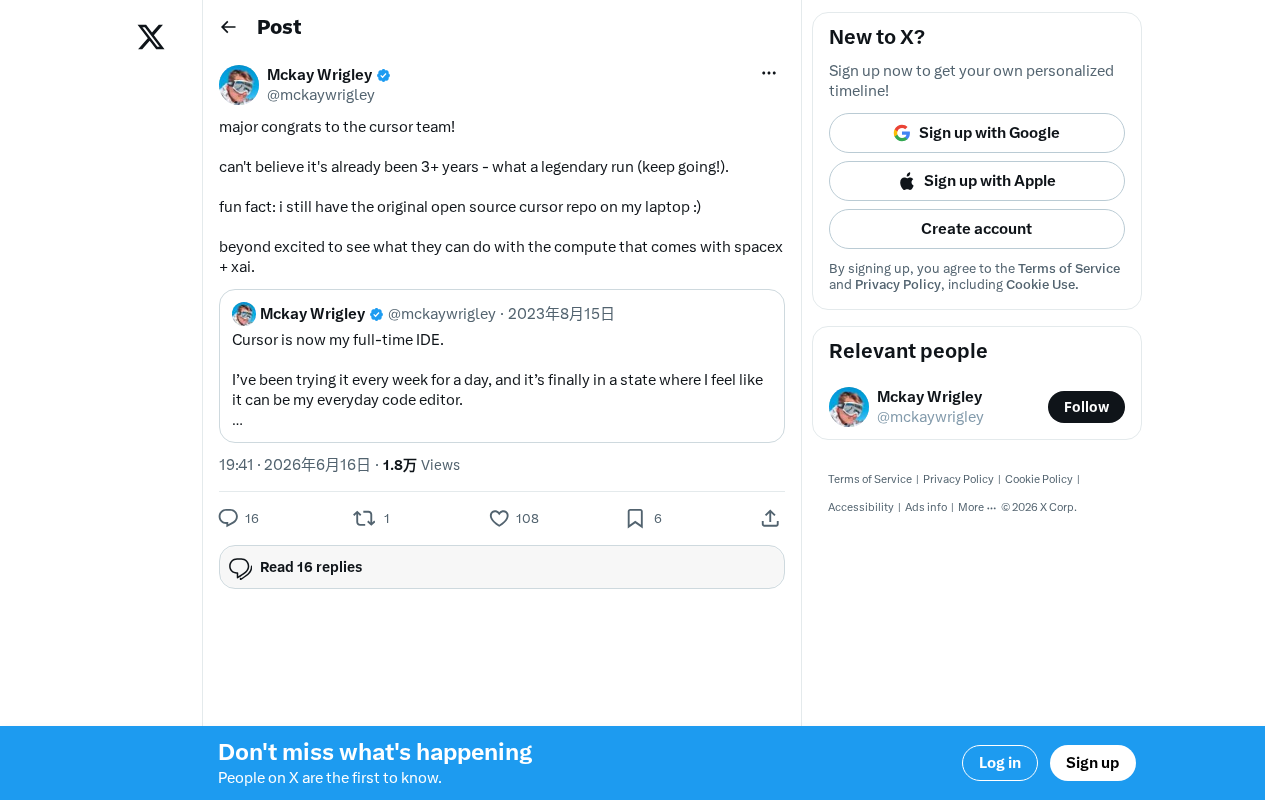
Cursor Receives Investment from SpaceX and xAI — AI Coding Tools Enter a New Era of Computing Power
Anysphere, the company behind AI coding tool Cursor, secures investment from SpaceX and xAI, gaining world-class computing resources to reshape the AI coding landscape.

U.S. Congressional Candidate Responds to Controversy Over Deleting 3,500 Tweets: A Reflection on Rhetoric and Values
U.S. Congressional candidate Chevalier addresses the controversy over deleting 3,500 tweets, reflecting on past rhetoric and advocating for unifying, accessible, and kind political language.

Claude Code Workflow in Practice: Hundreds of Agents Automatically Migrating PHP to Golang
Deep dive into Claude Code Workflow's multi-Agent auto-orchestration: a real-world PHP to Golang migration running 14 hours with 100+ Agents, covering planning, execution, and Token cost analysis.