Building a Fully Automated Coding Agent with n8n: From Issue to PR with Zero Human Intervention
Building a Fully Automated Coding Agen…
Build a fully automated AI coding system from Slack messages to GitHub PRs using n8n workflows.
A developer built a fully automated coding Agent system using just two workflows on the n8n open-source workflow automation platform. The first workflow listens for GitHub Issues, where an AI Agent automatically writes code and creates PRs. The second workflow monitors Slack messages, with AI parsing natural language requirements to auto-create Issues that then trigger the coding pipeline. Developers simply describe what they need in Slack using natural language to achieve full end-to-end automation from requirements to code submission, showcasing the trend of AI coding evolving from assistance to autonomy.
How Far Can You Simplify the Dev Workflow When Automation Meets AI Coding?
Imagine this scenario: you submit an Issue on GitHub describing a feature you want, then do absolutely nothing — and a few minutes later, a Pull Request with a complete implementation automatically appears in your repository. Take it even further: you just send a message in Slack, and the AI automatically creates the Issue, writes the code, and submits the PR, all with zero human intervention.
This isn't science fiction — it's a fully automated coding Agent built by a developer using the n8n workflow engine. n8n is an open-source workflow automation platform built on Node.js that uses a visual node-based approach, allowing users to build complex automation pipelines by dragging and connecting nodes for different services. Unlike commercial SaaS tools such as Zapier or Make (formerly Integromat), n8n supports self-hosted deployment, keeping data entirely under the user's control, with over 400 built-in integration nodes covering GitHub, Slack, databases, HTTP requests, and other common services. The entire system consists of just two n8n workflows, yet demonstrates remarkably powerful automation capabilities.
System Architecture: How Two n8n Workflows Work Together Elegantly
The core of this fully automated coding system consists of two n8n workflows, each with a distinct role yet tightly coordinated.
Workflow One: GitHub Issue → AI Auto-Coding → Submit PR
The first workflow is triggered when a new Issue is created in a GitHub repository. Once a new Issue is detected, the workflow automatically executes the following steps:
- Listen for Triggers: A GitHub Trigger node monitors the repository's Issue creation events in real time. Under the hood, this relies on GitHub's Webhook mechanism — when a specific event occurs in the repository, GitHub sends an HTTP POST request to a pre-configured URL carrying detailed JSON data about the event. n8n acts as the Webhook receiver, parsing this data to trigger subsequent workflow nodes. Compared to polling, Webhooks are event-driven with response latency typically in the seconds range, and they don't incur unnecessary API call overhead.
- Execute Coding Script: A script deployed on a local PC is run, where an AI Agent parses the Issue content and automatically writes code. The AI Agent here isn't a simple LLM API call — it's an intelligent agent architecture with tool-use capabilities. A typical AI Agent consists of three components: a large language model (such as GPT-4, Claude, etc.) as the reasoning core, a toolset (such as file read/write, Git operations, code execution, etc.) as its action capabilities, and a Plan-Act Loop as the decision-making framework. After receiving the Issue description, the Agent first analyzes the requirements, plans the implementation steps, then progressively invokes tools to complete code writing, file creation, Git commits, and other operations. This architecture is consistent with the ReAct (Reasoning + Acting) paradigm and is also the core design approach behind current AI coding tools like Devin, OpenHands, and SWE-Agent.
- Create Branch and PR: The implemented code is pushed to a new branch, and a Pull Request is automatically created. PRs are a core collaboration mechanism in modern software development based on Git — after a developer completes code changes on an independent branch, they initiate a merge request to the main branch via a PR, where team members can conduct code review, discussion, and automated testing. Automatically creating a PR rather than pushing directly to the main branch is a key safety consideration in this system's design. It preserves the human review step, preventing unverified AI-generated code from entering the production codebase directly. This also aligns with widely adopted branching strategies like GitHub Flow or Git Flow.
- Send Notification: A success message is sent via Slack to inform the developer that the task is complete.
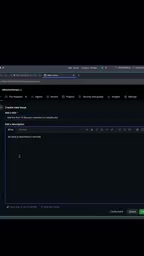
In the demo, the author created a simple Issue: "Add the first 10 Fibonacci numbers to readme.md." After submitting the Issue, without any manual intervention, the system automatically completed the code implementation, and a confirmation message — "implemented issue 14" — appeared in Slack.
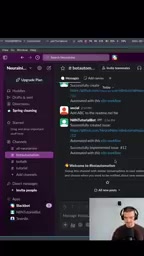
Workflow Two: Slack Message → AI Parsing → Auto-Create GitHub Issue
The second workflow lowers the barrier even further — you don't even need to manually create an Issue on GitHub. Just describe your requirements in natural language in a Slack channel.
The workflow proceeds as follows:
- Slack Trigger: Monitors messages in a specific Slack channel.
- AI Agent Parsing: The message content is fed to an AI Agent that understands the user's intent and structures the requirements. In this step, the AI needs to transform unstructured natural language into a structured Issue title and description, including extracting key technical requirements and clarifying the implementation scope. This is essentially a Natural Language Understanding (NLU) task.
- Auto-Create Issue: A corresponding Issue is created in the GitHub repository with a detailed description.
- Confirmation Feedback: A confirmation message is sent in Slack, including the Issue link.
- Trigger Workflow One: The newly created Issue automatically triggers the first workflow to begin coding.
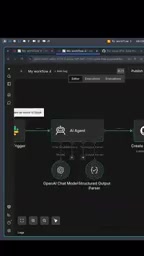
Live Demo: From a Single Slack Message to a Complete Code Submission
In the demo, the author typed the following message in Slack: "Create a minimalistic Flask application, basically just an app.py file and an index HTML file, super minimal."
Flask is one of the most popular lightweight web frameworks in the Python ecosystem. Created by Armin Ronacher in 2010, it follows a "micro-framework" design philosophy — its core provides only basic functionality like routing, request handling, and template rendering, with additional capabilities introduced through extension plugins as needed. A minimal Flask application can run with just a few lines of code, which is why it was chosen as the test case in this demo — it's simple enough to clearly showcase the complete AI auto-coding workflow while still being a real, runnable web application rather than toy code.
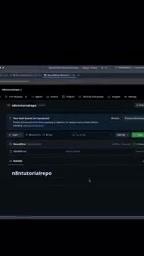
After sending the message, the entire automation chain kicked off in sequence:
- The Slack message triggered the second workflow
- The AI Agent parsed the requirements and automatically created an Issue on GitHub
- Slack returned a confirmation message with the Issue link
- The new Issue triggered the first workflow
- The AI automatically wrote the Flask application code
- The code was pushed to a new branch and a PR was created
Throughout the entire process, the developer did only one thing — typed a single sentence in Slack.
Technical Highlights and Practical Value Analysis
Deep Integration of Low-Code and AI Coding
n8n, as an open-source workflow automation tool, is already known for its low-code approach. Combining it with an AI coding Agent creates an entirely new development paradigm: conversational development. Developers no longer need to open an IDE, switch branches, write code, or submit PRs — all these steps are automated.
Conversational Development didn't appear out of thin air — it's a natural extension of the evolution of AI coding tools. From GitHub Copilot's launch of inline code completion in 2021, to Cursor and other AI-native IDEs enabling cross-file editing in 2023, to the emergence of autonomous coding agents like Devin and Replit Agent in 2024, AI's depth of participation in the development process has been continuously increasing. Gartner predicts that by 2028, 75% of enterprise software engineers will use AI coding assistants. The n8n approach showcased here represents an alternative path — rather than relying on specialized AI coding products, it orchestrates existing AI capabilities into an end-to-end automation pipeline using general-purpose workflow tools. This "composable AI" approach is especially practical for small and medium-sized teams.
What Are the Applicable Scenarios?
While the demo handles simple tasks (like Fibonacci sequences and a minimal Flask app), the architecture is highly extensible:
- Rapid Prototyping: Product managers describe requirements in Slack, and prototype code is automatically generated
- Automated Bug Fixes: Automatically generate fix PRs after users report bugs
- Documentation Maintenance: Automatically update READMEs, API docs, etc.
- Team Collaboration Efficiency: Non-technical team members can trigger code changes through natural language
Current Limitations and Considerations
Of course, the system still has some limitations to be aware of:
- The coding script runs on a local PC, meaning the machine needs to stay online. In the future, the Agent could be deployed to cloud containers (e.g., Docker) or Serverless environments to improve availability.
- For complex multi-file, multi-module projects, the accuracy and quality of AI-generated code still need validation. Current LLMs still suffer from hallucination issues when handling very long contexts and complex code dependencies, and the generated code may contain logic errors or fail to conform to the project's existing architectural conventions.
- There's no code review step built in — auto-generated PRs still require human review before merging. Consider integrating automated testing (CI/CD) and AI code review tools (such as CodeRabbit) into the workflow as additional quality gates.
- Security considerations — automatically executing scripts poses potential risks, especially when the AI Agent has file system and Git operation permissions. Its scope of operations needs to be strictly limited (sandboxing) to prevent security issues caused by malicious Issue injection.
Conclusion: AI Coding Is Moving from Assistance to Autonomy
This n8n fully automated coding Agent project may look like just two simple workflows, but it demonstrates an important trend: AI coding is shifting from "assistance" to "autonomy." From GitHub Copilot's code completion, to Cursor's AI editor, to this kind of fully automated Issue-to-PR pipeline, AI's role in software development is continuously evolving.
This evolutionary path can be clearly divided into three stages: The first stage is code completion (e.g., Copilot), where AI provides line-level or function-level suggestions while developers code. The second stage is interactive editing (e.g., Cursor, Windsurf), where AI can understand project context and make cross-file modifications. The third stage is autonomous execution (e.g., the n8n approach in this article, Devin, etc.), where AI can independently complete the entire process from requirement understanding to code delivery. We are currently at a critical transition point from the second stage to the third.
As AI coding capabilities continue to improve and workflow tools keep maturing, "writing software in natural language" may no longer be a distant vision, but an everyday operation for every development team.
Related articles
 Tutorials
Cursor + Codex Dual-IDE Collaboration: A Practical Methodology for Open-Source Project Customization
A complete methodology for open-source project customization based on real-world experience, detailing the Cursor+Codex dual-IDE workflow, seven-stage process, MVP validation, and AI source code reading techniques.
 Tutorials
Cursor Multi-Agent in Practice: Building a Full-Stack Next.js Blog in 50 Minutes
Build a full-stack blog in 50 minutes using Cursor IDE's multi-Agent mode with Next.js, Clerk auth, and Supabase. Learn the 4-phase AI Agent workflow and key integration pitfalls.
 Tutorials
Building an AI Software Factory from Scratch: A Cursor Engineer's Hands-On Experience with Multi-Agent Collaboration
Cursor engineer Eric shares practical insights on building an AI software factory: automation levels, guardrail design, parallel Agent management, and scaling to 1000+ Agents for 24/7 development.