Z-Image Model in Practice: Generate Cinema-Quality Ancient Chinese Beauty Portraits in 3 Minutes

Z-Image model with Doubao prompt reverse-engineering and ComfyUI workflow for realistic ancient Chinese portraits
This article introduces a realistic ancient Chinese character generation workflow based on the Z-Image model. Z-Image includes four variants — Turbo, Base, ONI, and EDI — with the Turbo version achieving fast, high-quality generation through knowledge distillation. The tutorial uses ByteDance's Doubao model for prompt reverse-engineering to help beginners, and details key ComfyUI workflow parameters (denoise must be 1, CFG at 1, 20 steps) for batch-generating cinema-quality ancient Chinese beauty portraits.
Overview
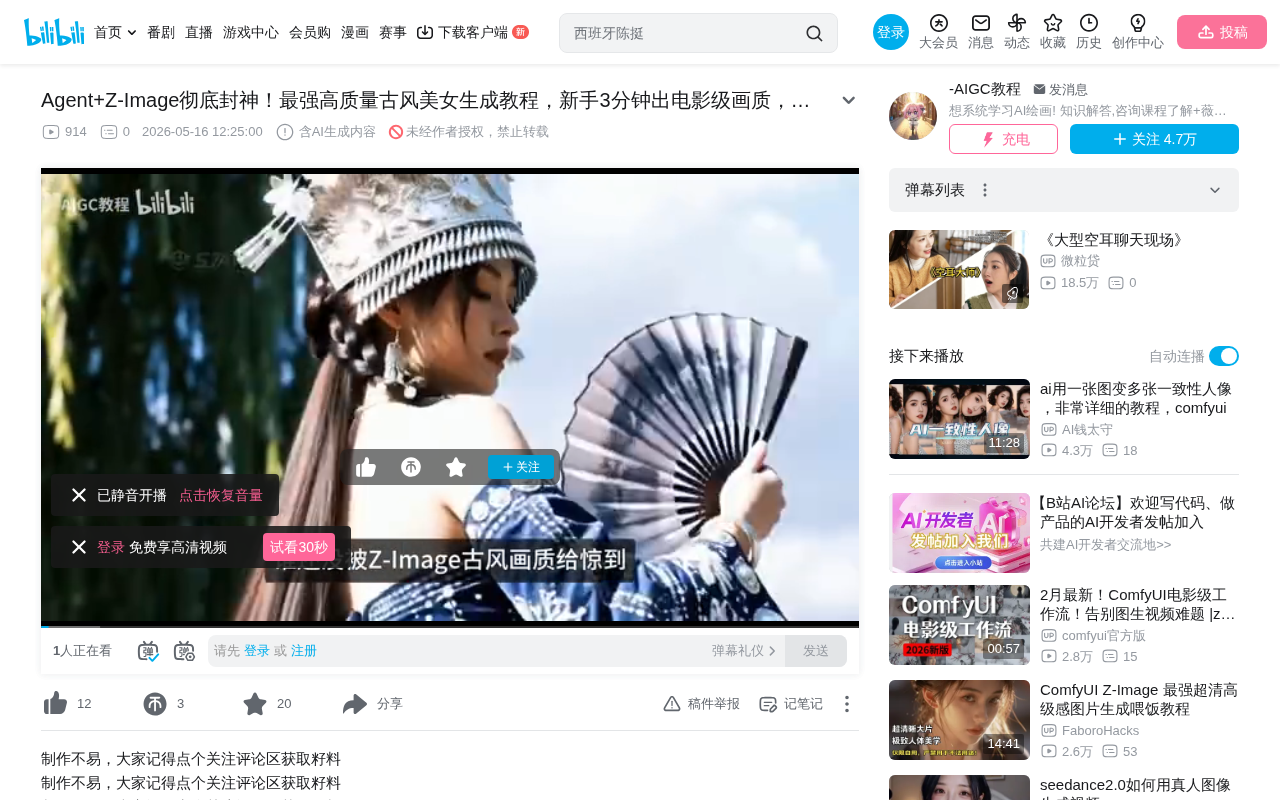
In the field of AI image generation, realistic ancient Chinese-style characters have always been a high-difficulty subject — requiring both fine facial details and authentic textures in clothing, lighting, and atmosphere. Recently, the Z-Image model has made all of this remarkably simple. Bilibili creator Teacher Aqi shared a complete ComfyUI-based workflow that, combined with the Doubao large model for prompt reverse-engineering, enables even beginners to generate cinema-quality ancient Chinese beauty portraits in just 3 minutes.
Z-Image Model: Four Variants Explained
Different Versions for Different Scenarios
Z-Image is not a single model but a model family containing multiple variants, each optimized for different use cases:
- Z-Image Turbo (Distilled Version): A distilled version of the base model with faster generation speed. For most users, the results are more than sufficient — this is the version primarily used in this tutorial
- Z-Image Base (Base Model): Focused on higher-quality generation with richer aesthetic expression, diversity, and controllability
- ONI Base (Multi-purpose Base Model): Capable of both image generation and editing tasks — a versatile all-rounder
- EDI Model (Editing-Specific): A fine-tuned variant specifically for image editing tasks, supporting precise edits based on natural language prompts
Model Distillation: Why the Turbo Version Is Both Fast and Good
Z-Image Turbo is described as a distilled version of the base model, involving an important model compression technique in deep learning — Knowledge Distillation. Proposed by Geoffrey Hinton et al. in 2015, the core idea is to use a large, complex "teacher model" to guide the training of a small, efficient "student model," enabling the student to maintain performance close to the teacher while dramatically reducing computational requirements and inference time. In image generation, distillation techniques are typically used to reduce the number of sampling steps required by diffusion models — a model that originally needed 50-100 steps to generate high-quality images may only need 4-8 steps after distillation to achieve comparable results. This is the technical principle behind why the Turbo version maintains high image quality at faster speeds.
Core Advantages of Z-Image
Z-Image excels particularly in realistic human generation. From skin texture and hair strand details to clothing patterns, the generated results approach professional photography standards. Additionally, the model supports multilingual text generation (Chinese, English, Japanese, etc.) for use in poster design and similar scenarios, and features prompt enhancement and reasoning capabilities.
Prompt Acquisition: The Doubao Reverse-Engineering Method
Solving the "Can't Write Prompts" Pain Point
Many users find prompt writing to be the most frustrating part of AI art generation. Teacher Aqi recommends a clever approach: using the Doubao large model for image-to-prompt reverse-engineering.
Doubao is a multimodal large language model launched by ByteDance with powerful image understanding and text generation capabilities. In AI art workflows, using multimodal large models for "image-to-prompt reverse-engineering" (also known as Image Captioning or Image-to-Text) has become a mainstream practice. The principle is that multimodal models extract image features through visual encoders, then combine them with the language model's generation capabilities to transform visual information into structured text descriptions. Compared to traditional tools like CLIP Interrogator, large language models can generate more natural, detailed descriptions that align with human expression habits, including precise capture of abstract concepts like composition, lighting, and emotional atmosphere — significantly improving the quality of reverse-engineered prompts.
Specific workflow:
- Find a reference image you like (e.g., an impressive ancient Chinese beauty portrait)
- Prepare a dedicated reverse-engineering prompt template (provided by the creator in the comments section)
- Open Doubao and send both the reverse-engineering prompt and reference image to the AI
- The AI will automatically analyze the image content and generate corresponding detailed descriptive prompts
- Copy the generated prompts and use them directly for image generation
The advantage of this method: even if you have no idea how to describe composition, lighting, or clothing details, the AI can precisely extract all key elements for you.
ComfyUI Workflow Setup Guide
Core Node Configuration
Setting up the entire ComfyUI workflow isn't complicated. Key parameter settings are as follows:
- Large Model Loading: Use the UNet loader to load the Z-Image Turbo model
- CLIP Encoder: Use the CLIP type based on Qwen's underlying architecture
- VAE: Use the AE series VAE uniformly
- Text Encoder: Connect an external prompt list node to support generating multiple images simultaneously
Technical Relationship Between CLIP Encoder and Qwen Model
CLIP (Contrastive Language-Image Pre-training) is a multimodal model released by OpenAI in 2021 that maps text and images into the same vector space through contrastive learning, enabling AI to understand the semantic relationship between text descriptions and image content. In diffusion model architectures like Stable Diffusion, CLIP is responsible for encoding user text prompts into vector representations the model can understand. Z-Image uses the CLIP type based on Qwen's underlying architecture, meaning it employs a text encoder trained by Alibaba's Tongyi Qwen large model. This type of encoder far surpasses the original English CLIP in understanding Chinese semantics, enabling more accurate parsing of subtle semantic differences in Chinese prompts — this is the technical foundation for Z-Image's support of Chinese prompts and Chinese text generation.
The Core Role of VAE in Image Generation
VAE (Variational Autoencoder) plays a critical role in image compression and decompression within diffusion model architectures. Modern image generation models don't perform diffusion operations directly in pixel space (which would be computationally enormous). Instead, they first compress images into a low-dimensional Latent Space through the VAE encoder, complete the denoising generation process in latent space, then restore the latent representation to high-resolution pixel images through the VAE decoder. The AE series VAE typically refers to autoencoder variants optimized for specific model architectures, where decoding quality directly affects the final image's clarity, color accuracy, and detail fidelity. Choosing the correct VAE is crucial for avoiding common issues like color shifts and blurriness.
Key Sampler Parameter Settings
The K Sampler parameter configuration is critical:
| Parameter | Recommended Value | Notes |
|---|---|---|
| Steps | 20 | Balances quality and speed |
| CFG Value | 1 | Keep at default |
| Denoise Value | 1 (mandatory) | Setting to 0.8 or other values will cause image generation failure |
Technical Principles Behind CFG and Denoise Values
CFG (Classifier-Free Guidance) value controls how closely the model follows the prompt. Traditional Stable Diffusion models typically use CFG values of 7-12, but newer generation models (like FLUX, Z-Image, etc.) often achieve optimal results with CFG set to 1 or even lower due to architectural improvements and training methodology changes. This is because these models have internalized stronger conditional guidance capabilities during training and no longer need high CFG to force text-image semantic alignment.
A denoise value of 1 means starting the complete generation process from pure noise, while values below 1 indicate retaining some original information — useful in img2img scenarios, but in pure text-to-image scenarios, an incomplete denoising process may prevent the model from converging correctly, producing artifacts or structural collapse. This is the fundamental reason why Z-Image requires the denoise value to be set to 1.
Important Note: The denoise value must be set to 1 — this is a common pitfall. If set to 0.8 or other values, the generated images will most likely have serious problems.
Batch Generation Tips
The workflow uses a prompt list node, meaning you can set multiple different prompts at once (e.g., different style female characters, male characters, etc.) for batch generation. In the empty Latent node, you can freely set the image aspect ratio — for example, a 9:16 portrait orientation is ideal for full-body displays of ancient Chinese-style characters.
Application Scenarios and Results Assessment
Based on actual generation results, Z-Image Turbo performs excellently in the following scenarios:
- Ancient Chinese-style portraits/costume photos: Hair ornament patterns, embroidery details on clothing are clearly visible
- AI short drama character design: Good character consistency, suitable for continuously generating the same character
- Commercial poster assets: Supports text generation, can be used directly in design
The generated images achieve near-real photography standards in lighting, skin texture, and hair detail — a tremendous efficiency boost for creators who need high-quality assets.
Conclusion
Z-Image + Doubao prompt reverse-engineering + ComfyUI workflow — this combination dramatically lowers the barrier to realistic ancient Chinese-style character generation. For beginners, mastering the prompt reverse-engineering method and a few key parameter settings is all it takes to quickly produce high-quality images. As the Z-Image model family continues to iterate, there's even greater potential in image editing, style transfer, and beyond.
Key Takeaways
- The Z-Image model family includes four variants: Turbo (distilled), Base, ONI (multi-purpose), and EDI (editing-specific) — the Turbo version meets most realistic character generation needs
- Using the Doubao large model for image-to-prompt reverse-engineering solves the core pain point of beginners not knowing how to write prompts
- In the ComfyUI workflow, denoise value must be set to 1, CFG value to 1, and 20 steps is the optimal configuration
- This solution is applicable to ancient Chinese-style portraits, AI short drama character design, commercial posters, and many other scenarios
- Supports multilingual text generation and batch image generation, boosting creative efficiency
Related articles
 Tutorials
Cursor + Codex Dual-IDE Collaboration: A Practical Methodology for Open-Source Project Customization
A complete methodology for open-source project customization based on real-world experience, detailing the Cursor+Codex dual-IDE workflow, seven-stage process, MVP validation, and AI source code reading techniques.
 Tutorials
Cursor Multi-Agent in Practice: Building a Full-Stack Next.js Blog in 50 Minutes
Build a full-stack blog in 50 minutes using Cursor IDE's multi-Agent mode with Next.js, Clerk auth, and Supabase. Learn the 4-phase AI Agent workflow and key integration pitfalls.
 Tutorials
Building an AI Software Factory from Scratch: A Cursor Engineer's Hands-On Experience with Multi-Agent Collaboration
Cursor engineer Eric shares practical insights on building an AI software factory: automation levels, guardrail design, parallel Agent management, and scaling to 1000+ Agents for 24/7 development.