AI Agent Runs the Entire GEO Database Mining Workflow with a Single Prompt

WorkBuddy agent runs the entire GEO data mining workflow with one prompt, but relies on preset Skills.
Based on a hands-on demo by Bilibili creator "Shenxin Self-Study Network," the article compares ordinary AI chat tools and agents in bioinformatics analysis: the former only generates scripts and requires manual execution and repeated error handling, while the latter can automatically generate and execute scripts, install dependencies, and debug errors until figures and reports are delivered. Using Alzheimer's disease as an example, WorkBuddy automatically searched and filtered 16 GEO datasets via prompts, downloaded and organized them into expression matrices and grouping files, and completed ID conversion; then a single prompt triggered the full workflow including batch correction, differential analysis, WGCNA, feature gene screening by four machine learning methods, immune infiltration analysis, and ceRNA/transcription factor/drug sensitivity network construction. The article also notes that its flexibility is limited by the coverage of preset Skills, and its ability to handle complex errors still needs verification.
In bioinformatics analysis, GEO database mining is a common but tedious task. Traditional AI chat tools require users to repeatedly copy error messages and manually install software dependencies, but the emergence of AI agents has made "running the entire workflow with a single prompt" possible. Based on a hands-on demonstration by Bilibili creator "Shenxin Self-Study Network," this article breaks down how the WorkBuddy agent automates the entire process from data search to analysis report, and explores its capability boundaries.
From Chat Tool to Agent: The Essential Difference in Workflow
In bioinformatics analysis, ordinary AI chat tools play the role of "script generator." The user enters a request, the AI returns code, and the user runs it themselves; once an error occurs, the error message must be pasted back into the conversation, creating a repetitive loop. According to the creator's demonstration, this model is especially inefficient when installing software and handling dependency packages.
An agent, by contrast, acts as an "execution assistant." The user only needs to write a prompt, and the agent generates scripts, controls script execution, and automatically installs software and dependencies when it detects missing software. When a script errors out, the agent directly modifies it and repeatedly tests until it runs successfully, ultimately outputting figures, tables, and an analysis report. This closed loop of "generate-execute-debug-deliver" frees users from repetitive labor.
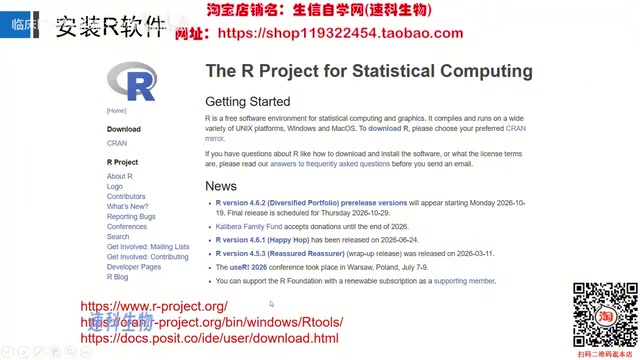
The creator recommended three commonly used agents and demonstrated installation using WorkBuddyAd as an example: after downloading the software, simply double-click to complete installation, with an extremely low barrier to entry. The workflow also applies to users who have already installed other agents.
Hands-On Automation of GEO Data Mining: Alzheimer's Disease as an Example
Data Search and Filtering
The traditional approach requires manually opening the GEO database page and filtering datasets one by one. In the agent approach, the user only needs to specify in the prompt the disease name (e.g., Alzheimer's disease), the required sample numbers for control and disease groups (e.g., more than 5 each), data filtering conditions, and so on; the agent then automatically searches and filters, retaining datasets that meet the conditions and removing records without expression matrices.
In the demonstration, the agent found 16 relevant datasets for Alzheimer's disease and presented them in a table, including dataset ID, data type, platform file information, numbers of control and disease group samples, tissue information, and so on. Based on this, the user can select 3-5 datasets for multi-chip joint analysis.
GEO (Gene Expression Omnibus) is a public gene expression database maintained by NCBI in the United States, containing expression data such as microarrays and high-throughput sequencing submitted by researchers worldwide. Each dataset is identified by a GSExxxxx number and is associated with platform files (GPL, describing the correspondence between probes and genes) and sample metadata. The commonly used "expression matrix" in data filtering refers to a numeric matrix with genes/probes as rows and samples as columns, which is the basis for subsequent differential analysis. Not all datasets in GEO provide directly downloadable expression matrices; some only store raw data (such as CEL files) and require additional preprocessing, so the agent prioritizes retaining records that contain expression matrices during filtering.
Data Download and Organization
After selecting datasets, the user writes the IDs and desired data format into the prompt, and the agent automatically completes the download. According to the creator's demonstration, the agent generates three files for each dataset: an expression matrix file, a control group sample information file, and a disease group sample information file. At the same time, the agent automatically completes ID conversion (converting probe names to gene names) and data filtering.
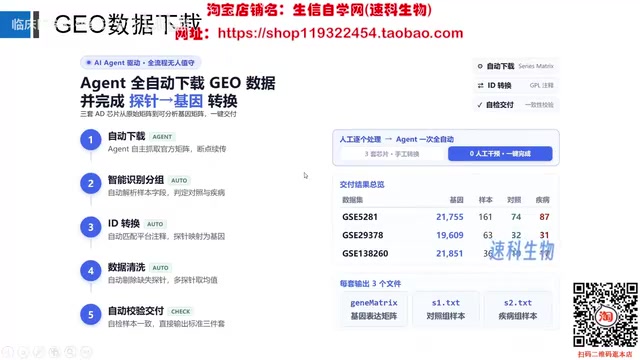
Traditionally, this step requires manually writing R scripts to handle, but the agent encapsulates multiple operations into a single prompt interaction, significantly reducing the operational burden.
ID conversion is a step that cannot be skipped in microarray analysis: microarray probes themselves are sequence fragments, and platform annotation files are needed to map probe IDs to gene symbols or Entrez IDs so that they can be connected with biological knowledge. The same gene may correspond to multiple probes, and common handling is to take the probe with the highest expression value or take the mean. Data filtering usually refers to removing genes with too-low expression or no signal in most samples, in order to reduce the multiple testing burden and noise. Batch effects arise from differences among datasets in experimental time, platform, and operators; direct merging causes samples to cluster by dataset rather than by biological group, so algorithms such as ComBat and removeBatchEffect are needed for correction.
Fully Automated Analysis Pipeline: From Batch Correction to Regulatory Networks
Once the data are prepared, entering a single line of prompt triggers the complete bioinformatics analysis pipeline. The creator used a Skill (skill package) written by "Shenxin Self-Study Network," and the agent sequentially executes the following analysis modules according to the preset workflow and generates a structured report:
- Data merging and batch correction: After merging multiple datasets, batch correction is performed, outputting boxplots and PCA plots before and after correction. The demonstration mentioned that after correction, samples are randomly shuffled, indicating that batch effects have been eliminated.
- Differential analysis and visualization: Obtain a statistical table of differential analysis and draw volcano plots and heatmaps.
- Co-expression analysis (WGCNA): Select the optimal soft threshold through figures, construct a scale-free network, divide gene modules, and screen disease-related genes based on the correlation between modules and traits (using the smallest p-value as the criterion).
- Obtaining intersection genes: Take the intersection of differential genes and disease-related genes, and draw a Manhattan plot of the intersection genes to show chromosome distribution.
- Functional enrichment: Perform GO and KEGG enrichment analysis on the intersection genes.
- Protein-protein interaction network: Construct a PPI network and select the top 20 hub genes by number of connected nodes.
- Feature gene screening: Screen feature genes using four methods—LASSO regression, SVM machine learning, random forest, and the Boruta algorithm—and take the intersection to obtain 5 intersection feature genes.
- Feature gene validation and visualization: Draw feature gene circos plots, ROC curves (all AUCs in the demonstration were greater than 0.7), differential boxplots, correlation plots, nomograms, calibration curves, and so on.
- Pathway and immune analysis: Perform GSEA and GSVA analysis, as well as immune cell infiltration analysis (bar plots, boxplots, correlation bubble plots).
- Regulatory network construction: Construct a ceRNA regulatory network (predicting miRNA and lncRNA), a transcription factor regulatory network, and a drug sensitivity analysis network.
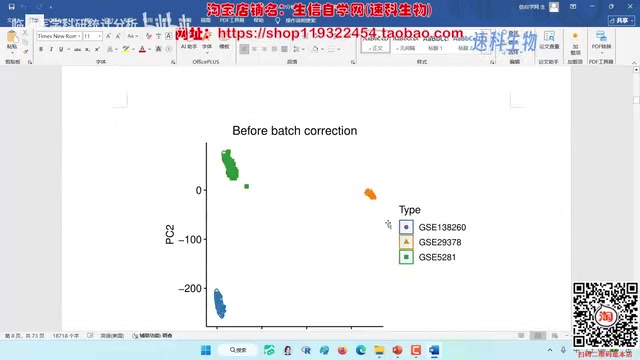
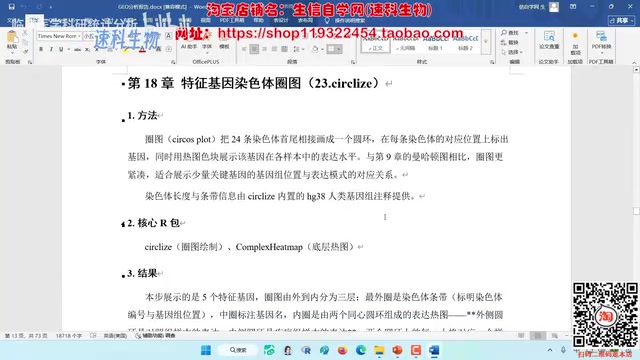
The entire pipeline covers the complete chain from data preprocessing to advanced visualization. Users do not need to open directories or manually run scripts; all operations are driven by natural language prompts.
WGCNA (weighted gene co-expression network analysis) constructs a weighted correlation network among genes, divides genes with similar expression patterns into modules, and then calculates the correlation between module eigengenes and disease traits, thereby screening modules and genes highly related to the disease. LASSO regression, SVM-RFE, random forest, and Boruta are four commonly used feature gene screening methods, each based on different statistical or machine learning principles; taking their intersection can improve the robustness of results. Both GSEA and GSVA are pathway-level analyses: the former evaluates the enrichment degree of preset gene sets in a ranked gene list, while the latter calculates pathway activity scores for each sample. The ceRNA hypothesis holds that mRNAs can regulate other transcripts by competitively binding miRNAs, so ceRNA networks usually contain three types of nodes: mRNA, miRNA, and lncRNA.
Capabilities and Limitations: The Applicable Boundaries of Agents in Bioinformatics Analysis
From the demonstration, the agent performs excellently on standardized workflows: installing environments, downloading data, executing fixed analysis modules, and generating reports—the degree of automation in these steps far exceeds that of chat tools. However, it should be noted that the demonstration relied on pre-written Skills (skill packages), which means the flexibility and customizability of the analysis workflow depend on the coverage of the Skill. For non-standard analysis needs, users still need to design prompts themselves or adjust the Skill.
In addition, the agent's automatic error-fixing capability is based on a testing loop, and its reliability in complex dependency conflicts or abnormal data scenarios still needs practical verification. The creator did not show the handling of extreme errors in the video, and this capability awaits testing with more cases.
Overall, agents such as WorkBuddy further lower the barrier to bioinformatics analysis, allowing researchers to focus their energy on scientific questions rather than workflow implementation. For researchers who need to batch-process GEO data or perform multi-chip joint analysis, this "single-prompt end-to-end" model is worth trying.
This article is based on public video content from Bilibili creator "Shenxin Self-Study Network" and is intended only as a technical workflow interpretation; it does not constitute any software recommendation. Actual analysis results need to be validated in the context of biological background.
One-line Summary
WorkBuddy agent runs the entire GEO data mining workflow with a single prompt, but relies on preset Skills.
Paragraph Summary
Based on a hands-on demonstration by Bilibili creator "Shenxin Self-Study Network," the article compares ordinary AI chat tools and agents in bioinformatics analysis: the former only generates scripts and requires users to run them manually and deal with repeated errors, while the latter can automatically generate and execute scripts, install dependencies, and debug errors until figures and reports are delivered. Using Alzheimer's disease as an example, WorkBuddy automatically searched and filtered 16 GEO datasets via prompts, downloaded and organized them into expression matrices and grouping files, and completed ID conversion; then a single line of prompt triggered the complete workflow including batch correction, differential analysis, WGCNA, feature gene screening by four machine learning methods, immune infiltration analysis, and construction of ceRNA/transcription factor/drug sensitivity networks. The article also notes that its flexibility is limited by the coverage of preset Skills, and its ability to handle complex errors still needs verification.
Related articles
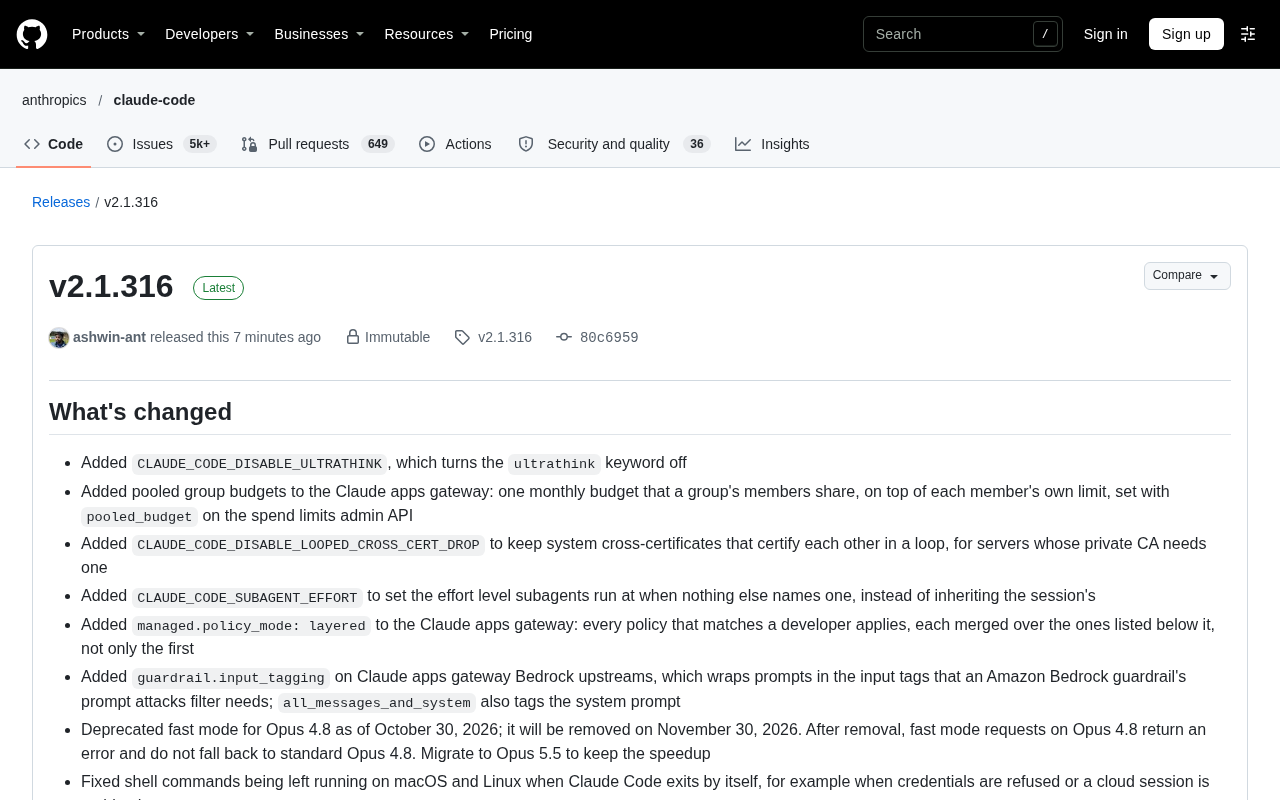
Claude Code v2.1.316 Update Analysis: Enterprise Gateway and Multiple Stability Fixes
Claude Code v2.1.316 released: new enterprise gateway pooled group budgets, layered policy mode, subagent effort control, dozens of Shell, network, and session recovery fixes, and Opus 4.8 fast mode deprecated.

17th-Century British Floods and Doomsday Panic: A New Perspective on Weather History
Based on a Hacker News discussion of '17th-Century British Floods and Foreboding,' this piece explores how extreme weather was given divine and political significance, and what weather history teaches us about contemporary climate communication.

Salesforce Acquires Rune for $375M: AI Logistics Tech Bolsters Defense Business
Salesforce reportedly acquires defense tech startup Rune for $375M. Rune's AI logistics tech will strengthen Salesforce's Missionforce defense platform, continuing its M&A spree.