Anthroposcaper: Label Your 2D Floor Plan, Generate a 3D City Scene in One Click

Anthroposcaper turns labeled 2D floor plans into fully generated 3D city scenes with GLB export and MCP-powered AI assistance.
Anthroposcaper is a browser-based 3D city modeling tool built by indie developer Mikhail. Its core idea — "labels are rules" — replaces manual model placement with a tag-driven workflow: draw or import a DXF floor plan, tag faces and lines, and the tool auto-places GLB models along matching edges, handling corners and intersections automatically. Changes to labels or the underlying drawing trigger a full scene rebuild. Scenes export as GLB for use in Blender, Unity, or Unreal, and an MCP integration lets AI agents assist with configuration while keeping the designer in control. The project earned 86 upvotes on Product Hunt.
An Automated Bridge from Floor Plan to 3D Scene
3D city modeling has long been a pain point for designers and game developers — manually placing buildings, roads, and walls is time-consuming, and changing one element often triggers a cascade of adjustments. Anthroposcaper, a recent arrival on Product Hunt, aims to solve this problem with a "label-driven" workflow: draw a 2D floor plan in the browser (or import a DXF file), tag the faces and lines in the layout, and the tool automatically places the corresponding 3D models along every matching edge to generate a fully textured scene.
The product appeared in Product Hunt's Design Tools and 3D Modeling categories, earning 86 upvotes, 14 comments, and a #12 ranking. It was built by independent developer Mikhail.
Core Mechanic: Labels Are Rules
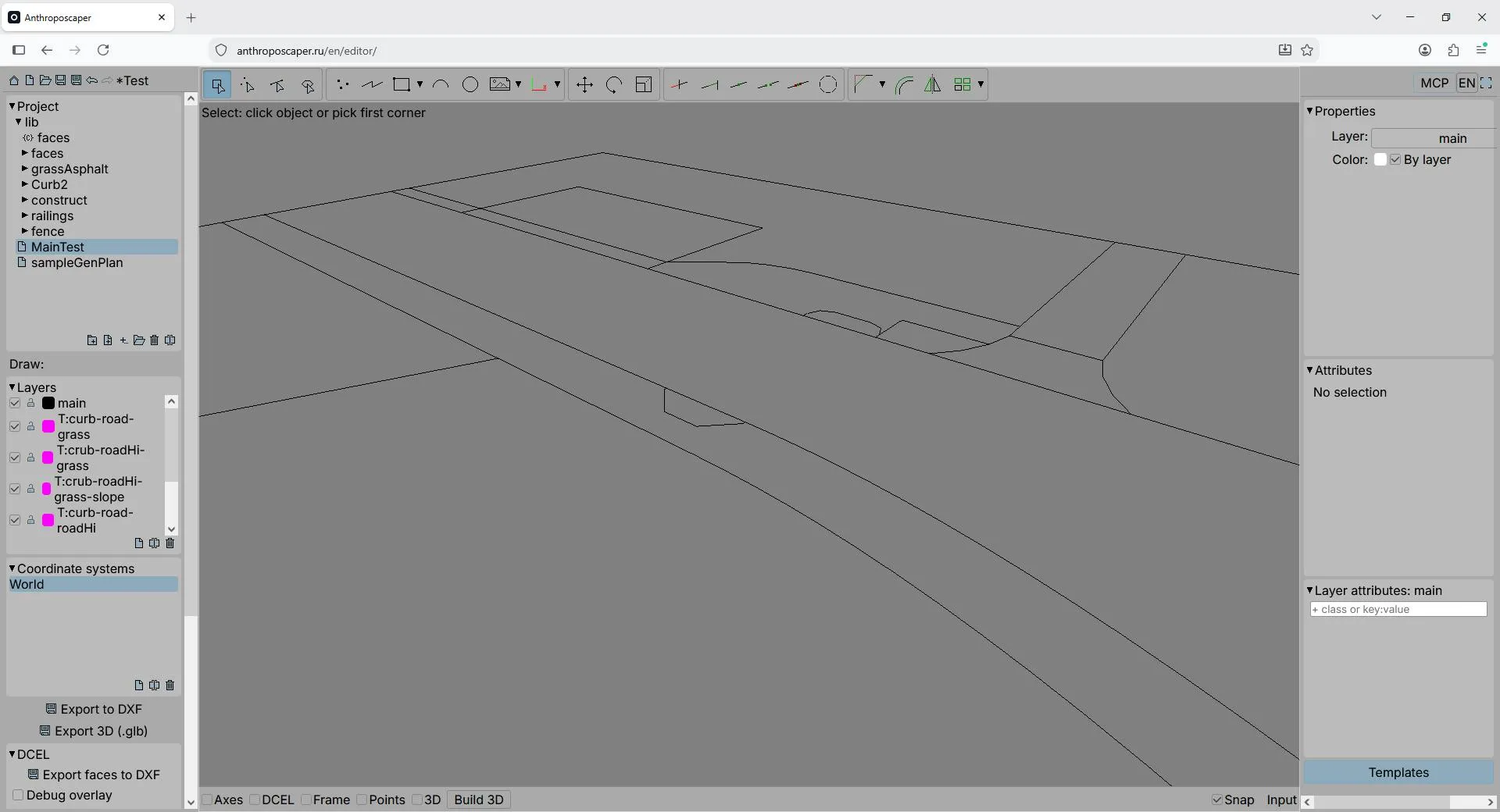
Anthroposcaper's design philosophy can be summed up as "labels are rules." Instead of placing models one by one, users turn their own GLB models into "templates" and bind those templates to geometric elements in the floor plan via tags.
The workflow breaks down into a few steps: draw a 2D layout in the browser or import a DXF file; add labels to the faces and lines in the plan; set your own GLB models as templates; the tool then automatically arranges them along every matching edge — corners and intersections included, handled automatically.
The biggest value here is parameterization and reusability. When you modify a label or adjust the underlying drawing, the entire scene rebuilds automatically — no manual repositioning required. For city planning or level design projects that demand constant iteration, this "change one thing, update everything" capability dramatically reduces rework.
Automatic Corner and Intersection Handling
The automatic handling of corners and intersections deserves special mention. In real urban environments, wall corners and road intersections are often the most labor-intensive details — manually aligning models frequently results in clipping or gaps. Anthroposcaper claims to automatically detect these geometric relationships and place the appropriate elements, which is a key differentiator from simple "repeat-along-a-line" tools.
DXF (Drawing Exchange Format) is a vector graphics file format developed by Autodesk for AutoCAD and has become the universal exchange standard in the CAD industry. Architects and urban planners typically export floor plans and city layouts as DXF files from tools like AutoCAD or SketchUp — files that contain precise geometric lines, layer groupings, and coordinate data. Anthroposcaper's DXF import support means professional designers don't need to re-trace their drawings in the browser; they can use existing architectural or urban planning drawings as a starting point, overlay labels, and generate 3D scenes while preserving accurate dimensions. This capability significantly broadens the target audience — extending beyond pure game developers to architectural visualization and urban planning use cases that require real geographic precision.
Export and Workflow Integration
Generated scenes are not locked in. Anthroposcaper supports export to GLB format, which can be imported directly into major 3D editors or game engines for further refinement. This positions it more as an upstream "scene generator" than a full-featured modeling suite — a tool that fits cleanly into existing 3D production pipelines.
The choice of GLB as the universal exchange format is also pragmatic — it has strong support in Blender, Unity, Unreal, and similar environments, lowering the barrier for users to move their work downstream.
GLB is the binary-packaged version of glTF (GL Transmission Format), a standard defined by the Khronos Group and currently one of the most widely used 3D asset exchange formats for web and real-time rendering. Compared to traditional formats like FBX or OBJ, GLB bundles mesh, materials, textures, and animation data into a single binary file — smaller in size, faster to load, and with native support for PBR (Physically Based Rendering) material descriptions that deliver consistent visuals across different engines. Blender has listed GLB/glTF as its preferred export format since version 2.80, and both Unity and Unreal Engine support import via official or community plugins. For Anthroposcaper, choosing GLB as the export format means generated city scenes can seamlessly connect to virtually any modern 3D production pipeline, allowing users to continue refining their work without tedious format conversion steps.
AI Agent Integration via MCP
One of Anthroposcaper's forward-looking features is its connection to AI agents through MCP (Model Context Protocol). Once connected, an AI agent can assist with setting up templates, configuring labels and materials, and keeping projects organized.
This is a concrete example of the MCP protocol landing in a creative tooling context. MCP, as a standardized interface for connecting AI models to external tools, is being adopted by a growing number of applications. Within Anthroposcaper, the AI doesn't automatically generate final results — instead, it acts as a configuration assistant. The developer specifically emphasizes "You stay in control of the result," reflecting a pragmatic human-AI collaboration model: the AI handles tedious configuration and organization, while critical decisions remain with the designer.
MCP (Model Context Protocol) is an open protocol proposed by Anthropic in late 2024, designed to establish a standardized two-way communication interface between AI models and external data sources or tools. Before MCP, every AI application that needed to connect to an external tool — such as a file system, database, or design application — required custom integration development that was costly and hard to reuse. MCP's core idea is analogous to a "USB interface" in software: as long as a tool implements the MCP server specification, any MCP-compatible AI client (such as Claude) can discover and invoke that tool's capabilities without additional adapter development. Tools like Cursor, Zed, and Replit have already announced MCP support. By introducing MCP into a creative design tool, Anthroposcaper enables AI agents to "understand" the project's template structure and label configuration, then offer actionable suggestions or automatically complete repetitive configuration steps — representing a new trend of MCP expanding from developer tools into design tools.
Use Cases and Positioning
Functionally, Anthroposcaper's target audience is quite clear: game developers and level designers who need to rapidly prototype urban environments, and design teams working on urban planning visualization. Its parametric approach is especially well-suited for projects with large numbers of repeating elements (city blocks, fences, road networks) that require frequent layout adjustments.
As an early-stage independent product, however, there are aspects worth watching: the learning curve of the labeling system, the level of detail in generated results, and the richness of the template library all remain to be validated through real-world use. The 86-upvote showing indicates the concept has earned a degree of recognition, but the real test is whether it can hold up under complex, real-world projects.
For teams looking for an automated 2D-to-3D solution, Anthroposcaper offers a technical path worth exploring — replacing tedious manual placement with structured labels, and positioning AI as an assistant at the configuration layer rather than a replacement for the designer.
Related articles

Will GitHub Die? Open Source Maintainer Burnout and the Collaboration Crisis in the AI Era
Lex Fridman podcast discussion on open source maintainer burnout and GitHub's predicament: massive pull requests overwhelm core maintainers, and AI worsens code bloat. Using math journal peer review and Poincaré conjecture verification as analogies, the article analyzes why verification in knowledge production must be deliberately slow, and how open source communities can avoid the failure mode of maintainers exiting.

Stop Building Cookie-Cutter AI Websites: 3 Tools That Transform Your Coding Agent
Three tools that boost AI coding agents: FFmpeg skill for local video editing in Claude Code and Cursor, Hallmark's 50 design themes to fix cookie-cutter AI sites, and Jailbreaks' 25+ model prompts.

How America's Gerontocracy Squeezes the Younger Generation
Americans over 55 hold nearly three-quarters of national wealth, alongside an 80-year-old president and elderly congressional leaders. The Atlantic's Idrees Kahloon explains how gerontocracy drives up housing costs, squeezes opportunities for the young, and explores zoning reform and child poverty reduction as practical fixes.