Bilibili Dify Workflow Tutorial: Build Knowledge Bases and AI Apps with Zero Code
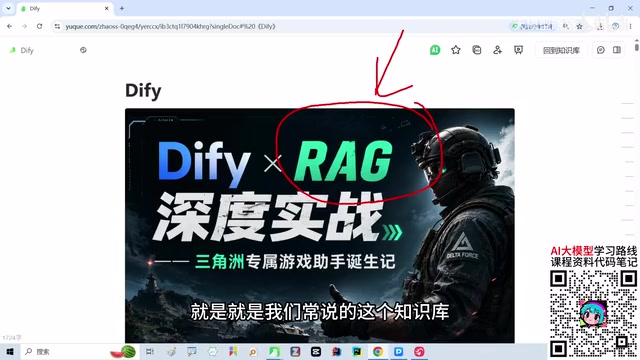
Dify lowers the barrier to building AI agents and RAG knowledge bases with zero-code visualization, and supports private deployment for data sovereignty.
Based on a Bilibili Dify workflow tutorial viewers call the best-explained, this article covers its core content and audience. Beginners hand-writing RAG with LangChain get stuck on syntax, while Dify enables zero-code chat assistants, Agents, and workflows via drag-and-drop, helping learners grasp the overall flow before revisiting code. It focuses on RAG knowledge bases and contrasts Dify with Coze: Dify supports private deployment keeping data fully local, suiting finance and healthcare compliance needs and friendly to beginners and enterprises alike.
Many beginners are unfamiliar with concepts like Dify, AI agents, and RAG knowledge bases, let alone what they can be used for. On Bilibili, there's a Dify workflow tutorial that viewers call "the best-explained," which uses an engaging case study to drive learning so that students understand these concepts through hands-on practice. This article, based on the content of that tutorial, outlines Dify's core value, the logic behind building knowledge bases, and why it's beginner-friendly.
Why use Dify instead of writing code directly?
The tutorial doesn't start with code—it first addresses a more fundamental problem: beginners get stuck on syntax. If you write a RAG pipeline by hand using frameworks like LangChain, zero-foundation learners end up confused by questions like "what does this line of code mean?" and "why is this so different from the Java I learned before?" Their attention gets pulled into syntactic details, and they lose sight of the overall logic of RAG.
Dify's value lies in visualizing abstract processes. It supports creating chat assistants, Agents, text generation apps, and workflows—you can build an AI agent entirely by dragging and dropping components, with zero code throughout. For people without programming experience, a visual interface is far more intuitive than writing code line by line. The tutorial's approach is to first walk learners through the entire flow to build an intuitive understanding, then circle back to look at the corresponding code implementation—by then, learners already know "what they're trying to do," so they're less likely to get lost when reading code.
LangChain is one of the most mainstream open-source frameworks for building LLM applications today, written in Python or JavaScript, providing low-level components such as prompt management, model invocation, retrievers, and chain orchestration. It's highly flexible but requires users to have a solid programming foundation and to understand concepts like async calls, callbacks, and chain composition. For developers accustomed to traditional languages like Java, its functional and streaming style also presents a cognitive gap. Dify and LangChain are not substitutes for each other: Dify can also connect to various models and tools under the hood—it simply abstracts the orchestration process into visual nodes, freeing developers from the syntax layer and letting them focus on flow design and business logic.
What exactly is a knowledge base (RAG)?
The tutorial focuses on RAG knowledge bases. Many students have heard the term "knowledge base" but aren't clear on what problem it solves. Simply put, an LLM's own knowledge is general and static, whereas the idea behind RAG (Retrieval-Augmented Generation) is: first store an organization's or individual's private documents in a searchable knowledge base; when a user asks a question, the system first retrieves relevant content from the knowledge base, then hands it to the LLM to generate an answer. This way the model can answer based on specific materials rather than relying solely on the general knowledge it learned during training.
Dify packages this process into visual operations: upload documents, configure retrieval methods, connect a chat app—a few steps and you have a working Q&A assistant with a knowledge base. The tutorial demonstrates this process in an intuitive way, letting learners see with their own eyes "documents go in, answers come out," so they understand why RAG is necessary.
The effectiveness of RAG depends heavily on the "retrieval" step, and retrieval requires splitting and vectorizing documents. Vectorization means using an embedding model to convert each chunk of text into a string of numeric vectors, so that semantically similar texts are closer together in vector space. When a user asks a question, the system likewise converts the question into a vector, finds the most similar chunks in the knowledge base, and feeds them as context into the LLM. Therefore, document chunking granularity, the choice of embedding model, the number of retrieved results (Top-K), and whether to enable reranking all directly affect answer quality. Dify packages these parameters as adjustable options—beginners can get things working with defaults, then optimize item by item as they advance.
Dify vs. Coze: cloud hosting or private deployment?
When Dify comes up, people often compare it with Coze. The tutorial author explicitly says he generally doesn't use Coze, and the reason is data ownership. Coze is primarily cloud-hosted, with all data stored in the cloud; for personal use that may not matter, but enterprise customers are often uneasy about handing internal materials to a third-party platform.
Dify, on the other hand, supports both cloud and private deployment. Private deployment means data can stay 100% on-premises—crucial for industries like finance and healthcare that have high compliance requirements. The tutorial particularly emphasizes that any compliance-sensitive industry can deploy Dify locally, keeping data within the intranet. This control over data sovereignty is a key reason Dify is favored in enterprise scenarios.
Private deployment usually means using Docker Compose or Kubernetes to install Dify's web frontend, API service, database, vector database, and other components on servers or intranet environments you control. Compared with SaaS cloud services, private deployment requires you to handle server resources, version upgrades, backups, and security operations yourself—a slightly higher barrier—but in exchange you get data that never leaves the intranet, integration with internal account systems, and customization on demand. For personal learning, the cloud version is ready out of the box and lower cost; for enterprises with compliance or confidentiality requirements, private deployment is often a hard requirement when choosing a solution.
Who is this tutorial for?
Judging from its content design, the tutorial targets true beginners: people who have never touched Dify, don't know what agents can do, and have never heard of RAG. It doesn't pile on concepts but is case-driven—first getting learners interested, then gradually going deeper. The tutorial also mentions that after completing the overall flow, it will walk learners through how the code is written—by then the tool has already helped learners generate a runnable app in a few minutes, and looking back at the code is about understanding the principles rather than getting stuck on them.
For beginners who want to quickly get started building AI applications, this "intuition first, principles later" path is friendlier than grinding through docs or forcing your way through code. And Dify's own characteristics—zero code, knowledge base mounting, and private deployment support—make it an option worth considering for enterprises looking to boost office efficiency.
One-line Summary
Dify lowers the barrier to building AI agents and RAG knowledge bases with zero-code visualization, and supports private deployment to safeguard data sovereignty.
Paragraph Summary
Based on a Bilibili Dify workflow tutorial viewers call "the best-explained," this article outlines its core content and target audience. It notes that beginners writing RAG pipelines by hand with frameworks like LangChain easily get stuck on syntax details, whereas Dify enables zero-code building of chat assistants, Agents, and workflows through drag-and-drop components—letting learners first build an intuitive grasp of the overall flow, then revisit the code to understand the principles. The tutorial focuses on RAG knowledge bases: LLM knowledge is general and static, while RAG first retrieves relevant content from private documents before generating answers, and Dify turns uploading documents, configuring retrieval, and connecting apps into a few steps. The article also compares Dify with Coze, emphasizing that Dify supports private deployment with data fully retained locally, making it better suited to compliance-heavy industries like finance and healthcare—and therefore friendly to both beginners and enterprises.
Related articles

Gemini 4's Three Coding Models Compared: How to Choose Between Neon, Hydrogen, and Argon
How to choose among Gemini 4's Neon, Hydrogen, and Argon coding models? This article compares official positioning, API pricing and the price-increase date, coding benchmark scores from Artificial Analysis and Cursor, and summarizes developer feedback to offer scenario-based selection advice.
Gemini 4 Neon Hands-On: Crushes Opus at Coding, but the Free Agent Hides Three Major Pitfalls
Gemini 4 Neon tops the Coding Agent Index, beating Carbon and Opus 5.5 in four real code battles—but hidden reasoning tokens bill at $15 and free Tasks silently fails.

Gemini 4 Neon Released: Google's Strongest Coding Model Tops the Rankings
Gemini 4 Neon tops the Artificial Analysis Coding Agent Index with 58.6. We break down its coding agent benchmarks, 1M token context, four thinking levels, and pricing below Carbon starting in December.