Building an AI Agent with AI: A Hands-On GitHub Data Query Project with MiniMax Code

A Bilibili creator built a GitHub repository query Agent with MiniMax Code, demonstrating the full multi-Agent collaboration workflow.
This article uses a hands-on project to show how to build a GitHub repository query AI Agent with MiniMax Code and GPT. The author chose MiniMax Code as the execution tool and configured a Linux VM for remote operations. The core is letting the large model autonomously decide which tool to call, distinguishing it from fixed scripts. GPT broke down tasks and generated prompts for a main Agent and seven sub-Agents, specifying the architecture, database design, and acceptance criteria. MiniMax Code completed environment setup, dependency installation, and parallel multi-Agent development, enabling natural language queries of contributor data. The article also discusses trends and challenges.
AI Agents are moving from concept to reality, but how do you get large models to actually "do the work" instead of just chatting? A Bilibili creator shared his hands-on experience: building an AI Agent with MiniMax Code that can query GitHub repository data. The whole process demonstrates how AI coding tools connect local files, remote servers, and external services to complete the full workflow—from requirement breakdown to code generation and deployment verification.
Tool Selection: MiniMax Code and a Linux Environment
The author chose MiniMax as his primary tool, directly because of a package discount (50% off) and ample token supply. He used the Windows version of MiniMax Code, which works right after installation. Beyond his local environment, he also set up a Linux VM (version 252.2) and configured SSH keys for passwordless login. MiniMax Code can automatically log in to this remote machine, laying the foundation for subsequent automation.

The key point: MiniMax Code provides a set of callable tools locally, and the large model is responsible for deciding "which tool to call." In the demo, the AI automatically listed the locally available capabilities, including reading files, writing files, editing files, filtering files, finding files, as well as externally executing MCP commands, viewing web pages, and creating background tasks. This combination of "tool invocation + model decision-making" is what distinguishes an Agent from a hardcoded script—a script can only perform preset actions, while an Agent can autonomously choose its path based on the task.
MCP (Model Context Protocol) is an open protocol designed to standardize how large language models connect to external tools and data sources. Proposed by Anthropic in 2024, it allows models to call local or remote services—such as file systems, databases, and APIs—through a unified interface. In the context of AI Agents, MCP serves as a bridge between the model and real-world operations: the model no longer needs to write specific invocation code for each tool but instead dynamically discovers and calls capabilities via the MCP protocol. This explains what "externally executing MCP commands" means for MiniMax Code in the article—it has built-in MCP support, thereby expanding the scope of what the Agent can operate on and enabling it to flexibly integrate various external services.
The Core of an Agent: From Pass-Through to Autonomous Judgment
The author emphasizes that if a model cannot autonomously decide which tool to call, it is essentially just a local script that executes actions on your behalf. Only with judgment capability can it truly be called an Agent. This point marks the divide between Agents and automation scripts: tools are the hands and feet, the model is the brain.
In the demo project, the Agent needs to connect to a remote Linux server, and the AI automatically finds and calls the appropriate tool to log in. The entire process requires no human intervention—the model decides the next action based on the task goal.
The essential difference between an Agent and an automation script lies in autonomous decision-making. Traditional scripts have every step pre-written by the developer and can only follow a fixed workflow; an AI Agent, however, uses the large model's reasoning ability to dynamically decide which tool to call next and what parameters to pass, based on the current task goal and environment state. This "perceive-decide-execute" loop enables Agents to handle unstructured, open-ended tasks. The article's emphasis that "the model is the brain, tools are the hands and feet" highlights the model's autonomy in tool selection. In addition, Agents typically have a memory mechanism that retains conversation history or task context, maintaining coherence across complex workflows. This architecture allows Agents to adapt to changes, whereas a script fails as soon as it encounters a situation it wasn't programmed for.
Project Design: Using GPT to Break Down Tasks and Generate Multi-Agent Prompts
The demo project is a data query tool for an open-source GitHub repository. The goal is clear: extract information from the Gate repository (a GitHub repo), store it in a database, and then write an Agent to help users query it—for example, how much code a given user committed, when they committed, what they changed, and who committed the most or are the main contributors.
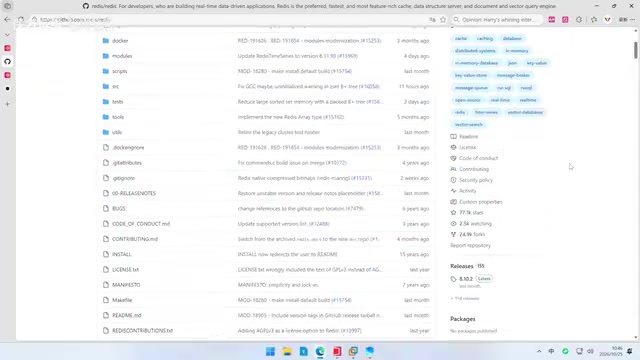
Rather than having MiniMax Code write code directly, the author used GPT to parse the task and generate prompts. He first described the requirements to GPT and had it break down the entire project: fetch the complete history of commits, authors, branches, tags, and file changes from the GitHub repository, parse changes using native Git commands, deduplicate and store them in a database; then have an AI Agent understand natural language, select tools, and aggregate results; finally write a natural language chat interface for users to ask follow-up questions.
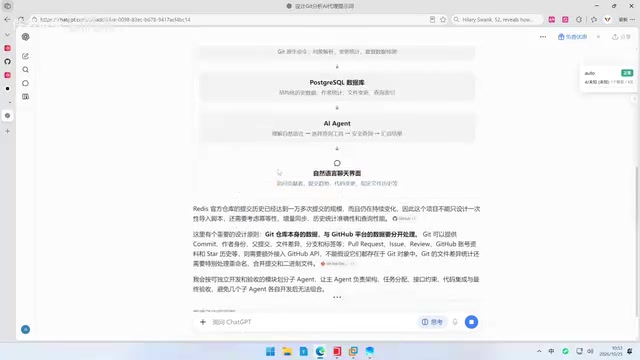
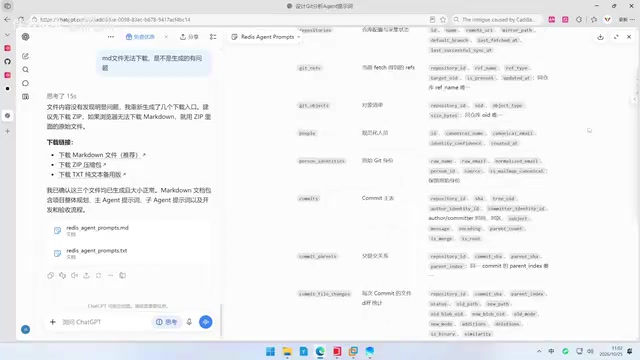
GPT further proposed a modular plan: design sub-Agents for independent development and acceptance, with a main Agent responsible for architecture, task allocation, code integration, and final acceptance, while sub-Agents handle the actual code writing. The final output was a document containing the overall architecture, database design, collection plan, main Agent prompt, seven sub-Agent prompts, main Agent scheduling specification, and final acceptance criteria.
A multi-Agent system refers to an architecture in which multiple agents collaborate to complete a task, usually including a main Agent (or coordinator) and several sub-Agents. The main Agent is responsible for decomposing tasks, assigning subtasks, integrating results, and final acceptance; sub-Agents focus on specific subtasks such as code generation, data collection, and testing. This division of labor mimics how human teams work and can improve the efficiency of complex projects. The key challenge of multi-Agent systems is coordination: it requires clear communication protocols, task allocation specifications, and conflict resolution mechanisms. The "main Agent scheduling specification" generated by GPT in the article is precisely meant to solve this problem, ensuring that sub-Agents working in parallel can proceed in an orderly way without duplication or omission.
Key Decisions and Implementation
Before starting, the author confirmed a key question: should the raw contents of all historical file versions in Redis be stored in the database? He asked GPT what "raw content" meant, agreed that the code itself need not be stored, and ultimately adopted GPT's recommendation to use Plan A. He then downloaded the complete prompt, quickly skimmed it to confirm completeness, and sent it to MiniMax Code for implementation.
MiniMax Code first read the document and listed a plan. After the author reviewed it, it installed the database directly on the Linux machine using Docker. As for the key source, the author sent the previously configured Cloud Code key to the AI to use directly. He also reminded the AI to use domestic mirrors when installing any tools. The interface shows that the AI automatically installed VCOOL, the Python environment, and Node, configured domestic mirrors, and had no issues with GitHub-related setup. The left side shows two sub-Agents working in parallel.
After several hours of development, six sub-Agents completed their respective tasks. The author had the AI start the services and moved into the verification phase.
Domestic mirrors (mirror sources) refer to software package repository mirrors located within the domestic network environment, such as Tsinghua University's TUNA mirror and Alibaba Cloud mirrors. Due to network latency and bandwidth limits, downloading dependencies (such as Python packages, npm modules, and Docker images) directly from overseas official sources can be very slow or even fail. Replacing the package manager's source address with a domestic mirror can significantly improve download speeds and ensure a smooth development environment setup. When the AI configures the environment automatically, reminding the model to use domestic mirrors is a practical tip that prevents task interruptions caused by network issues. This reflects that in real-world deployment, beyond model capability, localized infrastructure configuration is equally important.
Practical Takeaways: Multi-Agent Collaboration and the Tool Ecosystem
This hands-on project reveals several noteworthy trends. First, AI coding tools are moving from "code completion" to "task execution"; MiniMax Code's tool-invocation capability lets the model operate the file system, run commands, and access the network. Second, multi-Agent architectures are starting to be deployed in practice, with a main Agent handling scheduling and acceptance and sub-Agents developing in parallel—a division of labor that mimics human team collaboration. Third, prompt engineering remains a key step: the author used GPT to generate structured prompts and then handed them to an execution tool, creating a separation between "planning" and "execution."
For developers who want to try this, the author's approach is worth borrowing: first define the task boundaries clearly, use a model that excels at planning to break down the task and generate prompts, then use an AI coding tool with tool-invocation capabilities to implement it, keeping human review checkpoints throughout—especially for database design, key management, and dependency source configuration.
Keep in mind that this kind of practice consumes a lot of tokens, and the cost-effectiveness of the tool package affects sustainability; multi-Agent parallelism also brings coordination costs, and whether the main Agent's scheduling specification is clear directly determines the final quality. The barrier to AI Agents is lowering, but to complete a full project successfully, humans still need to control the architecture and key decisions.
One-line Summary
A Bilibili creator built a GitHub repository query Agent with MiniMax Code, demonstrating the full multi-Agent collaboration workflow.
Paragraph Summary
This article uses a hands-on project to show how to build an AI Agent with MiniMax Code and GPT that can query GitHub repository data. The author first chose MiniMax Code as the execution tool and configured a Linux VM for remote operations. The core is letting the large model autonomously decide which tool to call, distinguishing it from fixed scripts. During project design, the author used GPT to break down tasks and generate a prompt document containing a main Agent and seven sub-Agents, specifying the architecture, database design, and acceptance criteria. During implementation, MiniMax Code automatically completed environment setup, dependency installation, and parallel multi-Agent development, ultimately collecting commit history from GitHub, deduplicating and storing it in a database, and enabling natural language queries of contributor data. The article summarizes trends such as multi-Agent collaboration, prompt engineering, and the tool ecosystem, and points out challenges such as token consumption and coordination costs.
Related articles

GitHub Daily · October 30: Skills Ecosystem Explodes, Agents Start Provisioning Their Own Computers
GitHub Daily Oct 30: Skills ecosystem hits three layers (official, personal, vertical), agents get their own computers, and cross-session memory becomes essential.
AWS AgentCore Gateway: Connecting AI A…
AWS AgentCore Gateway: Connecting AI Agents to Enterprise Backends with MCP
How AWS AgentCore Gateway acts as a primary MCP server to aggregate REST APIs, Lambda, and existing MCP services? Analyzing its AST real-time mapping, zero cold start, semantic search for tool overload, session isolation, and key injection security design, plus the architectural approach to decoupling enterprise AI agents from backends.

One Link Gives Figma AI a New Skill: Hands-On with MCP Connectors
Paste one MCP server link and the AI Agent in Figma gains new tool capabilities. We break down the setup flow, 20+ one-click apps, read/write permissions and execution policies, and the public HTTPS requirement.