Building an Autonomous Coding Agent from Scratch: Framework Choices and Getting Started Guide

Starting from spec-driven development, this article outlines three routes for building your own autonomous coding agent and the key pitfalls.
Centered on a Reddit user's question about "wanting to define specifications themselves and have an Agent autonomously complete coding tasks," the article lays out an actionable path for getting started. The core view is that the value of an autonomous coding agent lies in spec-driven development, and hands-on practice deepens your understanding of the Agent loop, tool calling, and context management. There are three technical routes: directly use the headless/CLI mode of coding Agents like Claude Code for rapid validation; adopt orchestration frameworks like LangGraph, CrewAI, and AutoGen to standardize loops and multi-Agent collaboration; or first write a minimal "generate-execute-feedback" loop in bare code to understand the essence. On key design points, it emphasizes breaking specifications into small tasks with acceptance criteria, executing code in a sandbox and passing back tests and errors as self-correction signals, and controlling context length and maximum iterations. Finally, it recommends small-step iteration: first run an end-to-end project, then introduce a framework, and finally consider multi-Agent and long-term memory.
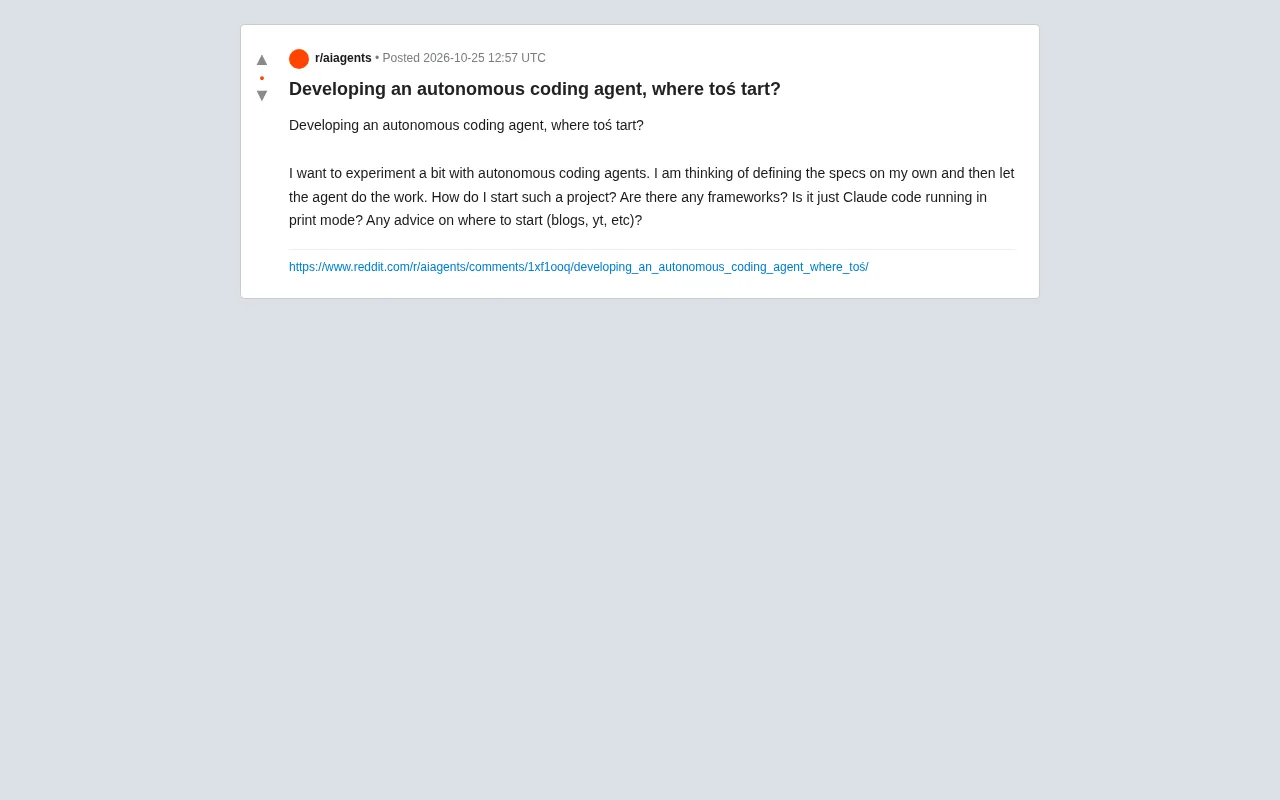
More and more developers want to build an AI Agent that can autonomously complete coding tasks. A user on Reddit asked: I want to define the specifications myself and then have the Agent execute them—where do I start? Are there ready-made frameworks? Is using Claude Code's print mode enough? This article combines community discussion to lay out an actionable path for getting started.
Why an Autonomous Coding Agent Is Worth Building
The core appeal of an autonomous coding agent is "spec-driven development": you write the requirements document, and the Agent breaks down the tasks, writes code, runs tests, and fixes bugs on its own. This is closer to true software engineering automation than Copilot-style completion. The original Reddit poster's idea is typical—they don't want to train a model from scratch, but rather leverage existing large model capabilities to build an orchestration layer that loops through "plan-encode-verify."
Building this project yields more than just a tool—it gives you a deep understanding of concepts like the Agent loop, tool calling, and context management. This experience will only become more valuable in AI application development.
Available Technical Routes: From Lightweight to Full Frameworks
Route 1: Directly Use an Existing Coding Agent's "Headless Mode"
The "Claude Code running in print mode" mentioned in the original post is indeed a shortcut. Claude Code supports non-interactive invocation—you can pass specifications in via a script and get code output. Similarly, other coding assistants offer CLI or API modes. This approach is the fastest to get started with and is suitable for validating ideas, but you have to write the orchestration logic yourself—loops, error handling, and file reading/writing all need to be wired up manually, with limited flexibility.
Route 2: Use an Agent Orchestration Framework
Frameworks often mentioned in community discussions include LangChain/LangGraph, CrewAI, AutoGen, and others. They provide infrastructure for the Agent loop, tool registration, and multi-Agent collaboration. With LangGraph you can explicitly define a state machine, turning "planning → coding → testing → fixing" into graph nodes with clear control flow; CrewAI is better suited to multi-role division of labor (e.g., architect, programmer, reviewer). These frameworks lower the orchestration barrier but require learning their abstractions.
LangGraph and LangChain serve different purposes: LangChain provides unified wrappers for components like models, tools, and retrieval, while LangGraph models the Agent process as a stateful graph (StateGraph), where nodes are functions or model calls, edges define transition conditions, and it supports loops, interrupts, and checkpoint persistence. This explicit state machine is particularly well suited to coding agents, because "test fails → go back to the coding node" is itself a back edge. CrewAI centers on the abstractions of Role, Task, and Process, emphasizing multi-Agent division of labor and sequential/hierarchical collaboration. AutoGen revolves around conversational Agents and group chat orchestration, supporting human-in-the-loop. What all three have in common is standardizing tool registration, message passing, and loop control—at the cost of introducing a layer of abstraction you need to learn.
Route 3: Start from a Minimal Implementation
Many experienced developers recommend setting frameworks aside at first and writing a minimal Agent loop in a few dozen lines of code: call the LLM to generate code → execute → catch errors → feed the errors back to the LLM → retry. This "bare-handed" process helps you understand the essence of an Agent, and later when you use a framework you'll know what problem each abstraction is solving.
The ReAct pattern is the most commonly used paradigm when building a minimal Agent loop: the model alternately produces "Reasoning" and "Action" (i.e., calling a tool), and then decides the next step based on the "Observation" returned by the tool. It makes the reasoning trajectory explicit, enabling the loop to self-correct. Another related pattern is Reflexion, which adds a layer of "reflection" on top of ReAct—after a task fails, the model summarizes the reasons for failure and writes them to memory, and references these lessons in the next retry, thereby improving the success rate without fine-tuning. Understanding these two patterns helps you decide when to retry and when to summarize lessons when designing the "plan → code → test → fix" loop, rather than simply throwing the error back to the model as-is.
Key Design Decisions and Pitfall Avoidance Tips
How to Write Specifications
The quality of the Agent's output depends heavily on the input specifications. It's recommended to break requirements into small, verifiable tasks, each with clear acceptance criteria (e.g., "the function passes a certain set of test cases"). The more specific the specifications, the lower the probability the Agent goes off track.
Tools and Execution Environment
To make the Agent truly "hands-on," you need to give it tools: reading/writing files, running commands, executing tests. Security isolation is important—run the generated code in a container or sandbox to avoid damaging the local environment. Some in the community emphasize that execution feedback (test results, error messages) is the key signal for the Agent's self-correction, so be sure to pass clear error output back to the model.
Common implementations of sandbox isolation include: Docker containers (launch a clean image for each task, restrict network and filesystem mounts), lightweight virtual machines (such as Firecracker), and language-level sandboxes (such as a restricted Python subprocess with seccomp). Practical points: set CPU/memory/timeout limits on the container, disable external network access by default, mount only the code directory required for the task, and destroy the environment after execution. This way, even if the Agent generates destructive commands or infinite-loop code, it won't affect the host machine. Many open-source coding Agent projects rely on exactly the combination of "execution inside a container + structured return of stdout/stderr" to safely turn execution feedback into the correction signal for the next round.
Context and Cost Control
Long loops easily blow up the context window and also drive up API costs. A common practice is to maintain a streamlined "working memory" that keeps only the file snippets relevant to the current task and the most recent execution results. In addition, set a maximum number of iterations to prevent the Agent from falling into an infinite loop.
Where to Find Learning Resources
The original poster asked about blog and YouTube recommendations. Based on community responses, directions worth following include: official documentation and sample projects of mainstream Agent frameworks, paper explanations on Agent patterns such as ReAct and Reflexion, and practical blogs by developers sharing "building a coding Agent from scratch." Searching "autonomous coding agent tutorial" on YouTube will turn up quite a few demo projects, but quality varies, so it's best to prioritize those with complete code repositories.
A Pragmatic Starting Recommendation
If the goal is rapid experimentation, you can first use a coding Agent's CLI mode to run a small end-to-end project to get a feel for the Agent's capability boundaries; then introduce an orchestration framework to standardize the loop and tool calling; finally consider advanced features like multi-Agent collaboration and long-term memory. Keep iterating in small steps throughout the process, with runnable output at each stage. An autonomous coding Agent isn't built overnight, but the first step is simpler than you might think.
One-line Summary
Starting from spec-driven development, this article lays out three routes for building your own autonomous coding Agent and the key pitfalls to avoid.
Paragraph Summary
Centered on a Reddit user's question about "wanting to define specifications themselves and have an Agent autonomously complete coding tasks," the article lays out an actionable path for getting started. The core view is that the value of an autonomous coding agent lies in spec-driven development, and hands-on practice deepens your understanding of the Agent loop, tool calling, and context management. There are three technical routes: directly use the headless/CLI mode of coding Agents like Claude Code for rapid validation; adopt orchestration frameworks like LangGraph, CrewAI, and AutoGen to standardize loops and multi-Agent collaboration; or first write a minimal "generate-execute-feedback" loop in a few dozen lines of bare code to understand the essence. On key design points, it emphasizes breaking specifications into small tasks with acceptance criteria, executing code in a sandbox and passing back tests and errors as self-correction signals, and controlling context length and maximum iterations. Finally, it recommends small-step iteration: first run an end-to-end project, then introduce a framework, and finally consider multi-Agent and long-term memory.
Related articles
AWS AgentCore Gateway: Connecting AI A…
AWS AgentCore Gateway: Connecting AI Agents to Enterprise Backends with MCP
How AWS AgentCore Gateway acts as a primary MCP server to aggregate REST APIs, Lambda, and existing MCP services? Analyzing its AST real-time mapping, zero cold start, semantic search for tool overload, session isolation, and key injection security design, plus the architectural approach to decoupling enterprise AI agents from backends.

One Link Gives Figma AI a New Skill: Hands-On with MCP Connectors
Paste one MCP server link and the AI Agent in Figma gains new tool capabilities. We break down the setup flow, 20+ one-click apps, read/write permissions and execution policies, and the public HTTPS requirement.

Cognition SWE-2 in Practice: One Prompt to Handle the Whole Product Launch Process
Analyzing a YouTube creator's prompt for using Cognition SWE-2 to launch a product: a landing page, seven-email sequence, and non-buyer follow-up tool, plus how the 'test and report' constraint changes AI delivery quality.