Coze Studio Open-Source Private Deployment in Practice: Building AI Workflows with CentOS 7 + Docker

Coze Studio's open-source version supports private deployment and self-configured models, but features are clearly trimmed, making it currently better suited to Agent-centric scenarios.
Based on a Bilibili tutorial, the article outlines the positioning, deployment path, and capability boundaries of Coze Studio's open-source version. The open-source and online versions share similar application logic but the open-source version has clearly trimmed features; its greatest value is that models can be self-configured and the platform can be deployed on your own server. For deployment, it is recommended to avoid Windows Docker Desktop and instead use VMware to create a CentOS 7 VM and then install Docker, to avoid system compatibility issues. Model configuration uses Ollama as an example to demonstrate chat and embedding model integration, but the supported range is still limited—for example, Zhipu currently has no configuration path. In terms of application form, Agent is the focus; AI Applications can only build workflows and lack a UI, so they are not currently suitable for direct production use. Integration is mainly via REST-style Chat API, with Chat SDK aimed at React, and the online version's Web SDK is not yet supported. The conclusion: it suits teams with Linux operations capability that pursue autonomous control over models and focus on Agent, while those needing workflows and a plugin ecosystem should wait and see.
Coze Studio's open-sourcing has, for the first time, made "private AI workflows" within reach—no longer constrained by the online version's model bindings and closed-source limitations, you can run a complete Agent-building platform on your own server. According to a walkthrough from a Bilibili tutorial, the open-source and online versions of Coze share broadly similar application logic, but the open-source version has clearly trimmed features. Understanding the boundaries of this "cut-down" version is a prerequisite for deciding whether it can enter your production environment.
What Coze Studio Is: Positioning and Boundaries of the Open-Source Version
Coze Studio can be understood as the open-source version of the Coze online platform. The online version can only be used online, and its models are limited to those officially provided (Doubao, a modified DeepSeekAd, etc.), whereas the biggest change in the open-source version is that models can be configured by yourself, and the platform itself can be deployed on your own server.
According to the tutorial author, the open-source version is "broadly similar to the Coze AI platform's applications, just with many features cut down." This judgment is crucial: it means most of the Agent-building approach you learned in the online version can be carried over, but the specific capability boundaries need to be re-explored.
Deployment Path: Why Skip Windows and Choose CentOS 7 + Docker
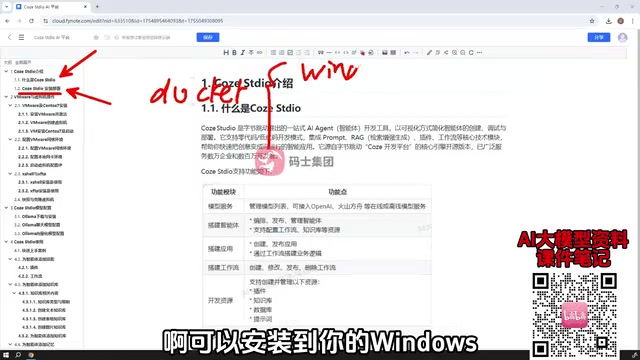
Although Docker can theoretically be installed on Windows (via Docker Desktop), the tutorial explicitly does not recommend this path: some students' computers run older OS versions, and installing Docker Desktop runs into various compatibility issues. Therefore, the course chose the Linux + Docker route and added an extra section on setting up a Linux virtual machine—using VMware (the original narration says "WaveWeaver," which should refer to VMware) to create a CentOS 7 VM, then installing Docker inside the VM and deploying Coze Studio.
This chapter also addresses VM network configuration and file uploads, which is a fairly pragmatic design for people without a Linux background. Readers already familiar with VM setup can skip it directly.
CentOS 7 is an enterprise-grade Linux distribution from the Red Hat family, known for stability and long-term support, and a large number of servers and tutorials still use it as the baseline environment; however, its official maintenance ended in mid-2024, so new deployments should pay attention to the source of security updates. Docker, on the other hand, is a runtime that packages applications and their dependencies into containers; Coze Studio officially provides Docker images and orchestration files, so a single command can bring up the multiple services the platform requires.
It is worth distinguishing Docker Desktop (a desktop wrapper on Windows/macOS that relies on WSL2 or Hyper-V virtualization and is picky about older OS versions and BIOS settings) from the native Docker Engine on Linux. The tutorial recommends the latter precisely to avoid the compatibility errors common with the former; the role of virtualization software like VMware here is to provide an isolated, snapshot-rollback-capable Linux environment, making it convenient to repeatedly test deployments without polluting the host machine.
Model Configuration: The Real Value Proposition of the Open-Source Version
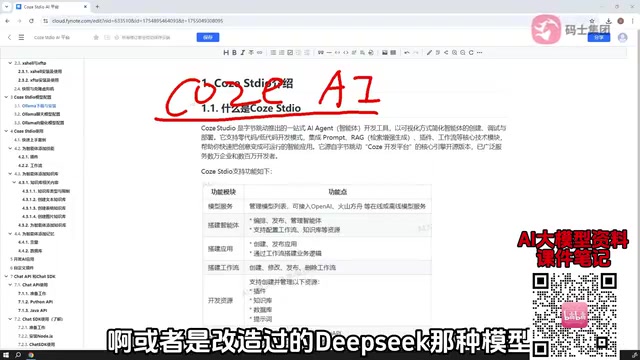
The online version of Coze can only use the models officially provided, whereas Coze Studio allows you to connect your own configured models—this is the most practical significance of private deployment. The tutorial uses Ollama as an example to demonstrate how to configure chat models and embedding models.
It should be noted that model support in the current version is still limited—not all models can be connected; for example, Zhipu (the original narration says "质谱," a homophone) provides no configuration path. According to a tutorial from a single source, configuration capability is currently concentrated on local inference solutions like Ollama, and the specific support list needs to be confirmed against official documentation during hands-on practice.
Ollama is a local large-model runtime tool that can download and start open-weight models such as Llama, Qwen, and DeepSeek with a single command, and exposes an OpenAI-compatible HTTP interface externally. The reason Coze Studio can connect models through it is that the platform typically registers models in a generic way—"OpenAI-compatible endpoint + model name + API Key"—and Ollama happens to be able to play the role of that endpoint.
Embedding models are responsible for converting text into vectors and are the foundation of knowledge-base retrieval (RAG): without a usable embedding model, knowledge-base Q&A cannot work, so chat models and embedding models usually need to be prepared as a pair during configuration. As for "not all models can be connected," the root cause often lies in the platform's adaptation requirements for interface protocols and function calling capability; before connecting, you should first confirm whether the target model supports tool calling, otherwise the Agent's skill orchestration will fail.
Application Building: Agent Is the Focus, AI Applications Are Heavily Trimmed
The Coze online version supports two types of application creation: AI Agent and AI Application. In Coze Studio, the focus is clearly skewed toward Agent.
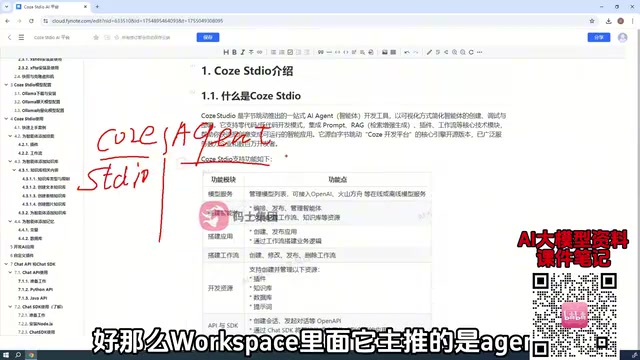
Agent-side capabilities include skill configuration, knowledge-base addition, RAG construction, and the use of memory variables and databases; the tutorial will tie these together with a quick-start case. AI Applications (i.e., the workflow suite) have been heavily trimmed—according to the author's judgment, the current version "cannot be applied in your production environment"; it can only build workflows, other features are unusable, and there is no usable UI interface.
This conclusion is important for technology selection: if what you need is complex workflow orchestration and a visual front end, the current open-source version cannot yet support it.
AI Agent refers to an execution entity that takes a large model as its decision core, can autonomously invoke tools and knowledge bases, and maintains memory across multiple turns of dialogue; AI Application (workflow) is a visual orchestration that connects nodes according to fixed logic, emphasizing deterministic process control. The two share underlying capabilities within the Coze system, but their upper-layer forms differ: Agent relies more on the model's reasoning and tool selection, while workflow relies more on explicit node connections.
The open-source version focuses on Agent and heavily trims workflow applications; the practical impact is that you can get a conversational entity that "figures things out on its own," but it is difficult to deliver a product with a visual front end that executes fixedly according to business processes. A simple criterion can be used for evaluation—if the requirement can be clearly described with a prompt plus a few plugins, the Agent form is sufficient; if it requires multiple branches, human review, or external system callbacks, then workflow capability is needed, which is precisely the shortcoming of the current version.
Custom Plugins: The Homework You Must Do Yourself After Open-Sourcing
After private deployment, all the ready-made plugins from the online version become unavailable. To make the Agent or workflow rich enough in capability, you have to define plugins yourself, and the tutorial lists this as a key chapter.
This is actually a general rule of open-source solutions: the platform gives you the framework, and the ecosystem must grow on its own. The degree to which you master the plugin system directly determines whether the Agent you build "runs" or is "good to use."
Integration Approaches: How to Choose Between API and SDK
To connect a built Agent into a business system, the tutorial offers two paths:
- Chat API: Converse with the Agent in a REST/HTTP style; the tutorial provides example code in both Python and Java, offering the broadest applicability.
- Chat SDK: Primarily aimed at React front-end projects, embedding the Agent into pages. If you are not familiar with React, a general understanding is enough.
The Web SDK provided by the online version of Coze (embedding the Agent directly in JavaScript/HTML) is not yet supported in the open-source version, and the official documentation has no relevant explanation. The tutorial author believes it will most likely be opened up in the future, and also suggests trying whether integration via the online version's Web SDK approach works—but this is speculation and should not be used as a basis for planning.
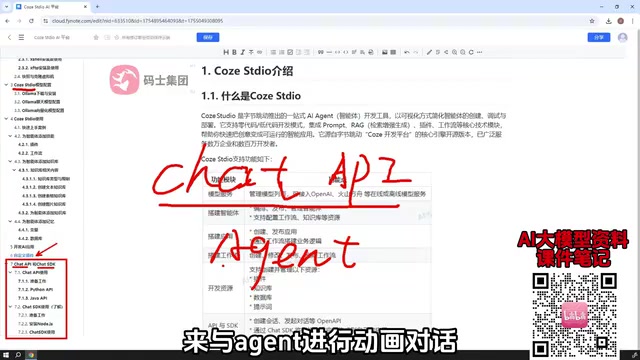
Chat API follows a REST/HTTP style: your business backend sends user messages to the Coze Studio server via HTTP requests, then parses the returned streaming or non-streaming response, so it is language-agnostic—Python, Java, and Go can all integrate—and is convenient for unified authentication and rate limiting behind a gateway. Chat SDK wraps the above HTTP calls into front-end components for React projects, saving you boilerplate code for session state management and message rendering.
The two are not mutually exclusive: a common practice is to have the front end connect directly using the SDK or a custom UI, while the back end uses the API for permission verification, log retention, and sensitive-word filtering. If using direct API connections, be sure to keep access credentials on the server side and do not expose long-lived Tokens in the browser; also pay attention to the integration of streaming responses (SSE), which determines whether the conversation experience is "word-by-word output" rather than waiting for the entire segment to return.
Selection Advice
Coze Studio is currently better suited to scenarios like these: having Linux operations capability, wanting fully autonomous control over models, using Agent as the primary form, and being able to accept writing your own plugins and integrating with business systems via API. If your needs are mainly workflow orchestration, an out-of-the-box plugin ecosystem, or rapid front-end embedding, you still need to wait and see at this stage—it is more like an open-source foundation that already runs but whose ecosystem is still growing.
For readers ready to get started, the path given by the tutorial is clear: CentOS 7 VM → Docker → deploy Coze Studio → configure Ollama models → build your first Agent → integrate with business code via Chat API. Once this chain works end to end, the rest is filling content into plugins and the knowledge base.
One-line Summary
Coze Studio's open-source version supports private deployment and self-configured models, but features are clearly trimmed, making it currently better suited to Agent-centric scenarios.
Paragraph Summary
Based on a Bilibili tutorial, the article outlines the positioning, deployment path, and capability boundaries of Coze Studio's open-source version. The open-source and online versions share similar application logic but the open-source version has clearly trimmed features; its greatest value is that models can be self-configured and the platform can be deployed on your own server. For deployment, it is recommended to avoid Windows Docker Desktop and instead use VMware to create a CentOS 7 VM and then install Docker, to avoid system compatibility issues. Model configuration uses Ollama as an example to demonstrate chat and embedding model integration, but the supported range is still limited—for example, Zhipu currently has no configuration path. In terms of application form, Agent is the focus; AI Applications can only build workflows and lack a UI, so they are not currently suitable for direct production use. Integration is mainly via REST-style Chat API, with Chat SDK aimed at React, and the online version's Web SDK is not yet supported. The conclusion: it suits teams with Linux operations capability that pursue autonomous control over models and focus on Agent, while those needing workflows and a plugin ecosystem should wait and see.
Related articles

Will GitHub Die? Open Source Maintainer Burnout and the Collaboration Crisis in the AI Era
Lex Fridman podcast discussion on open source maintainer burnout and GitHub's predicament: massive pull requests overwhelm core maintainers, and AI worsens code bloat. Using math journal peer review and Poincaré conjecture verification as analogies, the article analyzes why verification in knowledge production must be deliberately slow, and how open source communities can avoid the failure mode of maintainers exiting.

Stop Building Cookie-Cutter AI Websites: 3 Tools That Transform Your Coding Agent
Three tools that boost AI coding agents: FFmpeg skill for local video editing in Claude Code and Cursor, Hallmark's 50 design themes to fix cookie-cutter AI sites, and Jailbreaks' 25+ model prompts.

How America's Gerontocracy Squeezes the Younger Generation
Americans over 55 hold nearly three-quarters of national wealth, alongside an 80-year-old president and elderly congressional leaders. The Atlantic's Idrees Kahloon explains how gerontocracy drives up housing costs, squeezes opportunities for the young, and explores zoning reform and child poverty reduction as practical fixes.