CozyZip: A No-Surprises Compression Tool for Mac with MCP Support
CozyZip brings consistent compression to Mac across three interfaces, free for personal use and $5 for commercial use.
CozyZip is a newly launched Mac compression and extraction tool on Product Hunt, offering three consistent entry points: a GUI, a Terminal command line, and a local MCP tool. MCP support lets local AI assistants operate on archives directly in conversation, its main differentiator. Licensing is restrained: lifetime free for individuals after email verification, and a one-time $5 per person for commercial use covering up to three Macs. It supports only macOS 26 or later and Apple Silicon, so Intel Mac users can't use it. It received 74 votes and ranked 14th on Product Hunt with only 1 comment, so community feedback is limited; the materials also don't disclose the supported archive format list or the specific capability boundaries of the command-line and MCP tools, and long-term stability remains to be verified.
Archive management on the Mac has always been a slightly awkward area: the built-in Archive Utility is thin on features, and third-party tools are either ad-ridden or pricey. CozyZip, recently launched on Product Hunt, aims to enter this niche with a "no-surprises" experience. Its pitch is clear—consistent compression and extraction across Finder, the terminal, and MCP tools.
Three interaction modes for different habits
CozyZip offers three entry points: a Mac GUI, a Terminal command line, and a local MCP tool. For casual users, the GUI means drag-and-drop preview, creation, and extraction of archives without memorizing flags; for developers, command-line invocation can be embedded in scripts and automation workflows; and the MCP tool gives it a place in AI workflows. MCP (Model Context Protocol) is an interface standard in recent years for AI assistants to call external tools. By packaging compression and extraction as an MCP tool, CozyZip means a local AI assistant can operate on archives directly in conversation without the user manually switching apps.
This "three-in-one" design is uncommon among similar tools. Most Mac compression software either focuses on the GUI or only enhances the command line; CozyZip tries to cover all three scenarios with the same underlying capabilities, reducing the cost of switching between tools.
How MCP works with a local AI assistant
MCP (Model Context Protocol) can be thought of as a universal "socket standard" between AI assistants and external programs: an AI client (such as a desktop assistant that supports the protocol) reads the list of locally registered MCP services at startup. Each service declares which tools it provides, what parameters each tool accepts, and what structure it returns. When a user says "zip this folder" in a conversation, the AI doesn't try to understand compression algorithms itself—it translates the request into a tool call, and CozyZip's local service performs the actual file operation.
The key to this architecture is "local": files don't go through the cloud, the call happens on the user's own Mac, and the permission and privacy boundaries are relatively clear. For tool developers, writing one MCP service makes it reusable by multiple compatible AI clients, without building a separate plugin for each assistant. For users, tedious operations like compression can be reduced from "open app—select files—choose format" to a single natural-language instruction.
Pricing: free for personal use, one-time payment for commercial use
CozyZip's licensing deserves a separate mention. Individual users get a lifetime free license after email verification, while commercial use costs a one-time $5 per person, covering up to three Macs. This pricing is quite restrained in the Mac tool ecosystem—compared with subscription-based compression software, CozyZip feels more like a one-time-purchase utility with no renewal pressure.
Note that commercial licensing is per person, not per device or team size. For an individual developer taking on commercial projects, the $5 threshold is almost negligible; for small teams, the cost is predictable. However, the materials don't mention team bulk-licensing discounts, so larger teams may need to confirm separately.
The difference between perpetual licenses and subscriptions
Two billing models are common in the Mac tool ecosystem: subscriptions charge annually or monthly, with users paying continuously for ongoing updates and cloud services; perpetual licenses are a one-time payment, usually guaranteeing only the current major version, with future major upgrades possibly costing extra. CozyZip is the latter, and personal licensing is outright free, while commercial licensing is a one-time $5 purchase.
The appeal of a perpetual license is predictable cost—no accidental renewals from forgetting to cancel. The trade-off is that developers lack stable cash flow, and long-term maintenance depends on new-user growth. As a result, such tools tend to iterate conservatively on features, so it's worth checking their update frequency and version policy before buying. Billing per person rather than per device also means license verification usually relies on email or accounts, and teams need to keep track of member lists when purchasing.
System requirements and platform limitations
CozyZip requires macOS 26 or later and supports only Apple Silicon chips. These two conditions limit it to relatively new Macs. Users still on Intel-based Macs cannot use it for now. Given that Apple Silicon has been widespread for years, this restriction has limited impact on most active users, but for those who upgrade devices slowly, it's a hard threshold to confirm in advance.
From a product positioning standpoint, explicitly supporting only new systems and new chips means the developer can focus on newer APIs and architectures without building compatibility layers for older platforms.
What the Apple Silicon and macOS 26 thresholds mean
Apple Silicon refers to Apple's own ARM-based chips used in Macs since 2020 (M1 and later), which differ in instruction set from earlier Intel x86 chips. Apps developed natively for Apple Silicon run more efficiently and use less power; apps that support only that architecture cannot run on Intel Macs, and Rosetta translation can't bridge the gap—translation only lets Intel programs run on new chips, and only in one direction.
macOS 26 is a relatively new system requirement, usually meaning the app can use APIs and security mechanisms available only in newer systems. The cost is that users on older systems are excluded, which directly shrinks the potential user pool for a utility app. For developers, it's a trade-off of compatibility for development efficiency; for users, check your chip type and system version in "About This Mac" before buying.
Performance on Product Hunt
CozyZip received 74 votes on Product Hunt, ranking 14th, with 1 comment. That suggests some attention but not exactly explosive traction. Compression tools are low-frequency necessities; users rarely search for them proactively and mostly look for alternatives when they encounter garbled text, corrupted archives, or format compatibility issues. CozyZip's "no-surprises" positioning targets exactly these situations where an archive catches you off guard.
The developer is Ahmed Saleem, and the product page currently mainly drives traffic through Product Hunt.
How much Product Hunt votes are worth
Product Hunt is a daily-ranked community for new product launches; products gather votes on launch day, and ranking is determined by that day's votes. A few dozen votes and a mid-teens rank fall into the "seen but not breakout" range: it shows recognition in a small circle but doesn't indicate market size or product quality.
More importantly, the platform's voters are mostly early adopters and fellow developers, and feedback tends toward the launch experience rather than long-term use. With only 1 comment, there's little discussion of compatibility or stability in real-world scenarios. When evaluating such tools, Product Hunt data is better used as a discovery channel than as a quality endorsement; what's truly valuable is the reputation that accumulates later in forums, GitHub issues, or user communities.
Worth noting and potential limitations
CozyZip uses MCP support as its differentiator, a direction that rides the trend of localizing AI tools. As more AI assistants support the MCP protocol, the value of local file-operation tools will be reassessed. Compression and extraction are a high-frequency but tedious part of file operations, and delegating them to an AI assistant makes logical sense.
The limitations are also obvious: the materials don't disclose the list of supported archive formats, so users need to confirm whether their commonly used formats are covered; the specific capability boundaries of the command-line and MCP tools aren't detailed either. In addition, a single comment means a very small community feedback sample, and long-term stability and format compatibility still need more real-world use to verify.
For users who need a clean, ad-free Mac compression tool with automation support, CozyZip's free personal license is worth a try; commercial users can add it to their toolchain for $5. Whether it suits you ultimately depends on whether your commonly used archive formats are supported.
One-line Summary
CozyZip enters the Mac tool market with consistent compression across three interfaces, free for personal use and $5 for commercial use.
Paragraph Summary
CozyZip is a newly launched Mac compression and extraction tool on Product Hunt, featuring three consistent entry points: a GUI, a Terminal command line, and a local MCP tool. MCP support lets local AI assistants operate on archives directly in conversation, its main differentiator. Licensing is restrained: lifetime free for individuals after email verification, and a one-time $5 per person for commercial use covering up to three Macs. It supports only macOS 26 or later and Apple Silicon, so Intel Mac users can't use it. It received 74 votes and ranked 14th on Product Hunt with only 1 comment, so community feedback is limited; the materials also don't disclose the supported archive format list or the specific capability boundaries of the command-line and MCP tools, and long-term stability remains to be verified.
Related articles

Codex and AI Coding Agents in Practice: A Complete Guide from Prompts to MCP
A Codex-centered guide to agentic coding: Task-Context-Output prompts, AGENTS.md project memory, plan mode, skills, characterization vs. spec tests, permissions and config.toml, MCP tool calls, plus secrets safety and context management.

GPT-6 Security Model and the AI Attack-Defense Escalation: This Week in AI
This week in AI: OpenAI's GPT-6 Saber found 948 Linux kernel root-escalation paths; Cursor deploys full apps from one sentence; Binance details a social engineering attack; C++26 fails ISO vote.
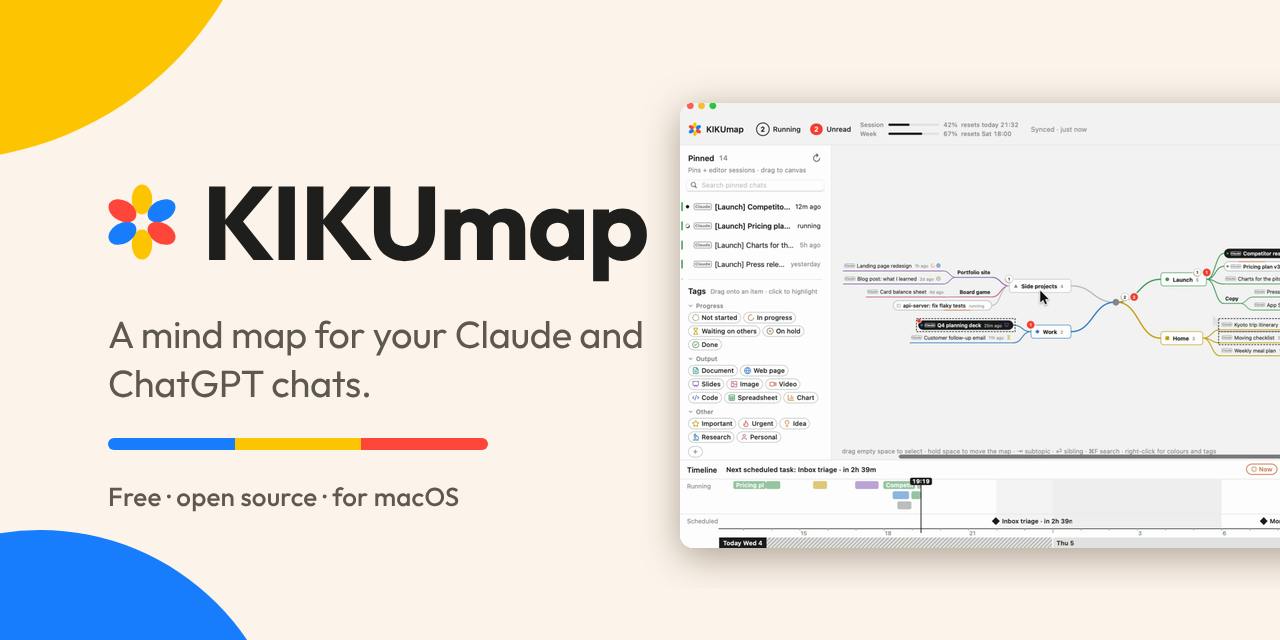
KIKUmap: Manage Your Claude and ChatGPT Conversations with Mind Maps
KIKUmap is a macOS menu bar app that visualizes Claude and ChatGPT conversations as mind maps with real-time status. Free and open source.