CrewAI Multi-Agent Development in Practice: From Getting Started to API Service Wrapping

A complete practical guide to CrewAI multi-agent collaboration, from concepts and environment setup to FastAPI service wrapping, with model comparisons.
This article systematically introduces the path to getting started with the CrewAI multi-agent framework. It first explains the three core abstractions—Agent, Task, and Process—covering the collaboration mechanisms of the sequential and hierarchical processes. Environment preparation covers three model access approaches: GPT proxies, One API unified access to domestic models, and Ollama local deployment. Through the official two-agent researcher and report analyst example, it demonstrates task context passing and running via CLI. The advanced section layers FastAPI on top of the official project to wrap Crew execution as a POST endpoint for external service, where switching models only requires changing environment variables. A three-model test shows GPT-4o mini and Qianwen Max perform usably, while local Llama 3.1 8B struggles due to capability and hardware limits. The article concludes with practical pitfalls and model selection advice, offering developers a replicable path from proof of concept to serviceization.
Multi-agent collaboration is becoming a hot direction in AI application development, and how to quickly get started and ship a usable multi-agent system is the first hurdle many developers face. Based on a step-by-step tutorial from a Bilibili creator, combined with the official CrewAI documentation and live demos, this article systematically walks through the complete path from concept understanding and environment setup to API service wrapping, and compares how different large models perform on actual tasks.
Core Concepts: How Agent, Task, and Process Work Together
CrewAI is a framework for building multi-agent systems. Its core idea is to break complex tasks down among agents with different roles and have them collaborate to achieve an overall goal. Understanding three foundational concepts is the starting point:
- Agent: An autonomous, controllable execution unit with a role, a goal, and a backstory. The role defines its function within the team, the goal drives the outcome it must achieve, and the backstory provides it with context.
- Task: A specific task assigned to an Agent, including the task description, the assigned Agent, the expected output format, and the list of available tools. Task output can be saved in a structured way or used as context input for subsequent tasks.
- Process: The mechanism responsible for coordinating Agent execution, similar to a project manager. CrewAI currently supports two processes—the sequential process advances through the task list in order, with the output of the previous task serving as context for the next; the hierarchical process designates a managerial Agent responsible for task planning, delegation, and validation, dynamically assigning tasks based on Agent capabilities rather than pre-assigning them.
The Crew itself is the collection of this set of Agents and Tasks, defining the execution strategy and collaboration mode. Multiple Crews can further form a Pipeline, supporting sequential or parallel execution, where the output of one stage can serve as input for subsequent stages, with the entire pipeline's execution tracked via Trace. This layered design lets developers gradually scale from simple serial tasks to complex workflows.
The Tool mechanism in CrewAI is key to extending Agent capabilities. Agents access external resources by binding tools, such as web search, file read/write, code execution, or calling other APIs. In the Task definition, you can specify the list of tools available for that task, and the Agent will autonomously decide when to call which tool during execution. CrewAI ships with a variety of common tools (such as SerperDevTool and ScrapeWebsiteTool) and also supports custom tool functions via the @tool decorator. Tool design follows the principle of "clear description, explicit parameters," because Agents rely on the tool's description to decide whether to use it. Understanding the tool mechanism helps in designing more powerful Agents, for example giving a researcher Agent real-time search capability rather than relying solely on the model's internal knowledge.
The Manager Agent in the Hierarchical Process is the core role through which CrewAI coordinates complex tasks. Unlike the sequential process, where tasks are pre-assigned to fixed Agents, the hierarchical process creates a Manager Agent (which can be specified or automatically generated by the framework) responsible for understanding the overall goal, planning task steps, delegating tasks to the appropriate Worker Agents, and validating output quality. The Manager Agent is itself an LLM-driven Agent, so its planning ability is likewise affected by the underlying model. This mode suits scenarios with fuzzy task boundaries that require dynamic decision-making, but it incurs additional token consumption and latency. Developers need to weigh flexibility against cost; simple serial tasks can just use the sequential process.
Environment Preparation: One-Stop Setup for Development and Model Access
Before starting the hands-on work, three pieces of preparation need to be completed. For the development environment, use Anaconda to create a Python virtual environment (version 3.11 is chosen in the tutorial), paired with PyCharm Community Edition for coding. When creating the project, specify a virtual environment name matching the project name to facilitate subsequent dependency management.
Large model access offers three paths, covering different requirement scenarios:
- GPT-series models: Called via a proxy, suitable for developers who already have a proxy solution.
- Non-GPT domestic models: Use One API (referred to in the original as Value API) as a management and distribution system for the OpenAI interface to uniformly access mainstream models such as Tongyi Qianwen, iFlytek Spark, and Zhipu. Installation supports building from source or directly downloading the release package; the tutorial uses version 0.6.8 deployed manually on Ubuntu. After deployment, access the management interface via IP plus port 3000, fill in the model name and the API Key applied for from Alibaba Cloud Bailian when creating a channel, then create a token to obtain the calling credential.
- Local open-source models: Deployed with Ollama, supporting cross-platform operation without relying on external APIs. Use
ollama listto view downloaded models, and theollama runcommand to automatically download and start one. The tutorial demonstrates models such as Qianwen 2 and Llama 3.1, and selects Llama 3.1 8B for subsequent testing.
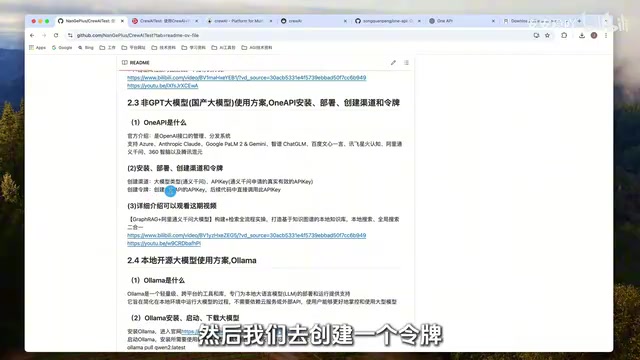
One API is an open-source OpenAI interface management and distribution system whose core value lies in uniformly converting the large model APIs of different vendors into an OpenAI-compatible format. It supports channel management (each channel corresponds to a model provider's key and address), token management (the calling credential issued externally), load balancing, and failure retry. Developers only need to configure One API's address and token in their code to call domestic models such as Tongyi Qianwen, iFlytek Spark, and Zhipu just like calling OpenAI, without writing adapter code for each vendor. After deploying One API, you need to create a "channel" (fill in the model name and the vendor's API Key) in the management interface, then create a "token" as the final calling credential. Note that the channel key is used to connect to the upstream vendor, while the token is the Key used in client code; the two must not be confused.
Ollama is a cross-platform local large model runtime framework designed to simplify the download, deployment, and inference of open-source models. It uses the command-line tool ollama run <model name> to automatically pull a model and start an interactive session, and ollama list to view downloaded models. Ollama includes built-in model quantization and GPU acceleration support, and can run series such as Llama and Qianwen on consumer-grade hardware. For CrewAI development, Ollama provides an OpenAI-compatible local API endpoint (default http://localhost:11434); simply configure this address and any non-empty API Key in the environment variables to connect. The advantages of local deployment are that data does not leave the premises and there are no calling costs, but inference speed and model capability are limited by hardware, and small-parameter models may perform poorly on complex Agent tasks.
Running the Official Example: A Two-Agent Researcher and Report Analyst Collaboration
The official CrewAI starter example defines two Agents and two Tasks, forming a clear research-to-report pipeline. The researcher Agent is responsible for exploring the cutting-edge developments of a given topic, with a backstory of being experienced, skilled at discovering the latest information, and presenting it concisely; the report analyst Agent creates a detailed report based on the research results, with a backstory emphasizing keen insight into details and the ability to concisely transform complex data.
The two Tasks form a context dependency: the research task requires in-depth research on the topic and expects a list of ten key points as output; the report task reviews the context provided by the research task, expands each key point into a complete report section, and finally outputs a Markdown-format file. This design intuitively demonstrates the task output passing mechanism in the sequential process.
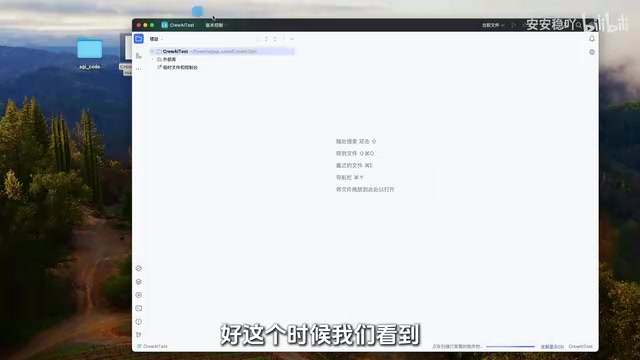
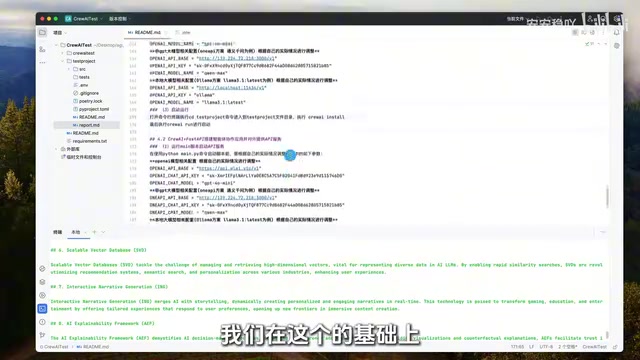
In practice, use the crewai create command to generate the official project template, modify the .env file to configure the API address, key, and model name (the tutorial uses Qianwen Max), then run crewai install to install dependencies, and finally use crewai run to start. During execution, you can observe logs of the Agents working step by step, and finally a report.md file is generated in the project directory. The entire process lets you experience multi-agent collaboration without writing any code.
Advanced Wrapping: CrewAI plus FastAPI to Expose an API Service
The official example is command-line interaction, whereas real business scenarios often require exposing a service. The tutorial layers FastAPI on top of the official project to wrap the Crew execution logic as an HTTP interface. In the entry point main.py, model parameter configuration comes first, supporting switching among three modes—GPT, Tongyi Qianwen, and Ollama—with a flag selecting the currently active model; the service port is also set to 8012.
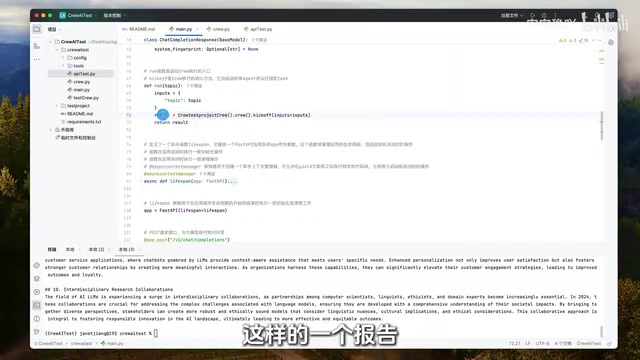
When the FastAPI application initializes, it loads the corresponding environment variables according to the flag and performs cleanup on shutdown. The core is a POST endpoint: it parses the topic in the request body, calls the wrapped Crew class's kick_off method to execute the multi-Agent flow, and after obtaining the result object, converts it to a streaming or non-streaming JSON response to return to the requester. The API Test script simulates sending a POST request, concatenating the localhost:8012 address and carrying the message body, to verify service availability.
The Crew class implementation follows the official template's wrapping approach: use decorators to define the two Agents, research and reporting, each reading configuration from agents.yaml in the config directory; likewise use decorators to define two Tasks, reading the description, expected output, and assignment relationships from tasks.yaml; finally create a Crew instance, specifying the sequential process and enabling verbose output for debug logs. Separating configuration files from code means roles and tasks can be adjusted without touching the logic code.
FastAPI is a modern Python web framework built on Starlette and Pydantic, designed specifically for high-performance APIs. Its core features include: automatic generation of OpenAPI documentation and an interactive Swagger UI (visit /docs to test endpoints), request validation and serialization based on Python type annotations, and native async support. In the CrewAI wrapping scenario, FastAPI's @app.post decorator defines the HTTP endpoint, the Pydantic model automatically parses the topic field in the request body, and JSONResponse or StreamingResponse handles returning results. FastAPI's dependency injection system can also be used to manage the lifecycle of Crew instances, for example initializing the Crew at application startup and releasing resources on shutdown. Compared with Flask, FastAPI's async features are better suited to handling IO-intensive tasks like LLM calls and can effectively improve concurrency.
Three-Model Comparison: Weighing Quality Against Speed
The tutorial tested three models—GPT-4o mini, Qianwen Max, and local Llama 3.1 8B—on the same topic, and the conclusions are worth referencing. GPT-4o mini was slightly faster than Qianwen Max and strictly output ten pieces of information as required by the prompt, with a complete report structure; Qianwen Max's results were similarly usable, but it felt slightly slower, and the research stage output fifteen items instead of the required ten, indicating a subtle deviation in instruction following.
Local Llama 3.1 8B clearly struggled: in the research stage it found only three pieces of information, far below the required ten, and the final report content shrank accordingly. The creator judged this to be related to hardware resource limitations and suggested that developers with the means try larger-parameter models or other models such as Qianwen 2 for comparison. This result confirms a key lesson: the output quality of a multi-agent system depends heavily on the underlying model's capability. Model selection needs to be evaluated against task complexity and hardware conditions, and you cannot assume every model can handle role-based tasks.
From an engineering perspective, CrewAI's configuration-file-driven design means switching models only requires changing environment variables and flags, which makes model selection testing convenient. Developers can first compare multiple models' performance on small-scale tasks, then decide which combination to use in production.
Practical Advice and Common Pitfalls
Based on the complete demo process, a few lessons are worth recording: always bind the virtual environment to the project to avoid dependency conflicts; when using One API, pay attention to the difference between the channel key and the token—the token is the API Key called in code; although Ollama local models are free and keep data controllable, small-parameter models tend to fall short on Agent tasks that require instruction following; when wrapping with FastAPI, pay attention to converting the result object to JSON, and choose streaming versus non-streaming returns based on client needs.
The value of this whole approach lies in providing a replicable path from proof of concept to serviceization. Developers can quickly validate ideas based on the official template, then wrap them with FastAPI to integrate into their own business systems, while keeping the model layer flexible and replaceable. For teams wanting to go deeper into multi-agent application development, this is a low-cost starting point.
Related articles

Google Releases Gemini 4 Carbon: Its Strongest Model Yet, Debuting with a Cybersecurity Focus
Google releases Gemini 4 Carbon, calling it its strongest model, with a cybersecurity focus. It tops the third-party composite ranking at 59 points but leads by only one or two. This article analyzes its security test results, staged rollout, token pricing, and the divergence between self-reported and third-party tests on hallucinations.

LangChain Adds SchemagateRetriever: On-Demand Table Retrieval Cuts Text-to-SQL Prompts by 92.9%
LangChain docs add SchemagateRetriever: retrieves only the tables needed for text-to-SQL with permission filtering, cutting median prompt size by 92.9% on Spider 2.0 large schemas via offline BM25 selection with no model calls.

Multi-Step AI Agent Guardrail in Practice: Fact-Change Detection Drives False-Alarm Rate to 0%
Developer shares first version of a multi-step AI Agent guardrail: re-verifying dependency facts before irreversible actions cut false alarms from 50% to 17% across 23 scenarios, then to 0% via conservative normalization without lowering catch rate. Runs on local qwen2.5-7b.