Cursor Agent SDK: Write AI Agents as Code, Test Before You Ship
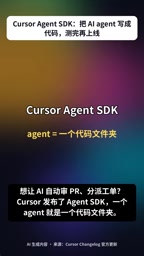
Cursor releases Agent SDK, managing Agents as code: write locally, evaluate and replay, then deploy.
Cursor officially released the Agent SDK on October 20, aiming to manage AI Agents like ordinary code instead of tweaking prompts in a black-box interface. One Agent is one code folder: Instructions.md holds the prompt, each file maps to an action, plus flow definitions and MCP Connections for external tools, making behavior versionable and reviewable. Triggers cover GitHub/GitLab/Bitbucket PRs, comments and CI events, Slack mentions and DMs, Webhooks and scheduling. The toolchain offers local Playground debugging, GitHub Replay to turn real PRs into regression test data, and deployment to Cursor hosting or your own server—embodying a "test before you ship" discipline.
Cursor officially released the Agent SDK on October 20. The core idea can be summed up in one sentence: manage AI Agents like ordinary code—write locally, run evaluations, then deploy—rather than repeatedly tweaking prompts in some black-box interface and praying nothing goes wrong in production.
One Agent Is One Code Folder
The Agent SDK's structure is deliberately restrained. According to the official demo, one Agent corresponds to one code folder, with several agreed-upon parts each doing their job: Instructions.md holds the prompt, defining what the Agent does and how it does it; each file in the folder corresponds to an action, effectively breaking the Agent's capabilities into readable, maintainable modules; there's also a virtual loading scheme similar to spills, used to define flows; and MCP Connections handles hooking up MCP tools so the Agent can call external capabilities.
This "folder-as-Agent" organization has the benefit of making behavior logic that was previously hidden in conversation explicit. Prompts are files, actions are files, flows are files—all can go into version control, all can be code reviewed, all can be understood by other engineers. For scenarios where you want to bring Agents into team workflows, this matters more than any fancy feature.
MCP (Model Context Protocol) is an open protocol proposed by Anthropic in late 2024 to standardize how large models connect to external tools and data sources. Simply put, it defines a common interface for "how a model discovers and calls tools": tool providers implement an MCP Server that exposes callable functions and their parameter descriptions; the Agent side connects as an MCP Client and can use these capabilities just like calling local functions, without writing separate adapter code for each tool. The MCP Connections mentioned in the article is exactly the configuration entry point in the Agent folder that declares "which MCP Servers this Agent connects to," turning external capability integration into versionable, reusable declarative configuration rather than hardcoding it into prompts.
Triggers Cover Real Development Scenarios
Once the Agent is written, it still needs to know when to wake up. The SDK supports a fairly wide range of trigger channels: PRs, comments, and CI events on GitHub, GitLab, and Bitbucket can all trigger it; on the Slack side, mentions and DMs are supported; there are also Webhooks and time-based scheduling.
This means Agents can naturally embed into existing development workflows—automatically review every new PR, automatically investigate when CI fails, and follow up on details with a Slack @ mention. For teams, there's no need to change working habits; the Agent comes to you.
Start from Templates, Tune in the Local Playground
The onboarding path is also straightforward. The official example starts with a security review template: every new PR is automatically reviewed, and when you continue asking questions in the same PR, the conversation picks up the original context rather than starting from scratch each time.
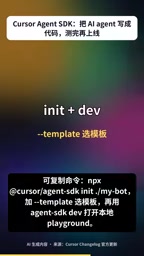
The creation flow is to click "Add" in MyBot, select Template and pick a template, then open it for debugging in the Agent SDK's local Playground. According to the demo, you can repeatedly test locally before going live until the behavior is tuned to your satisfaction.
Write Evaluations Before Shipping: Agents Need Regression Tests Too
The most substantial part of this toolchain is the evaluation step. The SDK provides GitHub Replay, which can turn real PRs into test data and let the Agent replay and score against these historical scenarios. This way, changes to the Agent have a comparable baseline, rather than judging quality by feel after tweaking prompts.
Deployment is equally flexible: after running evaluations, you can deploy to Cursor hosting or to your own server; getting a URL means deployment is complete. The entire loop is "write → test → replay → deploy," consistent with the rhythm of ordinary software engineering.
Regression Testing refers to re-running the existing test suite after code changes to confirm that existing functionality hasn't been broken. In traditional software engineering, it's the basic defense against "fix one place, break three." The GitHub Replay mentioned in the article transplants this idea to Agents: solidify historical real PRs into evaluation cases, and after each change to prompts or action files, replay and score against the previous baseline. The difference is that regression tests for ordinary code assert deterministic inputs and outputs, while Agent outputs carry randomness, so evaluations usually need looser criteria (such as human-labeled pass conditions or LLM scoring)—which is also what makes Agent evaluation harder than traditional unit tests.
Why This Matters
Over the past year, a large number of AI Agent projects have gotten stuck at the same point: impressive demos, failures in production, and problems that can't be reproduced or diagnosed. Cursor Agent SDK's answer is to pull Agents back to the fundamentals of software engineering—codified, testable, replayable, deployable.
For teams already using Agents at the edge of production, this discipline of "write evaluations before shipping" is more practical than a few extra model capabilities. After all, whether an Agent can be tested and replayed like ordinary code determines whether it can truly enter serious workflows, rather than remaining in demo videos.
One-line Summary
Cursor releases Agent SDK, managing Agents as code: write locally, evaluate and replay, then deploy.
Paragraph Summary
Cursor officially released the Agent SDK on October 20. The core idea is to manage AI Agents like ordinary code rather than repeatedly tweaking prompts in a black-box interface. Structurally, one Agent corresponds to one code folder: Instructions.md holds the prompt, each file corresponds to an action, and there are flow definitions plus MCP Connections for integrating external tools, making behavior logic versionable and code-reviewable. Triggers cover PR/comment/CI events on GitHub, GitLab, and Bitbucket, Slack mentions and DMs, Webhooks, and scheduled execution, so Agents can naturally embed into existing development workflows. The toolchain offers local Playground debugging, uses GitHub Replay to turn real PRs into test data for regression evaluation, and supports deployment to Cursor hosting or your own server. The article argues its value lies in the discipline of "write evaluations before shipping," solving the common dilemma of Agents failing in production and being hard to reproduce or diagnose.
Related articles
The Harness Is the Core of an Agent: Three Keys to Industrial-Grade Multi-Agent Deployment
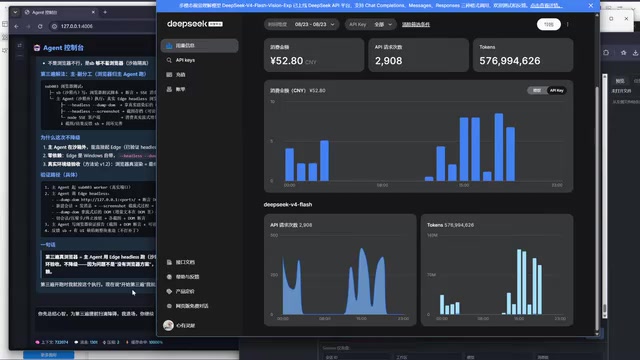
From a Bilibili hands-on demo, we analyze why the Harness is the core of an Agent: Master-Worker dual-Agent architecture, mindset consistency constraints, three autonomous iterations, and reusable framework essentials for industrial multi-Agent deployment.
Zero-Cost Claude Code: A Guide to Configuring ModelScope's Free API
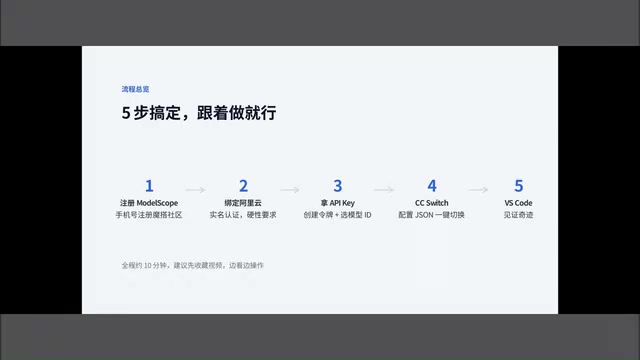
A Bilibili creator shares how to use ModelScope's free API quota with VS Code and the SystemService protocol conversion tool to call domestic models like DeepSeek in Claude Code at zero cost. Includes a five-step setup, model selection tips, and three common pitfalls to avoid.
Pi Agent: A Practical Guide to a Minimalist Open-Source Coding Agent
Pi Agent is a minimalist open-source coding agent benchmarked against Codex and Claude Code, with growing GitHub Stars. Learn its rise, design philosophy, and a practical path from principles to extensions.