GitHub Copilot in Practice: Agents, MCP, and Parallel Development with Worktrees

Copilot evolves from completion to autonomous loops, powered by instructions, MCP, and agent orchestration.
Based on Ashraf Ben Alaya's community sharing, the article shows how Copilot has become an action loop that reads files, runs commands, checks results, and self-corrects. The core formula: instructions set team rules, MCP provides unified tool access, agents orchestrate tasks. The demo fixes failing unit tests, then uses Playwright MCP via the accessibility tree to catch two UI bugs—case-sensitive search and inconsistent counter numbers. It also covers git worktree for parallel agents, sub-agents and skills for clean context, scheduled automation, mobile remote control, and practical advice like approval, tests-as-contracts, and diff review.
From Completion to Autonomous Loop: Copilot's Paradigm Shift
In mid-2023, Copilot was just a completion tool: you input a prompt, it returns code. Now it can read files, execute commands, check results, and self-correct when errors occur—a complete action loop. Microsoft MVP and cloud architect Ashraf Ben Alaya demonstrated how to "shape" this loop using a real ticket system in a community sharing session.
His positioning is clear: this is not a marketing demo, but a workflow he uses daily. The core formula can be summarized as: use instructions to set rules, use MCP to provide tools, use agents to orchestrate tasks. In his context, MCP is vividly called the agent's "eyes and hands": Playwright MCP lets it operate a browser like a real person, and GitHub MCP lets it pull code, open PRs, and manage issues.
Agentic workflow (action loop) means the AI no longer just does a one-time "input→output", but breaks the goal into multiple steps: observe the current state (read files, run commands), take action, check results, and then decide the next step or correct errors based on feedback until the goal is achieved. The key difference from traditional completion is closed-loop feedback—the model can see the consequences of its actions and self-correct. This also means permissions, observability, and security boundaries become important: the agent can execute commands and modify files, so approval mechanisms, isolated environments, and rollback-capable version control are needed. The instruction constraints, tests-as-contracts, and line-by-line diff review mentioned later are essentially guardrails for this loop, making "autonomy" controllable.
Set Rules First: Instruction Files Are the Prerequisite for Team Collaboration
When using Copilot in a team environment, the first thing is not to write longer prompts, but to "teach it how your team works." Ashraf's approach is to establish layered context: one instruction file for the entire repository, additional ones for specific matching files, and if necessary, define agents and share them with other teams. Thus, a single sentence like "NPM test failed, fix it" is enough to trigger the complete workflow.
He gave several highly practical rules: prohibit introducing new NPM packages (to avoid the agent's first instinct being to "restart or update" like a sysadmin); run tests both before and after fixes; and his most valued rule—summarize with three bullet points when done, rather than generating twenty or thirty lines of explanation. In his words, the agent should be "specific, accurate, and brief," and you can follow up for more details when needed.
In the demo, he prepared five tests, two of which failed. The agent first ran the tests to locate the problem, fixed it, reran the tests, and finally all five passed, summarizing in three points as requested: "what was wrong, what was changed, and the test results."
All Tests Green Doesn't Mean No Problems: MCP Fills UI Blind Spots
After unit tests passed, two bugs remained in the application: the search box was case-sensitive, causing some tickets to be unsearchable; and when checking two high-priority tickets, the top counter showed six. This is exactly the blind spot of pure code-level testing.
Ashraf explained why MCP is needed: without a unified standard, Copilot would have to write a separate connector for each tool (GitHub, Jira, SQL database, browser). MCP is like "USB-C for the AI world"—one plug, many tools. The server exposes capabilities (e.g., list tickets, create tickets, navigate pages), and the client can reuse them with a single connection.
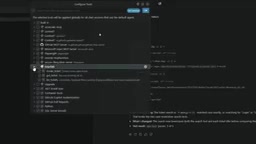
He configured two MCP services on the spot: one is a self-built ticket-lab exposing three tools: list/get/create ticket; the other is Playwright MCP, giving the agent browser operation capabilities. A noteworthy detail: Playwright doesn't "look at pixels" but reads the text structure of the accessibility tree—so it can see that two cards are highlighted on the page while the paragraph says six tickets, precisely locating this UI bug with inconsistent numbers.
An MCP tool consists of four parts: name, description (the agent uses it to understand tool capabilities and choose among multiple tools), input schema, and the actual execution function. This pattern can be directly transferred to ServiceNow or custom APIs. In the demo, the agent successfully created ticket #7 via MCP: "header counter show total ticket instead of filtered count".
MCP (Model Context Protocol) is an open protocol for exposing external tools and data sources to AI clients in a unified way. It standardizes the repetitive work of "connectors": the server declares which tools it provides according to the protocol (name, description, input schema, execution function), and the client only needs to connect once to discover and invoke them. For the agent, the tool description is the "menu", and the model uses it to decide when to call which tool; therefore, the accuracy of the description directly affects the quality of tool selection. The article compares MCP to "USB-C for the AI world", emphasizing this one connection, multiple reuses feature, and that it can be transferred to any backend service such as ServiceNow or custom APIs.
Worktree Isolation: The Prerequisite for True Parallelism of Two Agents
When one agent is working, you can only wait. But if two tasks are independent—for example, one fixes the frontend counter bug, and the other adds a close ticket tool to the MCP service—they can run in parallel. However, Ashraf emphasized a safety prerequisite: you must use git worktree, not a regular checkout. Two agents on the same branch will overwrite each other, while worktrees give each agent its own folder, own branch, and shared git history without interference.
The applicable scenarios for worktrees go far beyond AI: urgently fixing a production bug while the current feature branch is unfinished, reviewing someone else's PR, running a build on one branch while continuing to write code, or even running old and new versions on different ports for comparison. But he reminded that a new worktree only shares committed files; node_modules and .env are not carried over.
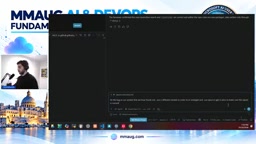
git worktree allows the same repository to mount multiple working directories simultaneously, each checking out a different branch but sharing the same .git history and object database. Compared to switching branches with git checkout, the key advantage of worktrees is that multiple workspaces can exist at the same time: one directory runs a build while another continues to modify code, without interruption. For parallel agents, this means each has its own folder and branch, so writing files won't overwrite each other, while the commit history remains unified for easy merging and review. Note that a new worktree only contains committed content; untracked or ignored files (such as node_modules, .env) won't appear automatically, and you usually need to reinstall dependencies or manually copy environment configurations.
Sub-agents and Skills: Keeping Context Clean
As projects grow, Ashraf adopts an orchestrator pattern: the main agent picks up tasks from the GitHub board and dispatches them to specialized sub-agents—UI/UX, security, backend, frontend, reviewer, tester—each with its own role. Each sub-agent gets a fresh context and returns only a brief summary, so the main conversation isn't flooded with intermediate output. He even assigns different models to different sub-agents: lightweight models for running pipelines, and stronger reasoning models for reviewers, to control token consumption.
In the demo, he had the main agent call both reviewer and tester sub-agents to check the diff and merge their conclusions into a short table. These two sub-agents are defined in the repository's agents folder, each declaring its name, description, available tools, and model.
Skills are another layer of reuse: a folder containing SKILL.md plus optional scripts. Copilot reads only a one-line index and opens the corresponding skill when a task matches. Ashraf's example is "release check"—every time you ask "can this solution be released?", the agent invokes the skill to run the checklist and output a report. He mentioned that there are many ready-made skills in the community to reuse, and "a hundred skills cost almost nothing until invoked."
Automation and Remote Control: Hand Routines to the Agent
Two features he calls "favorites": first, scheduled automation, such as automatically checking whether documentation is updated whenever there's a PR, or automatically pulling main and summarizing new comments before work each day; second, remote control—after enabling it in VS Code settings, type remote on to check agent progress and approve tool calls on your phone. If you think of a new feature during your commute, you can directly have the agent develop it and create an issue, then hand it to another agent for review.
Regarding "how to choose the right model for a task," his answer is pragmatic: models iterate too fast, and there is no fixed mapping table. His strategy: use lightweight models for simple tasks; for complex bugs, have two or three models investigate simultaneously and cross-validate, accepting results only if the overlap between two models is about 95%.
Five Practical Recommendations
- MCP tool calls must be approved; review dependencies of third-party servers; start with read-only permissions
- Tests are contracts; agents must not modify tests
- After session isolation, permissions can be relaxed, but you must read the diff line by line before committing
- If a routine repeats many times, consider making it a skill
- Start small: write one instruction file, connect one MCP, split one task between two agents
In his view, saving time is the core value of these capabilities—any operation repeated five or six times a day is worth automating.
Least privilege and human approval is a general principle for safely deploying agents: start with read-only permissions to run the process, and gradually open write operations after confirming predictable behavior; keep a human approval step for tool calls that change system state (creating tickets, opening PRs, executing commands), essentially adding a "circuit breaker" to the autonomous loop. Also review the dependencies and permission scope of third-party MCP servers to avoid exposing unnecessary credentials or data. With version control, every change can be diffed and rolled back, allowing quick identification and reversal when problems occur—which is more effective than post-hoc accountability.
One-line Summary
Copilot moves from completion to autonomous loops, enabled by instructions, MCP, and agent orchestration.
Paragraph Summary
Based on Ashraf Ben Alaya's community sharing, the article explains that Copilot has evolved from a "prompt in, code out" completion tool into an action loop that can read files, run commands, check results, and self-correct. Its core formula: use instructions to set team rules, use MCP to provide unified tool access, and use agents to orchestrate tasks. In the demo, the agent first fixed failing unit tests, then used Playwright MCP via the accessibility tree to discover two UI bugs: case-sensitive search and inconsistent counter numbers. The article also covers using git worktree for parallel agents, sub-agents and skills to keep context clean, scheduled automation and mobile remote control, and offers practical advice such as approval, tests-as-contracts, and line-by-line diff review.
Related articles

Reddit Discussion: Real-World AI Agent Use Cases Shared for Business School Classrooms
A Reddit business school lecturer seeks real AI Agent use cases for classroom teaching. This article compiles typical AI Agent applications in professional and personal scenarios and offers three analytical dimensions for selecting classroom cases, helping readers understand the practical value and limitations of AI Agents.

Multi-LLM Provider API Integration: Standardization Challenges and Compliance Headaches
Explore the current state and challenges of multi-LLM provider API standardization, analyze enterprise data compliance pain points, and share community practices and router limitations for data governance in multi-model architectures.

Binance Halts Withdrawals as Hackers Suspected of Stealing Billions in Crypto
Binance paused withdrawals Thursday after a suspected cyberattack, with some estimates claiming billions in crypto stolen. This article reviews the incident, the uncertainty of loss estimates, and the custody trust paradox facing centralized exchanges.