Google Launches Connected Apps Platform: Build Once, Integrate with Gemini and Search

Google launches Connected Apps, letting developers integrate app capabilities into Gemini and Search via MCP.
Google officially launched the Connected Apps platform, where developers build a tool definition once with a declarative schema to integrate app capabilities into Gemini, Google Search, and the Android assistant—solving the pain point of models that "know what to do but have no hands to do it." Built on the Model Context Protocol standard, it offers remote MCP server and Android MCP integration paths. Google outlines four best practices: explicit server descriptions, read/write and destructive annotations, strongly typed schemas with semantic docstrings, and UI resource metadata binding. The pipeline spans Inspector debugging, Gemini Developer Mode testing, and Connected Console release with phased review. User trust uses risk-tiered confirmation with per-app and per-action authorization. Preview is US-only.
From "Nice Chat" to "Actually Done": What Connected Apps Solves
Google has officially launched the Connected Apps platform, allowing developers to integrate their app capabilities into Gemini and Google Search. Mai, the product lead, opened the presentation by pointing to a widespread pain point: a user asks Gemini to plan a weekend outing, the model produces a beautiful plan in seconds—and then the journey ends. The user is left to copy and paste into various apps, which is even more awkward on mobile.
She described this as "the model knows what to do but has no hands to do it." For developers, this means high-intent requests get trapped in the chat box, unable to convert into real user actions within the app. Connected Apps is positioned to attach those "hands": when users clearly express an intent to act, your service executes right there in the conversation, rather than appearing as a static link at the bottom of the page.
Mai made a point to clarify: this platform is not about abstracting away your app. Your brand, business logic, authenticated user relationships, and custom UI experiences remain yours. What the platform does is package your service as an agentic API interface, so Google's agent products can bring high-intent users directly into your product.
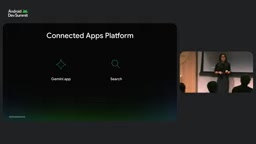
Register Once, Light Up Everywhere: The Shift to Platformized Integration
In the past, reaching users across Google products meant a separate integration for each entry point: one set for Android App Actions, another for Search integration, plus maintaining multiple developer consoles and a patchwork of authentication handshakes. Connected Apps' answer is standardization: build your tool definition once with a declarative schema, choose one or more Google products, and publish with one click through the new Google Connected Console. After publishing, whether users are on Gemini on a laptop, Search on the web, or assistant features on Android, they'll see your app's options at the moment of need.
The platform is rolling out in phases. The preview phase is limited to US developers, who can apply via the form in the official developer guide; Play developers can also find the entry point on the Play Console homepage.
Two Integration Paths: Remote MCP Server and Android MCP
Developer relations engineer Kate took over to explain the build process. The platform builds on concepts developers already know and connects to the Model Context Protocol (MCP) standard, supporting both server-side MCP and native Android MCP.
Remote MCP server suits cross-platform scenarios—covering Android, iOS, and Web; starting with the FastMCP library is quick. Android MCP targets scenarios where data lives only locally on the device, using the app functions Jetpack library to build a local server on-device. The official recommendation is to choose based on data location and platform coverage.
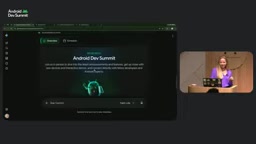
Kate demonstrated with the official Android Dev Summit sample app: asking Gemini about XR-related sessions, the model calls the corresponding tool, pulls back session information for day one and day two, and finally renders a custom branded component featuring the Android robot mascot within the conversation. Users can switch locations, filter by day, filter by topic, view details and speakers—all without leaving Gemini.
Model Context Protocol (MCP) is a standard protocol open-sourced by Anthropic in late 2024, designed to unify how large language models connect to external tools and data sources. It uses a client-server architecture: the model side acts as the client, sending structured requests to a developer-implemented MCP server, which returns tool lists, resources, or execution results according to a predefined schema. Compared to the past where each platform defined its own plugin interface, MCP lets a single implementation be called by multiple compatible agents. The protocol is now supported by major vendors including OpenAI, Google, and Microsoft, and is seen by the community as the "USB interface for AI app tools." Understanding MCP's request-response model helps grasp why Connected Apps emphasizes schema quality and server descriptions—these directly determine whether the model can correctly route and invoke tools.
FastMCP is a Python framework for quickly building MCP servers. Developers can expose ordinary functions as tools with type annotations and docstrings via decorators; the framework automatically generates schemas conforming to the MCP spec and handles the transport layer. It supports multiple transports including stdio, SSE, and Streamable HTTP, making it suitable for the transition from local prototype to cloud deployment. The official recommendation to start with FastMCP is precisely because its low-boilerplate nature shortens the distance from "having an API" to "the model can call it." Note that the schema FastMCP generates still depends on the clarity of function signatures and docstrings—so the strong typing and semantic documentation emphasized below are not work the framework can automatically replace.
Four Best Practices That Determine Tool Call Accuracy
Kate summarized four practices that must be followed when building an MCP server:
- Explicit server description: Clearly describe the app's domain and capabilities at initialization. The platform relies on these descriptions to decide when to delegate requests to your server, and Google Connected Console also explicitly validates their presence.
- Two safety annotations: Clearly mark whether a tool is read-only or modifies data. Tools that edit or delete should be marked as destructive operations, and the platform uses this to decide whether to prompt the user for confirmation.
- Strongly typed schemas and semantic docstrings: Treat parameter docstrings as part of the prompt, spelling out expected values—for example, listing specific options like London in a location parameter. The official emphasis is that clear, descriptive schemas are the single biggest factor in tool call accuracy.
- UI resource metadata binding: Bind tool output to custom UI resources in meta, so Gemini can render a branded interactive interface in a secure sandboxed iframe.
Destructive operation annotations correspond in the MCP spec to tool annotation fields such as destructiveHint and readOnlyHint, metadata through which the server declares a tool's side effects to the client. The platform uses them to decide whether a user confirmation is needed and how strong the confirmation copy should be. Marking edit, delete, or payment tools as read-only could lead the agent to perform irreversible actions without consent; conversely, over-annotating would cause read-only queries to interrupt users frequently. The spec also includes idempotentHint (whether repeated calls are safe) and openWorldHint (whether it touches the external world), together forming a risk profile. Developers should treat annotations as a contract as important as the functional logic, not optional decoration.
Develop, Test, Publish: A Complete Pipeline
During local development, developers can first spin up a local server with a command, then debug tools and UI with the MCP Inspector. Next, deploy the MCP endpoint to any cloud service—if using Google Cloud, a single CLI command gets it live.
The next step is validating the public endpoint in Gemini's Developer Mode. This new feature, open to US users, lets developers test their apps inside Gemini: see which tool was called, request and response details, latency, and error status; toggle environment variables like date/time and language preference to simulate different user contexts; and configure authentication. Logs can be copied or exported for sharing. Google says future support will include generating evaluation sets, quality metric scorecards, and benchmarking.
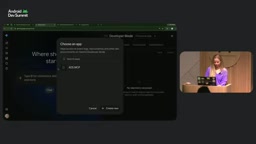
Once validated, developers submit an application form; upon approval, they enter Google Connected Console to prepare for production release: create the app, fill in display name, icon, user-facing description, capabilities and limitations, and example prompts; configure the MCP server endpoint and verify domain ownership; configure credentials to sync tools; choose available regions, languages, entry points, and per-tool configuration. Note that the console snapshots the MCP schema—if the schema changes, you must redeploy in the console. After that, add test accounts, test on the selected entry points, submit for Gemini phase review, and finally publish regionally or globally.
MCP Inspector is the official debugging tool provided by MCP, running as a local web interface. It can connect to any MCP server and list available tools, resources, and prompt templates, manually fill in parameters to invoke calls, and view raw request/response JSON, error stacks, and timing. It supports both stdio and HTTP transports, so it can debug local app functions servers as well as remote endpoints. In the Connected Apps context, Inspector is mainly used to verify that tool schemas are parsed correctly and that output structures match UI resource binding expectations—it's the first gate for catching protocol-level issues before submitting for review. Its difference from Gemini Developer Mode is that the latter validates platform-side routing and rendering, while Inspector validates the server itself.
User Trust: Confirmation Must Match Risk
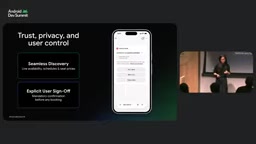
When agents act on behalf of users, control is unavoidable. Mai laid out several principles. Confirmation granularity follows risk: read-only operations like checking a menu or tracking an order should be frictionless; for editing shared content, completing a booking, or deleting hard-to-recover data, the model will request explicit user consent before executing. Sensitive data is displayed explicitly rather than hidden—when personal information is detected, users can see exactly what is being shared and decide on the spot whether to continue. Questions should be specific: not a vague "are you sure?" but clarifying which app, and what is being sent or changed. Users can also set in Gemini whether to always allow, per app and per action. The requirement for developers: honestly annotate whether a tool is read-only, modifying, or deleting.
Early Partner Validation: After the Walls Come Down
Viator and Ticketmaster are two early partners. In the demo scenario, a user connects the apps and asks Gemini to find a daytime food tour for four and concert tickets; Gemini identifies the capabilities, calls both tools directly with party size and date preferences, and both apps return real inventory and render interactive experiences in the conversation—picking a food route, selecting seats—seamlessly connecting discovery to action. Mai's conclusion: the era of the static app launcher is fading, replaced by intelligent, proactive, action-capable experiences.
Editorial View
The essence of Connected Apps is upgrading MCP from a grassroots protocol in the developer community into a distribution entry point for Google's consumer products. For developers, the appeal is build once, exposure everywhere, and clear conversion scenarios; for Google, it's key infrastructure for pushing Gemini from "can answer" to "can get things done." What warrants a sober view: the preview phase is limited to US developers, and review and schema snapshots mean there's still operational overhead, while how brands maintain experience consistency between the sandboxed iframe and platform confirmation mechanisms will be the real test in production.
One-line Summary
Google launches Connected Apps, letting developers integrate app capabilities into Gemini and Search via MCP.
Paragraph Summary
Google has officially launched the Connected Apps platform, where developers build a tool definition once with a declarative schema and integrate app capabilities into Gemini, Google Search, and the Android assistant—solving the pain point of models that "know what to do but have no hands to do it." Built on the Model Context Protocol standard, the platform offers two integration paths—remote MCP server and Android MCP—covering cross-platform and local-data scenarios respectively. Google provides four best practices: explicit server descriptions, read/write and destructive safety annotations, strongly typed schemas with semantic docstrings, and UI resource metadata binding. The accompanying pipeline covers local Inspector debugging, hands-on testing in Gemini Developer Mode, production release through Connected Console, and phased review. User trust mechanisms confirm by risk level and support per-app and per-action authorization granularity. The preview phase is limited to US developers.
Related articles

Will GitHub Die? Open Source Maintainer Burnout and the Collaboration Crisis in the AI Era
Lex Fridman podcast discussion on open source maintainer burnout and GitHub's predicament: massive pull requests overwhelm core maintainers, and AI worsens code bloat. Using math journal peer review and Poincaré conjecture verification as analogies, the article analyzes why verification in knowledge production must be deliberately slow, and how open source communities can avoid the failure mode of maintainers exiting.

Stop Building Cookie-Cutter AI Websites: 3 Tools That Transform Your Coding Agent
Three tools that boost AI coding agents: FFmpeg skill for local video editing in Claude Code and Cursor, Hallmark's 50 design themes to fix cookie-cutter AI sites, and Jailbreaks' 25+ model prompts.

How America's Gerontocracy Squeezes the Younger Generation
Americans over 55 hold nearly three-quarters of national wealth, alongside an 80-year-old president and elderly congressional leaders. The Atlantic's Idrees Kahloon explains how gerontocracy drives up housing costs, squeezes opportunities for the young, and explores zoning reform and child poverty reduction as practical fixes.