OpenAI Agents SDK in Practice: Implementing Human-in-the-Loop Approval

OpenAI Agents SDK's HITL mechanism forces high-risk tool calls to pause and await human approval before executing.
This article covers the Human-in-the-Loop (HITL) mechanism in the OpenAI Agents SDK, which inserts a human review checkpoint before AI Agents execute irreversible operations like database deletions or permission changes. Mark high-risk tools with `needs_approval=True` to auto-pause the Agent, inspect intercepted tool names and parameters from `pause.interruptions`, then decide via `state.approve()` or `state.reject()`. For async workflows, `RunState` serializes the paused state to a string for persistent storage and later restoration via `from_string()`, with `add_input()` supporting traceable approval notes.
When building AI Agents, one unavoidable safety challenge is: how do you ensure an agent gets human approval before executing high-risk operations? The Human-in-the-Loop (HITL) mechanism in the OpenAI Agents SDK was designed exactly for this purpose. This article is based on the OpenAI Agents tutorial series by YouTuber Yash, walking through the core logic and complete implementation path of this mechanism.
Why Agents Need Human Approval
The power of an Agent lies in its ability to make autonomous decisions and call tools to complete tasks. But autonomy is a double-edged sword — when a task is irreversible or destructive, letting an LLM make the final call unilaterally becomes dangerous.
The tutorial uses a highly representative example: database update and delete operations. If you hand deletion privileges directly to an LLM, a single misjudgment could wipe out the entire database. These critical tasks should not be executed at the Agent's sole discretion — instead, execution should pause and wait for an explicit human approve or reject instruction.
At its core, Human-in-the-Loop is about inserting a human review checkpoint into the tool-calling pipeline. Combined with a guardrail mechanism, users can clearly inspect "what the LLM is about to do" before any tool actually runs, keeping ultimate control in human hands.

HITL is not a concept invented by the OpenAI Agents SDK — it's a general safety design pattern in automation and AI systems. Its core idea comes from control theory and human-computer collaboration research: for low-risk, high-frequency decisions, let the system act autonomously to maximize efficiency; for high-risk, low-frequency, and irreversible operations, enforce human oversight to reduce the risk of loss of control. This pattern is widely applied in industrial automation, medical AI-assisted diagnostics, and financial trading systems. In the LLM Agent context, HITL is also necessary because of the "hallucination" problem — a model may misinterpret user intent, fill in wrong parameters, or make incorrect inferences when context is insufficient. For reversible operations (like queries or previews), the cost of errors is low; but for database deletions, account terminations, or fund transfers, execution is often irreversible. Constraints must therefore be enforced at the tool-calling pipeline level, not just at the prompt level.
Core Mechanism: needs_approval to Pause Tool Calls
The first step in implementing human approval is marking the tools that require it. The SDK's function_tool decorator can convert any regular function into an Agent-callable tool, and the key parameter here is needs_approval=True.
The tutorial uses an entertaining business scenario — ninja promotion: define a promote_to_ambu function that accepts a ninja_name parameter and returns a string indicating a ninja has been promoted. Once you add needs_approval=True to this tool, its behavior changes fundamentally:
needs_approval means "pauses the run instead of running the tool."
In other words, when the Agent decides to call this tool, it won't execute immediately — it pauses and waits for human approval. This is the trigger switch for the entire mechanism.
Capturing Interruptions: run_until_pause and interruptions
Once the Agent pauses, developers need to know "where it stopped and what it was trying to do." The tutorial runs the Agent using runner.run with RunConfig, and uses ScriptedModel with FunctionCall to construct static responses that simulate tool calls (making it easy to reproduce during testing).
The core is an async function called run_until_pause. When the Agent encounters a tool marked for approval, the run result carries pause.interruptions — a list recording all intercepted interruptions.
From the interruptions object, you can read two key pieces of information:
- The name of the intercepted tool (e.g.,
promote_to_ambu) - The tool's call arguments (e.g., ninja_name is Sasuke Uchiha)
In the tutorial demo, since there is only one tool call, a single interruption is returned. Developers use this information to determine whether the operation is safe to proceed.
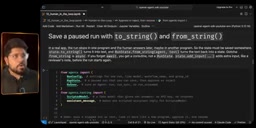
ScriptedModel is a testing utility class provided by the OpenAI Agents SDK that allows developers to pre-define a sequence of static responses to drive Agent execution in place of a real LLM. This is extremely valuable in unit testing and logic verification: no API credits are consumed, results are fully deterministic, and specific tool-call scenarios are easy to reproduce. FunctionCall is the corresponding data structure describing the step where "the LLM decides which tool to call and what parameters to pass." Before connecting a real LLM, using ScriptedModel with FunctionCall to construct the expected call path is the standard approach for debugging HITL flows — you can precisely control the premise that "the LLM wants to call promote_to_ambu with Sasuke Uchiha" and focus on verifying the correctness of the pause, approval, and resume steps without interference from model randomness.
Approve and Reject: Branching on Human Decisions
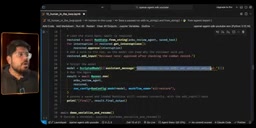
Once you have the interruption, the real decision-making step arrives. You can obtain the Agent's current state object via pause.to_state(), and this state supports both approve and reject.
The logic is straightforward — iterate over all interruptions and call state.approve() or state.reject() on each one:
- Approve path: After approving, run the Agent again. The tool executes for real, and the final output is "Sasuke Uchiha is now ambu."
- Reject path: After rejecting, the Agent does not execute the tool, and the output becomes "promotion denied by the reviewer."
This binary approach gives human reviewers the power to veto each high-risk operation individually, rather than having to accept or reject everything wholesale.
State Persistence: Serialization and Restoration
In real-world scenarios, human approvals are rarely instant — a reviewer might not come back to click "approve" for several hours. This means the Agent's paused state must be saveable and restorable.
The SDK solves this with RunState, in a two-step process:
- Serialize and save: After obtaining the state via
pause.to_state(), callto_string()to convert it to a string so the state can be stored as text in any persistent medium. - Deserialize and restore: Later, use
RunState.from_string(agent, save_text)to reconstruct the Agent state from the string, then callrestore.get_interruptions()to retrieve the original interruptions and continue the approval flow.
A practical detail worth noting is restore.add_input(): when approving, you can attach a review note (e.g., "approved after checking the combat record"), passing the approval rationale to the LLM and making the decision process traceable.
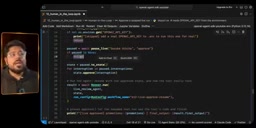
The state serialization design allows the HITL mechanism to fit into asynchronous approval workflows in real business contexts. In engineering practice, the string output from to_string() is typically stored in a database, message queue, or file system and associated with a "pending approval" record. The reviewer receives a notification through an internal tool or notification system, opens the approval interface to review the tool name and parameters, then clicks approve or reject. The backend then uses RunState.from_string() to restore the state and resume execution. The key assumption of this mechanism is that the serialized state string fully captures the Agent's runtime context — including message history, tool-call trajectory, and current interruption information — so execution can resume seamlessly without replaying previous steps. The approval note attached via add_input() is also injected as context, enabling subsequent LLM reasoning to be aware of the fact that "this operation has already been reviewed by a human."
From Testing to Production: Connecting a Real LLM
The earlier demonstrations relied heavily on ScriptedModel to simulate responses for logic verification. The tutorial concludes by showing how to connect a real LLM and run through the entire flow end-to-end.
Key differences in the production version:
- Load the OpenAI API key from a
.envfile usingload_dotenv(). - Use a
promotionslist to track all tool calls made, making it easy to observe the Agent's call trajectory. - Use the
nameparameter offunction_toolto override the tool name (e.g., renamepromote_to_ambu_livetopromote_to_ambu).
In the live demo, three outcomes are clearly visible:
- Approved: Sasuke Uchiha has been promoted to ambu.
- Rejected: Promotion not completed, human approval was not granted.
- Save then restore: The approval state for Kakashi Hatake is first saved as a string, later restored and approved, with the review note included in the final output.
Summary
Human-in-the-Loop isn't complicated, but it is a necessary safeguard for taking Agents into production. The core path can be summarized as: mark high-risk tools with needs_approval=True → the Agent pauses and generates interruptions → a human makes the decision via state.approve() / state.reject() → when needed, use RunState to serialize and save the state for asynchronous restoration later.
For any Agent application involving irreversible actions — data deletion, financial operations, permission changes — this mechanism is worth integrating as a priority, keeping the LLM's autonomy within boundaries that humans can control.
Related articles

GitHub Daily · October 30: Skills Ecosystem Explodes, Agents Start Provisioning Their Own Computers
GitHub Daily Oct 30: Skills ecosystem hits three layers (official, personal, vertical), agents get their own computers, and cross-session memory becomes essential.
AWS AgentCore Gateway: Connecting AI A…
AWS AgentCore Gateway: Connecting AI Agents to Enterprise Backends with MCP
How AWS AgentCore Gateway acts as a primary MCP server to aggregate REST APIs, Lambda, and existing MCP services? Analyzing its AST real-time mapping, zero cold start, semantic search for tool overload, session isolation, and key injection security design, plus the architectural approach to decoupling enterprise AI agents from backends.

One Link Gives Figma AI a New Skill: Hands-On with MCP Connectors
Paste one MCP server link and the AI Agent in Figma gains new tool capabilities. We break down the setup flow, 20+ one-click apps, read/write permissions and execution policies, and the public HTTPS requirement.