SCARA Robot Arm Tool Changer Design: Magnetic vs. Mechanical Locking Solutions Compared

Three mechanical locking tool changer solutions for DIY SCARA arms, compared against magnetic coupling.
Inspired by a Reddit user building a 3D-printed SCARA arm who needed to swap between a Sharpie and a pneumatic gripper without using magnets, this article breaks down why magnetic tool changers struggle with dynamic loads and repeatability, then compares three mechanical locking alternatives: kinematic coupling with a locking pin (highest precision), servo-driven claws (lowest cost), and pneumatic locking (best fit for projects already using an air supply). Practical tips cover open-source model resources, iterative prototyping, and the critical importance of chamfered guide pin design for docking alignment.
A Real DIY Challenge
In the open-source robotics and 3D printing hobbyist community, SCARA (Selective Compliance Assembly Robot Arm) has long been a popular DIY project. Its compact structure and manageable cost make it ideal for desktop-level automation experiments. However, when a project graduates from "it moves" to "it actually does something useful," the tool changer often becomes the trickiest piece of the puzzle.
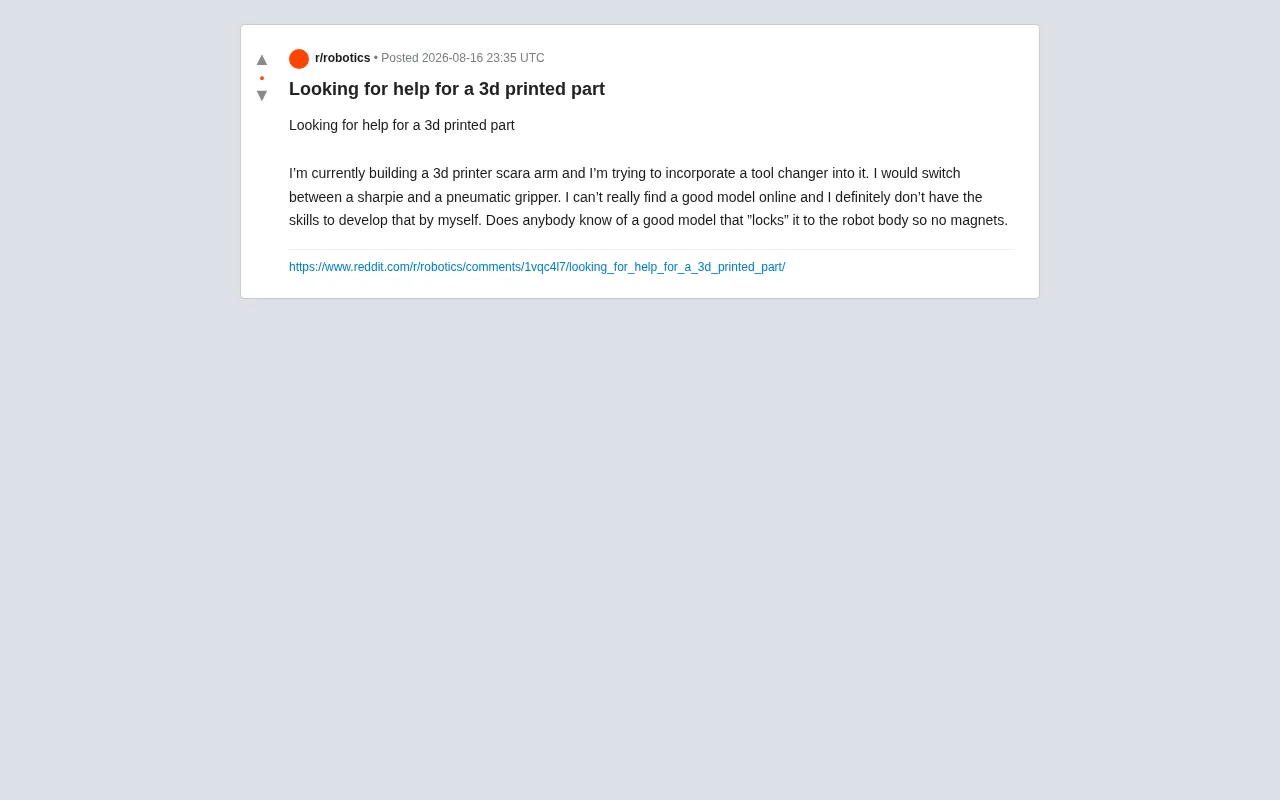
Recently, a Reddit user posted asking for help: they were building a 3D-printed SCARA arm and wanted to add tool-changing functionality — specifically the ability to swap between a Sharpie marker and a pneumatic gripper. They ran into two core problems: they couldn't find a suitable ready-made model online, and they lacked the skills to design one from scratch. Most importantly, they had a clear technical requirement:
"Looking for a solution that 'locks' the tool onto the robot — no magnets."
This seemingly simple request actually touches on a classic trade-off in end-effector design.
Why Magnetic Tool Changers Fall Short
Magnetic tool changers are the most common approach in the DIY community — they're easy to implement, tolerant of misalignment during docking, and cheap. But when the application involves a pneumatic gripper, magnetic solutions have some clear weaknesses.
The Inherent Limitations of Magnetic Coupling
A pneumatic gripper generates additional load and inertial forces when gripping and moving objects. When the arm moves quickly or the gripper picks up heavier items, magnetic force may not be sufficient to maintain a stable connection — leading to tools dropping off or shifting slightly mid-motion. For applications requiring precision, such as drawing with a Sharpie or performing consistent pick-and-place operations, this kind of uncertainty is a dealbreaker.
Beyond that, magnetic connections face a few other long-term issues:
- Insufficient repeatability: Magnetic coupling self-aligns via magnetic attraction, but can slide under lateral shear forces.
- Limited load capacity: The weight of a pneumatic gripper plus the object being grasped can exceed the holding force of small magnets.
- Poor vibration resistance: The acceleration and deceleration of a robot arm introduces vibration that magnetic connections don't handle well under dynamic loads.
For these reasons, mechanical locking — physically securing the tool to the arm end via a latch or locking pin — is the more reliable choice.
Three Mechanical Locking Solutions Explained
While designing a locking mechanism from scratch is a high bar for beginners, there are plenty of mature reference designs in industry and the open-source community worth borrowing from.
Option 1: Kinematic Coupling + Locking Pin
This is the standard approach used in industrial-grade tool changers. The tool side and the arm side achieve high-repeatability docking through three-point kinematic coupling, then a motorized or pneumatically actuated locking pin rigidly secures the two halves together.
Advantages: Positioning accuracy can reach the micrometer level; locking is highly reliable.
Caveats: Requires higher precision and rigidity from 3D-printed parts. Critical mating surfaces should use metal or engineering-grade plastics (such as nylon or PC) where possible.
Option 2: Servo-Driven Claw Lock
For DIY projects, a more accessible option is using a small servo motor to drive a set of claws or an eccentric cam. Once the tool is docked, the servo rotates to drive the claws into recesses on the tool side, creating a rigid lock.
Advantages: Low cost, easy to control with an Arduino or Raspberry Pi, well-suited to desktop-scale SCARA arms.
Best for: Light-duty tool changes and applications with moderate precision requirements.
Option 3: Pneumatic Locking (Reusing Existing Air Supply)
Since the project already uses a pneumatic gripper, there's already an air supply and pneumatic circuit in the system. This makes a pneumatic locking mechanism a natural fit — a small cylinder drives a locking pin to engage and release the tool.
Advantages: Reuses existing hardware with no additional motors needed; pneumatic locking provides high force and fast response, making it a great match for this project's tech stack.
Practical Tips for DIY Tool Changers
For anyone stuck in the "can't find a model, can't design my own" situation, here are a few paths to getting something working quickly.
Make Good Use of Open-Source Model Libraries
Platforms like Thingiverse, Printables, and GrabCAD have a wealth of open-source tool changer designs for robotic applications. When searching, try English terms like "tool changer," "quick change coupler," or "robot end effector coupling" rather than limiting yourself to SCARA-specific results. Many quick-change designs built for 3D printers, CNCs, or general-purpose robot arms can be adapted for SCARA use.
Iterate from a Simplified Version
Beginners don't need to aim for industrial-grade precision right away. Start with a simple servo-driven latch to validate the docking logic and positional repeatability, then gradually iterate toward pneumatic locking or kinematic coupling.
Pay Close Attention to Docking Interface Design
Regardless of which locking method you choose, docking alignment accuracy matters more than the locking mechanism itself. It's worth designing chamfered guide pins on both the tool side and the arm side — the tapered surfaces will automatically correct for minor misalignment during the final docking phase, reducing reliance on the arm's motion precision.
Summary: The Core Trade-offs in Tool Changer Design
This Reddit post reflects a challenge the DIY robotics community commonly faces when transitioning from "toy" to "tool." A tool changer looks like a small module, but it involves a system-level balance of positioning accuracy, load capacity, and control reuse.
For this particular project, the optimal solution is probably — reuse the existing air supply with a pneumatic locking pin mechanism. It satisfies the core requirement of "no magnets, needs mechanical locking" while making the most of hardware that's already in the system. The broader takeaway: in the open-source hardware world, when you hit a wall, leveraging community resources and iterating from a simplified prototype is almost always more efficient than reinventing the wheel from scratch.
Related articles

A New Paradigm for Text Editing in Compose: TextFieldState Replaces the Old API
Jetpack Compose introduces the TextFieldState API to fix dropped characters and cursor jumps from async input. The old value/onValueChange callbacks will be deprecated in 1.13. This article covers InputTransformation, OutputTransformation, four state hoisting patterns, and new formatted text editing capabilities.

Remote Compose: A New Document-Driven Paradigm for Cross-Platform UI on Android
Remote Compose transmits compact binary documents instead of screen pixels, enabling efficient UI rendering on remote surfaces like Wear OS and widgets. This article covers its document creation API, expression animations, size optimization techniques, and Wear OS progress.

How Crashlytics Eliminates Android Memory and Responsiveness Issues
Through the Chroma Clip case study, this article explains how Firebase Crashlytics uses Application Exit Info, Profiling Manager, GWP ASAN, and ARM MTE to pinpoint ANRs, OOMs, memory limit terminations, and native memory corruption—solving the challenge of stack traces that don't point to the real culprit.