Valutorio: A Native Mac/iPhone Markdown Note-Taking Tool
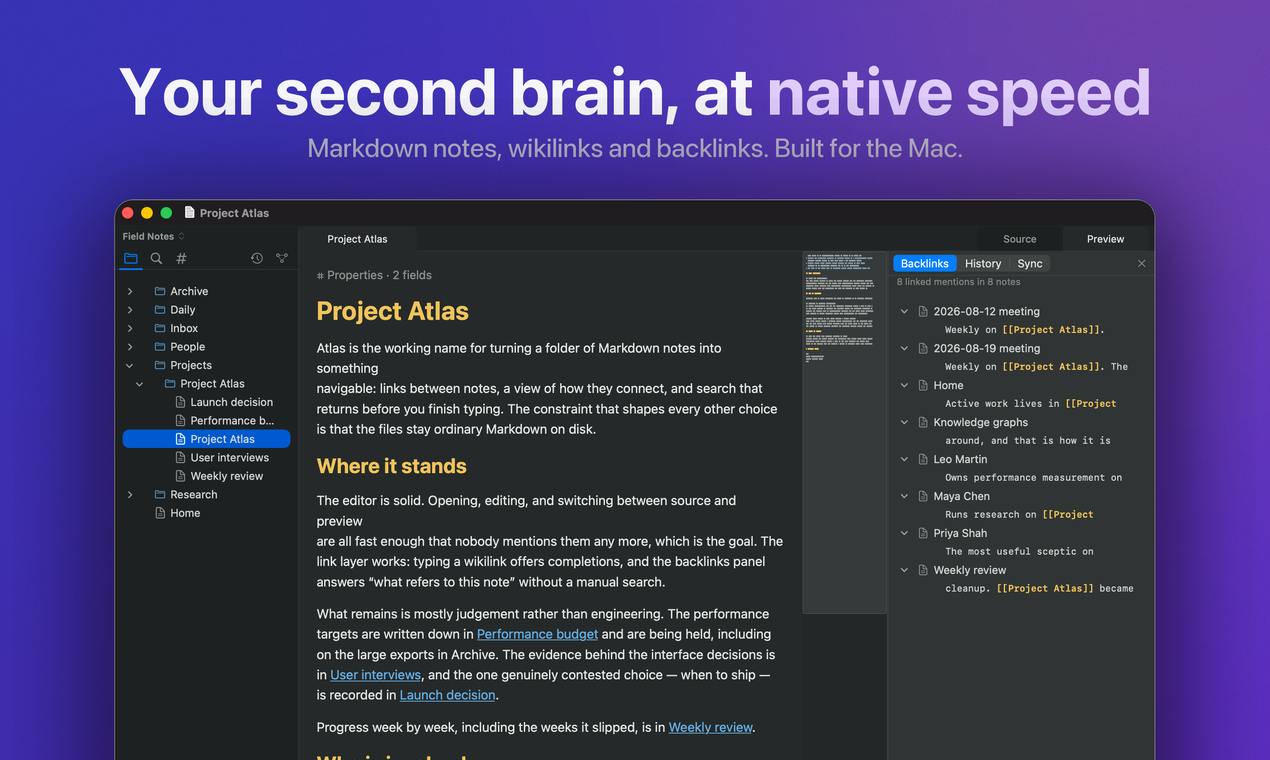
Valutorio is a zero-import Mac/iPhone note app that directly opens local Markdown vaults, with sync and MCP AI features requiring a subscription.
Valutorio is a free Markdown note app for Mac and iPhone whose standout feature is "zero import": users can directly open existing local vaults from tools like Obsidian and Logseq without migrating, keeping files as plain text in their original folders. It offers Wikilinks, backlinks, search, daily notes, and a Mac graph view, with iPhone focused on viewing and quick capture. A $5.99/month subscription unlocks cross-device sync and lets AI read and write notes via MCP, turning the app into an entry point for AI to access a personal knowledge base. It received 74 upvotes on Product Hunt, hitting the pain points of low migration cost and native experience, though community discussion remains limited and sync reliability and MCP experience still need validation.
Markdown note-takers have long faced an awkward situation: the files are clearly in their own hands, yet they always end up "held hostage" by some specific app. Valutorio aims to break this pattern—it doesn't ask you to import anything, it directly opens your existing Markdown vault, offering a native experience on Mac and iPhone.
Core Positioning: No Import, Just Open Your Note Vault
Valutorio's most distinctive differentiator is "zero import." According to its Product Hunt page, this is a free Mac and iPhone app that can directly open your existing Markdown vault with no migration steps required. For users who have already accumulated a large number of notes in Obsidian, Logseq, or other tools, this means the switching cost is nearly zero—your files remain as plain text in their original folders.
This design approach continues a typical characteristic of the "local-first" tool philosophy: file ownership belongs to the user, and the app is only responsible for presentation and editing. For those who care about data portability, this is more appealing than any single item on a feature list.
"Local-first" is a set of software design principles whose core claim is that user data is stored on local devices in open formats, with the app serving only as the interface for reading, writing, and presentation—so that even if the app stops being maintained or the company goes under, the data remains usable. This concept was systematically proposed by the Ink & Switch research team in a 2019 paper, emphasizing data ownership, offline availability, and cross-tool interoperability. Bidirectional-link note-taking tools such as Obsidian and Logseq are representatives of this philosophy: notes are saved as plain Markdown files in a user-specified folder (vault), and the app itself does not build a closed database. Valutorio's "zero import" is built on exactly this premise—as long as your notes are standard Markdown files, any tool that follows local-first principles can open them directly.
Feature Coverage: Everything You'd Expect, but Restrained
Despite its lightweight positioning, Valutorio's features are not rudimentary. Capabilities listed on the product page include Wikilinks, backlinks, search, daily notes, and a graph view on Mac. This combination basically covers the core interactions of modern bidirectional-link note-taking tools—using bidirectional links to build knowledge connections, and using search and daily notes to sustain daily input and output.
The graph view is only available on Mac, while the iPhone side focuses on viewing and quick capture. This platform division of labor makes sense: large screens are suited to sorting out structure, small screens to capturing inspiration.
Wikilinks are a syntax for creating internal links by wrapping the target note's title in double square brackets, in the form [[note title]]. They first became widespread with wiki software and were later widely adopted by bidirectional-link note-taking tools such as Obsidian, Logseq, and Roam Research. Unlike ordinary Markdown links [text](path), Wikilinks usually only require the note name rather than a full path, and links can automatically follow when files are renamed or moved, reducing maintenance costs. Backlinks are the reverse index of Wikilinks: when you view a note, the tool lists all other notes that point to it, turning one-way references into two-way associations. Together, the two form the core interaction model of modern bidirectional-link note-taking—"weaving a web with links, tracing context with backlinks."
Sync and AI: Incremental Value Unlocked by Payment
Beyond the free version, Valutorio offers a sync subscription at $5.99/month. This subscription solves two problems: first, keeping notes fully consistent across Mac and iPhone; second, allowing AI to read and write your notes through MCP (Model Context Protocol).
The introduction of MCP deserves separate mention. It means Valutorio is not just an editor, but may also become an entry point for AI assistants to access a personal knowledge base. At a time when AI tools generally need data "fed" to them, letting models work directly on your note vault is a more natural way to integrate. Of course, this depends on the subscription, and also on users' level of trust in AI accessing private notes.
MCP (Model Context Protocol) is a standardized protocol proposed and open-sourced by Anthropic at the end of 2024, used to let AI models connect to external data sources and tools in a unified way. You can think of it as the "USB-C port" of the AI world: models don't need custom integrations for each app; instead, MCP servers expose resources (such as files and databases) and operations (such as reading, writing, and searching), and AI clients can call them as needed. For note-taking tools, connecting to MCP means AI assistants can directly retrieve, cite, and even modify users' notes without users manually copying and pasting content. However, this also hands data access permissions to the model side, and users need to assess whether their notes contain sensitive information and how the service provider handles that data.
Who Valutorio Is For
Judging from the product's form, Valutorio's target users are those who already have a pile of Markdown files but find existing tools too heavy or platform-limited. It doesn't try to redefine note-taking with fancy features; instead, it makes "native experience" and "low migration cost" its selling points.
On the product page, Valutorio received 74 upvotes, ranking in the top eight for the day, which shows this direction really hits a pain point for some users. However, there are only 3 comments, and community discussion is still insufficient. Stability during long-term use, sync reliability, and the actual experience of MCP integration still need more user validation.
For those who want to try it, you can start with the free version, use it to open your existing vault and get a feel for the smoothness of the native Mac and iPhone apps, and then decide whether to pay for sync and AI capabilities.
One-line Summary
Valutorio is a zero-import Mac/iPhone note app that directly opens local Markdown vaults, with sync and MCP AI capabilities requiring a subscription.
Paragraph Summary
Valutorio is a free Markdown note-taking app for Mac and iPhone, whose biggest feature is "zero import": users don't need to migrate and can directly open local vaults already created by tools such as Obsidian and Logseq, with files always kept as plain text in their original folders. It offers Wikilinks, backlinks, search, and daily notes, plus a graph view on Mac, while the iPhone side focuses on viewing and quick capture. The paid subscription is $5.99/month, unlocking cross-device sync and allowing AI to read and write notes via the MCP protocol, making the app an entry point for AI to access a personal knowledge base. The product received 74 upvotes on Product Hunt, and its direction hits the pain points of low migration cost and native experience, but community discussion is still sparse, and sync reliability and the actual MCP experience remain to be verified.
Related articles

DeepSeek Harness Plugin "Footprints": Turn Your Photo Album into a 3D Earth
DeepSeek Harness plugin "Footprints" projects album photos onto a 3D Earth by GPS location, auto-generates travel storylines, and supports natural language photo search, "that day in years past," and landmark recognition, with a local read-only index for privacy.

Quiver Launcher + Game List: One-Stop Management for PC Ported Games
Learn how the open-source Quiver launcher (localized) and game project list work together: the list discovers PC port and recompilation projects, while the launcher handles installation, version updates, and tag management, with full workflow and manual import options.

Lost DSH Crash Logs? This Open-Source Black Box Makes Every Crash Traceable
DSH WARN logs flash by and vanish on restart? The open-source DSH Runtime Lock black box writes WARN/ERROR to local JSONL in real time, auto-rotates to keep four segments, zero dependencies, no network requests, one-command setup.