Vercel Analytics Now Supports Custom Environments for More Precise Preview Data Attribution

Vercel now tracks custom environment data separately from Preview, with multiple entry points for viewing by environment.
Vercel updated Speed Insights and Web Analytics so custom environments (staging, QA, canary) are no longer attributed to Preview but tracked independently by actual source. The change only adjusts attribution logic—no new data points, no configuration needed—and existing projects automatically get a more granular view. Data can be viewed via the Dashboard environment dropdown, the CLI's vc metrics command, Query builder filtering, and the Aggregation API. Custom environments require Pro or Enterprise plans, and the Aggregation API currently supports only Web Analytics.
Vercel's Speed Insights and Web Analytics have recently received an important update: data from custom environments is no longer lumped under the Preview environment, but is now tracked and displayed separately. For teams that rely on staging, QA, or canary environments for release validation, this means performance and traffic data can finally be segmented precisely by environment.
Correcting Data Attribution: From "Mixed into Preview" to "Tracked Independently"
Previously, projects deployed to custom environments had their collected performance metrics and visit data counted under the Preview environment. This led to a typical problem: when a team ran multiple preview environments simultaneously, it was impossible to determine whether a performance regression came from staging validation or QA testing.
After the update, data is attributed to the actual custom environment it originated from. Production, Preview, and custom environments are now completely separated at the statistical level, and the performance and traffic of staging, QA, canary, and other environments can be tracked independently. The official announcement emphasizes that this change only affects how data is attributed—it does not introduce new data points and requires no configuration adjustments. In other words, existing projects automatically gain a more granular data view without any action needed.
The difference between Preview and custom environments: In Vercel's deployment model, Production corresponds to the live version on the main domain, updated with every push; Preview is a temporary deployment automatically generated for each branch or PR, with its own URL. Custom environments are named environments that further subdivide Preview—such as staging, QA, and canary—and can be bound to independent domains, environment variables, and deployment rules. Previously, Speed Insights and Web Analytics only categorized data into two buckets, Production / Preview, so all custom environment data was folded into Preview. The key to distinguishing the two is: Preview is the default set of environments automatically generated per branch, while custom environments are deployment targets explicitly created by the team with semantic labels. Understanding this hierarchy is essential to appreciating why the data attribution fix matters so much for multi-environment release workflows.
Four Entry Points for Viewing Custom Environment Data
Following the data attribution adjustment, Vercel has enabled custom environment filtering across multiple usage paths:
- Dashboard: In the environment dropdown menus for Speed Insights and Web Analytics, custom environments now appear alongside Production and Preview, and can be switched to directly.
- CLI: Query data for the corresponding environment using the
vc metricscommand. - Query builder: Supports filtering and splitting by environment, making comparative analysis easier.
- Aggregation API: Environment data can be queried programmatically; this capability is currently limited to Web Analytics.
This multi-entry coverage means that whether you're monitoring metrics on the console dashboard day to day, pulling data via the command line in CI workflows, or building custom reports through the API, you can get results segmented by environment.
How the Aggregation API and Query builder differ in positioning: The Aggregation API is a programmatic interface provided by Vercel that allows developers to pull aggregated analytics data via HTTP requests, suitable for integrating with your own BI tools or scheduled jobs; the Query builder is a visual query interface within the Dashboard that generates queries by selecting dimensions and filter conditions, without writing code. What they share is support for filtering and splitting by environment dimension; the difference is that the former targets automated integration while the latter targets manual exploration. In this update, the Aggregation API only covers Web Analytics, meaning Speed Insights performance metrics can currently only be obtained through the Dashboard or CLI—teams building fully automated performance reports will need to go through the CLI's vc metrics command instead.
Who Can Use It, and Details Worth Noting
Custom environments are a Pro and Enterprise plan capability. If your team is already on these plans and has configured custom environments, you can benefit from this update directly; if you haven't enabled custom environments yet, you'll need to first complete configuration by referring to the environments documentation.
From a practical standpoint, this update addresses a common but easily overlooked issue in observability: data attribution granularity. When release workflows expand from a single production environment to multi-environment validation, if analytics tools can't distinguish data sources, performance monitoring loses its ability to pinpoint problems. By incorporating custom environments into the statistical dimensions, Vercel is essentially aligning analytics data with deployment structure. For teams adopting canary releases or requiring independent QA validation, this makes performance comparisons and traffic analysis more grounded.
It's worth noting that the Aggregation API currently only supports Web Analytics, and programmatic querying for Speed Insights has not yet reached this level—teams with automation needs should keep this limitation in mind.
One-line Summary
Vercel now tracks custom environment data separately from Preview, with multiple entry points for viewing data by environment.
Paragraph Summary
Vercel has updated Speed Insights and Web Analytics so that data from custom environments (such as staging, QA, and canary) is no longer attributed to Preview but tracked independently by actual source. This change only adjusts data attribution logic—no new data points and no configuration required—and existing projects automatically gain a more granular view. Users can view data through four entry points: the Dashboard environment dropdown, the CLI's vc metrics command, Query builder filtering and splitting, and Aggregation API programmatic queries. Custom environments are a Pro and Enterprise plan capability, and the Aggregation API currently only supports Web Analytics. This update solves the problem of insufficient data attribution granularity in multi-environment release workflows, where it was difficult to pinpoint the source of performance regressions.
Related articles

The 1.5 Million AI GPU Smuggling Mystery: The Chip Undercurrent Behind Jensen Huang's Departure
A Hacker News post speculates that the smuggling of 1.5 million AI GPUs caused Jensen Huang's departure, but lacks any sources or evidence. This article analyzes the magnitude doubts, the logical flaws in attributing executive changes, and the proliferation of rumors in the geopolitical context of AI chips, reminding readers to rely on verifiable signals.
Anthropic Model Benchmarking: Fable 5 vs 5.1 vs 5.2 Comparison
Based on Reddit community comparison material, this analyzes benchmark differences among Anthropic models Fable 5, 5.1, and 5.2, and discusses the practical implications of version iterations for developers and model selection advice.
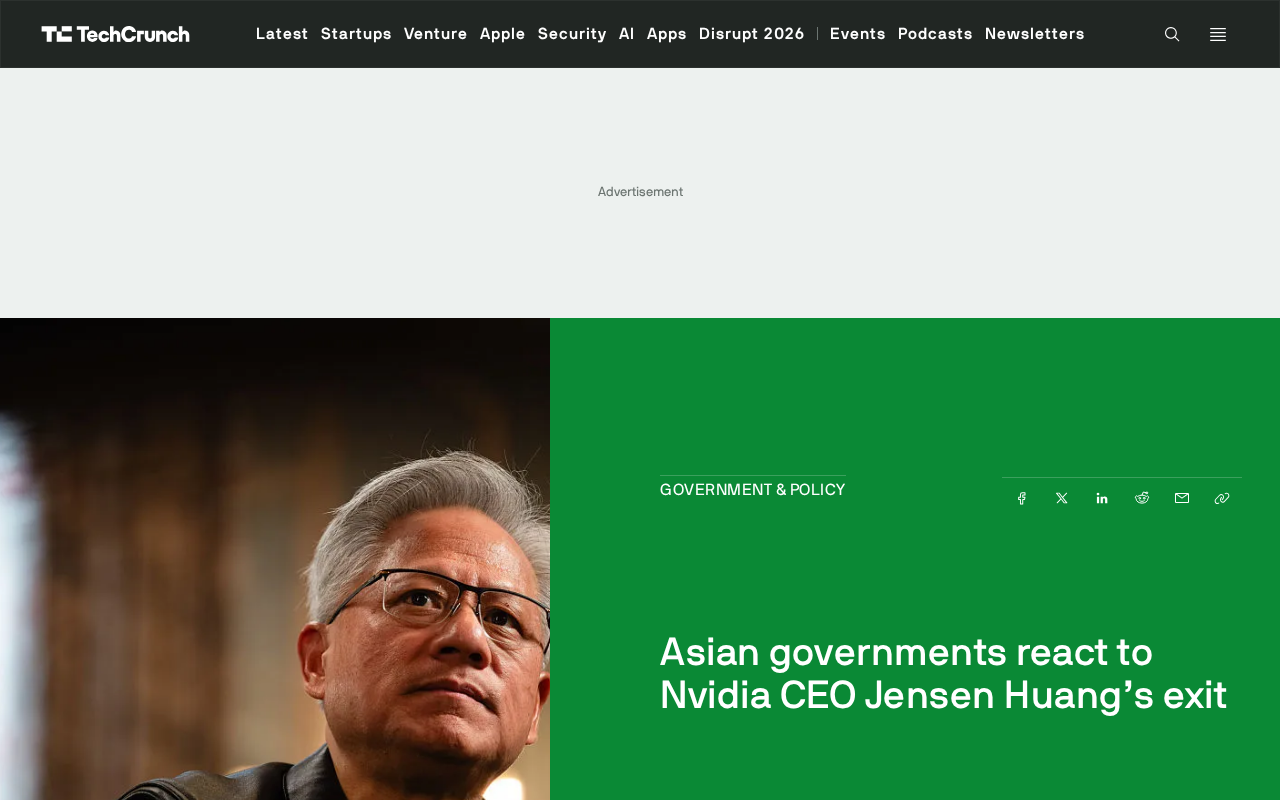
Jensen Huang Steps Down as Nvidia CEO, Asian Governments Scramble to Respond to Chip Supply Shifts
Jensen Huang's departure as Nvidia CEO triggers chain reactions across Asian governments: some confirm chip supply commitments, others monitor local AI project impacts and handle related investigations. This article analyzes supply chain stability, project risks, and compliance uncertainty.