AI Coding Dependency: As Tools Get Stronger, Are Developers Getting Weaker?
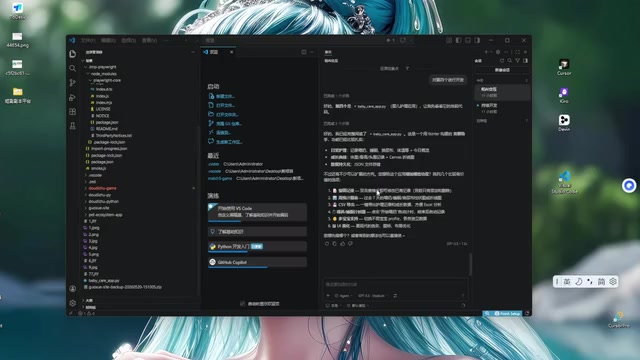
As AI coding tools grow stronger, developers must balance efficiency gains with maintaining core programming competencies.
From Cursor to VS Code+Copilot, a developer's tool migration reveals widespread anxiety about skill atrophy in the AI era. This article examines the paradox between short-term productivity gains and long-term capability degradation, drawing on cognitive science to explain why over-reliance on AI tools may weaken fundamental programming skills. It offers pragmatic strategies for developers to maintain their competitive edge by focusing on architectural thinking, deep code understanding, and deliberate practice.
A Developer's Tool Migration Journey
In today's landscape of flourishing AI coding tools, a developer shared their real experience: after trying Cursor, Windsurf, Devin, and many other AI coding tools, they ultimately returned to the VS Code + Copilot combination.
Each of these tools has its own positioning: Cursor is a deeply forked AI-native editor based on VS Code that embeds large language model capabilities directly into the editor's core interactions, supporting multi-file context understanding and codebase-level conversations; Windsurf (launched by the Codeium team) emphasizes the concept of "AI Flow," attempting to let AI participate more deeply in the developer's thought process; and Devin goes even further, positioning itself as an "AI software engineer" — an Agentic system with autonomous planning, execution, and debugging capabilities that can independently complete the entire workflow from requirement understanding to code deployment. These tools represent the evolutionary spectrum of AI coding assistance from "completion suggestions" to "autonomous agents."
This might seem like a simple tool selection story, but it reflects a widespread anxiety among today's developer community — as AI gets increasingly powerful, are our programming abilities deteriorating?


The Return to Basics: Why VS Code Won in the End
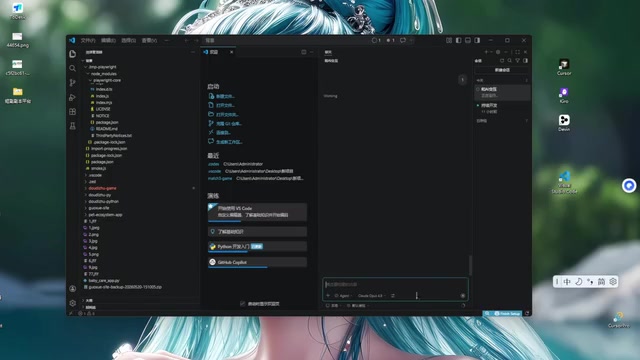
From Cursor to Windsurf, from Devin to various emerging AI editors, this developer tried virtually every mainstream AI-assisted development tool on the market. Yet the final choice circled back to the classic combination of VS Code paired with GitHub Copilot.
This "return" phenomenon is not uncommon in the developer community. The core reasons include:
- Ecosystem maturity: VS Code has the most comprehensive plugin ecosystem and community support
- Flexibility: Freedom to mix and match different AI models, switching as needed
- Stability: As a mature product, workflow predictability is stronger
- Low learning curve: No need to adapt to an entirely new editor interaction paradigm
VS Code's technical moat extends far beyond surface-level user habits. Its core architecture is built on the Language Server Protocol (LSP) and Debug Adapter Protocol (DAP) — two open protocols that allow any programming language to integrate intelligent completion, go-to-definition, refactoring, and other features in a standardized way. This means VS Code's extension ecosystem isn't simply a pile of plugins, but is built on protocol-level interoperability. Currently, the VS Code Marketplace hosts over 50,000 extensions covering virtually every development scenario. While fork products like Cursor inherit VS Code's foundational capabilities, they always face lag risks in extension compatibility, update synchronization, and community maintenance. For professional developers who rely on complex toolchains, this ecosystem stability is often more decisive than any single AI feature enhancement.
The Capability Paradox of AI Dependency
As next-generation AI model capabilities continue to improve, developers face a real dilemma.
From GitHub Copilot's first large-scale commercial deployment based on the Codex model in 2022, to Claude 3.5 Sonnet and GPT-4o achieving breakthrough results on code generation benchmarks (such as HumanEval and SWE-bench) in 2024, AI's programming capabilities have undergone a qualitative leap in just two years. Early AI assistance mainly stayed at line-level completion, while today's models can understand tens of thousands of lines of code context, perform cross-file refactoring, and even autonomously execute complete "plan-code-test-fix" cycles. This new paradigm, known as "Agentic Coding," is reshaping the fundamental workflow of software development — developers are gradually transitioning from "people who write code" to "people who guide AI to write code."
The Conflict Between Short-Term Efficiency and Long-Term Capability
AI tools can indeed dramatically boost development efficiency — code completion, bug localization, and architecture suggestions are all at your fingertips. But once you've grown accustomed to the "describe requirements → AI generates → fine-tune and ship" workflow, does your ability to independently solve complex problems deteriorate?
This isn't unfounded worry. Just as GPS navigation's widespread adoption caused many people to lose their sense of direction, over-reliance on AI coding tools may lead to similar "skill atrophy."
Cognitive science offers a clear explanatory mechanism for this. According to the "use it or lose it" principle, neural pathways in the brain need repeated activation to maintain their strength. When a cognitive skill goes unused for extended periods, the related neural connections gradually weaken — this is known in neuroscience as "Synaptic Pruning." A classic study from University College London found that taxi drivers who used GPS showed measurable shrinkage in their hippocampus (the brain region responsible for spatial memory). Similarly, when developers continuously outsource cognitive loads like debugging reasoning and algorithm design to AI, the cognitive circuits supporting these abilities may undergo a similar degradation process. Even more concerning is the impact at the "metacognitive" level: when you no longer need to judge "do I truly understand this code," your perception of your own knowledge boundaries becomes blurred — what psychologists call the "Illusion of Knowledge."
The Essential Difference Between Understanding Code and Generating Code
True programming ability lies not in writing code, but in understanding the logic behind the code. If you can read and comprehend every line of AI-generated code and understand its design trade-offs, then AI is a capability amplifier. If you're just copying and pasting without seeking understanding, then you're indeed depleting your future career competitiveness.
There's a critical cognitive hierarchy difference here: code generation is essentially pattern matching and statistical inference, while code understanding involves causal reasoning, constraint analysis, and systematic thinking. AI models excel at the former — they can generate statistically "most likely correct" code snippets based on massive training data, but they don't truly "understand" why one design decision is superior to another. A developer's irreplaceability lies precisely in this deep understanding: Why choose event-driven over polling? Why use optimistic locking instead of pessimistic locking here? Behind these decisions is a comprehensive judgment of business scenarios, performance constraints, and maintenance costs.
Pragmatic Coping Strategies
Facing the impact of AI coding tools, developers can adopt the following strategies to balance efficiency and growth:
- Maintain foundational understanding: Regularly complete small projects without AI assistance to keep your algorithms and data structures fundamentals sharp
- Use AI as a learning tool: Have AI explain code principles, not just generate code
- Focus on architectural thinking: Redirect your energy toward system design, requirements analysis, and other higher-order capabilities that AI currently struggles to replace
- Develop code review habits: Maintain a critical attitude toward AI-generated code, understanding its logic line by line
- Deliberately practice debugging skills: When encountering bugs, try to locate them yourself first, then use AI to validate your reasoning
Redefining Programming Ability in the AI Era
Tools are ultimately just tools. AI models will continue to evolve, but a developer's core competitiveness always lies in problem definition ability and systematic thinking.
Why is architectural thinking a lasting competitive advantage in the AI era? This requires understanding AI's fundamental limitations in the system design domain. Software architecture decisions are essentially about finding balance among multiple contradictory constraints — performance vs. cost, consistency vs. availability, flexibility vs. complexity, short-term delivery vs. long-term maintenance. These trade-offs have no standard answers; they deeply depend on specific business context, team capabilities, organizational structure (Conway's Law), and even the company's commercial stage. AI models lack the ability to perceive these implicit constraints: they don't know your team has only three backend engineers, don't know your customers' latency tolerance threshold, and don't know your company might need to support 10x traffic growth in six months. Furthermore, architecture decisions are often "irreversible" — once you've chosen a microservice decomposition approach or data storage solution, migration costs are extremely high. This type of high-risk, high-context-dependent decision-making will remain the core responsibility of human engineers for the foreseeable future.
Rather than worrying about capability degradation, it's better to redefine what "programming ability" means in the AI era: it's no longer just about coding speed, but about asking the right questions, making sound architectural decisions, and having the judgment to distinguish quality in AI outputs.
Developers who master these abilities won't be made obsolete, no matter how tools evolve.
Key Takeaways
Related articles

Claude Code for Test Development in Practice: An AI Programming Workflow That Doubles Your Efficiency
A practical guide to Claude Code for test development: auto-generating test scripts, Plan Mode workflows, MCP + Playwright integration, and Subagent parallel tasks to build systematic AI-assisted workflows.

Hermes Agent Hands-On Review: An AI Efficiency Revolution for Indie Game Developers
Indie game developer reviews Hermes Agent vs OpenClaude: intelligent context compression, real-time Memory, remote control via Telegram, and practical use cases in game dev, social media, and email.

Vibe Coding Beginner's Guide: Tool Selection Across Three Categories with Practical Examples
A comprehensive guide to Vibe Coding's three tool categories: Agent frameworks, CLI Coding, and IDE tools, with practical examples including Snake game and data analysis workbench.