The Illusion of Vibe Coding: Why Programming Beginners Shouldn't Get Hooked on AI Conversational Coding
The Illusion of Vibe Coding: Why Progr…
Vibe Coding without programming fundamentals only produces electronic waste and dangerous illusions of competence.
This article dissects the Vibe Coding phenomenon—where programming beginners use AI conversations to generate code—revealing why it produces unusable electronic waste rather than real software. It contrasts how professionals use AI as a precision tool versus how beginners use it as a crutch, explains the neuroscience behind its addictiveness, and provides a correct learning path: master fundamentals first, then leverage AI as a multiplier.
What Is Vibe Coding? A Collective Frenzy Among Programming Beginners
Recently, a concept called "Vibe Coding" has taken the tech world by storm. The term was first coined by OpenAI co-founder Andrej Karpathy in February 2025—he described a programming approach where you fully immerse yourself in the "vibe": forget that code exists, just see things, say things, run things, copy-paste things. In simple terms, it means someone with absolutely zero programming knowledge relies on feelings, shouting commands, and chatting with AI to have it "spit out" a program. Sounds cool—can total beginners build apps now?
But the reality is: what this AI conversational coding produces might look like it runs, but it can't even make it to production. "Production environment" refers to the environment where software actually runs for real users, requiring considerations like concurrency handling, fault tolerance, data persistence, security protection, logging and monitoring, and a whole series of engineering factors. Without understanding engineering practices, architecture, or maintainability, the code AI spits out is like a building without a foundation—one gust of wind and it collapses. Getting a demo to run locally versus having it stably serve thousands of users are challenges of entirely different magnitudes.
The Electronic Waste Assembly Line: What Vibe Coding "Products" Actually Are
Browse any major community and you'll see Vibe Coding "showcase" posts are invariably the same things: Pomodoro timers, expense trackers, to-do lists, water drinking reminders, XX management systems. Let's be honest—these are just digital spreadsheets without even a proper backend, pure frontend simulators.
Do these things have commercial value? No. Even the creators themselves won't continue using them—they get bored after two or three days, then post asking "why does nobody use my app?" The answer is brutal: if you don't even use it yourself, why would you expect anyone else to?
The Process Feels Great, the Results Are Zero
What's even more absurd is that many people have become addicted to this pattern. AI's feedback is too fast—you barely finish stating your requirements and within two or three seconds it generates an interface. Doesn't look right? No problem, just edit the conversation. This instant gratification is irresistible, like vaping—one after another, "let me build just one more thing."
From a neuroscience perspective, this addictiveness is entirely explainable: when AI generates visual results within seconds, the brain releases dopamine, producing a reward sensation similar to beating a game level. In behavioral psychology, this is called "variable ratio reinforcement"—sometimes AI gives perfect results, sometimes it takes a few tries, and this uncertainty actually makes people more obsessed. It's essentially the same mechanism as social media likes and short-video instant stimulation.
But have you ever considered: do you understand how this pile of AI-written code actually runs? Do you know why that button doesn't respond when clicked? Do you know how to deploy, scale, or fix bugs?
You don't know, and you don't want to know. You just want the illusion of "I built something." This is essentially ostrich-style programming—the process feels great, you feel empty afterward, and ultimately nothing remains.
How Professional Programmers Actually Use AI Coding Tools
Let's compare how professional programmers use AI coding tools:
- Break requirements into modules first, with technical solutions clearly documented
- Direct AI precisely: "Use Spring Boot + MyBatis, follow three-tier architecture, build me a gateway module with rate limiting"
- Switch to a different AI if it doesn't cooperate, or manually adjust
The "three-tier architecture" mentioned here is a classic pattern in enterprise software development, dividing the system into the presentation layer (user interface), business logic layer (core processing), and data access layer (database interaction). Spring Boot is the most popular enterprise development framework in the Java ecosystem, and MyBatis is middleware for database operations. When professional programmers use these tools, each layer has clear responsibilities and modules are loosely coupled, facilitating team collaboration and long-term maintenance. This stands in stark contrast to the "spaghetti code" (all logic tangled together) produced by Vibe Coding.
This is what it means to use AI as a tool. And programming beginners? They can only say "help me write an expense tracking app, make it look nice." AI gives you a pile of code you can't understand; when bugs appear, you're helpless; when you want to add a feature, one change breaks everything. So what do you do? Roll back to yesterday's chat history—Git? Doesn't exist.
Speaking of Git, it's currently the world's most mainstream distributed version control system, created by Linux creator Linus Torvalds in 2005. Its core value lies in: recording every change to code, supporting multi-person collaboration, and allowing rollback to any historical version at any time. Without Git, there's no safety net—any erroneous modification could crash the entire project with no way to recover. Using "rolling back chat history" as a substitute for Git is essentially replacing a system with memory, which is catastrophic in any project of even moderate complexity. If you can't even do git init, what gives you the right to say you're writing code?
The Pitfalls of Free AI Models: Don't Force It Without the Budget
There's another practical issue: if you can't afford it, don't try to Vibe Code like others do.
If your budget allows, using top-tier models like Claude Opus, GPT-4.5, or Gemini Pro—their code output genuinely reads like a textbook, with clear comments, and is relatively beginner-friendly. But if your budget is tight and you're using free or $1.50/month models, their context windows are as small as a goldfish's memory—after three to five exchanges they lose track, randomly modifying your code, failing to understand plain language, and leading you straight into a ditch.
Here's an explanation of "Context Window": it's one of the core parameters of large language models, determining how much information the model can "remember" within a single conversation. Claude Opus's context window can reach 200K tokens, GPT-4 Turbo offers 128K tokens, while many free or low-cost models might only have 4K-8K tokens. When a conversation exceeds the window limit, the model "forgets" earlier content, causing generated code to contradict previous logic, redefine variables, or completely ignore existing architectural designs. This is why the Vibe Coding experience deteriorates dramatically when budget is insufficient—it's not that your prompts are poorly written, but that the model physically "can't see" what you said before.
You think you're training the AI, but actually the AI is taking you for a walk. Walking you until you question your life choices, walking you until you want to smash your computer. In the end, you spend a week producing a heap of something that won't even run.
The Right Learning Path: AI Isn't Meant to Let You Skip Programming Fundamentals
My advice is simple:
If you're a true zero-experience beginner with no product thinking and no engineering process mindset, stop being obsessed with Vibe Coding every day.
Go build your foundations immediately:
- Understand what software engineering is
- Understand what APIs are, what workflows are
- Even spending just two weeks learning the command line, Git, and what HTTP protocol is
Software engineering as a discipline was born at the 1968 NATO Software Engineering Conference, aimed at solving the "software crisis"—the systemic problem of software projects frequently running over schedule, over budget, and delivering poor quality. It encompasses the complete lifecycle of requirements analysis, system design, coding implementation, testing and verification, deployment and operations. API (Application Programming Interface) is the standardized protocol for communication between different software modules; HTTP protocol is the foundation of internet data transmission. This knowledge constitutes the minimum knowledge set for understanding modern software systems. Without it, using AI to code is like trying to conduct a symphony orchestra without understanding music theory—you might occasionally stumble upon the right chord, but you'll never complete an entire symphony.
This foundational knowledge is ten thousand times more useful than shouting "help me fix this bug" or "help me add a feature" a hundred times in a chat box.
The Cost of the Vibe Coding Illusion
The biggest harm of being obsessed with Vibe Coding isn't wasting time—it's that it creates an illusion of getting stronger. You look busy every day, but in reality you're producing electronic waste while thinking you're the next Bill Gates.
This illusion makes you ignore the things that could genuinely improve your income, cognition, and capabilities. When others are switching jobs and getting raises, you're still negotiating with AI about "can you help me add a login feature."
Conclusion: Learn the Basics First, Then Use AI to Find Your Vibe
AI isn't a shortcut that lets you skip learning—it only makes you see more clearly how much you don't know. Vibe Coding isn't inherently wrong to use, but you need to learn the fundamentals first, then use AI to find your vibe. Build the skeleton first, then add flesh and blood—this order cannot be reversed.
For developers with a solid foundation, AI is a multiplier; for zero-experience beginners, AI is merely a magnifying glass—magnifying your ignorance, and magnifying your illusions.
Related articles
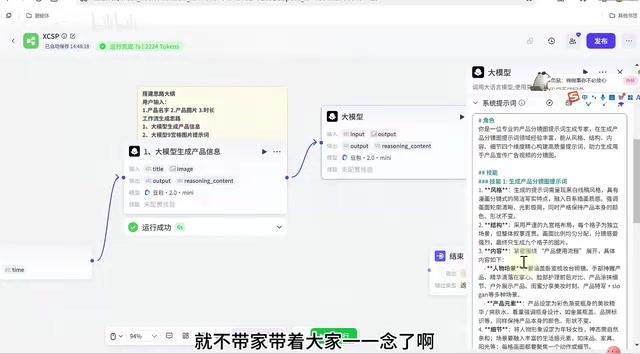
Coze Workflow in Practice: Complete Tutorial for AI One-Click Product Promo Video Generation
Step-by-step guide to building a Coze workflow for AI product promo videos, integrating HappyHours and Jimeng across 12 nodes with nine-grid storyboards and polling loops.
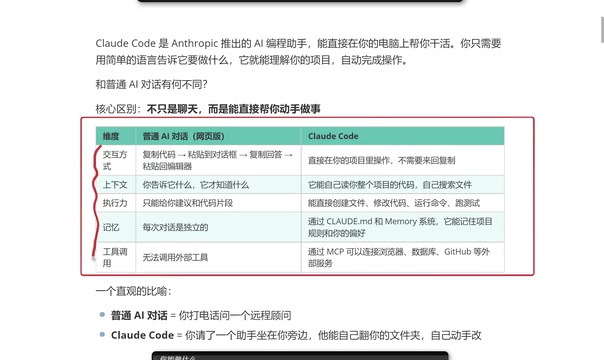
Getting Started with Claude Code: 5 Key Differences from Traditional AI Chatbots
Explore 5 key differences between Claude Code and traditional AI chatbots like ChatGPT, covering interaction, context, execution, memory, and tool integration.

Your Pension Forced to Buy AI Bubble Stocks: The Truth Behind Nasdaq's Rule Changes
Nasdaq's fast-track rule changes may force your 401K and pension funds to buy SpaceX, OpenAI, and Anthropic stock. Analysis of the $4T valuation bubble and what investors can do.