A Systematic Guide to Claude Code: From Deployment to Architectural Analysis of 510K Lines of Source Code

A comprehensive guide to Claude Code from deployment to 510K-line source code architecture analysis.
This article provides a systematic learning path for Claude Code, covering three levels: deployment and setup (including domestic model integration), mastering six core systems (built-in tools, multi-level memory, auto-rollback, slash commands, multi-Agent collaboration, and context management), and understanding eight design patterns extracted from 510K lines of open-source code, including the Agent loop, permission sandbox, and multi-Agent orchestration patterns.
Why You Need a Systematic Approach to Learning Claude Code
Many developers have encountered this frustrating situation when learning Claude Code: piecing together random tutorials, learning installation one day and commands the next, watching a pile of videos but still unable to build a complete project—and going completely blank when errors pop up. Fragmented learning is not only inefficient but also makes it nearly impossible to develop a systematic understanding of the tool.
This article is based on a systematic Claude Code public course shared by a Bilibili creator, covering everything from zero-to-deployment through source code architecture, helping developers build a complete knowledge framework. The entire learning path spans three levels: able to use it (deployment and basic operations), good at using it (six core systems), and understanding the principles (design patterns within 510K lines of source code).
Starting from Scratch: Claude Code Environment Setup and Deployment
Terminal Environment Setup
Claude Code is a terminal-native AI programming tool developed by Anthropic. Unlike AI coding assistants like GitHub Copilot and Cursor that exist as IDE plugins, it runs directly in the command-line terminal, completing code writing, debugging, refactoring, and other tasks through natural language interaction. Being "terminal-native" means it doesn't depend on any specific IDE or editor—instead, it uses the terminal itself as its primary interface. This allows it to work seamlessly with any development environment while directly invoking system-level commands and toolchains. This design philosophy stems from Unix's principles of "everything is a file" and "combine small tools to accomplish big tasks," making it particularly friendly for experienced developers who are comfortable with command-line workflows.
Because of this terminal-native nature, the first step is properly configuring your terminal environment. For developers in China, this is often where the most pitfalls lie, involving network configuration, Node.js version management, API key setup, and several other steps.
Connecting to Domestic Models
Beyond using Anthropic's official API, Claude Code also supports connecting to domestic Chinese LLMs—an important practical tip for developers in China. By configuring compatible API endpoints, you can maintain the Claude Code workflow while flexibly switching between different model backends, reducing costs while also avoiding network instability issues.
Deep Dive into Claude Code's Six Core Systems
Claude Code's power lies in its carefully designed six core systems. Understanding these systems is the key leap from "able to use it" to "good at using it."
Built-in Tool System
Claude Code comes with a rich set of built-in tools, including file read/write, terminal command execution, code search, and more. These aren't simple command wrappers—they're a carefully designed Agent toolchain where the AI can automatically select and combine tools based on task requirements.
To understand the concept of an "Agent toolchain," you need to grasp a core concept in modern AI application architecture. In traditional AI conversations, models can only generate text responses. In an Agent architecture, however, the AI model is given the ability to "use tools"—it can call external functions, execute system commands, read and write files, and more. This capability is based on the Function Calling mechanism of large language models: during inference, the model determines which tool to use, generates structured call parameters, and after the system executes the call, the results are returned to the model for continued reasoning. Each built-in tool in Claude Code has clearly defined inputs, outputs, and permission boundaries, and the model can invoke different tools multiple times within a single task to form a complete automated workflow.
Multi-Level Memory System
The memory system is one of the core features that distinguishes Claude Code from ordinary AI conversations. It implements multi-layered context management—from project-level CLAUDE.md files, to session-level conversation history, to task-level temporary context.
Among these, CLAUDE.md is the core carrier at the project level of the memory system, similar to a project's README.md but specifically designed for the AI assistant. Developers can record the project's tech stack, coding standards, architectural conventions, common issues, and other information within it. Claude Code automatically reads this content as background knowledge each time it starts. This design draws from the concept of "System Prompts" but persists them to the file system, allowing project knowledge to be retained across sessions, version-controlled through Git, and shared among team members. This is also the concrete implementation of Anthropic's "Memory Files" concept.
This layered design enables the AI to "remember" project information at different granularities, dramatically improving long-term collaboration efficiency.
Automatic Rollback Mechanism
The biggest concern with AI programming is "what if it breaks something?" Claude Code's automatic rollback mechanism uses a checkpoint system that automatically saves state before each significant operation, allowing one-click rollback when problems occur—giving developers tremendous peace of mind.
The checkpoint system is essentially a lightweight version snapshot mechanism, similar to Git commits but more automated and fine-grained. In AI-assisted programming scenarios, the model might modify multiple files in a single operation, and manually undoing changes would be extremely tedious if the results don't meet expectations. The checkpoint system achieves database transaction-like "atomicity" by automatically recording file states before each modification—either accept all changes or roll back to the pre-modification state with one click. This mechanism is crucial in production-grade AI programming tools. It addresses developers' core anxiety about AI making "uncontrollable modifications," allowing them to confidently let the AI perform bold code refactoring and experimentation.

Slash Command System
Slash Commands provide a quick interaction method, similar to keyboard shortcuts in an IDE. Using the / prefix, you can quickly trigger specific functions like /init to initialize a project or /compact to compress context, significantly improving operational efficiency.
The /compact command deserves special attention, as it involves a critical engineering problem in AI applications—context window management. The context window is one of the core limitations of large language models, determining the maximum amount of information the model can "see" in a single inference, typically measured in token count. A token is the basic unit of text processing for models—one English word is roughly 1-2 tokens, and one Chinese character is roughly 1-2 tokens. In AI programming scenarios, code files, conversation history, and tool call results all consume context window space, and API call costs are directly tied to token consumption. Therefore, /compact intelligently compresses conversation history, freeing up window space while retaining key information—an important tool for controlling costs and maintaining long-session quality.
Multi-Agent Collaboration Mode
This is the most forward-looking design in Claude Code's architecture. Through multi-Agent collaboration mode, complex tasks can be decomposed into multiple subtasks processed in parallel by different Agent instances. Surprisingly, this multi-Agent mode can actually reduce costs by 56%—because each sub-Agent handles a smaller context with less token consumption, and parallel execution also shortens total processing time.
Full-Stack ChatBot Project: Connecting All Six Core Systems
After learning the theory, it all needs to come together in practice. The public course connects all six systems through a complete full-stack ChatBot project.
The value of this project lies not just in producing a runnable ChatBot, but in demonstrating the entire development process—how to efficiently use Claude Code to complete the full workflow from requirements analysis, architecture design, and code implementation to debugging and deployment. Every step applies the core systems discussed earlier in real-world scenarios, helping learners truly understand when to use these features and their best practices.

Eight Design Patterns in 510K Lines of Source Code
"Know not just the how, but the why"—this is the final step from "good at using it" to "mastery." Claude Code's open-source codebase contains approximately 510,000 lines of code, embodying eight reusable design patterns.
Overview of Core Design Patterns
These design patterns aren't academic theoretical discussions but engineering practices validated at massive production scale:
-
Agent Loop Pattern: The core think-act-observe loop that forms the foundational architecture of all AI Agents. This pattern originates from the ReAct paper (ReAct: Synergizing Reasoning and Acting in Language Models) jointly published by Google Research and Princeton University in 2022. Its core idea is to have the AI model alternate between "Reasoning" and "Acting": the model first thinks about what to do (Thought), then executes a specific action (Action), observes the result (Observation), and then reasons again based on the observation. This loop continues until the task is complete. Claude Code's entire operating mechanism is built on this loop—every user request may trigger multiple rounds of think-act-observe cycles.
-
Tool Registration and Dispatch Pattern: How to elegantly manage and schedule a large number of tools. When the number of tools grows to dozens or even hundreds, systematic architectural design is needed to address questions like how the model accurately selects the right tool, how to dynamically register new tools, and how to handle tool call failures.
-
Context Window Management Pattern: Maximizing information utilization within a limited token budget. This involves combining multiple strategies including intelligent truncation, summary compression, and priority ranking.
-
Permission Sandbox Pattern: Ensuring security while granting AI execution capabilities. Since Claude Code has system-level abilities like executing terminal commands and reading/writing files, without restrictions, the AI could perform dangerous operations. The sandbox mechanism limits the directories the AI can access and the types of commands it can execute through predefined permission rules, and requires user confirmation before executing sensitive operations. This design embodies the "principle of least privilege" from AI safety—granting the AI only the minimum set of permissions necessary to complete the task, striking a balance between capability and security.
-
Multi-Agent Orchestration Pattern: The key to the 56% cost reduction mentioned earlier
Multi-Agent Cost Optimization Principles
The reason multi-Agent collaboration can reduce costs comes down to context partitioning. When a single Agent handles complex tasks, it needs to maintain all information within one massive context window, causing token consumption to grow super-linearly. "Super-linear growth" here means that when context length doubles, actual computation costs and API fees may more than double, because the computational complexity of the attention mechanism in Transformer architecture is proportional to the square of the sequence length. In multi-Agent mode, after task decomposition, each sub-Agent only needs to focus on its assigned portion, dramatically shrinking the context window. Although the number of Agents increases, total token consumption actually decreases significantly.
This design philosophy is also extremely valuable for building your own AI applications—rather than pursuing one "omnipotent" large Agent, it's better to design multiple "specialized" small Agents that collaborate to complete tasks. This aligns perfectly with the microservices architecture philosophy: splitting a monolithic application into multiple single-responsibility microservices, each independently deployed and scaled, making the overall system more efficient and reliable.

Recommended Learning Path for Claude Code
For developers who want to systematically learn Claude Code, the following progression is recommended:
- Phase 1: Deploy and Get Started — Complete environment deployment, run through basic features, and build confidence
- Phase 2: Systematic Mastery — Understand each of the six core systems one by one, deliberately practicing them in daily development
- Phase 3: Hands-on Integration — Connect your knowledge through a full-stack project and develop your own workflow
- Phase 4: Source Code Mastery — Study the design patterns in the source code and transfer architectural insights to your own projects
The core value of systematic learning is this: you don't just know how to use it—you understand why it was designed this way. When problems arise, you can analyze and solve them from a principles-based perspective rather than only searching for ready-made answers. That's the true mark of having "mastered" a tool.
Related articles
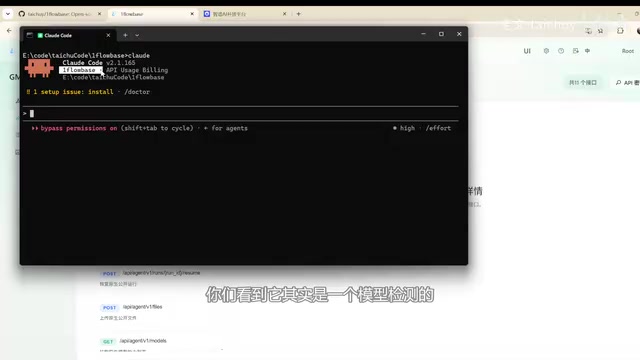
GML 5.2 Multimodal Upgrade Hands-On: Full Validation with DeepSeek V4
Hands-on testing of GML 5.2 and DeepSeek V4 multimodal upgrades on OneBlockBase, covering vision-text workflows, safety mechanisms, and deployment tips.
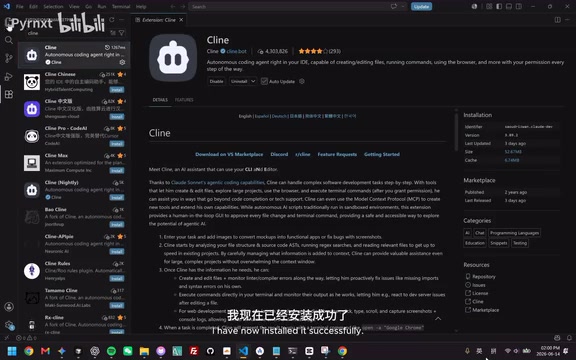
DeepSeek + Cline Setup Guide: A $1.50 Alternative to $20/Month AI Coding Subscriptions
Step-by-step guide to configuring DeepSeek API with VS Code plugin Cline, including API Key setup, Plan/Act dual-model strategy, and project management files for a $1.50 AI coding alternative.
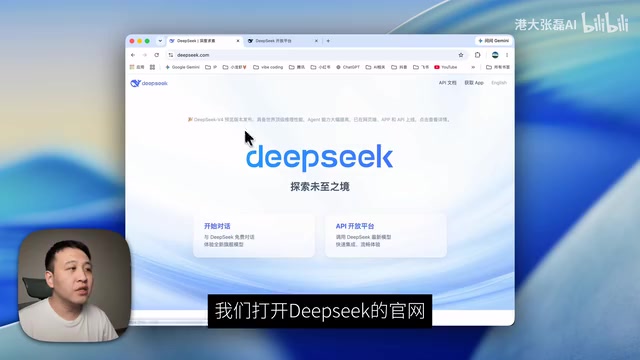
5 Steps to Connect Codex with DeepSeek — No GPT Account Required
Step-by-step tutorial: Connect Codex to DeepSeek API via CC Switch in 5 steps. No GPT account needed — use AI coding features like code completion and Skill plugins at lower cost.