AI Coding Bills Skyrocketing? 4 Token Black Holes Are Devouring Your Budget

Four hidden token black holes inflating your AI coding bills and how to plug them.
AI coding costs often spiral not because models are expensive, but because users repeatedly feed unnecessary context. This article identifies four token black holes — overloading files, using premium models for simple tasks, agents re-sending context, and failing to codify project knowledge — and provides actionable strategies to cut waste and improve AI output quality.
Are You Paying for "Intelligence" or "Repeated Explanations"?
Many people assume AI coding is expensive because of model pricing, but the more common reality is: you're stuffing a pile of useless information into the model every single time.
To change a button style, the model only needs to see the target file, relevant CSS, and a current screenshot. Instead, you're feeding it the full requirements doc, the entire component directory, lengthy chat history, irrelevant logs, and several rounds of previous failed attempts. The model doesn't necessarily get smarter, but your bill definitely gets fatter.
To understand the economics behind this, you need to understand how large language models are billed. Today's mainstream AI models (GPT-4o, Claude Sonnet/Opus, Gemini Pro, etc.) all charge by token. A token is the smallest unit of text the model processes — roughly 1-2 tokens per English word, and about 1-2 tokens per Chinese character. The key point: both the input tokens you send to the model and the output tokens it returns are billed, and each conversation turn is charged independently. Taking Claude Sonnet as an example, input tokens cost about $3 per million tokens, and output tokens about $15. This means every extra 10,000 irrelevant tokens you stuff in costs you a few cents — sounds trivial, but with dozens or hundreds of calls per day, it adds up to a significant expense over a month.
According to Barry Seale's public summary on X of Karpathy's related observations, there's a category of waste in AI coding bills that's easy to overlook — repeatedly sending unnecessary context. This problem is a lot like meetings: you just want to ask "why is this button misaligned," but someone starts from the company history, product strategy, quarterly review, all the way back to a technology decision made three years ago. There's certainly a lot of information, but none of it is relevant to the button at hand.
AI coding works the same way: you're not just paying for answers — you're paying every time the model re-reads background information, re-loads files, and re-understands your project.



Black Hole #1: Excessive File Loading Wastes Tokens
Many people habitually ask the model to "take a look at the whole project" when using AI coding tools. Sounds thorough, but if you're only fixing a form validation, the model probably doesn't need to see the full deployment config, the complete README, or the entire log output.
This relates to a core mechanism of large language models — the context window and attention mechanism. Current mainstream models have context windows ranging from 128K to 200K tokens (Claude supports 200K, GPT-4o supports 128K). While the window is large, the Transformer attention mechanism inside the model performs cross-computations across all tokens in the window. When there's too much irrelevant information, the model's "attention" gets diluted — it has to search for truly relevant content amid massive noise. This not only increases computational cost but can also cause the model to miss key information or produce inaccurate output. Research shows that model performance on critical information degrades significantly when the context is flooded with irrelevant content — this is the so-called "needle in a haystack" problem. So excessive file loading doesn't just waste money; it can actually make the model "dumber."
What the model actually needs might only be:
- The target file
- Relevant type definitions
- Error messages
- Related screenshots
More context isn't always better. The more context there is, the more noise the model has to process. Worse, this noise may be re-billed every round. A simple modification task can consume several times more tokens just because of all the irrelevant files attached.
Practical Tip: Precisely Scope Your Context
Don't just say "take a look at this project." Be specific: "Check the files related to the login form, find only the cause of this error, and don't expand into unrelated modules. If you need additional files, tell me why first." These few sentences seem simple, but they can eliminate a massive amount of unnecessary exploration.
Black Hole #2: Blindly Using Premium Models for Simple Tasks
Not everything deserves the most powerful model. Editing copy, organizing lists, converting JSON to tables, adding a few type annotations, writing a low-risk script — these tasks typically don't require top-tier reasoning capabilities.
Sure, the strongest model can handle them, but it's like hiring a master chef to fix your typos — not impossible, just expensive.
The AI model market has developed a clear tiered pricing structure. Looking at API pricing, top-tier models (like Claude Opus, GPT-4o) can cost 10-30x more than lightweight models (like Claude Haiku, GPT-4o-mini). Specifically, GPT-4o-mini's input price is about $0.15 per million tokens, while GPT-4o is $2.50 — over 16x the difference. Claude Haiku's input price is about $0.25 per million tokens, while Opus is $15 — a 60x difference. For pattern-matching tasks like format conversion and text cleanup, lightweight models deliver nearly identical quality to top-tier models, but at one to two orders of magnitude lower cost. Scenarios that truly require top-tier models typically involve complex multi-step reasoning, understanding ambiguous requirements, and making judgments that synthesize large amounts of context.
Scenarios better suited for high-capability models:
- Complex bug debugging
- Architecture decisions
- Critical code generation
- Pre-deployment reviews
- Decisions where you're unsure about the risk boundaries yourself
The real way to save money isn't avoiding good models — it's using them where they matter. The people who'll truly master AI in the future won't be those who always use the strongest model, but those who know which model fits which task.
AI Model Tiered Selection Strategy
| Task Type | Recommended Model Tier |
|---|---|
| Classification, summarization, formatting | Low-cost models (e.g., GPT-4o-mini, Claude Haiku) |
| Initial retrieval, low-risk modifications | Mid-tier models (e.g., Claude Sonnet, GPT-4o) |
| Architecture decisions, complex debugging, critical reviews | High-capability models (e.g., Claude Opus, o3) |
Black Hole #3: Agents Repeatedly Sending Context
Regular chat is a simple back-and-forth: you ask, it answers. Agents are different — they read files on their own, call tools, examine results, and carry those results into the next reasoning cycle. This capability is powerful, but it has a side effect: agents are far more likely to read a little extra, and far more likely to re-read things.
To understand this problem, you need to know how AI Agents work. Current mainstream AI coding agents (like Cursor's Agent mode, Claude Code, Windsurf, etc.) use a ReAct (Reasoning + Acting) loop: the model first thinks about what to do next, then executes an action (like reading a file, running a command, or searching code), observes the result, and enters the next thinking cycle. Each loop iteration is a complete model call, and every call must carry the previous conversation history and tool call results as context. This means that as the number of iterations increases, the context snowballs. A seemingly simple task might trigger 5-10 loop iterations behind the scenes, each carrying the accumulated context from all previous iterations. This is why token consumption in Agent mode is often several times — or even tens of times — higher than in regular conversation mode.
For example, you ask an Agent to fix a styling issue:
- Round 1: Reads the component file
- Round 2: Reads the CSS file
- Round 3: Reads adjacent components to confirm the impact
- Round 4: Re-reads the earlier files before making the fix
If the tool doesn't effectively use caching, summarization, and boundary controls, a lot of tokens are spent on "re-understanding." You only clicked "continue" once in the interface, but behind the scenes there may have been multiple rounds of file reads, context concatenation, and model calls.
How to Reduce Agent's Redundant Token Consumption
When your AI coding bill suddenly spikes, don't just count how many questions you asked. Look at:
- How many files did it actually read?
- How many times did it re-read the same files?
- What content did it carry into the next round?
- Did it stuff irrelevant logs in there too?
Some tools support Prompt Caching — make full use of it. The essence of caching is: don't pay twice for the same background information.
Prompt Caching is a technical optimization that Anthropic pioneered at scale in 2024. The principle is: when you make multiple API calls, if the prefix portion of the request (such as system prompts and project background descriptions) is identical to a previous request, the platform reuses the previously computed results instead of recalculating. Anthropic's Prompt Caching can reduce costs for repeated prefix portions by 90% while cutting latency by 85%. OpenAI has also introduced a similar automatic caching mechanism. For AI coding scenarios, this means that if your system prompt and project description remain stable, subsequent calls only need to pay for the new portions. But the prerequisite is that your toolchain supports this feature and your context is organized so caching can take effect — meaning fixed content goes at the beginning, and variable content goes at the end.
When a long conversation reaches its midpoint, compress it into a stage summary; facts that have already been confirmed shouldn't be copy-pasted repeatedly afterward.
Black Hole #4: Not Codifying Project Knowledge
Every project has a bunch of fixed information: directory structure, run commands, code style, testing approach, commit conventions, common pitfalls, files that shouldn't be touched, modules that need careful handling.
If you re-explain these things every time, or let the Agent re-discover them on its own, you're repeatedly purchasing the same understanding.
Prepare a Project Brief for Your AI
Create a project brief that includes:
- Project rules
- Common commands
- Directory descriptions
- Coding style
- Testing approach
- Risk boundaries (which paths are critical, which paths to avoid)
The good news is that mainstream AI coding tools are now natively supporting this kind of project-level knowledge codification. Cursor supports .cursorrules files — you can place this file in your project root to define code style preferences, tech stack descriptions, protected file paths, and other rules. Cursor automatically loads these rules as part of the system prompt in every conversation. Claude Code supports CLAUDE.md files, which can be placed in the project root or subdirectories to describe project structure, development conventions, and common considerations. GitHub Copilot achieves similar functionality through .github/copilot-instructions.md. The common philosophy behind these mechanisms is: codify your project's "common knowledge" into files so the AI automatically picks it up at startup, rather than relying on developers to describe it repeatedly in conversation. This not only saves tokens but, more importantly, ensures consistency in the AI's understanding of your project — it won't generate code that violates your conventions just because you forgot to mention a constraint in one session.
The point isn't to write beautiful documentation — it's to prevent the AI from starting from scratch every time it encounters your project. Think of it as a "project user manual for AI" — before each session begins, let it know where the boundaries are and what the ground rules are.
This is far more stable than dumping a massive chat history every time. Especially for long-term projects, a little extra time spent writing rules today saves the AI from taking wrong turns in every future interaction.
Summary: Saving Tokens Is Really About Reducing Noise
Saving tokens isn't about being cheap. Its real significance is reducing noise so the model can focus its attention on what truly matters. For the same code change, some people solve it at very low cost while others spend far more on API calls. The gap doesn't necessarily come from technical skill — it very likely comes from context management and model selection.
From a broader perspective, this reflects AI coding's transition from the "can it work" phase to the "how to use it well" phase. Early on, everyone focused on whether models were capable enough. Now, more and more practitioners are discovering that the ROI of AI coding largely depends on the user's "context engineering" ability — whether you can precisely provide the model with the information it needs, no more and no less. This skill is becoming the key dividing line between AI coding power users and average users.
If your AI coding bills have been climbing fast recently, ask yourself four questions:
- Am I stuffing too much background into the model every time?
- Am I defaulting to the most expensive model for every task?
- Is my Agent repeatedly reading the same batch of files?
- Have I codified my project knowledge into reusable documentation?
A lot of money may not be going toward intelligence — it's going toward repeated explanations. Take a look at your most recent AI coding session — how much of the context was actually useful?
Related articles
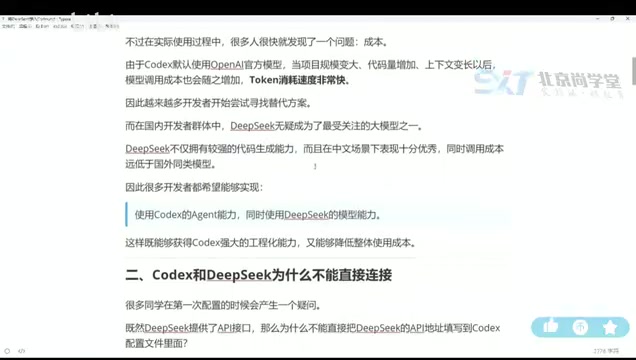
DeepSeek + Codex Tutorial: Achieve Low-Cost AI Coding with Codex++
Learn how to connect DeepSeek to Codex using the open-source tool Codex++. Covers provider setup, connection testing, and launch verification for low-cost AI coding.

AI Alleviating Sierra Leone's Teacher Shortage: Technology Empowering Rather Than Replacing Educators
Sierra Leone faces severe teacher shortages. AI as a teacher partner can provide personalized tutoring, content preparation, and basic Q&A. This article analyzes AI education prospects, infrastructure challenges, and localization strategies in developing countries.

Hands-On Tutorial: Integrating Google Maps Grounding with Firebase AI Logic
Learn how to integrate Google Maps Grounding with Firebase AI Logic in three steps. Combine Gemini with map data to build smart location-aware AI apps.