AI Coding Test: Building a Multi-Device Synced Teleprompter from Scratch with a One-Sentence Prompt
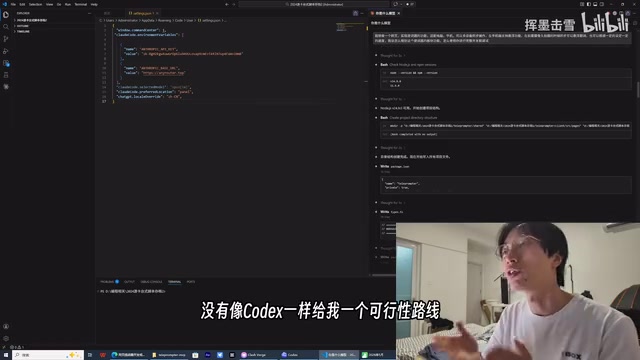
A non-coder uses one sentence to have AI build a working multi-device synced teleprompter in 17 minutes.
A creator with no programming background used a single sentence prompt to have OpenAI Codex build a fully functional multi-device synced teleprompter in just 17 minutes with zero human intervention. The article compares Codex, Claude Code (DeepSeek), and Gemini, showing how AI coding has evolved from script generation to independently building complete, interactive applications.
Zero Coding Skills, One Sentence to Get AI to Build Complete Software
"Build me a teleprompter that syncs across computer and phone, where the phone can control the computer, the computer can control the phone, and ideally add a floating prompter." With just this single sentence, a creator with absolutely no programming background successfully built a working multi-device synced teleprompter app from scratch using three AI coding tools: OpenAI Codex, Claude Code (running DeepSeek), and Gemini.
This isn't a concept demo — it's real software that actually runs and can be used in real-world filming scenarios. Let's break down the entire development process and how the three AI coding tools performed differently.
Codex's Performance: Seamless from Requirements Analysis to Automated Development
Smart Requirements Breakdown and MVP Roadmap Planning
When the creator threw the vague request "build a multi-device synced teleprompter" at Codex, it didn't jump straight into writing code. Instead, it first performed a requirements analysis, offering two technical approaches: a full solution and an MVP (Minimum Viable Product) approach.
MVP (Minimum Viable Product) is a core concept in lean startup methodology — the idea is to build a product version with core functionality using minimal resources, validate assumptions quickly, then iterate. In traditional software development, an MVP typically requires a professional team spending weeks or even months. AI coding tools have compressed this cycle down to minutes — meaning the cost of "validating a product idea" has dropped to essentially zero.
Codex recommended starting with the MVP route and broke the requirements into five modules: script management, prompter playback, device sync, filming prompter, and mobile experience, with advanced features planned for later phases. The development roadmap was crystal clear: Phase 1 builds a pure web version with basic editing and playback; Phase 2 adds multi-device sync; then advanced features iterate from there.
Even more interesting, Codex proactively suggested "skip login and cloud operations for now" and "leave out the floating feature initially," helping the user cut unnecessary complexity. This kind of product thinking goes beyond the role of a mere "code generator."
17 Minutes of Fully Automated Execution, Zero Human Intervention
After the user accepted the MVP plan, Codex began executing the development task automatically. The entire process ran for approximately 17 minutes, consuming about 80% of the free tier quota. The key point — zero human intervention throughout. The creator didn't even click a single confirmation button.
Codex automatically completed the following:
- Created all project files and code
- Ran module tests (including scroll tests)
- Discovered errors and automatically debugged and fixed them
- Configured ports and LAN addresses
- Installed and adjusted dependency packages
This stands in stark contrast to previous AI-assisted coding experiences. The creator recalled that previously, you had to create files yourself in the IDE, manually debug, send error messages back to the AI for corrections — the whole workflow was extremely tedious. Now, Codex has truly achieved fully automated "zero to one" development.
Real Results: The Multi-Device Synced Teleprompter Actually Works
After development was complete, the creator opened the web app on their computer. The system generates a random room code and shows one device connected to the current room.
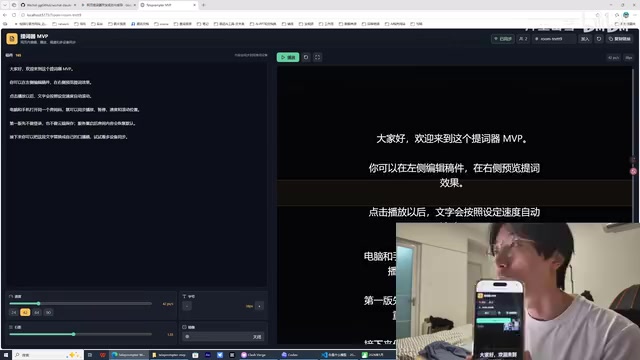
After joining from the phone via a different URL and entering the same room code, the display changed to "two people." At this point:
- Scrolling text on the computer syncs to the phone in real-time
- Swiping content on the phone syncs movement on the computer
- Clicking play on the computer auto-scrolls the text, and the phone syncs simultaneously
The underlying technology enabling this real-time multi-device sync is the WebSocket protocol. Unlike traditional HTTP's request-response model, WebSocket establishes a full-duplex communication channel that allows the server to actively push data to clients. All devices joining the same room code connect to the same server via WebSocket, and any operation on one end (scroll, play, pause) is broadcast to other devices through the server, with latency typically under 50 milliseconds — virtually imperceptible to the human eye.
In practical filming scenarios, a creator can have a large teleprompter open on the computer while speaking to camera, while secretly controlling scroll speed from a phone positioned out of frame — an extremely practical feature.
Of course, there are limitations. Since this is a pure web solution, it can't bypass phone permission restrictions. For example, simultaneously enabling the camera and teleprompter isn't possible yet — that requires packaging as a native app. This touches on the fundamental difference between web apps and native apps: browsers have strict permission isolation mechanisms for hardware resource access due to security concerns, especially on iOS where web pages can't run continuously in the background or overlay as picture-in-picture. To achieve "teleprompter overlay during filming," the app needs to be packaged as a native app (using frameworks like React Native or Flutter) or leverage system-level floating window permissions — all beyond the capabilities of a pure web solution. But as an MVP, this level of completion far exceeds expectations.
Head-to-Head Comparison of Three AI Coding Tools
The creator used all three tools in this experiment, and their performance differences were very pronounced.
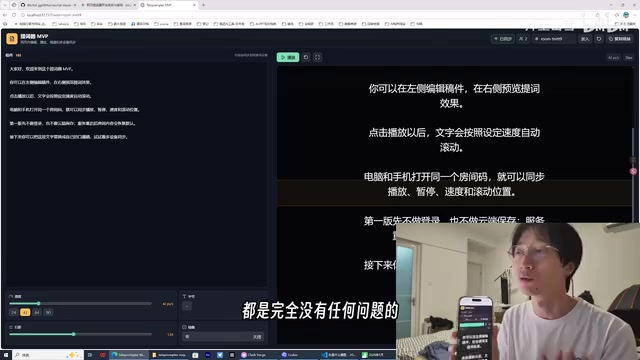
From a technical architecture perspective, Codex, Claude Code, and Gemini represent three different AI coding paradigms. Codex uses an Agent architecture with environment awareness and autonomous execution capabilities — it can create files, run commands, read outputs, and make decisions in a cloud sandbox environment, forming a complete development loop. Claude Code is essentially a terminal-level AI assistant that runs in the local development environment, requiring user permission confirmation for every file operation. Gemini in pure conversation mode lacks a code execution environment and can only generate code snippets and suggest approaches without directly operating the file system.
Codex: Best Overall Experience, Ideal for Zero-Background Users
Codex's core advantage lies in low barrier to entry + fully automated development. It can analyze requirements, plan roadmaps, autonomously create files, write code, test, and debug — all without requiring any programming knowledge from the user. While the free tier has limited quota (this single task consumed 80%), it's more than enough for validating ideas.
Claude Code (Running DeepSeek): Requires Frequent Manual Confirmations
Theoretically, Claude Code should be the strongest, but running on the DeepSeek model meant it didn't deliver peak performance. The biggest experience gap was constant manual confirmation requirements, with frequent confirmation prompts interrupting the automated workflow. Moreover, it didn't offer MVP route suggestions like Codex did — it jumped straight into executing the original instructions without product-level thinking.
Gemini: Strong Analysis, But Lacks Execution Capability
The creator used Gemini in pure conversation mode. Gemini performed well at the analysis level — it could point out which modules would be difficult with a pure web approach, what to do after packaging as an app, and so on. But it couldn't directly create and develop projects like Codex and Claude Code — it stayed at the "offering ideas" stage.
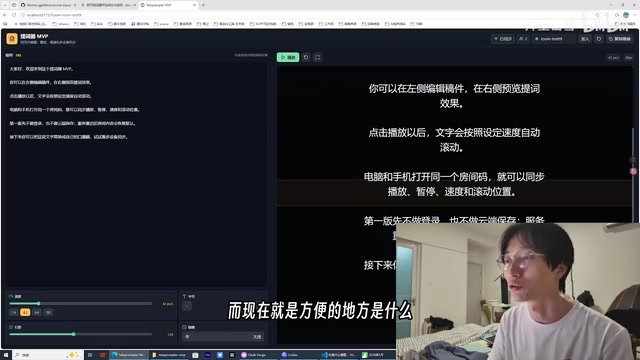
From Writing Scripts to Building Apps: A Qualitative Leap in AI Coding
Back in 2022-2023, many people experimented with using AI to write small scripts — spreadsheet plugins, batch image processing tools, and the like. At that time, AI could handle "specific scripts" — solving single, well-defined small problems.
The change now represents a qualitative leap: AI can generate a complete, multi-module, interactive application from scratch. From requirements analysis, architecture design, code writing, testing and debugging to final deployment — the entire software development lifecycle can be completed independently by AI.
More importantly, the barrier to using this capability is dropping dramatically. Users don't need to know any programming language, don't need to understand technical architecture, and don't even need to describe their requirements with perfect precision — AI will fill in the gaps, plan for you, and make trade-offs on your behalf.
Conclusion: The Era of AI Independently Building Software Has Arrived
The implications from this hands-on test are crystal clear:
- AI coding has evolved from "assisting with code writing" to "independently building software." For non-programmers, the barrier to creating personal tools has dropped to an unprecedented low.
- Tool selection matters. Codex currently leads in overall experience and automation level, making it ideal for complete projects starting from zero. Claude Code suits users with some technical background tackling complex tasks. Gemini is better suited for early-stage requirements analysis and approach discussions.
- Free tier limits are a real constraint. A moderately complex project can consume 80% of your free quota, and subsequent iterations and modifications will inevitably require paid plans.
The evolution of AI coding capabilities may be happening even faster than we imagine. For content creators, freelancers, and non-technical professionals across all industries, the era of rapidly building personal custom tools with AI has truly arrived.
Related articles
Gemma 4 Open-Source Model Local Deployment Guide: Ollama Installation & Mobile Setup
Step-by-step guide to deploying Google's Gemma 4 open-source model locally with Ollama and running the lightweight version on mobile with tool calling support.
The Decline of Tokenmaxxing: Why Selling Outcomes Matters More Than Selling Tokens
The Tokenmaxxing craze is fading as enterprise AI procurement shifts from chasing Token counts to focusing on actual business outcomes. Learn why outcome-based AI evaluation is the right approach.
Perplexity Computer Integrates Deep Research as a Native Skill: A New Paradigm for AI Agent Capability Fusion
Perplexity integrates Deep Research as a native skill in Computer, enabling automatic invocation without manual mode switching. Analyzing the Agent Harness design philosophy and AI capability fusion trends.