Gemma 4 Open-Source Model Local Deployment Guide: Ollama Installation & Mobile Setup
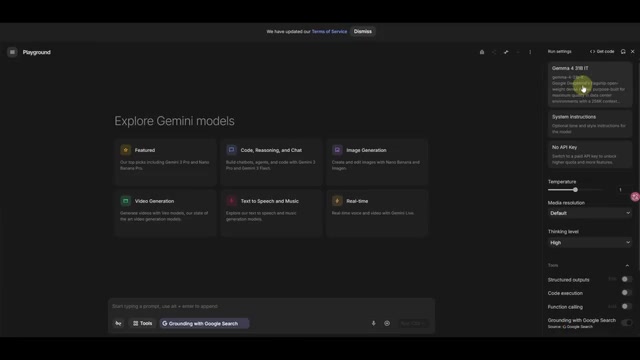
Deploy Google's Gemma 4 locally with Ollama and run it on mobile devices with tool calling.
Google's Gemma 4 is a powerful open-source model under Apache 2.0 license, available in four sizes (1.2B to 31B). This guide covers local deployment using Ollama with a single command, running the flagship 31B version on ~20GB VRAM, and using the lightweight 1.2B version on Android via Google AI Edge Gallery — complete with tool calling, multimodal input, and real-world reasoning tests.
Google has officially released Gemma 4, its most powerful open-source model to date. Designed specifically for advanced reasoning and AI agents, it's licensed under Apache 2.0 — meaning any developer can freely use it for commercial purposes. Apache 2.0 is one of the most permissive licenses in the open-source community, maintained by the Apache Software Foundation. Unlike copyleft licenses such as GPL, Apache 2.0 allows users to freely use, modify, and distribute code without requiring derivative works to be open-sourced. This means companies can build closed-source commercial products on top of Gemma 4 without disclosing their own code. While Meta's LLaMA series also claims to be open-source, its community license imposes additional restrictions on companies with over 700 million monthly active users — Apache 2.0 has no such constraints, giving Gemma 4 a significant edge in commercial friendliness. Even more exciting, the smallest version of Gemma 4 can run smoothly on a smartphone. This article provides a detailed guide on deploying Gemma 4 locally using Ollama and running it on mobile devices.
Gemma 4 Model Overview: Four Sizes for Every Scenario
Gemma 4 comes in four different sizes: 1.2B, 1.4B, 26B, and 31B. Here, B stands for Billion, referring to the number of model parameters. Parameter count is a core metric for measuring the scale of large language models — more parameters theoretically mean the model can learn richer knowledge and patterns, but also require more computational resources and VRAM. However, in recent years, improvements in training data quality, model architecture optimization (such as Mixture of Experts), and training strategies have enabled smaller models to approach or even surpass larger ones — a trend known as "efficiency breakthroughs in Scaling Laws." Gemma 4 is a prime example of this trend. The 1.2B and 1.4B versions are lightweight enough to run entirely on smartphones, while the flagship 31B version delivers stunning performance.
According to public benchmark data, Gemma 4 31B achieved a comprehensive score of 11,452 points, placing it at the top of its class. It not only outperforms models of similar parameter counts like Zhipu GLM and DeepSeek V3.2, but even rivals much larger models like Gemini 5 and Kimi 2.5.
Keep in mind that Gemini 5 and Kimi 2.5 have many times more parameters than Gemma 4 31B, yet Gemma 4 can run on a regular consumer GPU (around 50 TOPS of compute). This "punching above its weight" capability makes it incredibly versatile. On the overall capability leaderboard, Gemma 4 31B ranks in the top 27, ahead of many well-known models including Gemma 2.5 Pro and OPS 4.1.
Free Ways to Try Gemma 4
Before diving into deployment, if you just want a quick taste of Gemma 4's capabilities, you can visit Google's AI Studio platform. Simply register an account, select the Gemma 4 model, and start chatting for free.
However, online access is limited by network conditions and usage quotas. Let's focus on how to run Gemma 4 locally and on mobile devices.
Deploying Gemma 4 31B Locally with Ollama
Environment Setup and Installation
Ollama is an open-source tool designed specifically for running large language models locally, dramatically simplifying the deployment process. Traditionally, running an LLM locally required manually configuring a Python environment, installing PyTorch, downloading model weights, writing inference scripts, and other tedious steps. Ollama wraps all of this into a Docker-like experience — a single command handles model downloading, quantization, and execution. Built on llama.cpp under the hood, Ollama supports GGUF-format quantized models and can leverage GPU acceleration (supporting NVIDIA CUDA, Apple Metal, and AMD ROCm), while also supporting CPU-only inference for users without dedicated GPUs.
This demo uses a free cloud environment provided by Tencent Cloud Studio (which offers a daily allocation of compute hours), configured with a GPU A10 and approximately 20GB of VRAM. Of course, if your own computer has around 20GB of VRAM, you can perform the same operations locally.
Ollama Installation Steps:
- Visit the Ollama official website and select the installation command for your operating system (Windows/macOS/Linux)
- Run the one-line installation command
- Once installed, all model management commands are consistent across platforms
Downloading and Running the Model
With Ollama installed, running Gemma 4 requires just one command:
ollama run gemma4:31b
Ollama will automatically download and load the model. The Ollama model library offers the following Gemma 4 versions:
| Parameter Size | Model Size | Use Case |
|---|---|---|
| 1.2B | ~7.2GB | Mobile devices |
| 1.4B | ~9.6GB | Mobile devices |
| 26B | ~18GB | Desktop |
| 31B | ~20GB | Desktop |
You might wonder why a 31B-parameter model only requires about 20GB of storage and VRAM. This is thanks to quantization — a model compression technique that reduces memory usage and computation by lowering the numerical precision of weights. With FP16 (half-precision floating point), each parameter takes 2 bytes, so a 31B model would theoretically need about 62GB of VRAM. Ollama defaults to quantization schemes like Q4_K_M, compressing each parameter to roughly 4–5 bits and reducing VRAM requirements to about 20GB. While quantization introduces minimal precision loss, it's virtually imperceptible in practice. Common quantization levels include Q8 (8-bit), Q4 (4-bit), and Q2 (2-bit), with decreasing precision but increasing compression ratios.
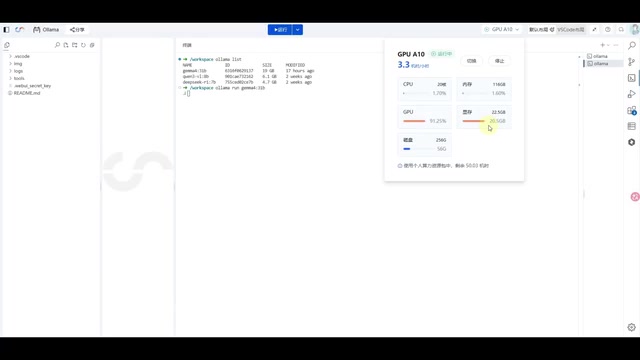
In testing, the 31B model consumed approximately 20.5GB of GPU VRAM with about 91% GPU utilization. This means any GPU with 20GB+ VRAM (such as the RTX 3090 or RTX 4090) can comfortably run this flagship model locally.
Real-World Capability Tests
Gemma 4 31B has thinking mode (Think) enabled by default, displaying its internal reasoning process. Thinking mode is a major breakthrough in the LLM field, with its core concept originating from the Chain-of-Thought Reasoning popularized by OpenAI's o1 model. In traditional mode, the model outputs a final answer directly; in thinking mode, it first generates an internal reasoning process, analyzing the problem step by step, considering different possibilities, and then providing a final answer. This approach significantly improves performance on tasks requiring multi-step reasoning, such as math, logic, and programming. Gemma 4's default thinking mode lets users see the model's reasoning chain, improving both answer quality and interpretability.
Here are two classic tests:
Test 1: The Car Wash Problem — "I want to get my car washed. How should I get there?" This seemingly simple question tests common-sense reasoning. Gemma 4 correctly answered "you should drive there" — because if your goal is to wash your car, how would you wash it if you walked? This matches DeepSeek V3.2's response.
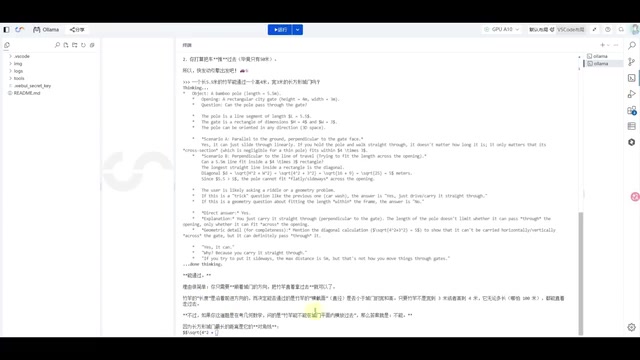
Test 2: The Bamboo Pole Through a Door Problem — Can a long bamboo pole pass through a narrow door? Gemma 4 gave a near-perfect answer: from a geometric perspective, it can't pass through directly, but from a practical standpoint, turning the pole sideways (parallel to the door frame) allows it to pass through normally. The model analyzed the problem from both logical and practical dimensions, demonstrating excellent reasoning ability.
It's worth emphasizing that DeepSeek V3.2 has far more parameters than Gemma 4 31B, yet both perform nearly identically on these reasoning tasks — a testament to Gemma 4's exceptional value proposition. As a local backup model, its capabilities are more than sufficient.
Running Gemma 4 on Mobile: With Tool Calling Support
Google released a dedicated Android app called Google AI Edge Gallery, available for free on Google Play. Built on Google's AI Edge SDK, it focuses on on-device inference — running AI models directly on the user's device rather than sending data to the cloud. This approach offers three key advantages: first, privacy protection, as user data never leaves the device; second, low latency, with no network round-trip time; and third, offline availability, functioning even without an internet connection. Modern smartphone SoCs (such as the Qualcomm Snapdragon 8 Gen 3 and MediaTek Dimensity 9400) typically include dedicated NPUs (Neural Processing Units) that can efficiently execute quantized small model inference tasks.
Installation and Configuration
After downloading and installing Google AI Edge Gallery, you'll see features like Agent SQL, with clear Gemma 4 support indicated. The app offers 1.2B and 1.4B model versions suitable for mobile, with quantized sizes of just 2.5GB and 3.6GB respectively.
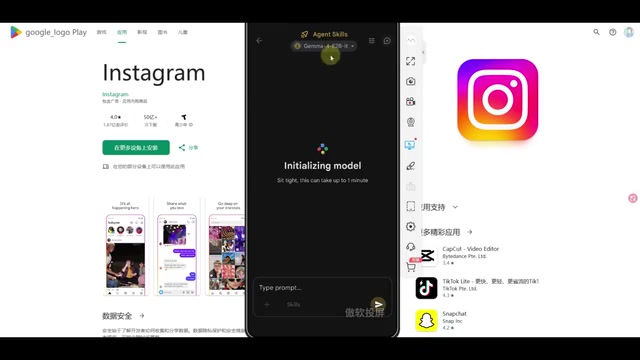
In testing on a Xiaomi 15 Pro using GPU mode, Gemma 4 1.2B ran smoothly without any issues.
Tool Calling Demo
The standout feature of Gemma 4 on mobile is its support for tool calling (Tool Use) — a remarkable achievement for such a lightweight model. Tool calling (also known as Function Calling) is one of the key capabilities for building AI agents. Traditional LLMs can only generate text based on training data and cannot access real-time information or perform actual operations. Models with tool calling capabilities can identify user intent, automatically decide whether to invoke external tools (such as search engines, databases, APIs, etc.), generate structured call requests conforming to tool interface specifications, and then integrate the returned results into natural language responses. Implementing this capability typically requires incorporating extensive tool-calling example data during training, teaching the model when to call, which tool to call, and how to parse return results. The fact that Gemma 4 supports tool calling in its 1.2B lightweight version is quite rare in the industry, indicating that Google made targeted optimizations in training data and model architecture.
Built-in tools include:
- Wikipedia Search: Real-time Wikipedia information retrieval
- Email Sending: Email function integration
- Text Conversion: Various text processing tools
- Custom Tools: Import local or third-party tools via the "+" button in the upper right corner
In testing, when asked to "look up information about Bruce Lee on Wikipedia," the model successfully invoked the Wikipedia tool automatically and accurately returned key information including that Bruce Lee was born in 1940 in San Francisco, USA, and passed away in 1973.
Additionally, Gemma 4 on mobile supports image and audio input, making it a truly multimodal model. Combined with tool calling capabilities, it can serve as a backend engine for personal AI agents. Running on devices like the Mac mini M4 would be even more effortless.
Summary and Recommendations
The release of Gemma 4 marks a new era for open-source models — small parameter counts, high performance, and full functionality. The flagship 31B version runs on just 20GB of VRAM yet rivals closed-source models with many times more parameters; the lightweight 1.2B version can even run on smartphones with tool calling support.
For developers, the Apache 2.0 license means zero-barrier commercialization potential. Whether as a local backup model, a mobile AI assistant, or a backend engine for agent applications, Gemma 4 is one of the most compelling open-source options available today.
Related articles
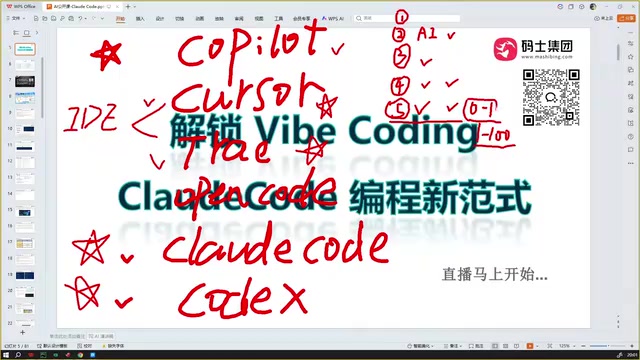
Claude Code Installation Guide & The Five Stages of AI Programming Tools Explained
Complete Claude Code installation guide with the five stages of AI programming tools, from manual coding to agents. Learn 0-to-1 project building and 1-to-100 iteration challenges.

Enterprise-Level AI Project Rules Files: 5 Hard Rules + 6 Writing Techniques
AI keeps messing up your code? Learn 5 hard rules and 6 writing techniques for enterprise-level Rules files in Claude Code, Cursor & more, with templates.

Building Cloud Computing Clusters from Old Phones: Google and UCSD Explore a New Path to Sustainable Computing
Google and UCSD explore building cloud clusters from old phones, leveraging ARM chip efficiency to cut e-waste and data center carbon footprints.