AI-Generated Action Code: A New Approach to Animation with MineGun iMoto 2
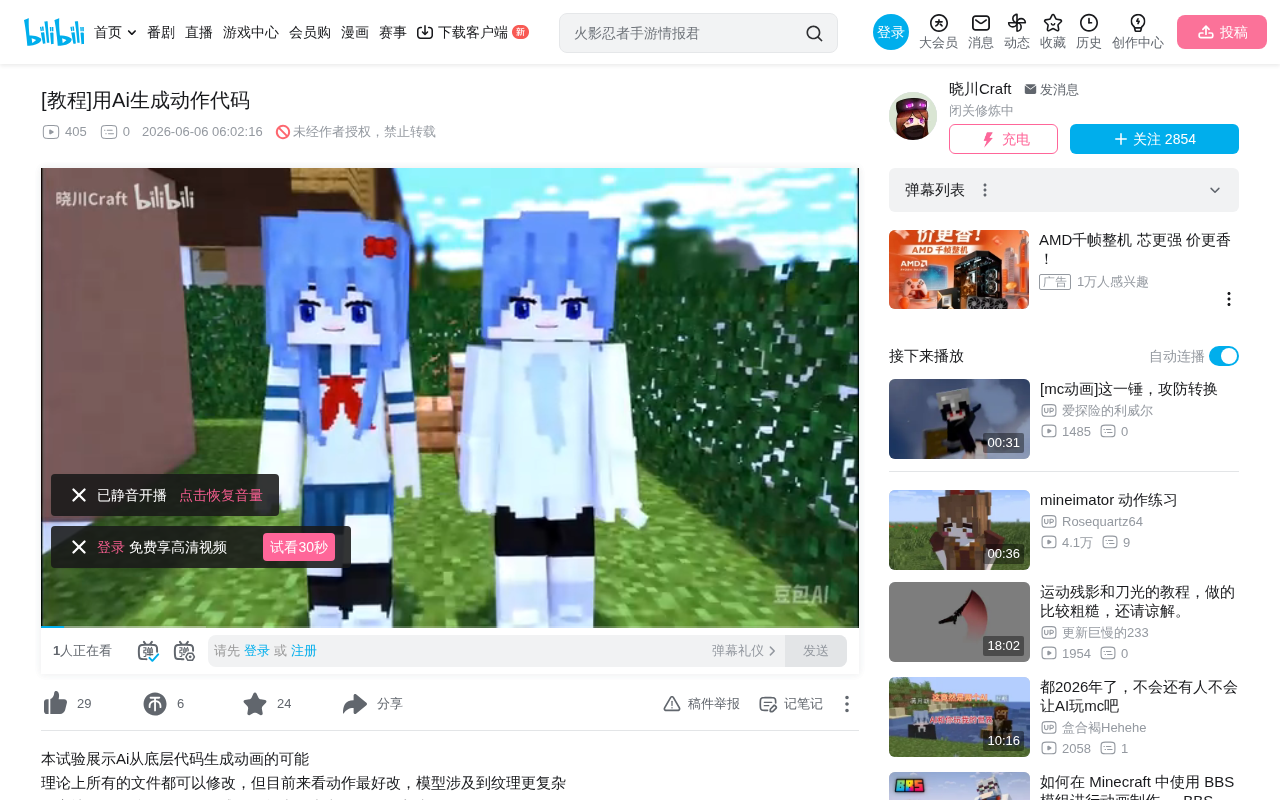
Use AI to generate MineGun iMoto 2 animation action code for precise, controllable motion creation.
This tutorial presents a novel approach to AI-assisted animation: instead of having AI generate visuals directly, leverage its code generation strengths to produce MineGun iMoto 2's MeFrames action files. By feeding AI a zero-state template, it learns the parameter structure and can generate new actions on command, enabling rapid iteration and batch production of custom animations.
A Different Approach: Creating Animation with AI at the Code Level
When people think of using AI to generate animation, the first instinct is usually to have AI directly produce visual output. But in practice, AI-generated scenes and movements often fall far short of expectations, with precise control being nearly impossible. Is there a more controllable approach?
The answer is — work at the code level. This tutorial introduces a clever method: using AI to understand and generate MineGun iMoto 2's action code files, enabling batch generation of custom animation actions.
AI Code Generation vs. Visual Generation: Why Code-Level Is More Reliable
AI's advantage in generating structured code stems from the fundamental nature of Large Language Model (LLM) training. Models like GPT and Claude are essentially sequence prediction models trained on massive text datasets. They have a natural understanding of structured formats like code, JSON, and XML because these formats are abundant in training data and follow strict syntactic rules. In contrast, video generation models (such as Sora, Runway, etc.) must handle temporal consistency in high-dimensional pixel space — a far more technically challenging problem. Code generation operates in a discrete and finite output space, while visual generation operates in a continuous and nearly infinite one. This is why AI achieves far greater precision at the code level than when directly generating video. Understanding this makes the underlying logic of this tutorial's method clear.
Parsing MineGun iMoto 2's File Structure
Project Files Are Essentially Code
A little-known fact: most project files in MineGun iMoto 2 can be opened directly with a plain text editor. These files include:
- MeFrames (action/keyframe files)
- MeModel (model files)
- MeObject (object files)
- MeProject (project files)
Open them up and you'll find their contents are simply strings of structured code and parameters. This means we can generate new files by modifying parameters in the code, rather than manually adjusting things frame by frame in the graphical interface.
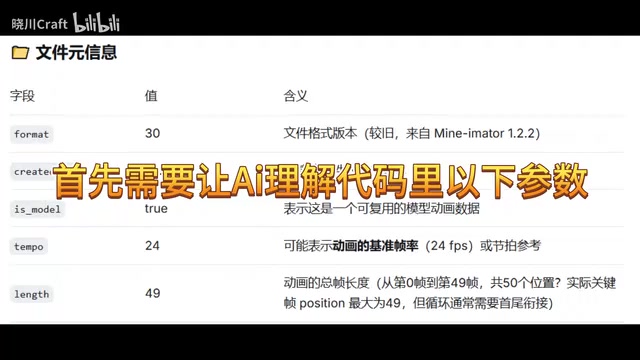
Technical Positioning of MineGun iMoto 2
MineGun iMoto 2 is a 2D animation software designed for independent creators and small teams. Its core feature is a character animation system based on rigging and keyframe interpolation. Unlike traditional frame-by-frame hand-drawn animation, skeletal animation defines a character's bone hierarchy and drives movement by setting rotation, translation, and scale parameters for each bone node. This approach dramatically reduces animation workload because the software automatically calculates intermediate frames between keyframes (i.e., tweening). Similar technology is used by Spine, Live2D, DragonBones, and other software, with widespread applications in game development and short-form video animation.
Industry Context for Text-Format Project Files
Using text formats to store project files is not uncommon in animation and game development. For example, Godot's .tscn scene files, Unity's .anim animation files (YAML format), and Blender's Python script exports all use human-readable text formats. The advantages of this design philosophy include: easy version control (tools like Git can track every line change), easy batch processing and automation scripting, and easy debugging and manual repair. MineGun iMoto 2's adoption of this design effectively opens a door for AI-assisted creation — any tool that can read and write text can become an aid for animation creation.
Core Concept: Having AI Generate MeFrames Action Code in the Correct Format
How It Works
The core principle of this method is quite intuitive:
- Extract the standard format: Export a standard MeFrames action file from MineGun iMoto 2 to obtain the complete code structure.
- Have AI understand parameter meanings: Feed the code to an AI (such as ChatGPT, Claude, etc.) and let it understand what effect modifying each parameter produces — for example, which value controls arm angle, which controls body displacement.
- AI generates new code: Once the AI understands the code format and parameter meanings, have it generate entirely new action code in the same format with custom parameters.
- Import and use: Save the AI-generated code as a MeFrames file and import it directly into MineGun iMoto 2.
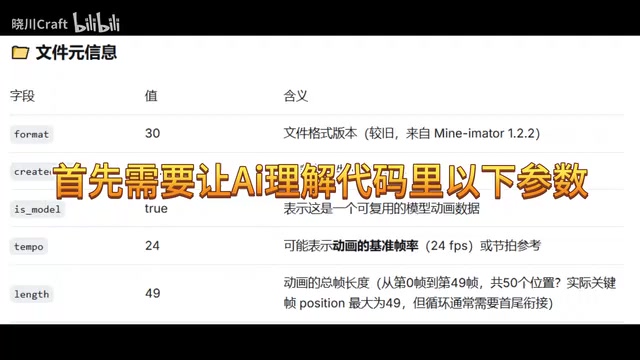
The Parameterization Principle of Keyframe Animation
The core idea of keyframe animation originates from the concept of "key drawings" in traditional animation. Animators only need to define the key poses (keyframes) of an action, and the software automatically generates intermediate transition frames through interpolation algorithms. In MeFrames files, each keyframe records the state parameters of all bone nodes at that moment, typically including: X/Y/Z rotation angles, X/Y translation amounts, scale ratios, opacity, etc. The interpolation method (linear, Bézier curve, step, etc.) determines the smoothness and rhythm of the motion. Understanding the physical meaning of these parameters is a prerequisite for AI to correctly generate actions — for example, the human elbow joint bends within a range of approximately 0° to 145°, and parameters exceeding this range will produce unnatural movements.
The advantage of this approach is that AI generation at the code level is far more precise and controllable than directly generating visuals. You can explicitly tell the AI to "generate a punching action" or "generate a walking cycle," and the AI will output the corresponding parameter combinations in the standard format.
Detailed Step-by-Step Guide
Step 1: Prepare a Standard Template File
First, perform the following operations in MineGun iMoto 2:
- Create any character model
- Reset all parameters to 0 — this step is crucial to ensure you export a clean "zero-state" template
- Expand all components (head, torso, limbs, and other bone nodes)
- Mark keyframes for every component
- Select all and export as a MeFrames file
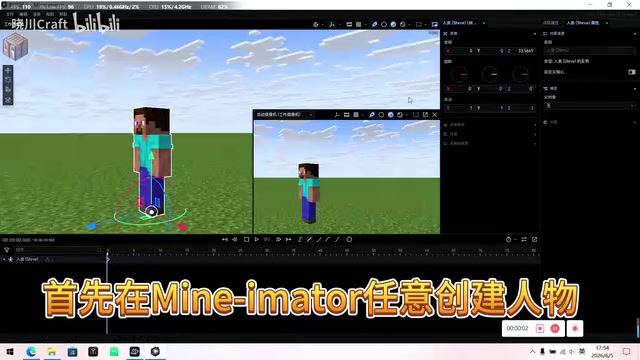
This gives you a standard template containing all components with all parameters set to zero. This template fully displays the code structure and the positions of all available parameters, making it the ideal material for AI to learn from and understand. The significance of zeroing all parameters is that it provides the AI with a clear "baseline state" — the AI can clearly understand what effect each parameter produces when changed from zero, avoiding the difficulty of understanding relative changes on top of already complex values.
Step 2: Feed the Template to AI and Train Understanding
Open the exported MeFrames file with a text editor, copy all contents, paste them to the AI, and include an explanation:
"This is a keyframe action file from MineGun iMoto 2. Please analyze the meaning of each parameter and the structural format. I will then ask you to generate new action data in the same format."
Let the AI first understand the effects of changing various parameters in the code, and confirm it can correctly identify which parameters control rotation, translation, scale, and other properties.
Prompt Engineering Best Practices
Getting AI to understand and generate correct action code is essentially a Prompt Engineering problem. Here are some verified best practices:
- Provide the complete format template as a few-shot example: The zero-state template is the best example
- Clearly explain the value range and physical meaning of each parameter: For example, tell the AI "the rotation parameter is in degrees, and different human joints have different ranges of motion"
- Use step-by-step instructions (Chain-of-Thought): Have the AI first plan the logical sequence of the action (e.g., a punching action is divided into wind-up, strike, and retract phases), then output the specific code
- Set constraints: Such as joint rotations not exceeding human physiological limits, displacement changes conforming to physical inertia, etc.
- Use System Prompt to preset a role: Set the AI as an "animation parameter engineer" to improve output professionalism and consistency
Step 3: Generate Action Code and Iterate
Once you've confirmed the AI understands correctly, you can start issuing specific action commands. For example, ask the AI to generate a "character punch attack" or "character running cycle." The AI will output complete MeFrames code in the standard format — you just need to save it as the appropriate file format and import it into the software to preview the result.
If the action isn't ideal, you can ask the AI to fine-tune specific parameters for rapid iteration. For example, you can say "speed up the punch — increase the arm rotation angle between frame 2 and frame 3 by 20%," and the AI will precisely modify the corresponding values and output the updated complete code.
Value and Limitations of This Method
Why This Approach Is Worth Trying
This method reveals an important principle: AI's capability in structured data generation far exceeds its capability in unstructured content generation. Rather than having AI directly generate hard-to-control video visuals, it's better to let it precisely manipulate parameters at the code level, then have professional software render the final result.
This approach isn't limited to MineGun iMoto 2 — theoretically, any animation software that stores data in text format can benefit from a similar method. For example, you could use the same approach to have AI generate Spine's JSON animation data, SVG animation keyframe parameters, or even CSS animation @keyframes code. This pattern of "AI generates intermediate representations, professional tools render final results" may be one of the most pragmatic paths for AI-assisted creation at the current stage.
Issues to Watch For
- Physical plausibility: AI-generated action parameters may be physically unreasonable (e.g., arms passing through the body, joints bending in reverse), requiring manual review. This can be mitigated by adding human kinematics constraints in the prompt
- Iteration cost: Complex actions may require multiple rounds of adjustment — it's recommended to start with simple actions to build experience
- Format strictness: Strict adherence to code format is key to success. Any format error (such as missing commas, mismatched brackets, misspelled parameter names) will prevent the file from being imported. It's advisable to have the AI self-check format integrity after outputting code
- Token limits: If the action file is long, it may exceed the AI's context window limit, requiring segmented generation and manual assembly
Conclusion
This tutorial provides a practical approach to AI-assisted animation: bypassing the limitations of AI directly generating visuals, and instead leveraging AI's strengths in code generation to create actions by manipulating MineGun iMoto 2's underlying MeFrames parameter files. For iMoto 2 users, this is an efficiency-boosting solution worth trying.
From a broader perspective, this method represents an AI application design pattern: identify the steps in the creative workflow that can be parameterized and structurally expressed, let AI leverage its text generation strengths in those areas, and leave the steps requiring visual judgment and artistic perception to human creators and professional rendering tools. This division of labor in human-AI collaboration may be more pragmatic and efficient than pursuing "AI generates everything with one click."
Related articles
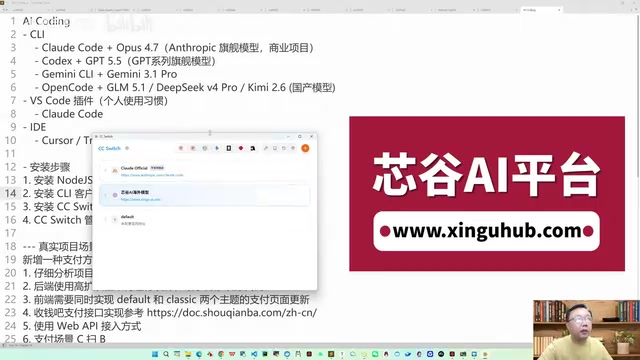
Claude Code Practical Guide: From Installation & Configuration to Production-Grade Project Delivery
Complete guide to Claude Code + Opus for production projects: CC Switch setup, engineering-minded prompting, and a real case study delivering a complex payment system in 4 hours.
Tutorial: Using Claude Code to Auto-Generate Video Chapter Progress Bar Animations
Use Claude Code's Skill mechanism and Remotion to auto-generate video chapter progress bar animations from subtitle files. Six built-in styles, custom stickers, and one-click rendering.
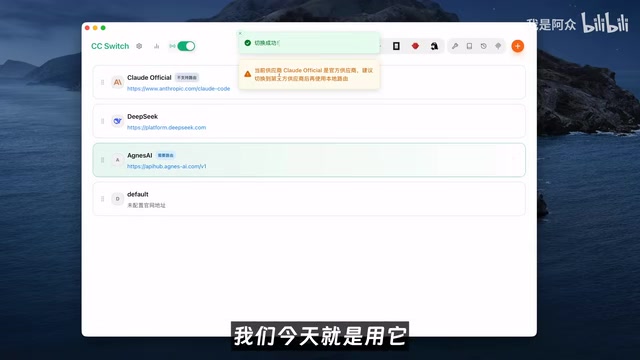
How to Use Claude Code for Free Without Limits: A Zero-Cost Full Multimodal AI Solution
Use Claude Code for free with Agnes AI's free models and the CC Switch open-source tool. Full setup guide for zero-cost AI coding, image, and video generation.