AI Generates 7 Cocos Dissolve Shaders at Once — Zero Errors, Ready to Use
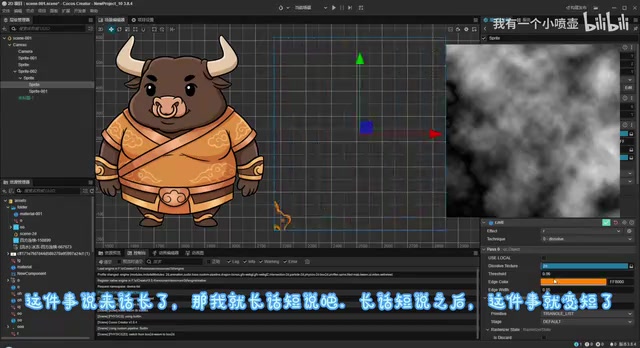
AI templates generate 7 error-free Cocos dissolve Shaders in one pass, streamlining game VFX development.
A Bilibili creator demonstrates using AI templates to generate 7 different grayscale dissolve Shader versions for Cocos Creator in a single pass — all compiling with zero errors. The article explains the core dissolve principle (threshold-based fragment discard using grayscale maps), how structured AI templates eliminate common Cocos Effect syntax issues, and how AI tools also handle grayscale map generation, forming a complete AI-assisted Shader development workflow.
Batch-Generating Cocos Shaders with AI Templates: Dissolve Effects Made Easy
Dissolve effects are everywhere in game development — character disintegration, scene transitions, UI animations all rely on them. The traditional approach requires hand-writing Shader code, tweaking parameters, and modifying logic — a single version can easily eat up half a day. Now, with AI templates, you can generate 7 different versions of grayscale dissolve Shaders in one go, all compiling successfully with zero errors, maximizing development efficiency.
This content comes from a Cocos Shader practical case shared by a Bilibili creator. It started when a viewer commented requesting a "grayscale dissolve" effect, and the creator used AI-assisted development to deliver 7 implementation versions in one shot.
Core Principles of Grayscale Dissolve Effects
The principle behind grayscale dissolve isn't complicated: using a grayscale map, pixels dissolve progressively from white to gray based on their brightness values. White areas disappear first, gray areas follow, and black areas dissolve last, creating a natural, layered dissipation effect.
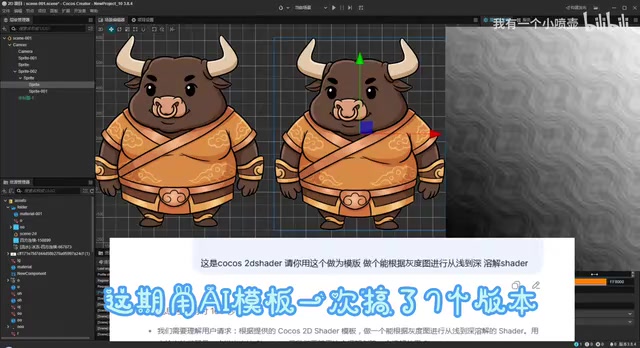
From a technical implementation perspective, grayscale dissolve is essentially a pixel-level operation in the Fragment Shader. In the GPU rendering pipeline, after the vertex shader handles geometric transformations, the rasterization stage breaks triangles into individual fragments, each of which passes through the fragment shader. Grayscale dissolve leverages the programmability of this stage — by executing a discard operation in the fragment shader, the GPU directly discards the current fragment without writing it to the Frame Buffer, achieving the visual effect of pixels "disappearing." Compared to Alpha Blending, this approach is cleaner — it doesn't produce semi-transparent intermediate states and avoids the rendering complexity of transparency sorting.
The key to this effect lies in two aspects:
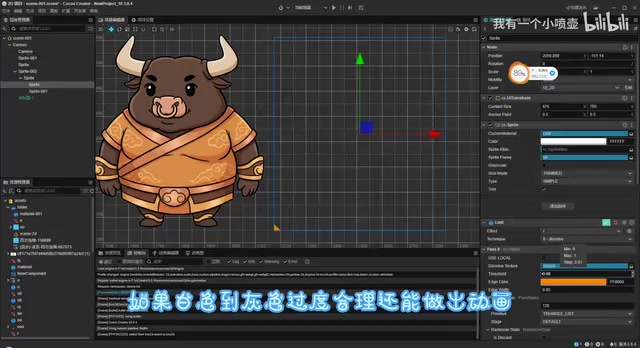
- Quality of the grayscale map: Whether the black-to-white transitions are smooth and whether the texture is rich directly determines the visual quality of the dissolve effect. Well-designed grayscale maps can even produce fluid animations. Common grayscale map types include Perlin noise maps, Voronoi diagrams, and radial gradient maps — different types produce vastly different dissolve styles. Noise maps create fragmented dissolution, while radial gradients produce effects that spread outward from the center.
- Threshold control in the Shader: A threshold parameter that changes over time is compared against the sampled grayscale map value. Pixels below the threshold are discarded, achieving progressive dissolution. Specifically, the grayscale map is sampled as a Texture2D in the Shader using the texture() function to read pixel values at corresponding UV coordinates. Since it's a grayscale map, RGB channels have identical values, so typically only the R channel is used as the dissolve reference value, ranging from 0.0 to 1.0 (black to white). When the externally passed threshold exceeds the sampled value, that pixel is discarded, achieving the layered effect of "white dissolves first, black dissolves last."
AI Templates in Practice: Generating 7 Shader Versions at Once
The most noteworthy aspect of this practice is the efficiency of AI-assisted development. The creator used a preset AI template to generate 7 different Shader versions for the "grayscale dissolve" requirement in a single pass. These 7 versions differ in dissolve direction, edge glow, color transitions, and other details, providing developers with a rich selection of options.
More critically — one generation, zero compilation errors. Any developer who's written Shaders knows that Shader syntax is strict, platform compatibility requirements are high, and hand-written code frequently gets stuck at the compilation stage. For context, Cocos Creator uses its proprietary Cocos Effect format (.effect files), which describes rendering states using YAML syntax with internal shader code written in a variant of GLSL (OpenGL Shading Language). What makes Cocos Effect unique is that it needs to be compatible with multiple rendering backends — WebGL, WebGL2, Vulkan, Metal, etc. — making syntax constraints stricter than pure GLSL. Developers must not only write correct GLSL logic but also follow Cocos Effect's macro definition conventions, properties declaration format, and multi-Pass configuration structure. This is the fundamental reason why hand-writing Cocos Shaders is particularly prone to compilation errors.
The fact that AI can directly output usable Cocos Shader code indicates that the underlying template design is quite mature. Such AI templates typically pre-define the Cocos Effect file skeleton — including the CCEffect declaration block, properties definitions, CCProgram vertex/fragment shader structures, and necessary built-in header references (such as cc-global, cc-local, and other Cocos built-in Chunks). The AI only needs to fill in the core shader logic on top of this foundation, dramatically reducing the probability of syntax errors. This "structured template + AI logic filling" approach is essentially the product of deeply combining Prompt Engineering with domain knowledge.
Grayscale Maps Also Generated with AI Tools
Beyond the Shader code itself, grayscale map creation also utilized AI tools. The creator mentioned using "Pin's Filter" to generate grayscale maps — simple to operate and supporting customization. Developers don't need to open Photoshop to manually draw them; the entire workflow from grayscale map generation to Shader writing can be completed quickly with AI assistance.
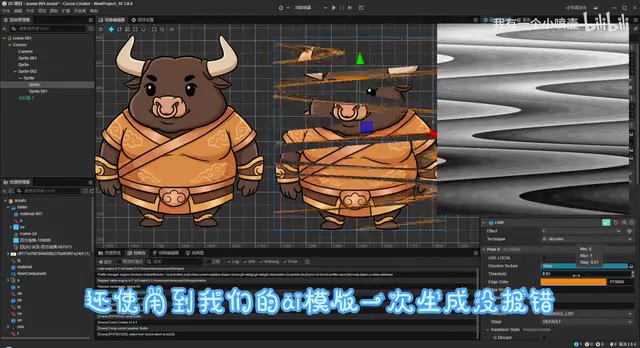
The traditional grayscale map creation workflow typically requires manual adjustment in Photoshop or Substance Designer — using cloud filters, fractal noise, or hand-drawn brushes to create appropriate black-and-white transitions. AI tools make this step much more efficient, allowing developers to customize results through descriptive parameters (such as "fragmentation level" or "transition smoothness") without needing to deeply understand the mathematics behind procedural texture generation.
Practical Value for Game Developers
Lowering the Shader Development Barrier
Shader programming has always been a high-barrier field in game development, requiring simultaneous understanding of graphics principles (rendering pipelines, lighting models, coordinate space transformations) and platform-specific shading languages (GLSL, HLSL, Metal Shading Language, etc.). Additionally, debugging Shaders is far more difficult than regular code — no breakpoints, no console.log, only indirect logic verification through color value output. AI templates allow developers less familiar with Shaders to quickly obtain usable effects code, then fine-tune parameters as needed. This approach is particularly suitable for indie developers and small teams who often don't have a dedicated TA (Technical Artist) to handle Shader-related work.
Rapid Prototyping and Solution Comparison
Generating 7 versions at once means developers can quickly compare the visual results of different implementations and choose the most suitable one for optimization. This is far more efficient than the traditional "write one, tweak one, then write the next" workflow. In real projects, effects solution selection often requires confirmation from art, design, and programming teams. Being able to quickly provide multiple runnable demos for comparative review significantly helps shorten project iteration cycles.
Open-Source Sharing Benefits the Cocos Community
The creator made the project files and grayscale map assets available for free download in the comments section. This open sharing attitude is extremely valuable for the Cocos development community. As a representative domestic game engine, Cocos Creator's community ecosystem still lags behind Unity and Unreal, especially in Shader resources and technical documentation. Every high-quality open-source Shader case contributes to the community's technical accumulation.
Conclusion: The Viability of AI-Assisted Shader Development
Although this case is modest in scope, it effectively demonstrates AI's practical capabilities in specific game development workflows. From requirement proposal to delivery of 7 Shader versions, AI not only accelerated the coding process but also covered asset generation, forming a relatively complete AI-assisted development workflow.
Of course, whether AI-generated code meets production environment performance requirements and whether device-specific compatibility optimizations are needed still requires developer judgment. For example, discard operations may break Early-Z optimization on certain mobile GPUs, increasing overdraw; edge glow effects using too many conditional branches may also impact GPU parallel execution efficiency. These performance considerations still require experienced developers to review and optimize.
But as a tool for quick starts and prototype validation, the value of AI templates is undeniable. For Cocos developers who haven't tried using AI to assist with Shader writing, this case might be a great starting point. As AI templates cover an expanding range of effect types — from dissolve to outline, from water surfaces to holographic projection — the democratization of Shader development is accelerating.
Related articles
Free Full-Power GPT on AI Aggregation Platforms? The Risks and Truth Behind Shared Accounts
Deep analysis of AI aggregation platforms promoted on Bilibili, exposing privacy leaks and legal risks of shared account pools for free GPT and Claude access, plus safe alternatives like OpenRouter and DeepSeek.
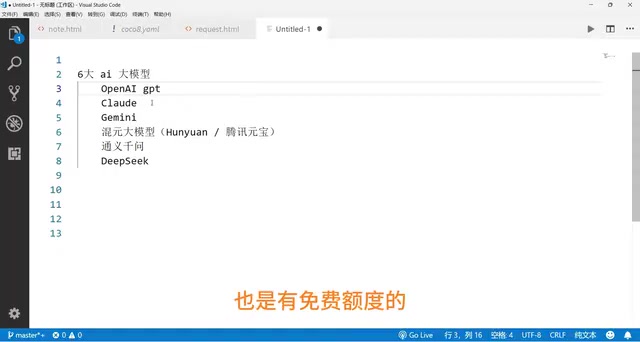
GPT, Claude, Gemini vs. China's Top Three: A Complete Comparison of Coding Ability, Chinese Language Performance & Pricing
A side-by-side comparison of GPT, Claude, Gemini, Tencent Hunyuan, Qwen, and DeepSeek across coding ability, Chinese language performance, and API pricing to help you find the best fit.
Learn to Code with AI from Scratch: A Complete Learning Path from Beginner to Deployment
A complete learning path for coding with AI from scratch — from concepts and environment setup to using Cursor, Claude, and other AI tools to build and deploy your first project.