AI-Powered Playwright: A Practical Guide to Zero-Code Web Automation Testing
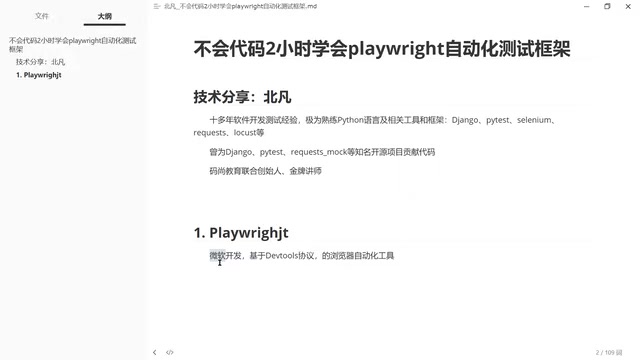
How Playwright and AI via MCP protocol enable zero-code web automation testing.
This guide explores Playwright's core technical advantages over Selenium, including its DevTools Protocol architecture for faster async execution, driver-free setup, and full browser control. It covers smart locators, auto-waiting mechanisms, and limitations. The article also details how Playwright MCP integrates with AI large language models to enable natural language-driven, zero-code automation testing.
Why Choose Playwright?
In the world of Web automation testing, tool selection has always been a key concern for developers and test engineers. Beyond the veteran Selenium, Google has its own browser automation solution (Puppeteer, a Node.js library focused on Chromium browsers), but in recent years, Playwright — developed by Microsoft — has been rising rapidly and becoming the go-to tool for an increasing number of teams.
So what makes Playwright unique? How does it compare to Selenium? And what sparks fly when it's combined with AI large language models? This article will give you a comprehensive look at this modern automation testing framework from three perspectives: technical features, practical advantages, and AI integration.
Playwright's Core Technical Advantages
Backed by Microsoft with Guaranteed Continuous Iteration
Playwright is developed and maintained by Microsoft's team, backed by a strong engineering organization and frequent version updates. For enterprise-grade projects, choosing an open-source tool backed by a major tech company effectively reduces the risk of project abandonment. Microsoft's investment in developer tools is well-documented — from VS Code to TypeScript to GitHub — and Playwright carries on this tradition of high-quality iteration. It's worth noting that several core Playwright team members previously worked on Puppeteer (Google's browser automation tool), bringing their experience from Google into the Playwright project. This explains why Playwright's architecture design is so mature.
Built on the DevTools Protocol, Fundamentally Surpassing Traditional Solutions
Playwright's most critical technical differentiator is that it controls browsers through the DevTools Protocol (Chrome DevTools Protocol, or CDP). CDP was originally designed by Google as a debugging protocol for Chrome's developer tools, allowing external programs to communicate with the browser engine via WebSocket connections to perform page inspection, performance analysis, network monitoring, and more. CDP uses a JSON-RPC-style message format divided into multiple domains (such as Page, Network, DOM, Runtime, etc.), each providing a set of methods and events. The Playwright team built protocol adaptation layers for different browser engines — Chromium uses native CDP, Firefox uses a modified remote debugging protocol, and WebKit uses its Inspector Protocol — which is the technical foundation enabling Playwright's cross-browser capabilities.
This architectural choice brings several key advantages:
1. No Browser Drivers Needed, Simpler Environment Setup
With Selenium, you need to download the matching browser driver (e.g., ChromeDriver, GeckoDriver), and version mismatches cause errors. This is because Selenium uses the WebDriver architecture — the client sends HTTP requests to the browser driver program, which then translates instructions into browser-understandable operations. This architecture follows the W3C WebDriver standard and offers broad compatibility, but the browser driver as a middleware layer must strictly match the browser version, frequently causing compatibility issues in CI/CD environments. Although Selenium later improved this with Selenium Manager for automatic driver downloads, the driver itself remains a necessary intermediary. Playwright communicates directly with the browser via the DevTools Protocol, bypassing the driver layer entirely — as long as the browser is installed on the system, it works, significantly lowering the barrier for environment configuration.
2. Faster Execution with Native Async Support
The DevTools Protocol enables fast bidirectional asynchronous communication via WebSocket. WebSocket is a protocol for full-duplex communication over a single TCP connection (defined by RFC 6455). Unlike traditional HTTP's request-response model, once the WebSocket handshake is complete, both client and server can send data to each other at any time without waiting for a request. In Playwright's context, this means test scripts can send operation commands while simultaneously receiving browser events (such as page load completion, network request completion, etc.), enabling true asynchronous parallel processing.
By comparison, Selenium's HTTP polling model requires a full HTTP round-trip for each operation, resulting in higher communication overhead (redundant HTTP headers) and greater latency (needing to establish new connections). This means Playwright executes automation tasks faster and natively supports asynchronous operations. This characteristic is especially important for UI testing in large projects — when the number of test cases is massive, the speed advantage is significantly amplified, potentially delivering several times faster execution across hundreds of test cases. For the same reason, many web scraping developers are also switching to Playwright, as it performs better in high-concurrency scenarios.
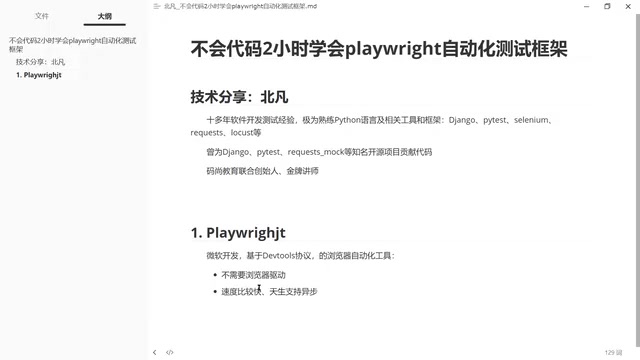
3. Full Control Over All Browser Capabilities
Since the DevTools Protocol is an interface provided by the browser engine itself, covering virtually all browser subsystems including Page, Network, DOM, Runtime, Emulation, and more, Playwright can automate nearly every browser function. For example, the browser's built-in translation feature cannot be invoked by Selenium, but Playwright can use it directly. Additionally, Playwright can intercept and modify network requests, simulate geolocation and device sensors, capture browser console logs, and even record and replay user interaction traces. This "full-feature coverage" capability greatly expands test scenario coverage and makes Playwright valuable in areas like performance testing and accessibility testing as well.
Playwright's Limitations
No technical solution is perfect. Playwright's advantages stem entirely from the DevTools Protocol, which also means its limitations are tied to it.
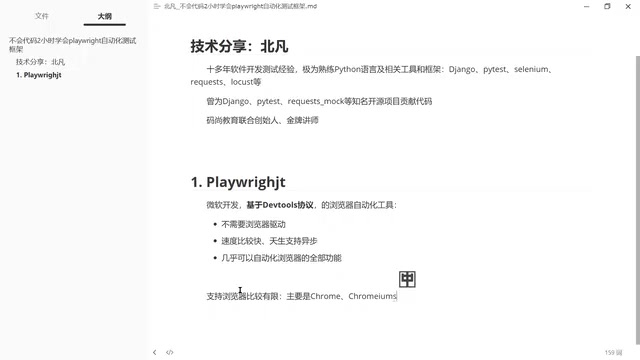
Limited Browser Support
Playwright primarily supports Chromium-based browsers (such as Chrome and Edge), Firefox, and WebKit (Safari's rendering engine). For browsers that don't support the DevTools Protocol, such as the legacy IE browser, Playwright simply cannot be used. This is because IE uses Microsoft's proprietary Trident engine, which never implemented CDP or a similar remote debugging protocol.
Interestingly, the modern version of Microsoft Edge (rebuilt on the Chromium engine since 2020) is fully supported, but the old Edge from the Windows 8 era (based on the EdgeHTML engine) is not. So during tool selection, you need to verify the browser distribution of your target users. The good news is that with IE officially retiring in June 2022 and Chromium-based browsers holding over 75% of the global market share, browser compatibility issues are rapidly diminishing for most projects.
Selenium Still Has Advantages in Specific Scenarios
In certain specialized business scenarios, Selenium remains the more suitable choice thanks to its broader browser compatibility and more mature ecosystem. Selenium has nearly 20 years of development history (born in 2004) and has accumulated a vast community of resources, third-party plugins, and enterprise-grade integration solutions (such as Selenium Grid for distributed execution). Additionally, Selenium supports nearly all mainstream programming languages including Java, Python, C#, Ruby, and JavaScript, while Playwright currently primarily supports Node.js (TypeScript/JavaScript), Python, Java, and .NET. However, for most modern web application testing needs, Playwright is more than capable.
Smart Locators: Making Element Discovery Easier
Playwright comes with a built-in smart locator system, which is one of its most popular features in practice. The design philosophy of this locator system originates from Testing Library's best practices — tests should simulate real user interactions, locating elements based on user-visible semantic information (such as text, roles, labels) rather than underlying DOM structure (such as CSS class names or XPath paths).
Compared to Selenium, which requires developers to manually write precise XPath or CSS selectors, Playwright's locator approach is more intuitive and stable:
- Diverse and intelligent locator methods: Supports locating elements by text content (
getByText()), WAI-ARIA role attributes (getByRole()), form labels (getByLabel()), placeholder text (getByPlaceholder()), and more. Among these,getByRole()leverages role attributes defined in the Web Accessibility standard (WAI-ARIA), such as button, link, textbox, etc. This locator method is not only stable but also indirectly validates page accessibility. - Lower failure rate: The smart matching mechanism reduces locator failures caused by minor page structure adjustments. When developers refactor HTML structure while keeping user-visible content unchanged, semantic-based locators typically don't need modification, whereas XPath-based locators often break.
- Automatic waiting mechanism: Built-in auto-waiting automatically checks whether an element is visible, enabled, and stable (not in animation) before performing actions, with a default timeout of 30 seconds. This solves one of Selenium's most common pain points —
ElementNotInteractableExceptionorStaleElementReferenceExceptioncaused by asynchronous page loading. Developers no longer need to write extensiveWebDriverWaitandExpectedConditionscode.
These features are especially friendly for testers with less coding experience, significantly lowering the technical barrier to automation testing.
AI + Playwright: MCP Protocol Opens New Possibilities
One of Playwright's most exciting development directions is its deep integration with AI large language models. Through Playwright MCP (Model Context Protocol), Playwright's browser control capabilities can be directly exposed for AI models to invoke.
MCP (Model Context Protocol) is an open protocol launched by Anthropic in late 2024, designed to standardize the interaction between AI large language models and external tools and data sources. MCP adopts a client-server architecture: the AI model acts as the client, and various tools (such as Playwright, databases, file systems, etc.) act as servers, communicating through a unified protocol format. The Playwright MCP Server encapsulates browser operations as a series of standardized tool interfaces (such as navigate, click, fill, screenshot, etc.), allowing AI models to autonomously decide which tools to call and in what order based on the user's natural language instructions. Currently, MCP has gained support from major AI vendors including OpenAI and Google, and is becoming the de facto standard for AI tool invocation.
What does this mean? You can describe testing requirements in natural language, and the AI calls Playwright through the MCP protocol to execute specific browser operations. For example:
- "Open the login page, enter the username and password, click the login button, and verify that it redirects to the homepage"
- "Check whether the item count on the shopping cart page is correct"
The AI can not only understand these instructions but also automatically generate and execute the corresponding test scripts. In this process, the AI model is responsible for understanding intent and planning steps, the MCP protocol handles standardized communication, and Playwright handles the actual browser operations — each plays its role, forming a complete automation pipeline. This "AI-driven" model truly realizes the vision of "automating tests without writing code."
Selection Recommendations: Which Scenarios Suit Playwright?
Overall, Playwright is recommended for the following scenarios:
| Scenario | Recommendation |
|---|---|
| UI testing for modern web applications | ⭐⭐⭐⭐⭐ |
| Test tasks requiring high-concurrency execution | ⭐⭐⭐⭐⭐ |
| Leveraging AI to improve testing efficiency | ⭐⭐⭐⭐⭐ |
| Teams primarily using Node.js/Python | ⭐⭐⭐⭐ |
| Need to support legacy browsers like IE | ❌ Use Selenium instead |
Conclusion
With its DevTools Protocol-based architecture, Playwright delivers significant improvements in speed, usability, and feature coverage compared to traditional solutions like Selenium. Microsoft's continued investment ensures its long-term development prospects, and its integration with AI large language models through the MCP protocol opens entirely new possibilities for automation testing.
For most modern web projects, Playwright is already a highly worthwhile automation testing tool to adopt. Especially in the AI era, its seamless integration with large language models enables even testers with zero coding experience to efficiently complete complex automation testing tasks.
Related articles

Claude Code Skills Mechanism Explained: On-Demand Loading for Token Savings and Better Performance
Deep dive into Claude Code's Skills mechanism: on-demand loading replaces bulk context dumping, cutting Token costs and boosting output quality with modular expertise.

Multi-Agent Cost-Cutting Guide: 4 Documents to Slash 60-80% of Your Token Spending
Multi-agent bills out of control? This article breaks down two core token cost pain points and provides 4 actionable documents to cut multi-agent task costs by 60-80%.
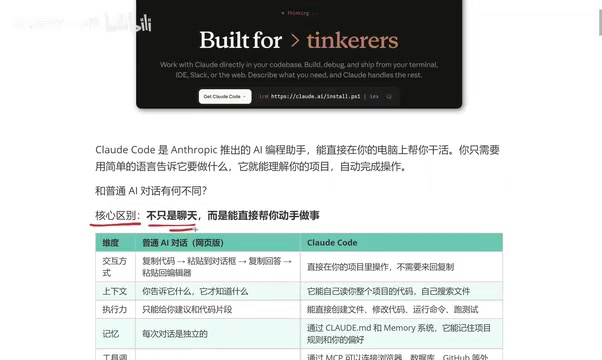
What Is Claude Code? Five Key Differences from Regular AI Chatbots
Explore the five key differences between Claude Code and regular AI chatbots like ChatGPT and DeepSeek — from interaction, context, execution, memory, to tool integration.