Andrew Ng Partners with Google to Launch Complete Gemini CLI Tutorial: From Beginner to Advanced Automation
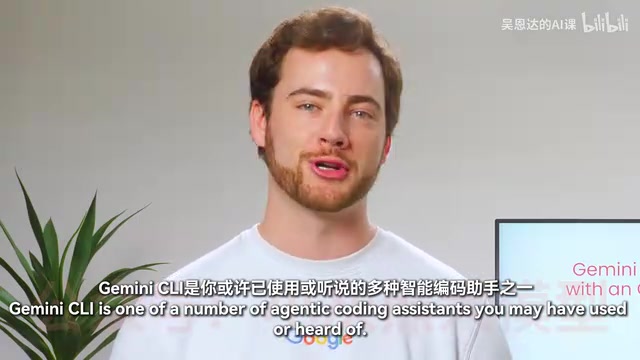
Andrew Ng and Google launch a free course teaching Gemini CLI from basics to advanced agentic automation.
Andrew Ng and Google have released a comprehensive free course on Gemini CLI, the open-source agentic coding assistant. Taught by Google Developer Advocate Jack Weatherspoon, it covers installation, context and memory engineering, MCP server integration, and advanced automation workflows. The course uses an AI conference planning project as a hands-on case study, demonstrating website development, marketing material creation, data dashboards, and GitHub Actions integration.
Course Overview
Andrew Ng has partnered with Google to launch a brand-new Gemini CLI course, taught by Google Developer Advocate Jack Weatherspoon. The course systematically covers everything from installation basics to advanced automation workflows, teaching developers how to use Gemini CLI — an open-source intelligent coding assistant — to dramatically boost development productivity.
In his course introduction, Andrew Ng candidly shared: "Especially for prototyping, I almost never write code by hand anymore. Instead, I let AI coding assistants write the code. This has dramatically accelerated my productivity and that of many other developers."

What is Gemini CLI?
A New Paradigm for Intelligent Coding Assistants
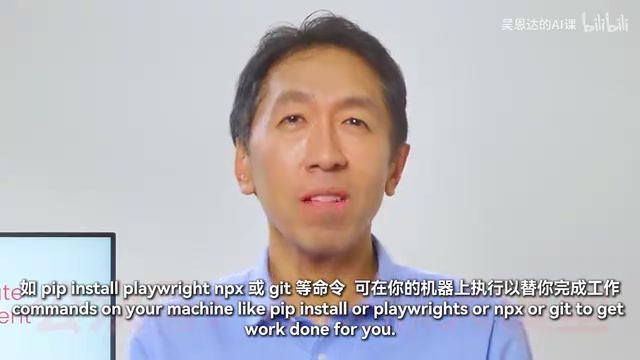
Gemini CLI is a command-line intelligent coding assistant developed by Google. It belongs to the same "Agentic Coding Assistant" category as Cloud Code, OpenAI Codex, and similar tools. The core value of these tools lies in their ability to access your local machine and, once authorized, execute various commands — such as pip install, playwright, npx, git, and more — to help you efficiently complete development tasks.
With just a small set of tools, these intelligent coding assistants can set up the required development environment and rapidly build complete applications or feature sets.
The Advantage of Being Fully Open Source
One of Gemini CLI's major highlights is that it's fully open source. Every line of code is publicly available on GitHub, including the actual instructions and System Prompts. The community has already contributed thousands of Pull Requests, including popular features like session management. Andrew Ng specifically emphasized: "Open-source software is very important for innovation, especially in the AI era."
Detailed Course Content
A Complete Learning Path from Beginner to Advanced
The course is designed with a progressive learning path:
- Installation & Basic Usage: Install Gemini CLI from scratch and master the most common built-in tools and usage patterns
- Context & Memory Engineering: Learn how to optimize Gemini CLI's context and memory settings for more precise outputs
- Multi-Tool Coordination: Organize and coordinate multiple tools and MCP servers to build automated workflows
- Advanced Automation: Use complex automation processes to handle routine tasks like code reviews
Hands-On Project: Full AI Conference Planning Workflow
The course uses planning an AI developer conference (Next AI Dev Conference) as a running practical case study, covering these core tasks:
- Conference Website Development: Use Gemini CLI's native Google Workspace extensions to collaborate with Google Docs and Calendar, building key website features
- Marketing Materials Creation: Create conference marketing materials through the Canva MCP server
- Data Dashboard Construction: Combine attendee data with existing company databases to build analytics dashboards
- Multimedia Content Processing: Transform conference podcasts into social media short videos and posts
- GitHub Actions Integration: Automate code review processes using GitHub Actions
MCP Server and Tool Ecosystem Integration
The course places special emphasis on Gemini CLI's integration capabilities with MCP (Model Context Protocol) servers. By coordinating local files and cloud services, developers can:
- Seamlessly switch between local development environments and cloud services
- Use native Google Workspace extensions to handle documents and calendars
- Connect to third-party services (like Canva) to complete design tasks
- Build cross-platform automated workflows
This means Gemini CLI is not just a coding tool, but a general-purpose intelligent assistant capable of handling non-coding tasks as well.
Course Highlights and Bonus Content
The course also includes a practical bonus scenario: using Gemini CLI to organize and search through messy course materials, making the learning process more efficient. This fully demonstrates the tool's broad application potential beyond software development.
The course was co-produced by Google's Denise Kwan, along with DeepLearning.AI's Isabel Zarro and Ismail Gagari, ensuring professional quality and practical value.
Summary
The launch of this course marks a new stage in AI-assisted programming — evolving from "assisted code completion" to "agentic autonomous execution." For engineers looking to boost their development productivity, mastering Agentic Coding tools like Gemini CLI is no longer optional — it's an essential skill. The course is free and comes with lesson code, making it an excellent learning resource for getting started with agentic programming.
Related articles
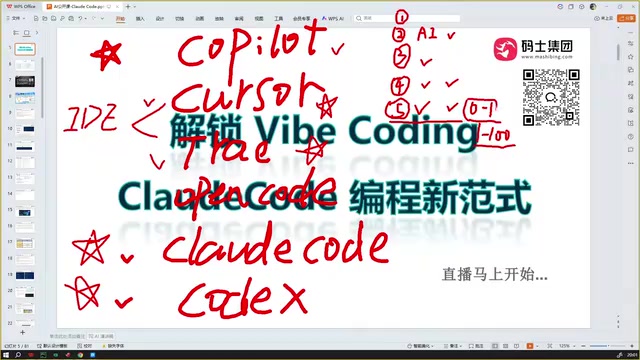
Claude Code Installation Guide & The Five Stages of AI Programming Tools Explained
Complete Claude Code installation guide with the five stages of AI programming tools, from manual coding to agents. Learn 0-to-1 project building and 1-to-100 iteration challenges.

Enterprise-Level AI Project Rules Files: 5 Hard Rules + 6 Writing Techniques
AI keeps messing up your code? Learn 5 hard rules and 6 writing techniques for enterprise-level Rules files in Claude Code, Cursor & more, with templates.
Building Cloud Computing Clusters from Old Phones: Google and UCSD Explore a New Path to Sustainable Computing
Google and UCSD explore building cloud clusters from old phones, leveraging ARM chip efficiency to cut e-waste and data center carbon footprints.