Android App Earning $100K/Month: A 6-Step Google Ads Growth Methodology
How a bootstrapped AI calorie app hit $100K/month on Android using a 6-step Google Ads strategy.
Steve grew Joinable, an AI calorie counter, from under $1K to over $125K/month in 18 months — with 80% of revenue from Android. His 6-step Google Ads methodology covers attribution setup, install campaigns, creative iteration, tCPA optimization, international scaling, and conversion rate improvements. The entire operation runs on a sub-$500/month tech stack.
When everyone else was building AI apps for iOS, one entrepreneur quietly grew a simple calorie counter on Android to $100K per month in revenue. Steve's story not only shatters the industry bias that "only iOS can make money," but also offers a replicable, data-driven growth methodology for mobile apps.
A Minimalist App's Million-Dollar Journey
Steve and his co-founder both went through personal weight loss journeys — Steve himself dropped from 125kg to 80kg, losing a total of 45kg. After years of using various calorie tracking apps, he realized that most products on the market were unnecessarily complex. So they built Joinable, an AI-powered calorie counter.
The app's core philosophy can be summed up in one word: simplicity. Users just type "yogurt, granola, blueberries, and almonds," and the AI returns calorie and macronutrient data for each ingredient. They can also snap a photo of their meal, and the app automatically identifies ingredients, estimates portions, and calculates nutritional data. No complex database searches, no tedious workflows.
Within 18 months, the app grew from less than $1,000/month to over $125,000/month in revenue, with an MRR (Monthly Recurring Revenue) of approximately $80,000 and annualized revenue approaching $1 million. On Android alone, it has nearly 1 million downloads and over 30,000 active subscribers.
Why Android Over iOS
This is the most counterintuitive part of Steve's story: 80% of users and 80% of revenue come from Android.
Conventional wisdom says iOS users have higher willingness to pay, making it the go-to platform for subscription apps. But as a bootstrapped startup with strict budget constraints, Steve's team discovered a very different truth in the data:
- Massive difference in ad costs: CPM (cost per thousand impressions) on iOS is nearly 4x that of Android
- Limited gap in conversion rates: According to RevenueCat's subscription app report, iOS user conversion rates are only about 20% higher than Android
- Better ROI: Spending 4x the ad budget for just a 20% conversion lift simply doesn't make sense for cash-strapped founders
The competitive landscape is even more telling. Over the past few years, as AI lowered the barrier to development, the number of iOS app releases grew by 5x, while Android grew by only 2x. This means iOS is a far more competitive market than Android.
Steve's advice is clear: look for opportunities that have been validated on iOS but don't yet have equivalent products on Android.
The 6-Step Google Ads Growth Methodology
The core of Steve's growth strategy relies on a single channel — Google Ads. He's spent nearly $500,000 on Google Ads in total, with revenue directly attributed to ads roughly breaking even, achieving close to 100% payback.
Here's his six-step growth formula:
Step 1: Set Up Attribution and Data Tracking
Before running any ads, make sure you can track key in-app events: installs, paywall views, free trial starts, completed purchases, and transaction amounts. All of this data needs to be sent back to Google Ads so the algorithm can optimize based on real data.
Step 2: Run Install Campaigns to Accumulate Data
Google's algorithm needs data to "learn." In the initial phase, run install campaigns to help the algorithm build a baseline understanding — learning the cost per install, CPM in your target market, and other foundational metrics.
Google App campaigns require 10 pieces of copy (5 headlines + 5 descriptions), plus up to 20 images and 20 videos. Steve's advice: even if you're using stock assets, just get it running so the algorithm can start learning as soon as possible.
Step 3: Iterate on Creative Assets
Start with a small daily budget of $10–15 and gradually increase. At this stage, the key is to boldly test differentiated creatives rather than obsessing over details like image colors or font sizes.
Steve highlights a commonly overlooked lever: Google App campaigns directly use your Play Store screenshots, title, subtitle, and description, so optimizing your Google Play Store listing is itself the biggest ad creative optimization you can do.
Step 4: Switch to Target CPA Campaigns
Once your creatives are performing consistently, switch to tCPA (target cost per acquisition) campaigns. There's a critical formula for budget setting:
Daily budget = Target event cost × 10
For example, if acquiring a free trial user costs $15, your daily budget should be at least $150. The reason is that Google's algorithm needs at least 10 target events per day to effectively optimize its bidding model.
Step 5: Scale and Expand Internationally
After running for a month or two and accumulating enough purchase data and baseline metrics, you can begin gradually increasing your budget. Steve also shared his international expansion strategy — localizing the app into different countries and languages to tap into global growth potential.
Step 6: Continuously Optimize Product Conversion Rates
This is the core of the entire growth flywheel: constantly improving subscription conversion rates. Optimize paywall design, adjust pricing strategies, and test different subscription plans. Every percentage point increase in conversion rate improves the ROI of your ad spend, which in turn supports larger budgets — creating a positive feedback loop.
Tech Stack: Under $500/Month Supporting Nearly $1M in Revenue
Steve's tech stack leans heavily on the Google ecosystem: Firebase and GA4 for the backend, BigQuery for data analytics, Google Play for distribution, and Google Ads for user acquisition. The AI features use OpenAI's API, and subscription management runs on RevenueCat.
The monthly operational tool costs are surprisingly low:
- Claude Code + Claude Co-work: $100/month (AI coding)
- OpenAI Premium: $20/month (general AI)
- GitHub Copilot: $39/month (code assistance)
- CodeRabbit: $30/month (code review)
- Fixer: $30/month (AI email support)
- n8n: $24/month (workflow automation)
- AppFollow: $180/month (ASO optimization)
- Webflow: $18/month (website)
The entire operational toolkit costs under $500/month, yet it supports a business generating nearly $1 million in annual revenue. This low-cost tech stack is incredibly valuable as a reference for indie developers and small teams.
Key Takeaways for Indie Developers
Steve's story offers several points worth reflecting on:
Let data drive every decision. From choosing Android to optimizing ad spend, every critical decision was based on data — not intuition or "industry consensus." As video host Pat Walls put it: "80% of decisions should be based on your own data."
Think contrarian to find blue ocean markets. When everyone rushes to iOS, Android becomes the blue ocean. WhatsApp used a similar strategy in its early days — while everyone was building iPhone-only apps, they made sure their product worked on every device.
Simplicity is a core competitive advantage. Joinable users actually spend less time in the app than with competing products, but that's precisely where its value lies. In an era of feature bloat, "less is more" remains the golden rule of product design.
Start documenting and sharing your journey early. When asked what he'd do differently if starting over, Steve's answer was surprising — he admitted he was far behind his peers in content creation, calling it a major gap in his business. For anyone building a startup, "build in public" isn't just a marketing tactic — it's a form of long-term compounding.
Related articles

AITS Hands-On Review: API + Web + App Automated Testing All in One Platform
In-depth review of AITS: an AI testing platform covering API automation, Web automation, App real-device cloud testing, and performance testing end-to-end.
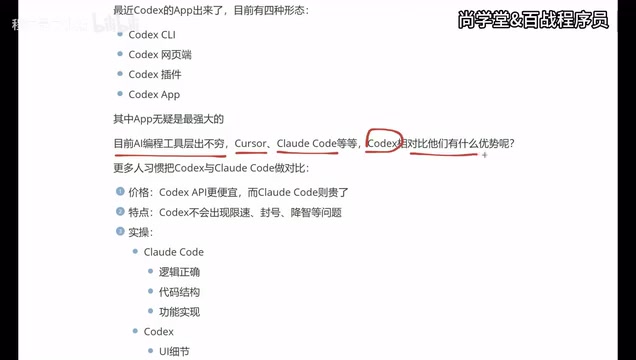
Codex vs Claude Code vs Cursor: How to Choose the Right AI Coding Tool
In-depth comparison of Codex, Claude Code, and Cursor: pricing, stability, and capabilities. Codex excels at frontend UI, Claude Code at backend logic, Cursor remains a stable veteran. Find your best AI coding tool.
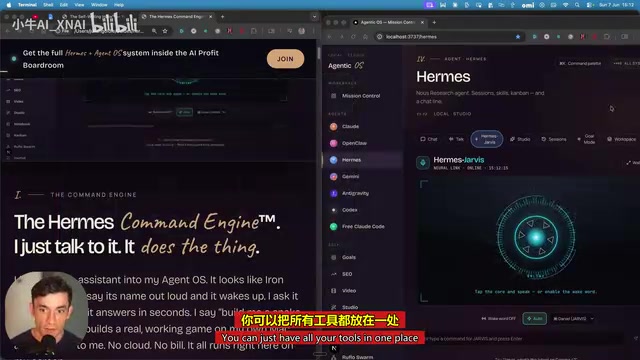
Hermes Jarvis Deep Dive: The Voice-Driven All-in-One AI Assistant
Deep dive into Hermes Jarvis voice AI assistant: its core features, five-layer architecture, multi-model integration, system-level control, and the future of voice-driven AI development.