Auto-Editing Videos with Claude Code: A Complete Hands-On Guide from Raw Footage to Final Cut
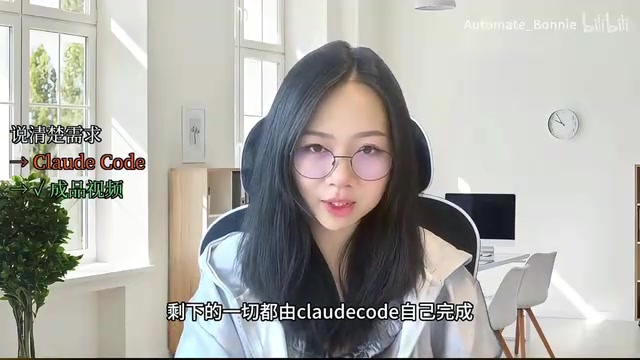
Use Claude Code and VideoIn to automate video editing from raw footage to finished MP4 with natural language.
This guide walks through a complete automated video editing workflow using Claude Code and the open-source VideoIn project. By combining FFmpeg-based video processing, ElevenLabs speech-to-text, and Claude Code's AI agent capabilities, creators can trim pauses, generate subtitles, add transitions, and output finished videos using only natural language instructions — compressing hours of editing into minutes.
The Real Pain Point of Video Editing: Not the Learning Curve, but the Repetitive Grind
The most time-consuming part of video editing has never been mastering the software or dealing with footage quality — it's the endless repetitive mechanical tasks: scrubbing through the timeline frame by frame, cutting out filler words and awkward pauses, adding subtitles sentence by sentence, and going back and forth with editors on revisions. These tasks consume over 80% of the editing workflow, yet require virtually zero creativity.
What if you could hand all that mechanical labor off to AI? Bilibili creator Bonnie shared an automated video editing workflow built on Claude Code: simply describe your editing requirements in natural language, and Claude Code automatically handles pause trimming, subtitle generation, text animations, transitions, background music layering, and more — ultimately outputting a finished MP4 file.
Here's a telling detail: Bonnie's video itself was edited using Claude Code — which is perhaps the best proof of this workflow's viability.
Core Tools: The Open-Source Project VideoIn + Claude Code
The tech stack behind this automated editing solution isn't overly complex. It relies on two key components:
The GitHub Open-Source Project VideoIn
The entire solution is built on an open-source GitHub project called VideoIn. This project provides Claude Code with underlying video processing capabilities, including audio extraction, speech recognition, timeline analysis, clip editing, subtitle rendering, and more. Claude Code calls these tools to achieve full control over the video.
Notably, these video processing operations typically rely on FFmpeg under the hood — an incredibly powerful but notoriously steep-learning-curve open-source multimedia processing framework. FFmpeg can handle virtually any audio/video operation you can think of (trimming, transcoding, filters, compositing, etc.), but it's a pure command-line tool with parameters complex enough to intimidate most users. VideoIn's value lies in wrapping FFmpeg's complex commands into more accessible interfaces, while Claude Code further abstracts these interfaces into operations reachable via natural language, forming a complete pipeline: "natural language → AI agent → toolchain → video output." This means users don't need to understand a single FFmpeg parameter — just describe the desired result in plain language.
Claude Code: More Than Just a Coding Tool
It's worth explaining what Claude Code actually is. Claude Code is a command-line AI programming tool from Anthropic that can understand natural language instructions directly in a terminal environment and execute tasks like writing code, manipulating files, and running system commands. Unlike traditional AI chat assistants, Claude Code has real system interaction capabilities — it can read and write files, install dependencies, run scripts, and call APIs. It's essentially an AI agent with operating system access. This capability transforms it from a simple code generation tool into an automation engine capable of orchestrating complex multi-step workflows, making "editing video with natural language" possible.
ElevenLabs API Integration
The solution also integrates ElevenLabs' API for speech-related processing. Users need to obtain an API Key from the ElevenLabs developer dashboard and configure it in the Claude Code environment.
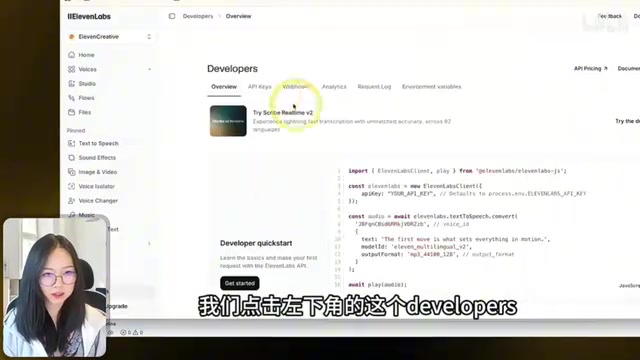
ElevenLabs is a company specializing in AI voice technology, with core products including text-to-speech, voice cloning, and speech-to-text. In this workflow, ElevenLabs' API is primarily used for speech-to-text (ASR — Automatic Speech Recognition), converting spoken content in the video into text with precise timestamps. Timestamp information is critical — it's not only the foundation for generating subtitles but also the core basis for AI to determine which segments are pauses and which are filler words for automatic trimming. Compared to the fully open-source Whisper model, commercial APIs typically perform better in multilingual recognition accuracy and timestamp alignment, which is why this solution chose ElevenLabs.
Chinese Font Compatibility
One common pitfall in practice: Chinese subtitle files will display garbled characters by default. It's recommended to download a Chinese font file into the project directory beforehand to ensure proper subtitle rendering. This detail may seem minor, but it's crucial for Chinese-language users.
The root cause lies in character encoding and font file compatibility. When FFmpeg renders subtitles, it needs a font file containing the target language's character set. Many system-default English fonts (like Arial or Helvetica) don't include Chinese character mappings, resulting in blocks or garbled text during rendering. The solution is to explicitly specify a Chinese-compatible font file, such as Noto Sans CJK or Microsoft YaHei. This issue is especially common in cross-platform development, particularly on Linux servers or macOS English-language systems where Chinese fonts are often not installed by default.
Complete Hands-On Workflow: Four Steps to Automated Editing
Step 1: Environment Setup
Copy VideoIn's setup prompt into Claude Code and execute it — it will automatically clone the project and install dependencies. Then configure the ElevenLabs API Key. The entire environment setup is handled automatically by Claude Code.
Step 2: Import Footage and Analyze Audio
After placing the MP4 video file and background music MP3 file into the working directory, send the first instruction to Claude Code:
"There's a video source file in MP4 format in the current directory. Please use the underlying video processing tools to extract all audio and convert it to timestamped text. Once extraction is complete, print the full transcript in the terminal for me to review. Until you receive my confirmation for the next step, absolutely do not perform any substantive clip editing, animation rendering, or subtitle compositing."
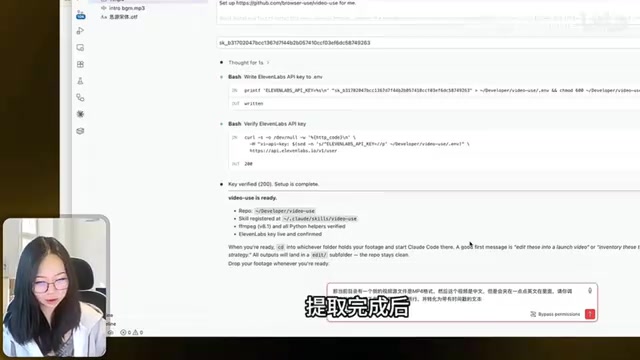
This instruction is carefully designed — it explicitly requires Claude Code not to proceed with subsequent operations without confirmation, preserving a critical human review checkpoint. This is an important principle when collaborating with AI: confirm step by step to avoid AI running through the entire process only for you to discover it went in the wrong direction.
This "step-by-step confirmation" strategy actually borrows from the checkpoint mechanism in software engineering: breaking a large task into multiple stages, pausing after each stage for human review, and proceeding to the next stage only after confirmation. The necessity is clear — once an AI agent begins compute-intensive operations like rendering, the rollback cost is extremely high. If the AI misunderstood the intent at step one but ran through the entire pipeline, the user might need to start over, wasting significant time and compute resources. By setting "human gates" at key checkpoints, deviations can be caught and corrected early, dramatically improving overall efficiency.
Step 3: Issue Editing Rules and Review the Plan
After confirming the transcript is accurate, send detailed editing instructions containing these core rules:
- Auto-trimming: Cut out excessive long pauses and filler words from the video
- Chinese subtitles: Automatically generate and render Chinese subtitles
- Text animations: Automatically generate explanatory animations at points where important concepts are discussed
- Global transitions: Add smooth global transition effects
- Background music: Layer the specified MP3 background music
The key point is that the instructions require Claude Code to output a complete editing plan for human review before executing any rendering. Only after confirming the plan is sound does the user authorize the actual work to begin.
This "plan first, execute second" approach essentially casts the AI in the role of a junior editor who needs to present their plan for approval. The plan typically includes start/end times for each segment, reasons for cuts, subtitle content, animation insertion points, and more. Users can catch AI misjudgments at this stage (such as mistakenly flagging valid content as filler), make corrections, and then move into the time-consuming rendering phase.
Step 4: Execute Rendering and Output
After confirming the editing plan, Claude Code automatically executes all editing operations and outputs a complete finished MP4 video.

Real-World Results and Limitations
From the finished product Bonnie demonstrated, Claude Code's auto-edited video already shows considerable usability: pauses and filler are effectively trimmed, subtitle timing is largely accurate, and transitions are smooth. But Bonnie also candidly noted that AI produces a "first draft" — users need to further polish it according to their own requirements.
This positioning is spot-on. At the current stage, the value of AI editing isn't in fully replacing human editors, but in:
- Compressing editing time from hours to minutes: The most time-consuming tasks — rough cuts, subtitles, basic transitions — are handled by AI
- Lowering the editing barrier: No need to learn the complex operations of Premiere or Final Cut
- Standardizing output quality: For knowledge-sharing and talking-head videos, AI editing quality is already good enough to publish
Of course, for content requiring fine-tuned pacing, emotional impact, or creative editing (such as vlogs, short films, or ads), pure AI editing still falls short. Editing this type of content is fundamentally an art form — the rhythm, shot selection, and audio-visual synchronization all carry the creator's subjective expressive intent, which is precisely what current AI struggles most to understand and reproduce. But for the vast number of tutorial and sharing-style video creators, this workflow already solves 80% of their pain points.
Looking at industry trends, this "AI handles the rough cut + humans do the fine-tuning" model is likely to become the standard video production workflow of the future. Similar trends have already emerged in writing, design, and programming — AI generates the first draft and handles repetitive work, while humans handle creative decisions and quality control.
Implications for Content Creators
This case demonstrates an important trend: Claude Code is evolving from a "coding tool" into an "intelligent agent that executes complex workflows." It can not only understand natural language instructions but also call external toolchains, plan tasks step by step, and interact with users for confirmation — this is already very close to the working model of a junior editing assistant.
This evolutionary direction is known in the AI field as AI Agent. Unlike traditional AI assistants that can only "answer questions," AI Agents can "execute tasks" — they can autonomously plan steps, call tools, process intermediate results, and adjust strategies based on feedback. Claude Code's performance in the video editing scenario is a textbook example of AI Agents moving from concept to practical application. We can expect more and more professional workflows to be redefined by AI Agents in the future.
For video creators — especially solo creators and small teams — this means a massive productivity boost. Editing work that previously required outsourcing or hours of manual effort can now produce a first draft with a single clear instruction. And as open-source tools and AI capabilities continue to evolve, the quality ceiling of this workflow will keep rising.
What's worth learning isn't just the specific operational steps, but the methodology of collaborating with AI: confirm step by step, plan before executing, and preserve human review checkpoints. These principles apply to the design of all AI-assisted workflows.
Key Takeaways
Related articles
Cursor in Action: Building a Library Management System in 15 Minutes — Full Walkthrough
Full walkthrough of building a FastAPI + Vue3 library management system in 15 minutes with Cursor AI, covering structured prompts, Plan & Build strategy, and bug fixes.

Dark Mode for WeChat Mini Programs: One-Click Color Scheme Generation with Pencil MCP
Complete guide to WeChat Mini Program dark mode: from generating dark color schemes with Pencil MCP and AI image generation, to building a Theme.js switching architecture with CSS variables and system dark mode detection.
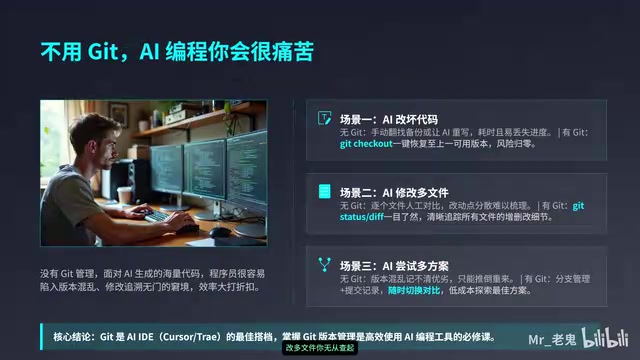
Git Tutorial for Beginners: Essential Version Control Skills for AI-Assisted Programming
Learn Git from scratch and master the 6 most essential commands for AI-assisted programming. Solve the pain of AI breaking your code with proper version control.