Building a Custom AI Agent to Automatically Write a Clock Program: AI-Powered Desktop App Development in Practice
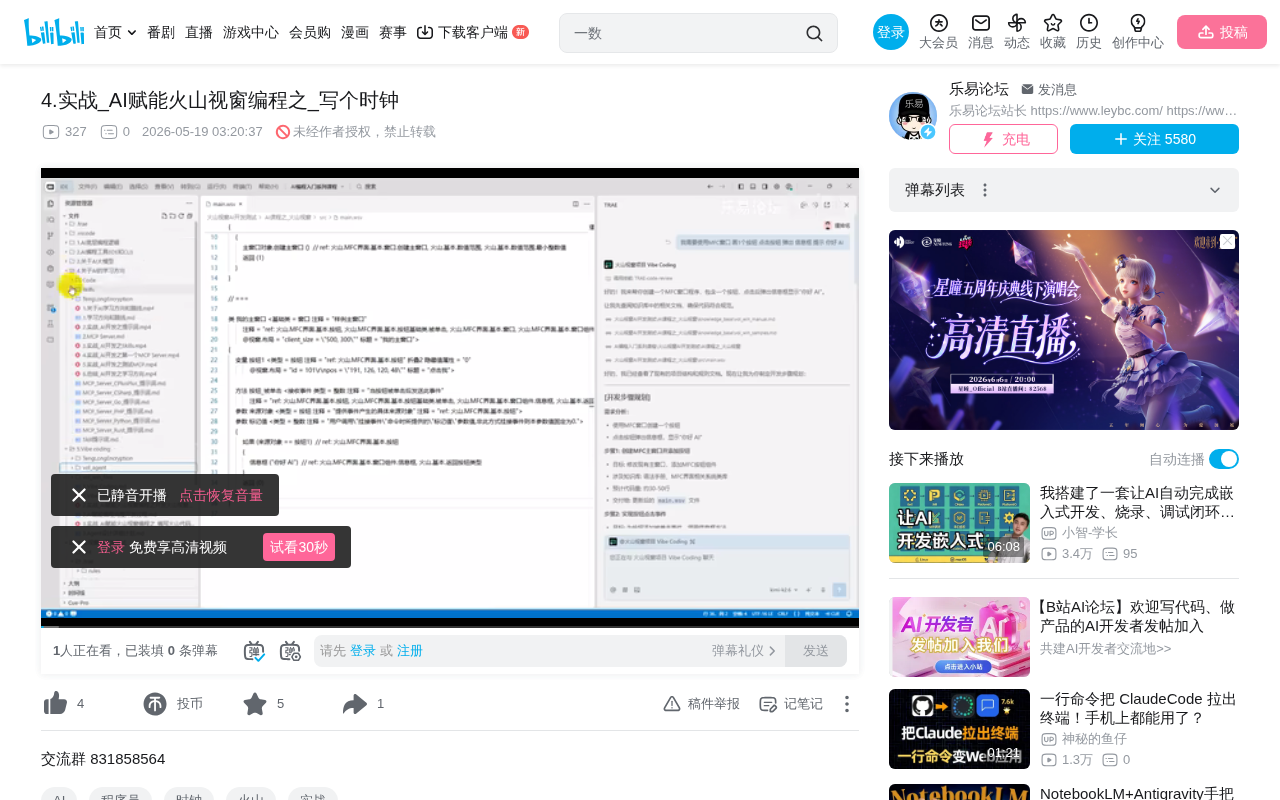
Hands-on walkthrough of an AI agent automatically coding a desktop circular clock program.
This article documents the full process of using a custom AI agent (Kimi 2.6 model) to automatically write a circular clock desktop program on the Volcano Visual platform. The AI goes through requirements analysis, knowledge base retrieval, step-by-step planning, code generation, and self-inspection. The generated code was logically correct but had API naming inaccuracies, which were fixed after feeding compilation errors back to the agent. The case reveals AI's typical behavior in niche programming frameworks: strong on logic, weak on details.
Letting AI Write Desktop Application Code for You
When people think of AI programming, Python scripts or web applications usually come to mind first. But what if AI could help you write a desktop clock program with a graphical interface? In a video series on AI-powered programming with Volcano Visual (火山视窗), Bilibili creator "Chu Mimi" (楚秘密) demonstrated how to use a custom-built AI agent to automatically write a circular clock window program — from requirements analysis and code generation to self-inspection and bug fixing — with almost no manual intervention needed throughout the entire process.
This article provides a detailed breakdown of this hands-on process, analyzing AI's code generation capabilities in niche programming languages, the value of self-inspection mechanisms, and the typical problems and solutions encountered in real-world development.
Project Goals and Technical Background
Specific Requirements for the Clock Program
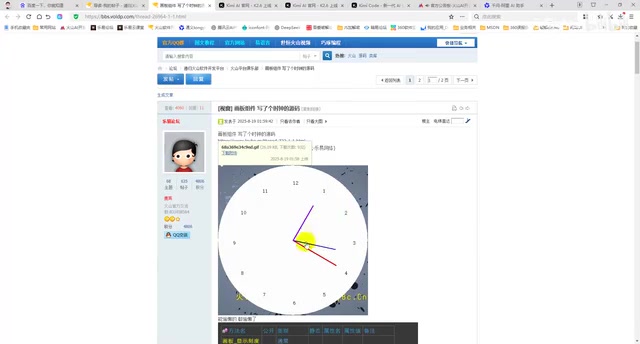
The goal of this demonstration was crystal clear: write a circular clock program using an MFC window (on the Volcano Visual platform) with the following requirements:
- Draw a circular clock face displaying the numbers 1–12
- Include three hands: hour, minute, and second
- Hands should update in real time based on the current system time
Although the requirements seem simple, they involve multiple technical aspects such as trigonometric calculations (sine and cosine for hand angles), canvas bindingm, and timer-driven events — not exactly trivial for developers unfamiliar with graphics programming.
AI Model and Tools Used
The author used a self-configured Kimi 2.6 model rather than the official free version. He specifically noted that the free version can accomplish the same task, though the self-configured model may have slightly slower response times. The entire development environment was built on a custom AI agent set up in previous lessons, equipped with knowledge base retrieval, step-by-step planning, and code self-inspection capabilities.
Full Breakdown of the AI Coding Process
Phase 1: Requirements Analysis and Planning
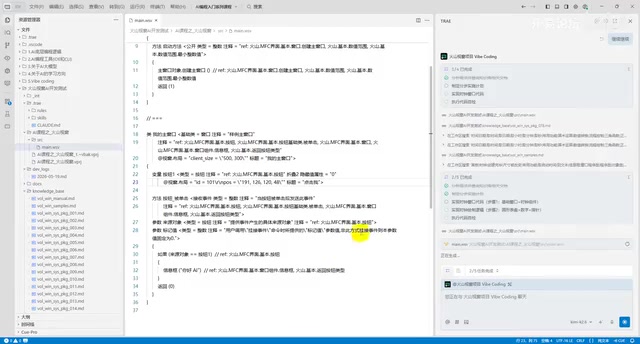
When the user inputs their requirements, the agent doesn't jump straight into writing code. Instead, it first executes the following steps:
- Analyze requirements: Parse key information from the user's description (circular clock, number display, three hands, real-time updates)
- Query the knowledge base: Search relevant documentation, including date/time functions, timers, clock position calculations, trigonometric functions, etc.
- Create a step-by-step implementation plan: Break the task into subtasks such as window creation, clock face drawing, hand calculations, and event-driven logic
This "plan first, execute later" approach is a core design principle of current AI programming agents. Compared to having a general-purpose LLM generate code directly, step-by-step planning significantly improves completion quality for complex tasks.
Phase 2: The "Infinite Loop" Problem During Code Generation
During the actual generation process, a noteworthy issue emerged — the model got stuck in a thinking loop. While searching the knowledge base, the AI fell into a state of repeated queries, continuously cycling through keywords like "client area" without being able to move on to the next step.
The author's approach was straightforward: click the "Continue" button to forcibly interrupt the current loop and let the model restart. He acknowledged that this is a known defect of the custom agent, which can be improved in the future by implementing timeout mechanisms or skip strategies.
This phenomenon is not uncommon in AI programming. When a model faces a knowledge base with large amounts of information but low relevance, it can easily fall into retrieval loops. Solutions include: optimizing knowledge base indexing, setting maximum retrieval rounds, and adding fallback logic to "skip if retrieval fails."
Phase 3: Code Self-Inspection Mechanism
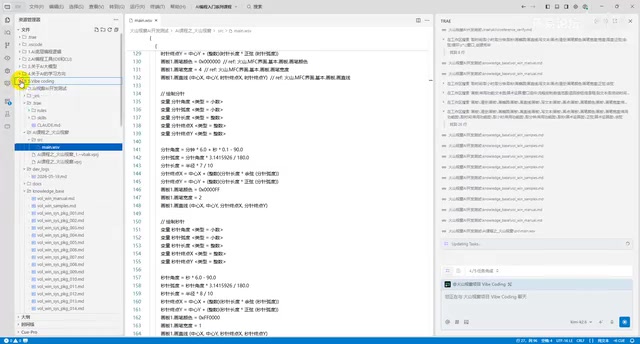
After code generation was complete, the agent entered the self-inspection phase. This is one of the most valuable steps in the entire workflow. The self-inspection checks the logical correctness of the code and automatically attempts fixes if issues are found.
However, the author also pointed out a current limitation of self-inspection: it only performs code logic-level checks and does not include API name accuracy verification. This means that even if the code logic is correct, the self-inspection cannot catch calls to non-existent API methods.
Compilation and Debugging: The Real Quality of AI-Generated Code
Error List from the First Compilation
After placing the AI-generated code into Volcano Visual for compilation, the following typical errors appeared:
- "GetTime" function: The first parameter cannot be omitted
- "Clear" method doesn't exist: The canvas component only has "Erase" (清除), not "Clear" (清空)
- "Cosine" function name incorrect: Should be "CalcCosine" (求余弦) instead of "Cosine" (余弦)
- "Canvas width" property issues
These errors share a common characteristic: the logic is correct, but the API names are inaccurate. This precisely reflects AI's typical weakness when dealing with niche programming languages — insufficient training data for the relevant corpus leads to imprecise recall of specific API names.
The Bug-Fixing Process
The author copied the compilation error messages directly to the agent, and the AI made targeted fixes:
- Changed "Cosine" (余弦) to "CalcCosine" (求余弦)
- Changed "Sine" (正弦) to "CalcSine" (求正弦)
- Corrected the parameter format for "GetTime" (取时间)
- Fixed the canvas clearing API call
Interestingly, the AI was able to find the correct API names in the knowledge base during the fix (e.g., "CalcCosine"), indicating that the knowledge base did contain the correct information — it just wasn't matched precisely during the initial generation.
Final Running Result
The fixed program compiled and ran successfully, presenting a complete circular clock interface. The author himself admitted: "This looks even better than what I would have written myself." The clock featured a complete set of dial numbers, three hands, and real-time tracking of the system time.
The author later proposed a minor optimization — changing the time display from "11:9" to "11:09" with zero-padding — and the AI handled the modification smoothly as well.
Key Takeaways and Insights
AI Programming Performance in Niche Frameworks
As a Chinese-language programming platform, Volcano Visual has far less AI training data compared to mainstream languages like Python and JavaScript. In this scenario, AI's performance shows a clear pattern of "strong logic, weak details":
- Algorithm logic: Core logic like trigonometric calculations, angle conversions, and event-driven patterns were essentially correct
- API details: Specific function names and parameter formats were prone to errors
- Architecture design: Overall code structure was reasonable with clear modular separation
Strengths and Weaknesses of Custom AI Agents
Strengths:
- Customizable knowledge base that can be supplemented with framework-specific API documentation
- Step-by-step planning mechanism improves completion rates for complex tasks
- Self-inspection catches some logical errors
Weaknesses:
- Knowledge base retrieval can get stuck in infinite loops
- Self-inspection doesn't include API accuracy verification
- Cannot directly invoke the compiler for end-to-end validation (newer versions of Volcano Visual support command-line compilation, which can improve this)
Practical Advice for Developers
- Don't expect perfect code on the first try: Even for simple requirements, first-generation code will most likely need debugging
- Build a high-quality knowledge base: For niche frameworks, the completeness of API documentation directly determines generation quality
- Leverage the error feedback loop: Feeding compilation errors directly back to the AI usually leads to quick fixes
- Focus on "reducing errors" rather than "zero errors": The number of errors should decrease with each iteration — that's a healthy development cycle
Conclusion
This hands-on case study demonstrates the real-world capabilities of AI programming in desktop application development: it's not omnipotent, but it can significantly lower the barrier to entry. For developers unfamiliar with trigonometry and graphics programming, what AI accomplishes in a few minutes might take hours to do manually. The key is to set reasonable expectations — treat AI as a "fast but occasionally careless assistant" rather than an "infallible expert."
Related articles
 Tutorials
Cursor + Codex Dual-IDE Collaboration: A Practical Methodology for Open-Source Project Customization
A complete methodology for open-source project customization based on real-world experience, detailing the Cursor+Codex dual-IDE workflow, seven-stage process, MVP validation, and AI source code reading techniques.
 Tutorials
Cursor Multi-Agent in Practice: Building a Full-Stack Next.js Blog in 50 Minutes
Build a full-stack blog in 50 minutes using Cursor IDE's multi-Agent mode with Next.js, Clerk auth, and Supabase. Learn the 4-phase AI Agent workflow and key integration pitfalls.
 Tutorials
Building an AI Software Factory from Scratch: A Cursor Engineer's Hands-On Experience with Multi-Agent Collaboration
Cursor engineer Eric shares practical insights on building an AI software factory: automation levels, guardrail design, parallel Agent management, and scaling to 1000+ Agents for 24/7 development.