CC Switch Tutorial: Connect Claude Code to Domestic Chinese LLMs Without a VPN
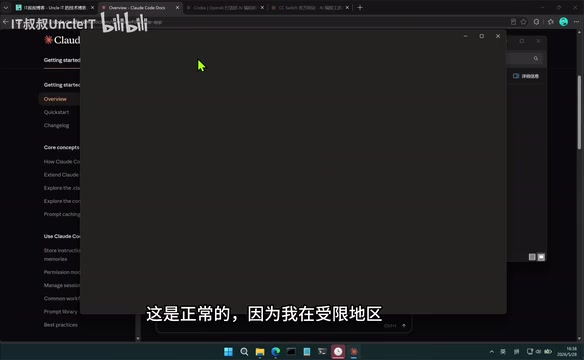
Use CC Switch to connect Claude Code to domestic Chinese LLMs without a VPN or Claude account.
This tutorial shows how to use CC Switch, a lightweight routing tool, to connect Claude Code to domestic Chinese LLMs like DeepSeek, Kimi, and GLM — no Claude account or VPN required. It covers desktop and CLI installation, configuration steps, and real-world testing with a Gomoku game that cost only ¥0.17. The solution preserves Claude Code's engineering capabilities while dramatically reducing costs.
Introduction
Claude Code, the powerful AI programming tool from Anthropic, has gained a strong following among developers for its excellent code generation and project management capabilities. Anthropic was founded in 2021 by former OpenAI Research VP Dario Amodei and others as an AI safety company, and its Claude model series has consistently ranked among the industry's best for code generation and long-context understanding. However, due to regional restrictions, some users cannot directly access and use the tool. This article introduces a practical solution — using the CC Switch tool to connect Claude Code to domestic Chinese LLMs like DeepSeek, Kimi, Xiaomi Mimo, and GLM, without needing a Claude account or a VPN. It's both cost-effective and practical.
How CC Switch Works & Tool Preparation
Core Concept
The core of this solution uses CC Switch as an intermediate routing layer that forwards Claude Code's requests to the API endpoints of domestic Chinese LLMs. The working principle is similar to a reverse proxy in networking: in the traditional architecture, the Claude Code client sends requests directly to Anthropic's API servers, which return model inference results. With CC Switch in place, it listens locally for Claude Code's API requests, intercepts them, repackages them into a format compatible with the target LLM (e.g., DeepSeek), and forwards them to the corresponding domestic model service endpoint. This "protocol conversion + request forwarding" pattern is increasingly common in AI toolchains — similar projects include one-api, LiteLLM, and other open-source gateways, all dedicated to unifying API interface differences across LLM providers so that upstream applications don't need to worry about the specific implementation of the underlying model.
This way, you can enjoy Claude Code's excellent interactive interface and engineering capabilities while leveraging the inference power of domestic Chinese LLMs, avoiding registration and network access restrictions.
Claude Code's Engineering Capabilities
Claude Code is popular among developers not just because of the code generation quality of its underlying model, but also because of its well-designed engineering features. It has built-in file system awareness, capable of reading project directory structures and understanding inter-file dependencies. It supports multi-turn conversation context management, allowing continuous code iteration within a single session. It also has command execution capabilities, able to run build, test, and other commands directly in the terminal. This combination of capabilities elevates it from a simple "code completion tool" to an "AI Coding Agent." Even when the underlying model is swapped out for a domestic Chinese LLM, these engineering framework capabilities are fully preserved — and that's exactly where this solution's value lies.
Two Software Tools to Install
- Claude Code: Available in desktop and command-line (CLI) modes
- CC Switch: Handles routing and forwarding, directing requests to domestic Chinese LLMs
Important: It's recommended to install Claude Code first, then CC Switch, to avoid configuration override issues.
Installing and Configuring Claude Code Desktop
Desktop Installation Steps
Claude Code desktop is available for macOS, Windows (ARM/x86), and other platforms. In restricted regions, the official website may not allow direct downloads since the installation process requires an internet connection to download the main package. The workaround is to obtain the complete installation package in advance and install it offline.
After installation, the first launch will show a blank interface — this is normal because it cannot connect to Anthropic's official servers.
CC Switch Configuration Tutorial
CC Switch is a lightweight tool (only about 12MB), available as a portable version that requires no installation — just extract and run. Configuration steps:
- Extract CC Switch and run it, then pin it to the system tray
- Switch to "Desktop Mode" (you can toggle between CLI mode, Desktop mode, OpenAI Codex, Gemini CLI, etc. at the top of the interface)
- Click the plus icon in the upper right corner and select the LLM to add (e.g., DeepSeek)
- Enter the corresponding API Key
To get an API Key using DeepSeek as an example: Go to the DeepSeek Open Platform (platform.deepseek.com), log in, create and copy a key from the "API Key" page. The DeepSeek Open Platform typically provides new users with a certain amount of free tokens, enough for initial experimentation and testing.
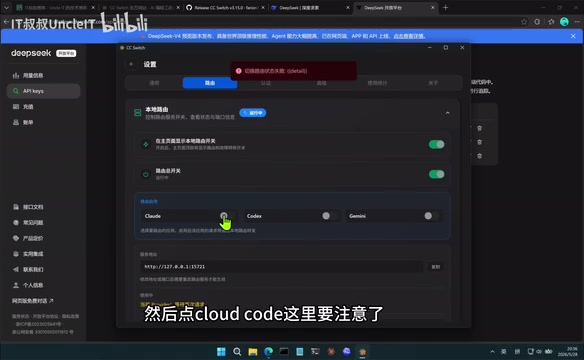
Key Settings
- Enable the "Route" toggle at the top of the CC Switch main interface
- Go to Settings → Route, and check the first option
- Click the "Claude Code" option: macOS users must enable the corresponding toggle; Windows users can leave it off
- To enable developer mode: Help → Enable Developer Mode → After restarting, check the configuration file in the Developer menu
After completing the configuration, reopen Claude Code desktop and it should connect successfully — the interface will recognize DeepSeek's model options.
Installing Claude Code CLI Mode
Claude Code CLI mode is downloaded from GitHub, with versions available for Linux and Windows. macOS users install via npm (which requires Node.js first). npm (Node Package Manager) is the most popular package manager in the JavaScript ecosystem. macOS users can quickly install Node.js and its bundled npm via Homebrew by running brew install node.
Windows users download the archive for their architecture, extract it, and double-click to run. The first launch will also crash (unable to connect to official servers) — at this point, go back to CC Switch's CLI mode page to add the LLM and API Key.
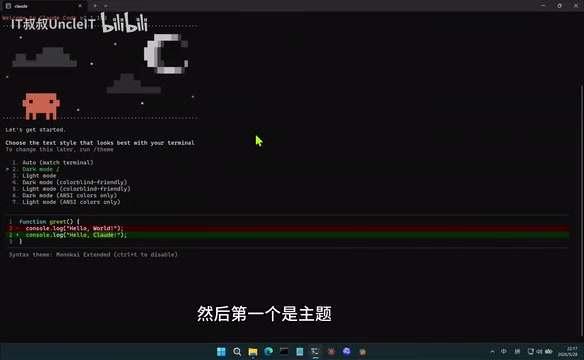
After launching CLI mode again, complete the following steps:
- Select a theme (dark mode by default)
- Confirm the working directory
- Choose file read/write permissions (option 4 is sufficient)
Once in the conversation interface, the experience is identical to the desktop version.
Hands-On Test: Generating a Gomoku Game with Domestic Chinese LLMs
Desktop Test Results
Create a new project folder called "Gomoku" in the desktop version, set permissions to "Always Allow" (to write code without confirmation prompts), then enter a prompt asking the AI to build a web-based Gomoku mini-game.
After thinking, DeepSeek generated an HTML file in the directory that can be opened directly in a browser. Testing confirmed the game functions correctly, including win/loss detection, move restrictions, and other basic logic. Although Gomoku has simple rules, a complete implementation requires handling board rendering, alternating moves, line detection in four directions (horizontal, vertical, and two diagonals), boundary checking, and draw handling — making it a classic test case for evaluating AI code generation capabilities.
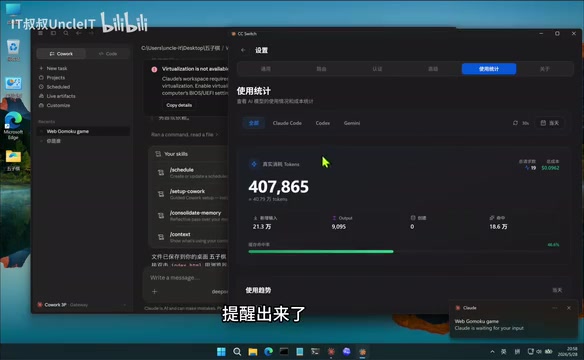
The entire process consumed approximately 400,000 tokens. Tokens are the basic billing unit for large language models, roughly understood as the smallest processing fragments of text — for Chinese, one character is typically encoded as 1–3 tokens; for code, variable names, keywords, and symbols each take varying numbers of tokens. The 400K token consumption includes both input (user instructions + context) and output (model-generated code), which isn't much for a complete mini-game.
CLI Mode Test Results
The same task executed in CLI mode produced a Gomoku game with a different visual style (due to randomness) but equally complete functionality — and even better-looking visuals. This output variation stems from the sampling mechanism of large language models: even with identical prompts, the random sampling during generation (controlled by the temperature parameter) causes each output to differ slightly.
Cost Comparison
Both Gomoku games cost a total of only ¥0.17 RMB — extremely economical. Using DeepSeek API's current pricing as an example, input costs about ¥1/million tokens and output about ¥2/million tokens (even lower with cache hits), which explains why two complete game projects cost only ¥0.17 in total. By comparison, Claude 3.5 Sonnet's official API pricing is $3/million tokens for input and $15/million tokens for output — the same task could cost tens or even hundreds of times more. The cost advantage of using domestic Chinese LLMs is very significant.
Platforms and Models Supported by CC Switch
CC Switch supports not only Claude Code but also multiple AI programming tools:
| Platform | Supported Models |
|---|---|
| Claude Code (Desktop/CLI) | DeepSeek, Zhipu GLM, Xiaomi Mimo, Kimi, etc. |
| OpenAI Codex | Various LLMs |
| Gemini CLI | Select models + custom configuration (supports Ollama local deployment) |
A Brief Analysis of Code Capabilities Across Major Domestic Chinese LLMs
The domestic Chinese LLMs mentioned here each have their own strengths. The DeepSeek-V3/R1 series excels in code generation and mathematical reasoning — its MoE (Mixture of Experts) architecture significantly reduces inference costs while maintaining high performance, which is the technical reason behind its extremely low API pricing. The Zhipu GLM-4 series offers strong Chinese comprehension and coding capabilities, backed by Tsinghua University's technical team. Xiaomi Mimo is Xiaomi's self-developed code LLM, specifically optimized for programming scenarios. Kimi (Moonshot AI) is known for its ultra-long context window, making it suitable for understanding large codebases. On code evaluation benchmarks like SWE-bench, the latest versions of DeepSeek and GLM have approached GPT-4 level performance, and users can flexibly choose based on their specific task requirements.
Ollama Local Deployment Option
CC Switch supports Ollama local deployment, providing another option for privacy-sensitive scenarios. Ollama is an open-source local LLM runtime framework that supports running quantized versions of open-source models like Llama, Qwen, and DeepSeek on personal computers. Through Ollama, users can use AI programming capabilities in a completely offline environment, with code never leaving the local machine. However, local deployment has certain hardware requirements: running a 7B parameter model requires at least 8GB of VRAM, and to achieve results close to cloud APIs, you typically need to run models with 32B+ parameters, requiring a GPU with at least 24GB of VRAM.
Additionally, CC Switch offers a "Unified Provider" feature that allows switching between multiple agents with a single API Key, suitable for centralized management within enterprises.
Summary and Recommendations
The core value of this solution lies in:
- Zero barrier to entry: No Claude account needed, no VPN needed
- Low cost: Using domestic Chinese LLM APIs at extremely low prices (tested at less than ¥0.20)
- Complete experience: Preserves Claude Code's full interactive experience and engineering capabilities
- Flexible switching: Supports multiple domestic Chinese LLMs, allowing you to choose based on task requirements
It's worth noting that domestic Chinese LLMs still lag behind Claude 3.5/4 in code capabilities, and results on complex projects may not match the original. Specifically, for advanced tasks involving large codebase refactoring, cross-file dependency analysis, and complex architecture design, Claude's native models have a more pronounced advantage. However, for relatively independent tasks like single-file code generation, script writing, and algorithm implementation, domestic Chinese LLMs already deliver a quite satisfactory experience. For learning purposes and lightweight development tasks, this solution offers exceptional value for money and is well worth trying.
Key Takeaways
Related articles
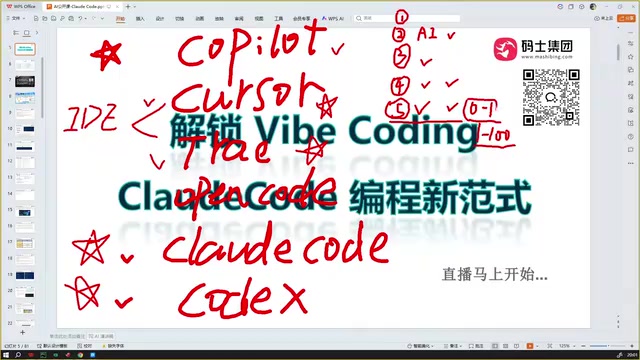
Claude Code Installation Guide & The Five Stages of AI Programming Tools Explained
Complete Claude Code installation guide with the five stages of AI programming tools, from manual coding to agents. Learn 0-to-1 project building and 1-to-100 iteration challenges.

Enterprise-Level AI Project Rules Files: 5 Hard Rules + 6 Writing Techniques
AI keeps messing up your code? Learn 5 hard rules and 6 writing techniques for enterprise-level Rules files in Claude Code, Cursor & more, with templates.
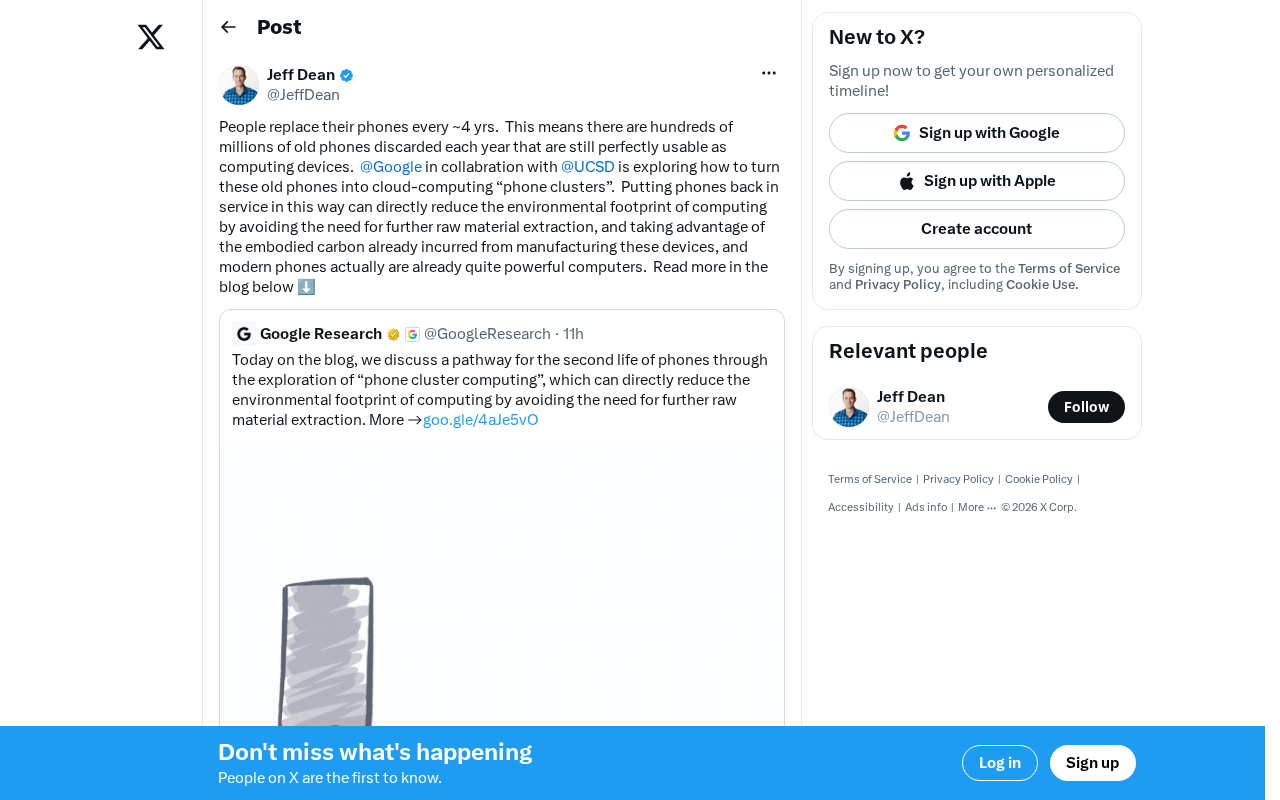
Building Cloud Computing Clusters from Old Phones: Google and UCSD Explore a New Path to Sustainable Computing
Google and UCSD explore building cloud clusters from old phones, leveraging ARM chip efficiency to cut e-waste and data center carbon footprints.