Claude Code GUI: CC Park Lets You Ditch the Command Line with One Click
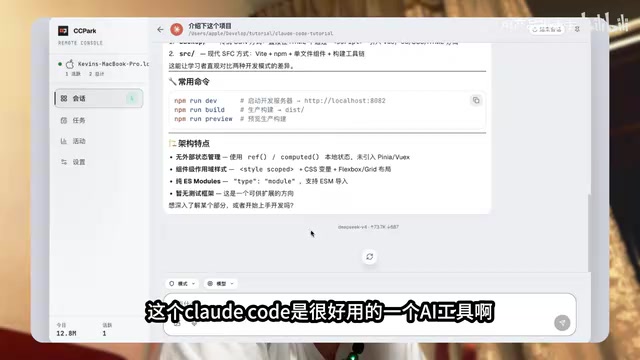
CC Park adds a browser-based GUI to Claude Code, making it accessible without command-line skills.
CC Park is a lightweight tool that wraps Claude Code in a sleek Web graphical interface, letting users operate Anthropic's powerful AI coding agent directly from the browser. It bridges Claude Code's CLI input/output to a frontend with syntax highlighting, Markdown rendering, and intuitive conversation management — all without modifying the core engine. The result: full coding capabilities with a dramatically lower barrier to entry.
Claude Code, the powerful AI coding tool from Anthropic, has won over a huge number of developers with its outstanding code capabilities. However, its dark command-line interface has also scared off quite a few users. Now, a tool called CC Park lets you operate Claude Code through a sleek graphical interface right in your browser, dramatically lowering the barrier to entry.
The Interface Pain Point of Claude Code
Claude Code's core capabilities are beyond question — it excels at code comprehension, generation, and debugging, making it one of the most popular AI coding tools available today. But for many users, the pure command-line interaction is a significant hurdle.
Claude Code is a command-line-native AI coding tool launched by Anthropic in 2025. It runs directly in the terminal environment, capable of reading project files, understanding codebase context, executing shell commands, and making code modifications. Unlike IDE-embedded coding assistants such as GitHub Copilot, Claude Code adopts an agentic coding paradigm — it doesn't just generate code snippets but can autonomously plan tasks, browse the file system, run tests, and iteratively fix issues. This command-line-native design philosophy stems from the Unix tradition: building tools as composable command-line programs that collaborate with other tools through pipes and scripts. This gives Claude Code exceptional flexibility and automation potential, but it also means users need basic terminal skills, including directory navigation, command input, and output interpretation.
You might think of the Claude Desktop App, but it's positioned more toward everyday conversation and chat scenarios, with relatively weak coding capabilities — it can't replace Claude Code's role in development workflows.

Specifically, the Claude Desktop App is a desktop client from Anthropic aimed at general users, essentially a native application wrapper around the claude.ai web version. It supports multi-turn conversations, file uploads, image understanding, and extends integration with local tools through the MCP (Model Context Protocol). However, Claude Desktop lacks the key development capabilities that Claude Code offers: it cannot directly access and modify the project file system, cannot execute terminal commands, and cannot perform context-aware reasoning at the codebase level. In short, Claude Desktop is a general-purpose AI assistant, while Claude Code is a professional development environment agent — the two target fundamentally different use cases.
This creates an awkward situation: if you want powerful coding capabilities, you have to put up with the command line; if you want a friendly interface, the coding capabilities fall short.
CC Park: One Command to Give Claude Code a Graphical Interface
The good news is that CC Park offers a lightweight solution. It wraps Claude Code in a beautiful Web GUI, and the entire process is remarkably simple.
CC Park works by building a Web UI middleware layer on top of Claude Code's command-line interface. Specifically, it launches a lightweight local web server that bridges Claude Code's input and output to the browser frontend via WebSocket or similar real-time communication protocols. Commands entered by the user in the browser are forwarded to the underlying Claude Code process, while Claude Code's responses are processed by the frontend rendering engine and displayed on the webpage with rich text, syntax highlighting, Markdown rendering, and more. This architectural pattern is not uncommon in the development tools space — Jupyter Notebook is a classic example of wrapping a Python kernel in a web interface. CC Park's advantage is that it's a pure UI layer that doesn't modify Claude Code's core logic, thus fully preserving all of its functionality.
Installation and Usage Steps
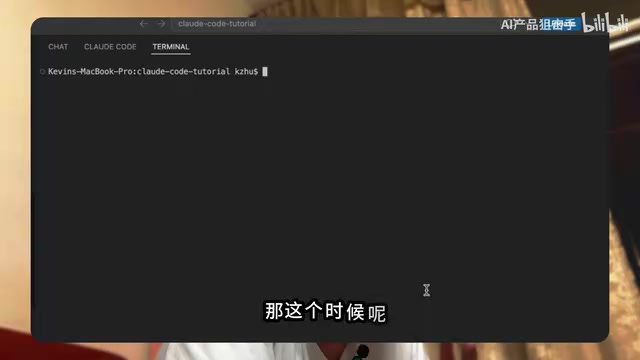
- Install and run the relevant commands: Run the installation command in your terminal to complete the basic setup.
-
Launch CC Park: After running the startup command, the tool automatically generates a local link.
-
Access the GUI in your browser: Open the link in your browser, and you'll see a brand-new Claude Code graphical interface.
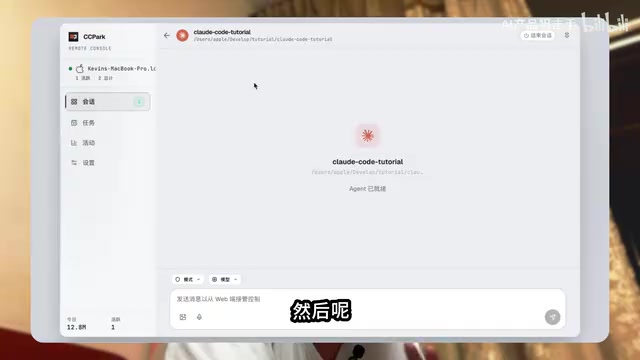
The entire process requires no complex configuration and can be deployed in just a few minutes.
The Practical Value of CC Park
From a practical standpoint, CC Park addresses a real pain point:
- Lower barrier to entry: Users unfamiliar with the command line can smoothly access all of Claude Code's coding capabilities
- Enhanced interaction experience: The graphical interface presents information more intuitively, with friendlier details like code highlighting and conversation management
- Core capabilities preserved: It still calls Claude Code under the hood, so coding capabilities remain fully intact
You may not have noticed, but this type of third-party UI wrapper tool has already become a small trend in the open-source community. As command-line AI tools like Claude Code and Gemini CLI gain popularity, projects providing friendlier frontend interfaces for them are multiplying.
The driving force behind this is the divergence of user groups: experienced developers prefer the efficiency and scriptability of the command line, while a broader user base — including junior developers, designers, product managers, and others — needs lower cognitive overhead and more intuitive visual feedback. With the concentrated emergence of terminal-native AI tools like Claude Code, Gemini CLI, and OpenAI Codex CLI in 2025, a wave of similar UI wrapper projects has appeared in the community. This "core engine + pluggable frontend" layered architecture also aligns with the separation of concerns principle in software design, letting AI capability providers focus on models and toolchains while the community handles adapting to different users' interaction preferences.
This reflects a growing consensus: Powerful AI capabilities need to be paired with thoughtful interaction design to truly benefit a broader user base.
Conclusion
If you've always wanted to use Claude Code but were put off by the command line, or if you simply want a more comfortable coding interaction experience, CC Park is worth a try. The cost of one command gets you a noticeably better user experience.
Related articles
Gemma 4 Open-Source Model Local Deployment Guide: Ollama Installation & Mobile Setup
Step-by-step guide to deploying Google's Gemma 4 open-source model locally with Ollama and running the lightweight version on mobile with tool calling support.
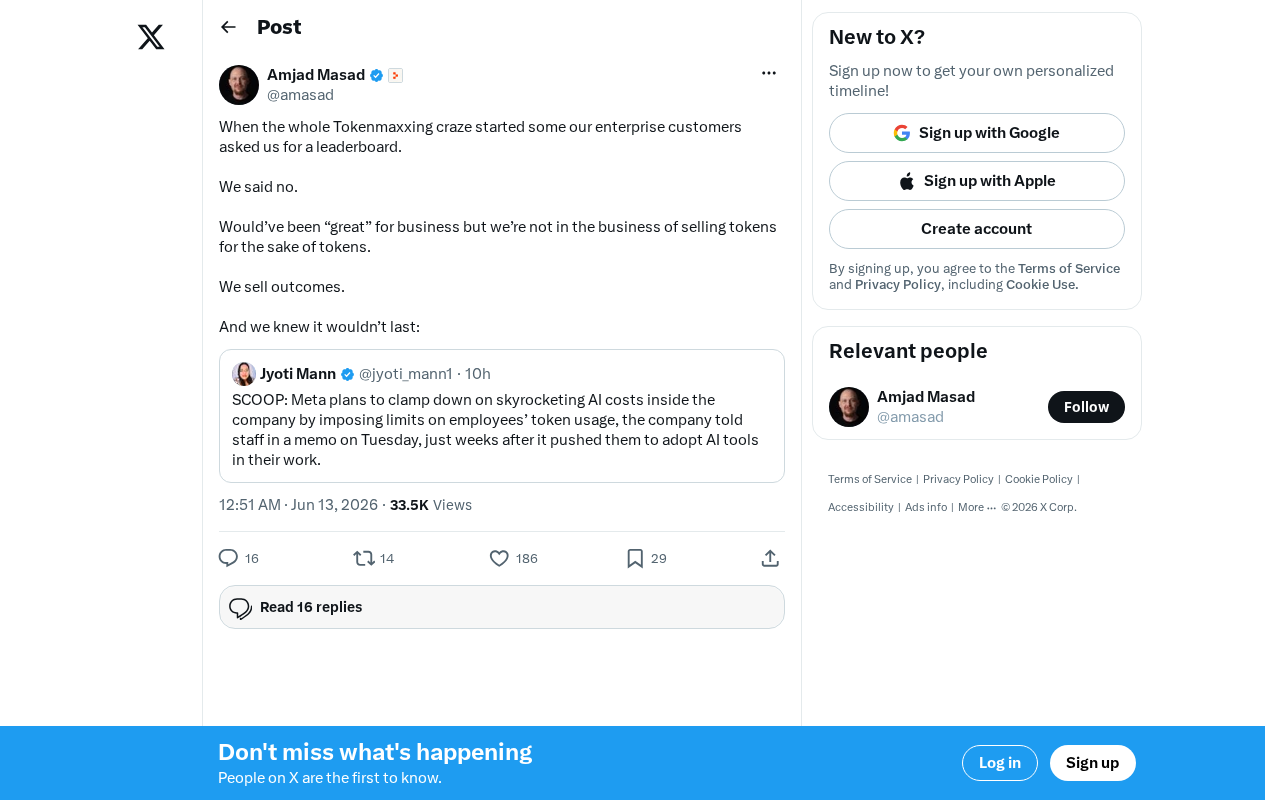
The Decline of Tokenmaxxing: Why Selling Outcomes Matters More Than Selling Tokens
The Tokenmaxxing craze is fading as enterprise AI procurement shifts from chasing Token counts to focusing on actual business outcomes. Learn why outcome-based AI evaluation is the right approach.
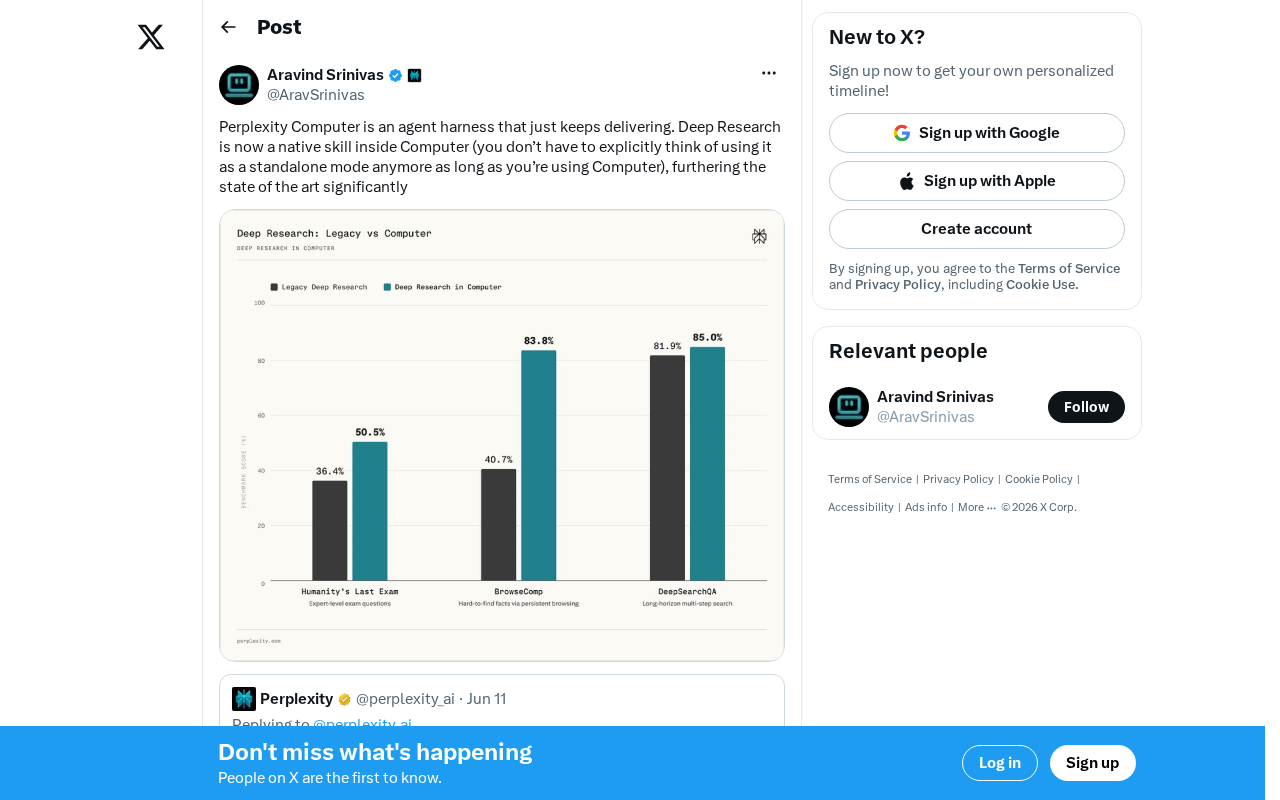
Perplexity Computer Integrates Deep Research as a Native Skill: A New Paradigm for AI Agent Capability Fusion
Perplexity integrates Deep Research as a native skill in Computer, enabling automatic invocation without manual mode switching. Analyzing the Agent Harness design philosophy and AI capability fusion trends.