Claude Code in Practice: A Complete Tutorial for Building a WebSocket Real-Time Chat Room from Scratch
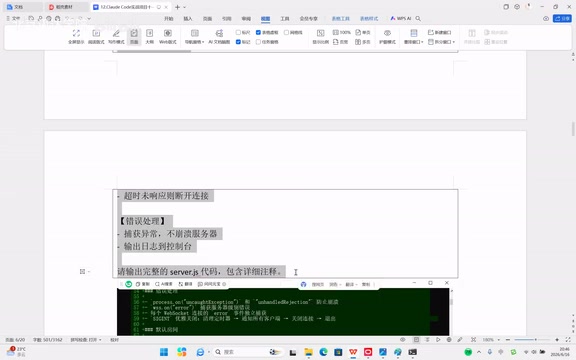
Build a full-featured WebSocket chat room from scratch using Claude Code and natural language prompts.
This tutorial documents the complete process of building a real-time WebSocket chat room using Claude Code powered by DeepSeek. It covers server setup, frontend development, multi-room and private messaging features, bug fixing workflows, and multimedia support — all driven by natural language prompts. Key prompt engineering lessons are shared for effective AI-assisted development.
Project Setup: Environment Configuration and Claude Code Initialization
In an era where AI tools are becoming increasingly prevalent, building a fully functional real-time chat system no longer requires mastery of full-stack development. This article documents the complete process of building a real-time chat room from scratch using Claude Code (powered by the DeepSeek model), demonstrating how to use natural language prompts to drive AI in creating a chat system with multi-room support, private messaging, emoji and image sharing, and more.
The core idea behind the entire project is simple: You only need to describe what you want, and AI writes the code. Encountered a bug? Describe the problem clearly and hand it back to the AI to locate and fix it.
Creating the Project and Installing Dependencies
The first step is straightforward — create a folder named chartroom. Navigate to the directory via the command line and run npm init -y to initialize a Node.js project, which automatically generates a package.json file.
The second step is installing the WebSocket library by running npm install ws. WebSocket is the key technology for enabling real-time communication — it allows persistent connections between server and client for instant message delivery, making it far more efficient than traditional HTTP polling.
From a technical standpoint, WebSocket is a full-duplex communication protocol introduced in the HTML5 specification, providing bidirectional real-time communication over a single TCP connection. Unlike the traditional HTTP request-response model, once a WebSocket connection is established, the server can proactively push data to the client without requiring repeated client requests. This addresses the limitations of earlier real-time web solutions like Long Polling and Server-Sent Events (SSE). The WebSocket protocol uses ws:// or wss:// (encrypted) prefixes, and the handshake phase completes protocol upgrade through the HTTP Upgrade mechanism. In chat application scenarios, WebSocket's low latency and low overhead make it the de facto standard choice.
Launching Claude Code and Establishing Project Memory
Type claude in the command line to launch Claude Code, trust the current folder, and enter the interactive interface. Then input the /init command — Claude Code will create a CLAUDE.md file, which serves as the project's "memory file" for storing project constraints and context information.
Write project constraints in CLAUDE.md: the backend uses Node.js + ws library, the frontend uses vanilla HTML/JS/CSS, and the system supports multi-room functionality, profile pictures, image sharing, and more. This step is crucial — it essentially gives the AI a global "project specification" that all subsequent code generation will reference.
Claude Code is a terminal-based AI programming assistant that can directly read, create, and modify project files, execute command-line operations, and understand the overall project structure. Its core mechanism converts natural language instructions from users into concrete code operations. The CLAUDE.md file design draws inspiration from the "project convention document" concept in software engineering, similar to .editorconfig or README.md, but specifically designed for AI assistants to maintain a consistent understanding of project architecture, tech stack, and coding standards across multiple conversation turns. This "project memory" mechanism effectively mitigates the limited context window problem of large language models.
Core Development: WebSocket Server and Frontend Client
Building the WebSocket Chat Server
Provide Claude Code with a detailed prompt requesting it to develop the WebSocket chat room server (server.js), including:
- Listening on port 3000
- Supporting multiple simultaneous client connections
- Using a dictionary structure to store all connected clients
- A message protocol containing sender name, recipient, room name, message content, and timestamp
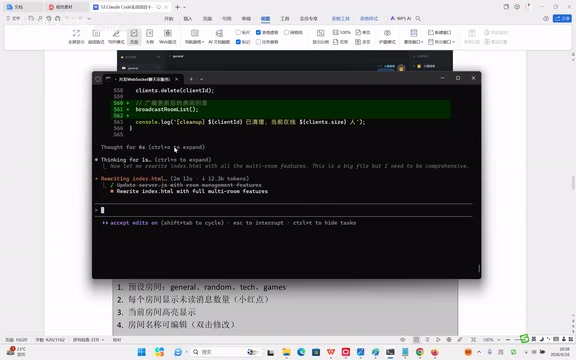
After a moment of processing, Claude Code automatically generated the server.js file. Starting the server with node server.js and seeing the message "WebSocket chat server started, listening on port 3000" confirms the server is up and running.
Building the Frontend Chat Interface
Continue describing the frontend requirements to Claude Code: the page uses a grid layout (top navigation, left room list, center chat area, right user list, bottom input area), includes a user login modal (enter nickname, select avatar), with data saved to localStorage.
localStorage is part of the Web Storage API, providing the ability to persistently store key-value pair data in the browser. Unlike sessionStorage, data in localStorage has no expiration time and persists even after the browser is closed. Each domain typically has a 5-10MB localStorage storage limit. In this chat room project, localStorage is used to store user nicknames, avatar selections, and chat history. It's worth noting that localStorage is a synchronous API, so reading and writing large amounts of data may block the main thread; additionally, data is stored locally only and cannot sync across devices. For production-grade applications, backend databases are typically needed for data persistence and cross-device synchronization.
Claude Code generated the index.html file. Opening it in a browser reveals the complete chat interface. Logging in with two different browsers as "Kitty Meow" and "Puppy Woof" respectively verified that the basic chat functionality works correctly.
Feature Iteration: Bug Fixes and Multi-Feature Expansion
Locating and Fixing the Duplicate Message Bug
During testing, a typical issue was discovered: every sent message appeared twice. After reporting the problem to Claude Code, it quickly identified the cause — messages were being rendered twice: once through the client's "optimistic rendering" and again when the server broadcast it back. The history storage was also saving duplicates.
This involves an important design pattern in frontend development — Optimistic Rendering. This is a strategy where the client displays a message in the local UI immediately after sending, without waiting for server confirmation, to provide instant user experience feedback. This pattern is especially important when network latency is high, but it also introduces message synchronization challenges — if the server broadcasts messages without distinguishing the sender, the client will receive a copy of a message it has already rendered, causing duplicate display. Common solutions include: assigning unique IDs to each message for deduplication, having the server exclude the sender when broadcasting, or having the client mark already-rendered messages.
Claude Code automatically fixed this logic conflict, and the problem disappeared after restarting the server. This process perfectly demonstrates the standard AI programming workflow: Write code → Test → Discover issues → Describe the problem → AI fixes it → Test again.
Multi-Room System and Private Messaging
Through new prompts, the following features were progressively added:
- Multi-room system: Support for creating and switching between different themed rooms, displaying online user counts and unread message counts
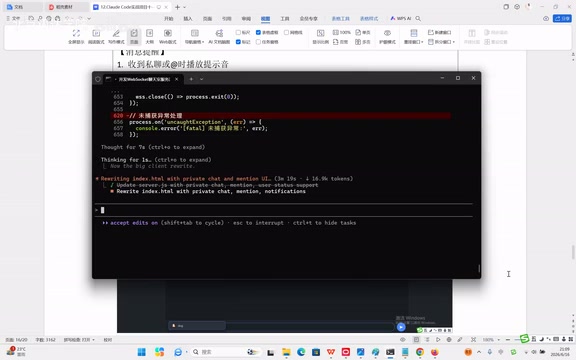
- Private messaging: Typing
@automatically pops up a user list; after selecting a user, private messages are sent with sound notifications for the recipient, plus a "typing..." status indicator
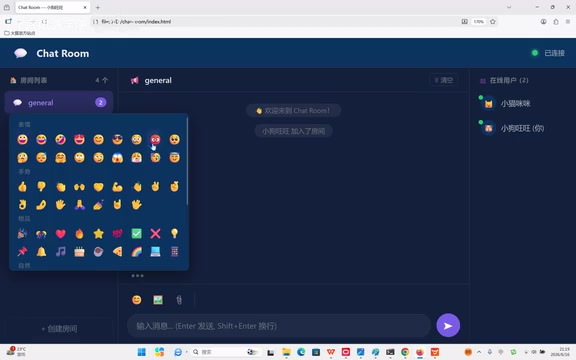
Emoji, Image, and File Sending Features
Multimedia features were further refined. After adding the emoji panel, emoji sending worked correctly. However, image sending had a problem — the recipient saw a string of Base64-encoded characters instead of an image.
Base64 is a method of encoding binary data into ASCII strings, commonly used for transmitting binary content like images over text protocols. In WebSocket chat applications, images are typically read as Base64 strings via the FileReader API before being sent. A 100KB image increases in size by approximately 33% after Base64 encoding, becoming about 133KB of text data. While this approach is simple and straightforward, it's not ideal for large file transfers. In production environments, files are typically uploaded to object storage services (such as AWS S3), with only the file URL transmitted via WebSocket. This project uses the Base64 approach primarily to simplify the architecture and avoid introducing an additional file server.
After describing the problem to Claude Code, it discovered that the server was dropping image-related fields when reconstructing messages, causing the recipient to render image data as plain text. After the fix, both image and file transfers worked correctly. This once again demonstrates the importance of precise bug descriptions for AI fix efficiency.
Message Search and Chat History Export
Finally, search and export features were added to further enhance the chat room's practicality:
- The top search bar supports filtering messages by keyword, time, and sender
- Light/dark theme switching is supported
- Chat history can be exported as a text file for saving
Technical Architecture and Model Selection Summary
The chat room's tech stack is very straightforward:
| Layer | Technology |
|---|---|
| Backend | Node.js + ws library |
| Frontend | Vanilla HTML + CSS + JavaScript |
| Communication Protocol | WebSocket |
| Data Storage | localStorage (client-side) |
| AI Model | DeepSeek (called via Claude Code) |
Interestingly, Claude Code supports integration with multiple models, including OpenAI, DeepSeek, Kimi, and others, allowing developers to flexibly switch based on project needs and model characteristics.
DeepSeek is a large language model series developed by DeepSeek AI, known for its excellent performance in code generation and reasoning tasks. The DeepSeek-Coder series is specifically optimized for programming tasks, supporting multiple programming languages with outstanding capabilities in code completion, bug fixing, and architecture design. By calling the DeepSeek model through middleware tools like Claude Code, developers can get a programming experience similar to GitHub Copilot but more interactive — not only generating code snippets but also understanding the overall project architecture and making coordinated modifications across files. This "model-agnostic" tool design philosophy allows developers to choose the most suitable underlying model based on task characteristics.
Prompt Engineering: The Core Competency of AI Programming
Several key lessons can be distilled from this hands-on case study:
1. Describe requirements in a structured way and progress module by module
Don't vaguely say "build me a chat room." Instead, describe things step by step, module by module — start with the server, then the client, then progressively add features. Each prompt should include specific technical requirements and data structures.
2. Maintain project context to prevent memory loss
Don't close the Claude Code window, or it will lose its project memory. The CLAUDE.md file is designed specifically to address the long-term memory problem — make sure to write it carefully during project initialization.
3. Describe bugs precisely to accelerate problem identification
When encountering issues, don't just say "there's a bug." Instead, say "when sending an image, other users receive a string of characters instead of the image." The more precise the description, the faster the AI can locate the problem and the higher the fix efficiency.
4. Adopt an iterative development strategy
Don't try to describe all features at once. Instead, build the core framework first, verify it works, then progressively add features. This aligns perfectly with the Agile methodology in traditional software development. Agile Development emphasizes delivering working software through short iterative cycles, with each Sprint focusing on the complete implementation and verification of a small set of features. In AI-assisted programming, this methodology applies equally well: each interaction with the AI is like a micro-Sprint, completing a verifiable feature increment, ensuring the project remains in a runnable state at all times and avoiding the risk of large-scale refactoring.
Conclusion: The Right Way to Collaborate with AI in Development
This real-time chat room project went from zero to completion entirely through natural language collaboration with AI, without the developer writing a single line of code by hand. But this doesn't mean programming knowledge is unimportant — quite the opposite. Understanding WebSocket principles, frontend-backend architecture, data flow, and other foundational concepts enables you to write more precise prompts and locate and describe problems faster.
AI tools are redefining what it means to "know how to code": shifting from "knowing how to write code" to "knowing how to describe requirements, break down problems, and verify results." In this transformation, prompt engineering is becoming a fundamental skill that every developer should master.
Related articles
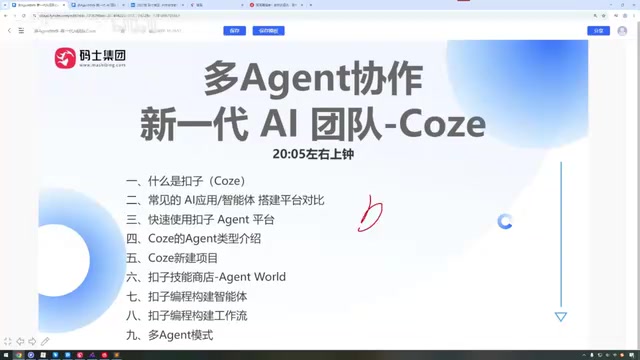
Coze Tutorial: A Complete Guide to Building Multi-Agent Systems from Scratch
A complete guide to building AI agents on Coze, covering core features, Dify comparison, skill store usage, workflow building, and multi-Agent collaboration — no coding required.

Politicization of the 2026 World Cup: How the Trump Administration Is Undermining the Fairness of the Tournament
The Trump administration is politicizing the 2026 World Cup by banning a Somali referee, detaining Iraq's team, and revoking Iran's ticket allocation, sparking global concerns over host fairness.
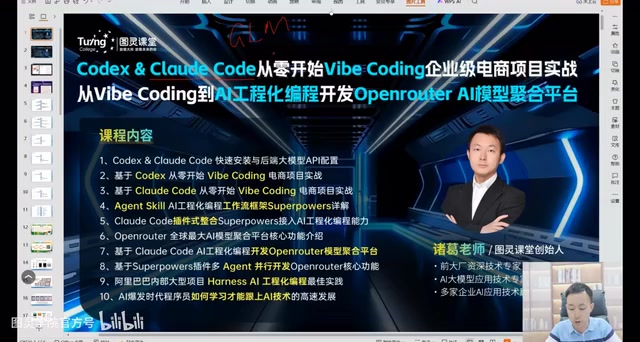
Codex + Claude Code in Practice: From Vibe Coding to Enterprise-Grade AI Engineering
A deep dive into Codex and Claude Code for real-world AI programming—from Vibe Coding prototypes to Plan mode and SuperPAL engineering, with LLM selection strategies and enterprise workflows.