Claude Code Installation Guide: Setup in China & Multi-Model API Integration
A step-by-step guide to installing Claude Code in China with multi-model API integration via CC Switch.
This guide walks through the complete Claude Code installation process for developers in China, covering Node.js and Git setup, bypassing Anthropic's official login verification by modifying config files, and using the CC Switch tool to connect to domestic models like DeepSeek or international models via third-party API proxies. It also covers verification steps and introduces advanced features like MCP.
Claude Code is an AI-powered programming terminal tool developed by Anthropic. Thanks to its outstanding code comprehension and generation capabilities, it has quickly become a popular choice among developers. Unlike competitors such as GitHub Copilot and Cursor, which exist as IDE plugins, Claude Code adopts a terminal-native interaction approach — developers communicate with the AI using natural language directly in the command line, and the AI can read project files, execute commands, and modify code. This design philosophy aligns closely with the traditional Unix philosophy: each tool does one thing well, and complex functionality is achieved through composition. Claude Code's core strength lies in its deep understanding of large codebases, with the ability to analyze cross-file dependencies and perform system-level refactoring.
However, for users in China, the installation and configuration process presents significant hurdles — from setting up the runtime environment to solving the inability to directly connect to Anthropic's official servers. This article, based on a step-by-step tutorial from a Bilibili creator, provides a complete guide for installing Claude Code from scratch and integrating it with multiple AI models.
Environment Setup: Two Essential Dependencies — Node.js and Git
Before installing Claude Code, you need to ensure your system has two foundational dependencies.
Node.js Environment
Node.js is the fundamental runtime dependency for Claude Code. Built on Chrome's V8 engine, Node.js is a JavaScript runtime environment originally created by Ryan Dahl in 2009 to enable JavaScript to run on the server side, outside the browser. npm (Node Package Manager) is the default package manager for Node.js and the world's largest open-source software registry, hosting over 2 million packages. Claude Code depends on Node.js because it is published as an npm package and relies on Node.js's asynchronous I/O capabilities and module loading mechanisms at runtime.
If you've done frontend development or worked with npm before, you likely already have it installed. You can check by running node -v in your terminal to verify the version. If it's not installed, simply download the LTS version from the official Node.js website. LTS (Long Term Support) versions typically receive 30 months of maintenance and are more stable than Current versions, making them suitable for production environments.
Git for Windows
This is a step that Windows users often overlook. Claude Code requires Git to complete its runtime environment — without it, Claude Code won't function properly. Git is a distributed version control system developed by Linus Torvalds (the creator of Linux) in 2005, originally built to manage the Linux kernel source code. In the context of Claude Code, Git provides more than just version control — crucially, it ships with Git Bash, which gives Windows users a Unix-like terminal environment containing many command-line tools that Claude Code needs (such as curl, ssh, etc.). This is why Windows users must install Git for Windows — it essentially fills in the POSIX-compatible toolchain that Windows natively lacks.
Since downloading from the official Git website can be slow in China, it's recommended to use a domestic mirror. The installation process is straightforward — just click "Next" all the way through without any additional configuration.
Claude Code Core Installation Process
Once the environment is ready, you can install Claude Code itself.
Uninstall Previous Versions (If Any)
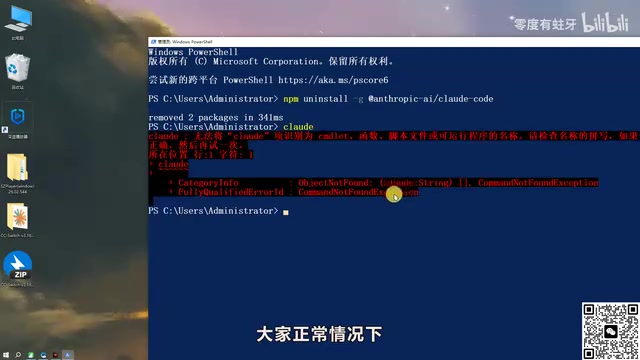
If you've previously installed Claude Code, it's recommended to completely uninstall it first. Open Windows PowerShell (you can run it as administrator via Win + X + A) and execute the global uninstall command:
npm uninstall -g @anthropic-ai/claude-code
After uninstalling, check your user directory for leftover configuration files. The typical path is C:\\Users\\{username}\\ — search for "claude"-related folders and manually clean up any residual configuration directories.
Fresh Installation
There are two installation methods:
-
Method 1 (Recommended): Install globally via npm
npm install -g @anthropic-ai/claude-codeThe
-g(global) flag in npm installs the package to the system's global directory rather than the current project's node_modules. Globally installed packages are registered as system commands and can be invoked from any directory. On Windows, global packages are installed by default in the%AppData%\npmdirectory, and their executables are added to the system PATH environment variable. This is why after globally installing Claude Code, you can simply typeclaudein any terminal window to launch it. If you encounter permission issues, Windows users need to run PowerShell as administrator, while macOS/Linux users may need to use sudo or configure npm's global installation path. -
Method 2: If you have access to international networks, you can install directly through Anthropic's official channel.
After installation, type claude in the terminal. If you see the startup interface, the installation was successful. However, you'll most likely encounter an "unable to connect to server" error — this is because Claude Code connects to Anthropic's official servers by default, which are inaccessible from China.
The Key Trick: Bypassing Official Login Verification
This step is the most critical operation in the entire configuration process.
When Claude Code launches for the first time, it requires you to complete an onboarding guide and log in. But if you plan to use a third-party API, you don't need an official account. The solution is to directly modify the configuration file:
- Locate Claude Code's configuration file, typically at
C:\\Users\\{username}\\.claude\\settings.json - Open the file with Notepad
- Add the parameter
"hasCompletedOnboarding": trueafter the existing content (make sure to use standard ASCII commas) - Press
Ctrl + Sto save
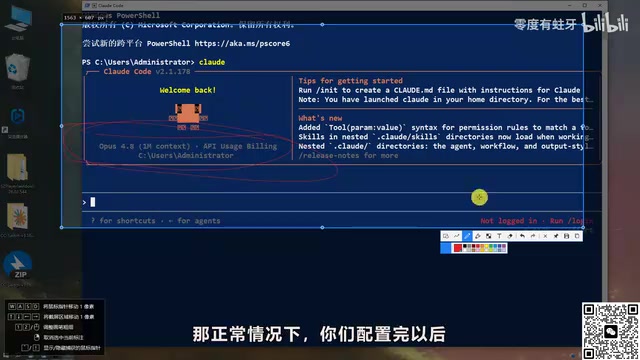
After saving, close PowerShell, reopen it as administrator, and type claude again. If a security warning appears, simply press Enter to skip it. Claude Code should now launch normally, but entering a question will still prompt you to log in — this is where third-party API integration comes in.
Using CC Switch to Connect Domestic and International AI Models
Introduction to CC Switch
CC Switch is an open-source tool specifically designed for managing Claude Code API configurations, supporting one-click switching between different AI service providers. You can download it from GitHub — Windows users should choose the portable zip version, extract it, and run it directly.
The tool's interface has multiple icons at the top, corresponding to configurations for Claude Code, GPT, OpenCode, Gemini, and other tools. We only need to focus on the first Claude Code icon.
Connecting to DeepSeek (Domestic Model Option)
DeepSeek is one of the most widely used AI models among Chinese developers. Developed by DeepSeek (深度求索), its DeepSeek-V3 and DeepSeek-Coder series perform particularly well on programming tasks. DeepSeek-V3 uses a Mixture of Experts (MoE) architecture with a total of 671 billion parameters, but only 37 billion are activated per inference. This maintains high performance while dramatically reducing computational costs — and it's the core reason why DeepSeek's API pricing is far lower than comparable international models. The MoE architecture significantly reduces the compute required per inference. DeepSeek's benchmark scores on code generation and mathematical reasoning tasks are approaching or even surpassing some closed-source models, making it a cost-effective choice for AI-assisted programming among Chinese developers.
Here's how to connect via CC Switch:
- Click the "+" icon in the upper right corner of CC Switch
- Select the preset DeepSeek configuration — the tool will automatically fill in the API address
- Go to the DeepSeek Open Platform to register and add credits
- Create an API Key on the platform and copy it
- Paste the key into the corresponding field in CC Switch
- Click "Add," then click "Start"
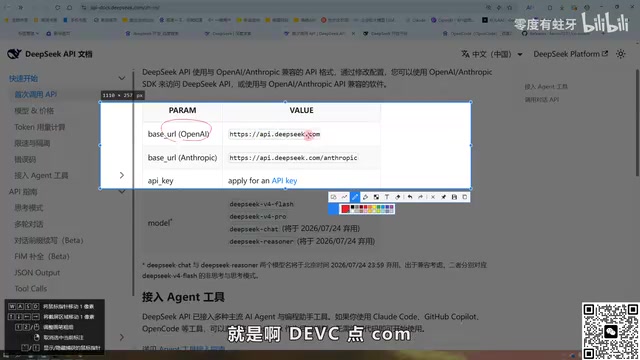
After starting, reopen the Claude Code terminal and you should see a successful connection to the DeepSeek model.
Connecting via Third-Party API Proxy (International Model Option)
If you want to use the original Claude models without paying Anthropic directly, you can do so through third-party API proxy services.
An API proxy (also called an API relay or API gateway) works by placing an intermediary layer between the user and the original API provider. Users send requests to the proxy server, which forwards them to the official API endpoints of Anthropic, OpenAI, etc., then returns the responses to the user. Technically, this architecture is similar to a reverse proxy. These proxy services are typically deployed on overseas servers, enabling normal access to restricted API services.
Security Warning: When using proxy services, be aware of data security risks — all request and response data passes through third-party servers, meaning sensitive code and trade secrets could potentially be exposed. Choose reputable proxy providers and avoid using unknown proxy services for projects involving core business logic.
Steps:
- Register and add credits on the proxy platform to obtain an API Key
- Select "Custom Configuration" in CC Switch
- Enter the name, API Key, and request URL (choose a domestic route)
- Click Add and Start
Once the switch is successful, send a test message in the terminal to verify the connection. The advantage of the proxy approach is relatively lower pricing and access to Claude's latest model versions.
Flexible Multi-Model Switching
The greatest advantage of CC Switch is its support for configuring multiple API endpoints simultaneously. You can add multiple providers — DeepSeek, Kimi, Claude proxy, etc. — and switch between them with one click when needed, without manually editing configuration files. It's recommended to delete any unnecessary default official configurations and keep only the endpoints you actually use.
Post-Configuration Verification Steps
After completing all configurations, verify everything with the following checklist:
- Type
claudein the terminal to confirm it launches normally - Send a test message, such as "What company's model are you?"
- Confirm the response matches the model you configured
If everything works correctly, Claude Code is ready for daily use. You can further configure advanced features like MCP (Model Context Protocol) and custom Skills to enhance your AI programming experience.
MCP (Model Context Protocol) is an open standard protocol introduced by Anthropic in late 2024, designed to provide AI models with a unified interface for interacting with external tools and data sources. Before MCP, every AI tool needed custom integration code for different data sources, resulting in massive duplication of effort. MCP uses a client-server architecture with standardized communication formats, allowing AI models to access file systems, databases, API services, and other external resources through a unified approach. Once MCP is configured in Claude Code, the AI assistant can directly query databases, call internal APIs, read documentation, and more — greatly expanding its capabilities in real-world development scenarios.
Summary
Although the Claude Code installation process involves many steps, the core logic is clear: Set up the environment → Install the main package → Skip official verification → Connect to third-party APIs. For developers in China, the CC Switch tool greatly simplifies the complexity of multi-model management and is an indispensable companion for using Claude Code. Once you've mastered this workflow, whether you're connecting to domestic models like DeepSeek or using the original Claude via proxy services, you'll be able to handle it with ease.
Related articles
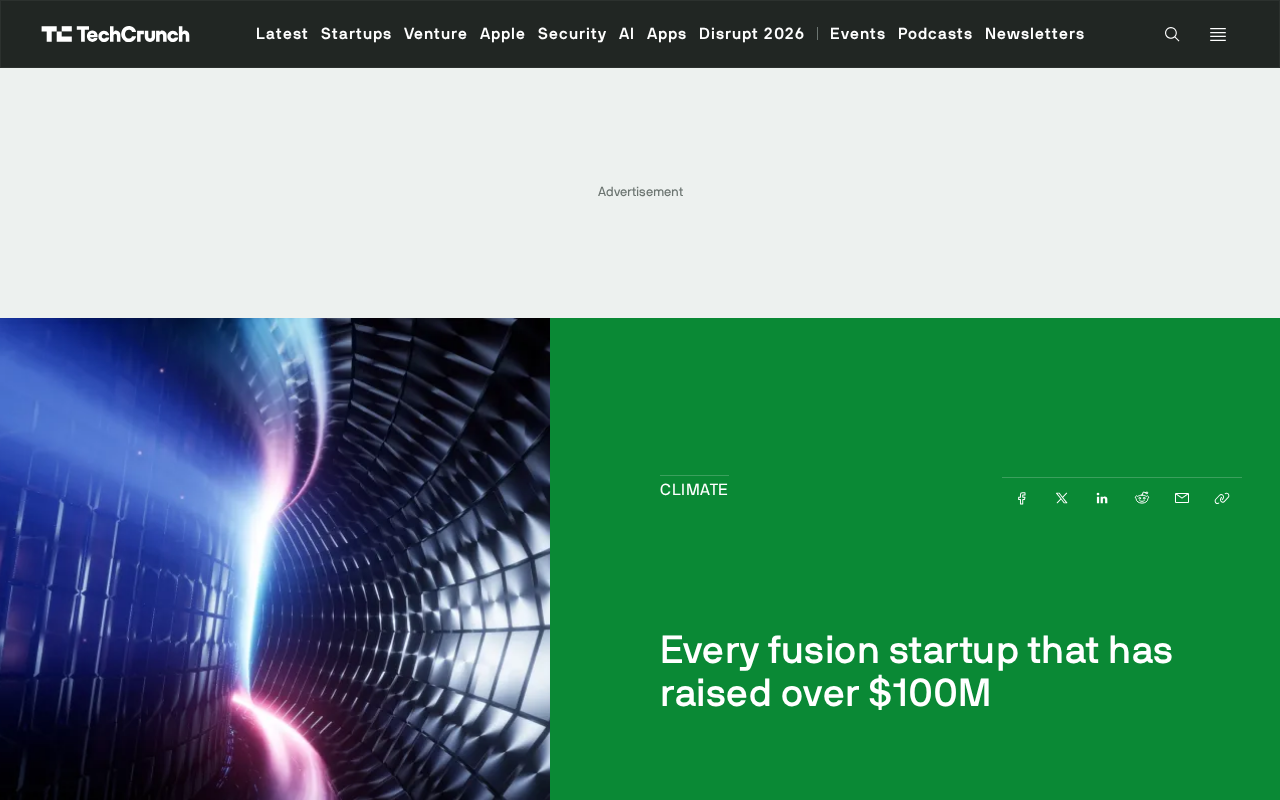
Fusion Startup Funding Landscape: A Deep Dive into the $7.1 Billion Flow and Industry Dynamics
Global fusion startups have raised $7.1B, heavily concentrated in top players. A deep analysis of funding patterns, tech pathways, commercialization challenges, and the investment logic behind this ultimate energy bet.
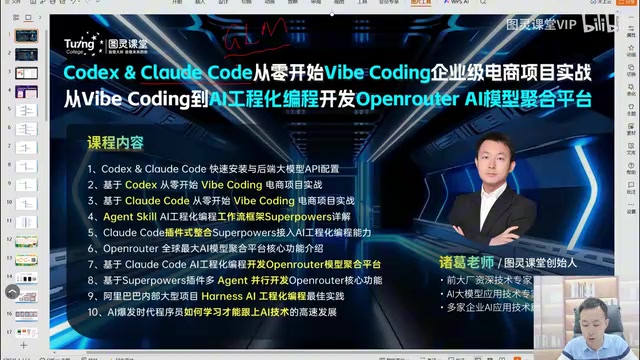
Codex and Claude Code Dual-Engine: A Practical Guide to AI-Powered Engineering
A deep dive into AI engineering with Codex and Claude Code: Vibe Coding limitations, Chinese LLM rankings, Skill-driven development, and enterprise project practices.
Generating a 3D Plants vs. Zombies Game from Pure Text Descriptions — Zero Code Written
A developer generated a complete 3D Plants vs. Zombies game using only natural language on AI platform Codewisp — multiple plant/zombie types, 8 levels, sandbox mode, zero code written.