Claude Code Setup Guide: Complete Walkthrough for Installation, Configuration, and Real-World Coding
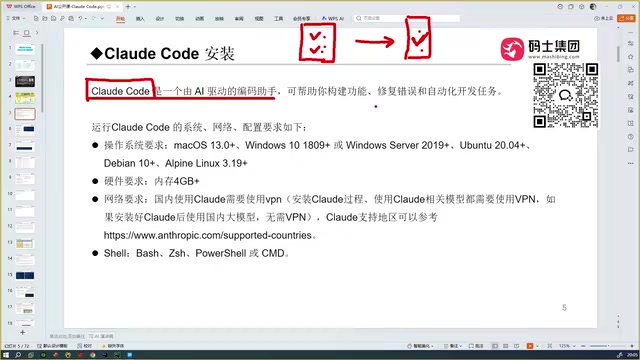
A comprehensive guide to installing, configuring, and using Claude Code as your AI programming assistant.
This guide walks through everything you need to know about Claude Code — Anthropic's project-level AI coding assistant. It covers how Claude Code differs from conversational AI coding tools and standalone IDEs like Cursor and Trae, provides step-by-step installation and environment setup instructions, explains model selection strategies, and offers practical tips for integrating it into your existing development workflow.
What Is Claude Code? Why Developers Are Flocking to It
Claude Code is an AI programming assistant developed by Anthropic. Anthropic is an AI safety company co-founded in 2021 by siblings Dario Amodei and Daniela Amodei, both former OpenAI research executives. The company's core philosophy is building "reliable, interpretable, and controllable" AI systems. Unlike traditional conversational AI coding tools, Claude Code doesn't require a web interface — you install it directly on your local machine and integrate it into your development tools to participate in real project development.
Its core advantage: It can read through all code files in your project, feed the complete project context to a large language model, automatically generate business logic code, debug and fix errors on its own, and ultimately deliver accurate, production-ready code.
This is fundamentally different from conversational coding in DeepSeek or ChatGPT. Conversational AI coding is essentially a "stateless" interaction — each time you chat, the AI can only see the code snippet you've pasted in, lacking awareness of the overall project architecture, file dependencies, configuration files, and other global information. This is a critical shortcoming in software engineering, since modern projects often involve dozens or even hundreds of interconnected files, and modifying a single function may require coordinated changes across multiple modules. With the traditional approach, you only get code snippets that you need to manually copy into your project for testing. When issues arise, you go back to the conversation, and it takes multiple rounds to get correct results. Moreover, conversational AI can't read all the code in your project — if your project has 100 files, it simply can't see them; you have to manually describe the context. Claude Code solves this pain point by reading the local file system, building a complete code index and dependency graph, enabling the AI to generate more accurate, project-compliant code based on full contextual understanding.
AI Programming Assistants Compared: Why Choose Claude Code
Overview of Major AI Programming Assistants
The market for AI programming assistants is already quite rich. From a technological evolution perspective, AI programming assistants have gone through three phases: The first phase was the "code completion" era, where AI auto-completed the current line or function based on context. The second phase was the "conversational coding" era, where developers could describe requirements in natural language and AI would generate complete code blocks. The third phase is the "autonomous coding Agent" era, where AI can not only generate code but also independently read project files, execute terminal commands, run tests, analyze error logs, and iteratively fix issues — forming a near-autonomous development workflow.
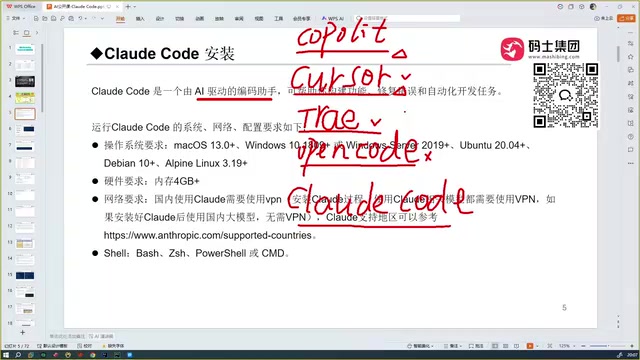
Here's a timeline of the current major tools:
- Copilot: A plugin jointly developed by GitHub and OpenAI (released in 2021) that gave everyone their first taste of the revolutionary experience of AI auto-completing code — the flagship product of the first phase
- Cursor: Took things a step further beyond Copilot with automated coding capabilities, experiencing explosive user growth — the landmark product of the second phase
- Trae: Available in both international and Chinese editions; the Chinese edition is free with excellent Chinese language comprehension, making it ideal for Chinese developers to get started with AI programming at zero cost
- OpenCode: Another programming tool, but the user experience is relatively poor — not highly recommended
- Codex: An OpenAI product that, paired with GPT-5, is said to rival Claude Code — representing another technical path in the third phase
Claude Code's Core Competitive Edge
After hands-on comparison testing, Claude Code's most outstanding advantage is its extremely high code accuracy. While tools like Cursor and Trae can also perform automated programming, Claude Code is clearly a tier above in terms of accuracy.
The fundamental reason behind this: Every programming assistant's capability depends on the underlying large language model. The Sonnet series model behind Claude Code is Anthropic's carefully crafted "optimal balance between performance and speed" — capable of handling complex programming tasks while maintaining fast response times. In multiple authoritative coding benchmarks (such as SWE-bench and HumanEval), Claude series models have consistently ranked among the top for code generation. Additionally, Anthropic offers the more powerful Opus series (focused on deep reasoning) and the lighter Haiku series (focused on fast responses), and Claude Code supports flexible switching to more powerful models based on task complexity.
By comparison, while Trae is free and excels at Chinese comprehension, code quality drops noticeably when dealing with less mainstream tech stacks. Claude Code maintains high accuracy across various scenarios, which is why many programmers report feeling a "deep sense of crisis" after using it.
Step-by-Step Claude Code Installation and Environment Setup
The Fundamental Difference Between Claude Code and Cursor/Trae
There's a crucial concept to clarify here: Claude Code is not an IDE (Integrated Development Environment).
An IDE (Integrated Development Environment) is a software platform that integrates code editors, compilers, debuggers, version control, and other development tools. Cursor and Trae are both standalone IDEs — you download them, double-click to install, and start using them right away. They are essentially built on top of VS Code (Visual Studio Code) — an open-source code editor released by Microsoft in 2015 that quickly became the world's most popular development tool thanks to its lightweight design and powerful plugin ecosystem. Cursor and Trae "fork" (branch develop) from VS Code's open-source codebase, retaining VS Code's core editing experience and plugin compatibility while deeply integrating their respective AI capabilities.
Claude Code, on the other hand, is software that can be integrated into various development tools. You can embed it into:
- Cursor
- Trae (VS Code)
- IntelliJ IDEA (a Java/Kotlin development IDE by JetBrains)
- PyCharm (a Python-specific IDE by JetBrains)
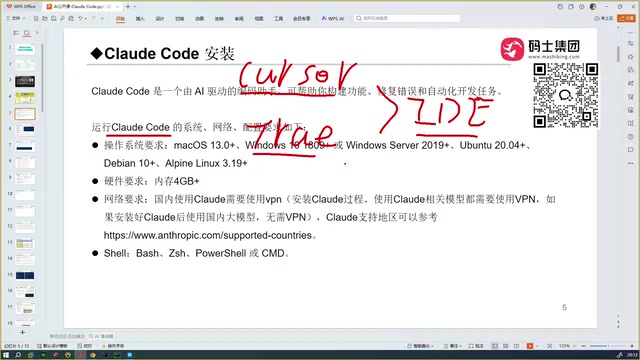
In other words, Claude Code is more of a "plugin-level" tool — it doesn't replace your development environment but enhances it. This "tool-model decoupled" architecture gives it greater flexibility and compatibility. You don't need to switch to an entirely new IDE just to use a particular AI capability, nor will you lose AI assistance due to IDE updates.
System and Hardware Requirements
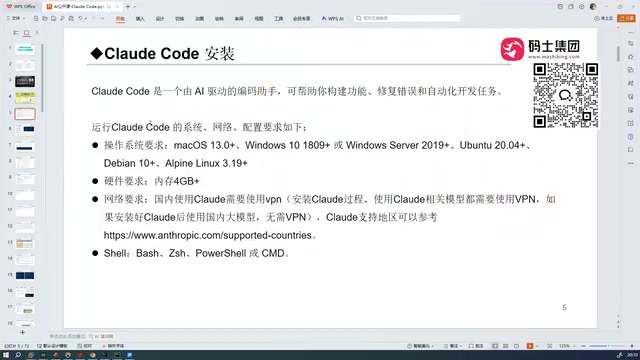
Claude Code supports mainstream operating systems:
- macOS ✅
- Windows ✅
- Linux ✅
For hardware, your computer needs at least 4GB of RAM, which is a low bar that the vast majority of developers' machines can meet. Since Claude Code's core computation (LLM inference) happens in the cloud, with the local machine primarily handling code indexing and file I/O, local hardware requirements are far lower than solutions that deploy models locally.
Network Configuration Notes
This is the most common concern for users in China:
- During installation: A VPN is required, as the installation process needs to download dependency packages from Anthropic's overseas servers — installation will fail without one
- During usage: If you're calling overseas models (such as Anthropic's native Claude series), you'll need to keep the VPN active. However, if you've configured a domestic model, you can use it without a VPN, working directly on the local network
Technically, Claude Code supports connecting to different model providers by configuring API endpoints. Several Chinese cloud service providers (such as Alibaba Cloud Bailian, Volcano Engine, etc.) offer LLM services compatible with the OpenAI API format. Developers can point Claude Code's model call address to these domestic providers' interfaces, bypassing network restrictions. This means that once installation is complete and a domestically available model is configured, the network barrier for daily use is actually quite low.
Usage Tips and Model Selection Strategy for Claude Code
Based on hands-on experience, here are some practical recommendations:
Model Selection
Claude Code defaults to Anthropic's own Sonnet series model, which is the core reason for its high accuracy. Sonnet is positioned as the "workhorse" in Anthropic's model family, delivering balanced and excellent performance in code generation, logical reasoning, and instruction following. It also supports switching to more powerful models — for example, when handling particularly complex architectural design or large-scale code refactoring, you can switch to the Opus series for stronger reasoning capabilities. After comparative testing against domestic models like those in Trae, Qwen, and ERNIE, Claude Code paired with its native models still delivers the best overall performance, with particularly pronounced advantages when working on open-source projects with dense English technical documentation and complex frameworks.
Workflow Integration
It's recommended to integrate Claude Code into the IDE you're most familiar with, rather than switching development environments just for it. If you normally use PyCharm for Python, integrate it into PyCharm. If you use VS Code, use it in VS Code. Maintaining your existing development habits is how you maximize efficiency gains. This is the core value of Claude Code's "plugin-style" rather than "standalone IDE" design — it respects developers' existing toolchains and workflows instead of forcing you to adapt to an entirely new environment.
Cost Considerations
Claude Code is a paid product, which is worth noting. Anthropic offers two pricing models: pay-as-you-go (based on API token consumption) and subscription plans (such as Claude Pro/Max). For individual developers, subscriptions typically offer better value; for teams, pay-as-you-go API billing is more flexible and controllable. However, considering that it can significantly boost development efficiency and code quality — many users report 2-5x improvements in daily development productivity — the return on investment is quite high for professional developers.
Conclusion: Is Claude Code Worth Using?
Claude Code stands out among the many AI programming assistants for three core reasons: project-level contextual understanding, extremely high code accuracy, and flexible IDE integration. It's not a simple code completion tool — it's a full-workflow development assistant that can read through an entire project, automatically write code, and automatically debug, representing the third-phase evolution of AI programming tools from "assisted completion" to "autonomous Agent."
For developers in China, while the installation phase requires a VPN, the post-configuration experience is very smooth when using methods like domestic API endpoints. If you're looking for an AI coding tool that genuinely boosts development efficiency, Claude Code is absolutely worth trying.
Related articles

How to Fix WeChat Mini Program Errors: A 3-Step AI Auto-Fix Method
Fix WeChat Mini Program errors without coding. Learn a practical 3-step method: save error logs, let AI IDE auto-analyze and fix, then recompile to verify.
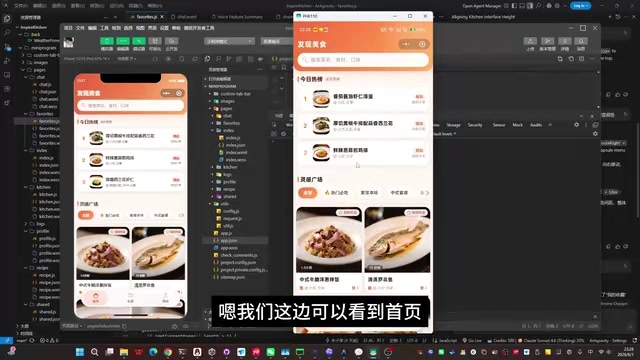
Building a WeChat Mini Program with Zero Code: A 3-Day Hands-On Journey with Codex + Antigravity
A developer used OpenAI Codex and Antigravity to build and launch a WeChat Mini Program in 3 days with zero code. Full breakdown of the AI recipe app's design, tool workflow, and development process.
OpenAI Codex Fully Autonomous Programming: A Complete Record of Building a WeChat Pay Membership Mini Program from Scratch
A detailed record of using OpenAI Codex's Goal Coding mode to autonomously build a full WeChat Pay membership mini program from scratch, covering architecture, pitfalls, and cost analysis.