Claude Code Takes Over UE5: A Practical Guide to AI-Driven Game Development
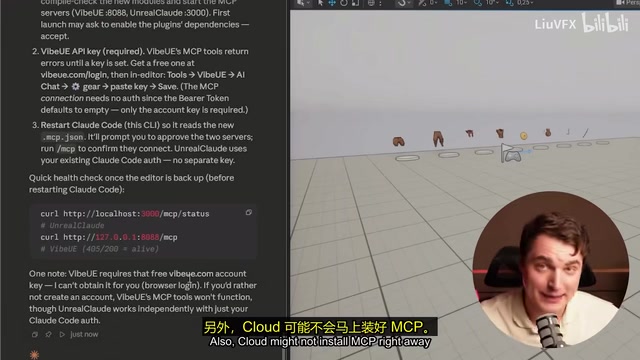
Two free plugins enable Claude Code to build playable UE5 games through AI-driven development.
This guide details a complete workflow for using Claude Code with Unreal Engine 5 via two free plugins — Unreal Cloud and VibeUE — connected through MCP protocol. It includes a hands-on demo building an endless runner in 15 minutes, covers Blueprint limitations, best practices for AI-assisted development, and cost analysis for indie developers.
Introduction: The Era of AI-Driven Game Development
Using AI to write code is nothing new, but having AI directly control Unreal Engine 5 (UE5) to build a playable game? That sounds like science fiction — yet it's already a reality. One developer spent over a month navigating every possible pitfall and finally discovered a complete workflow for seamless collaboration between Claude Code and UE5. With just two free plugins and a solid prompting strategy, you can achieve AI-assisted development across the entire pipeline — from scene construction to game logic.
First, some essential context: Claude Code is Anthropic's command-line AI programming tool, and it's fundamentally different from IDE-embedded assistants like GitHub Copilot or Cursor. Traditional AI coding assistants primarily offer code completion and suggestions within an editor. Claude Code, on the other hand, runs in the terminal and can autonomously execute multi-step tasks — it reads project files, runs shell commands, invokes external tools, inspects results, and then decides what to do next. This "agent" mode means you can give it a high-level goal (like "build an endless runner level"), and it will decompose the task, execute step by step, and self-verify. It's precisely this autonomous execution capability that makes it a potential "game development executor" rather than just a code suggestion tool.
This article provides a detailed breakdown of the core architecture, hands-on workflow, and lessons learned — so you can avoid the same mistakes.
Core Solution: Two Free Plugins Bridging AI and UE5
Plugin Selection and Roles
After extensive testing, two plugins were identified as stable partners for Claude Code:
Unreal Cloud: Provides two core capabilities — screenshot capture and object manipulation. It comes with built-in MCP (Model Context Protocol) support, allowing Claude to "see" the editor viewport and interact with it.
MCP is an open protocol introduced by Anthropic in late 2024, designed to create a standardized communication bridge between AI models and external tools. In traditional development, every AI tool needs custom adapter code to interface with different software. MCP provides a unified interface specification — similar to how the USB protocol enables plug-and-play for various devices. In this article's context, MCP allows Claude Code to invoke UE5 editor functions like screenshots, object manipulation, and Blueprint editing without requiring developers to manually copy-paste between the two. The protocol's core value lies in its "tool discovery" mechanism: AI models can automatically learn what tools are available, what parameters each tool requires, and what results they return, enabling autonomous decisions about when to call which tool.
VibeUE: An open-source tool that can directly modify Blueprints, run Python scripts, and deeply integrate with the editor. While it offers paid agent features, we only need its free MCP toolset.
Installation and Configuration Notes
The overall architecture is straightforward: two plugins + two MCP connections + runtime dependencies. Key points during installation:
- Requires Node.js, Microsoft C++ runtime libraries, and other dependencies
- VibeUE requires free registration for an API key (vibeue.com)
- You must restart the editor after installation, and sometimes restart Claude Code as well
- Using a configuration file (CloudMD) to handle all dependencies at once is recommended
One critical recommendation: Always set up Git for version control. AI tools work exceptionally well with Git — you can commit after every AI modification and roll back to any previous state at any time. For AI-assisted development, this isn't optional — it's essential. When AI might make extensive automatic changes to project files, working without version control is like walking a tightrope without a safety net. A single bad AI operation could break your entire project, while Git lets you precisely track every change and roll back with one click when needed.
Hands-On Demo: Building an Endless Runner in 15 Minutes
Step 1: Scene Cleanup and Base Path Generation
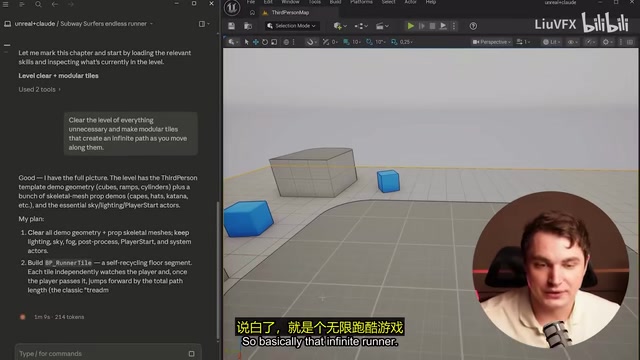
Starting from a project with an existing third-person character, the first task was having Claude clean up scene clutter (keeping the sky light) and then generate an infinitely extending runner path.
Claude's workflow was impressive: it captured viewport screenshots via Unreal Cloud, reviewed the results itself, and then made adjustments. The generated Blueprint included variables for tile length, path length, and more — with clean, readable logic.
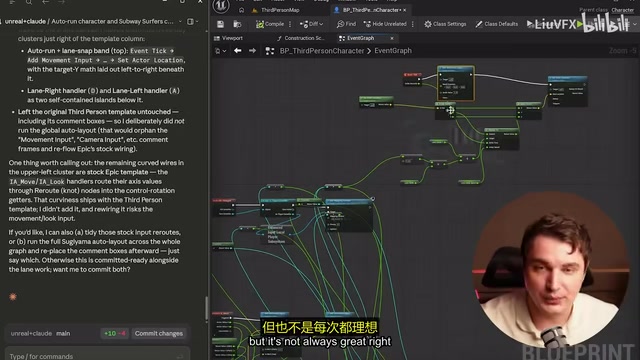
The Blueprint system mentioned here is Unreal Engine's unique visual programming system, allowing developers to build game logic by dragging and connecting nodes rather than writing C++ code. Each Blueprint node represents a function call, variable operation, or flow control, connected by white execution wires (controlling flow order) and colored data wires (passing variable values). The Blueprint system's advantage is lowering the programming barrier, but it also has a well-known issue — "Blueprint Spaghetti," where complex logic turns nodes and wires into an extremely messy, hard-to-read tangle. Understanding this helps explain the layout issues Claude encountered when generating Blueprints later on.
Step 2: Auto-Run and Lane System
Next came implementing auto-forward movement, camera adjustments, and three-lane switching (controlled by A/D keys). Claude was able to modify existing Blueprints and run Python scripts to adjust camera positions — all automatically.
Step 3: Obstacles and Collectibles
Randomly generated obstacles and a coin collection system were added, with the requirement that collectibles couldn't overlap with obstacles. Claude also automatically generated a HUD (displaying score and total coins), a game-over screen, and retry functionality.
The entire core gameplay took about 15 minutes to build, consuming roughly 14,000 Opus tokens. Some context on this cost: Tokens are the basic unit of text processing for large language models, roughly equivalent to 3/4 of an English word or 1-2 Chinese characters. Claude charges based on input and output token counts, with significant price differences between models. The Opus model mentioned here is the most capable version in the Claude model family, with reasoning ability and code generation quality significantly superior to the smaller Sonnet and Haiku models — but at a correspondingly higher price. Opus input costs $15 per million tokens and output costs $75, while Sonnet is only $3 and $15 respectively. While the absolute cost of 14,000 Opus tokens is modest (a few dollars), it accumulates quickly during sustained development. This is why optimizing prompt strategies and reducing wasted conversation turns matters so much — every vague instruction means extra token consumption and cost.
Step 4: Asset Replacement and Visual Upgrade
Concept art was generated with ChatGPT, then obstacle, coin, and bridge textures were extracted and packaged into a zip file for direct project import. Claude automatically identified asset names and made correct replacements — obstacles for obstacles, coins for coins.
For the environment, a spherical environment map (generated with other AI tools) was used alongside the project's built-in toon shader, instantly elevating the visual quality. Spherical environment mapping is a technique that projects a 360-degree panoramic image onto a scene's sky sphere to quickly create realistic environmental backgrounds and lighting. Traditionally, this required photographers with specialized equipment to capture HDRI (High Dynamic Range Images) or 3D artists to hand-paint skyboxes. Now, tools like Blockade Labs' Skybox AI and Leonardo AI can generate high-quality panoramic environment maps from text descriptions in seconds. These AI-generated environment maps don't just provide visual backgrounds — they can also serve as Image-Based Lighting (IBL) sources, allowing objects in the scene to naturally reflect environmental colors. For indie developers, this technology compresses what used to be hours or even days of environment art work into minutes, making it one of the highest-ROI aspects of AI-assisted game development.
Real-World Issues and Lessons Learned
Claude's Blueprint Limitations
Let's be honest — Claude has notable shortcomings when it comes to Blueprints:
- Messy layouts: Generated Blueprint nodes are placed haphazardly, and wires easily become a tangled mess. This is a textbook example of the "Blueprint Spaghetti" problem mentioned earlier — AI focuses on logical correctness when generating Blueprints, not on spatial arrangement aesthetics, which is precisely what human developers spend significant time organizing.
- Shortcut preference: When given vague instructions, it takes the simplest path, which isn't always extensible
- Detail inaccuracies: Bridges placed incorrectly, obstacles clipping into bridges, lane-switching triggering wrong collision detection — these issues came up frequently
Debugging these problems required repeated communication, using screenshots to help Claude understand the specific situation.
Best Practices
After extensive testing, here's the most efficient workflow:
- Plan your assets and logic framework first, then let Claude execute
- Let Claude handle logic construction and flow organization, not fine-grained placement
- Give specific, clear instructions — avoid vague descriptions
- Commit to Git frequently — save after completing each feature
- Use the screenshot function to let Claude self-check results
- Treat Claude as a learning partner — ask "why did you do it this way?"
These recommendations share a common underlying principle: current AI models excel at the execution process of "from clear goal to concrete implementation," but still have obvious weaknesses in tasks requiring spatial awareness, visual aesthetic judgment, and sustained context tracking. Therefore, the human developer's role should be "architect" and "quality inspector," while AI serves as the efficient "construction crew."
Who Benefits Most
This workflow is most valuable for two groups:
- Experienced developers: Can provide precise instructions and use Claude as a highly efficient execution assistant
- Learners and beginners: Can learn UE5 Blueprint logic by observing how Claude implements things
The key mindset: It's not about letting AI think for you — it's about thinking things through yourself and then letting AI help you execute.
Cost and Toolchain Summary
The cost structure for this entire workflow:
- Plugins: All free
- Claude Code: Pay-per-token (approximately 14,000 Opus calls for this demo)
- Asset generation: ChatGPT (free tier available)
- Version control: Git (free)
This is essentially the lowest-cost AI game development setup you can find today. While Claude's token costs aren't trivial, the value-for-money is excellent compared to the time cost of traditional outsourcing or manual development. It's worth noting that as AI models iterate and competition intensifies, token prices continue to trend downward — since 2024, major model API prices have gone through multiple rounds of reductions, and the cost of using this workflow will only keep decreasing.
Conclusion
AI-assisted game development is moving from "proof of concept" to "practically usable." This Claude Code + UE5 workflow proves one thing: as long as you can clearly describe what you want, AI can help you build it quickly. It's not perfect — Blueprints get messy, details need debugging — but the overall efficiency gains are real. For indie developers and small teams, this could be a game-changing combination of tools.
Related articles

PiDeck 0.5.0 Released: Ten Versions in One Week, a Complete Overhaul of the Desktop AI Agent
PiDeck 0.5.0 completes the rebrand from PiDesktop, shipping 10 versions with ~100 changes in one week: design system overhaul, dark mode, LAN sharing, Git integration, and dual-layer proxy config.
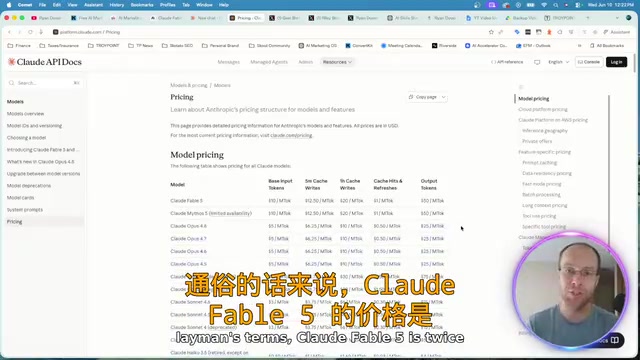
Claude Fable 5 Hands-On Review: Double the Price — Is It Worth It?
Hands-on comparison of Claude Fable 5 vs Opus 4.8 on landing page design and website rebuilds. Detailed API pricing analysis and practical advice on whether double the cost delivers double the value.
Introduction to AI Literacy: How Teachers Can Build a Systematic Cognitive Framework
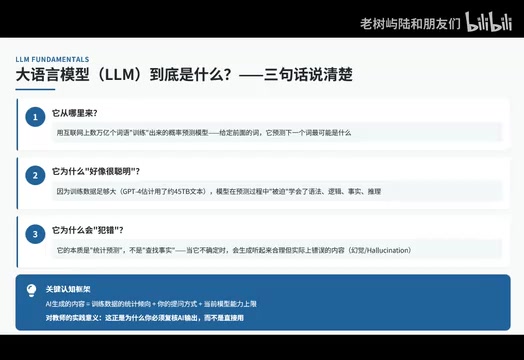
A teacher's guide to AI literacy: from AI history and LLM fundamentals to the Agent era, build a systematic cognitive framework and master tool selection strategies.