PiDeck 0.5.0 Released: Ten Versions in One Week, a Complete Overhaul of the Desktop AI Agent
PiDeck 0.5.0 ships 10 versions in one week with a full design system overhaul and major new features.
PiDeck 0.5.0 marks a major milestone with the rebrand from PiDesktop and nearly 100 changes across ten versions in a single week. Key updates include a unified design token system, full dark mode support, LAN sharing for multi-device access, Git branch management, dual-layer proxy configuration, and in-flight message delivery during AI tool calls — transforming it from a basic wrapper into a polished desktop AI development tool.
Overview
PiDeck is a desktop application built on the Pi AI Agent. In just one week, the developer shipped ten version iterations from 0.4.7 to 0.5.0, encompassing nearly 100 changes. This update not only officially rebranded the product from PiDesktop to PiDeck, but also completely overhauled the design system, page layouts, and interaction logic — a true "ground-up" transformation.
Complete Design System Overhaul
Unified Visual Standards
The most notable change in version 0.5.0 is the establishment of a comprehensive design specification system. Previously, colors, border radii, and typography styles varied across pages, resulting in a rough overall appearance. The new version introduces unified Design Tokens covering the color system, typography standards, component styles, and more — all pages now follow the same visual language.
Design Tokens are a core concept in modern design system engineering, originally proposed and popularized by Salesforce's Lightning Design System team. They abstract design decisions (such as color values, letter spacing, border radii, shadow parameters, etc.) into platform-agnostic key-value pairs, enabling design specifications to be programmatically referenced and managed in code. When a designer modifies a Token's value, all components referencing that Token automatically sync, fundamentally eliminating the "translation loss" between design and development. Adopting Design Tokens in an Electron application also makes it easy to implement one-click light/dark theme switching — simply define different values for the same Token under each theme.
For typography, PiDeck uses the same fonts as Pi's official documentation, ensuring brand consistency. Common components have been extracted and encapsulated for direct reuse in future development, significantly improving the engineering quality.
Full Dark Mode Support
The new version fully supports three theme modes: light, dark, and system-following. Not just the main interface — context menus, settings pages, the built-in terminal, and all other components correctly respond to theme changes, completely eliminating the issue of certain elements displaying incorrectly in dark mode. Thanks to the Design Tokens architecture, theme switching only requires swapping a set of variable mappings, and all components automatically adapt to the new color scheme without modifying individual style rules.
Multi-Language Support
Chinese and English are currently supported, with automatic switching based on the system language. All UI elements — including context menus and setting descriptions — have been fully internationalized.
Interaction Logic Improvements
Redesigned Session Management
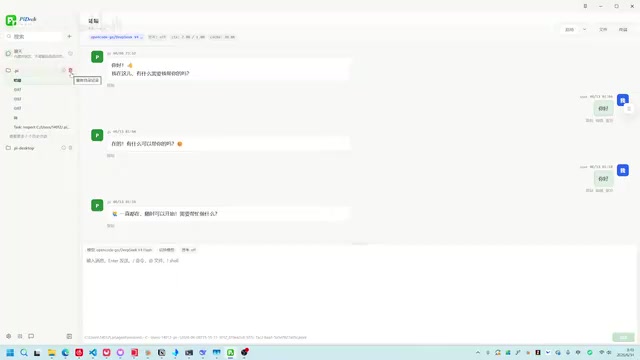
The left sidebar's interaction logic underwent a major overhaul. Previously, historical sessions and the currently active Agent were separated, requiring a right-click to open the history list. The new version merges the two:
- Inactive state: Displayed as historical sessions, supporting copy, export, and delete operations
- After clicking to activate: Becomes an active Agent session where you can chat, switch models, and toggle role modes
- In the active state, only closing is allowed — you must close it before deleting, effectively preventing accidental operations
The project list also adds a "Reveal in File Manager" context menu option for quick navigation to local directories. The sidebar supports drag-to-hide, auto-shows on hover, and can be pinned open with a click.
Input Box Behavior Fix
Previously, the input box inherited the CLI behavior of using up/down arrow keys to cycle through command history. However, in a desktop multi-line input box, users more often want to use arrow keys to move the cursor. Version 0.5.0 fixes this issue, making the interaction more intuitive for desktop users. This detail reflects a common interaction paradigm conflict during the migration from command-line tools to graphical applications — CLI users are accustomed to browsing command history with up/down keys, while GUI users expect arrow keys to control cursor position. These two mental models collided in the same input box.
New Feature Highlights
LAN Sharing Service
PiDeck introduces a LAN service feature. When enabled, it opens a local service page in the browser, allowing other devices on the same local network to directly access all session records and submit queries. This is extremely useful for both team collaboration and multi-device usage. The technical implementation relies on PiDeck's built-in local HTTP server, which exposes a LAN IP and port so that browsers on other devices can communicate directly with Pi Agent's RPC interface — no need to install a client on each device.
Extension and Scale Management
The new version can list Extensions installed in Pi and provides a convenient uninstall entry point. It also supports creating, enabling, disabling, and deleting Scales — all management is done within PiDeck, with no need to switch to the command line.
In the Pi AI Agent ecosystem, Extensions and Scales are two important extensibility mechanisms. Extensions are similar to VS Code's plugin system, allowing developers to add additional tool capabilities to Pi Agent, such as database queries, specific API integrations, custom code analysis, and more. Scale is a unit in Pi for defining and managing Agent behavior scope and resource configuration — developers can create different Scales to control an Agent's concurrency capabilities, resource limits, and execution strategies. Previously, all these management operations required the command line; PiDeck's graphical interface significantly lowers the barrier for non-terminal users.
Git Branch Management
Git integration has been added to the workflow, allowing users to view the current branch, create new branches, and switch between them directly in the interface. For users leveraging Pi Agent for code development, this greatly reduces the hassle of constantly switching to the terminal. In AI-assisted programming workflows, developers often need to create separate branches for Agent-generated code to facilitate review and rollback. Integrating Git operations into PiDeck enables the complete workflow of "have AI write code → create branch → review changes → merge or rollback" to be completed within a single interface.
Dual-Layer Proxy Configuration
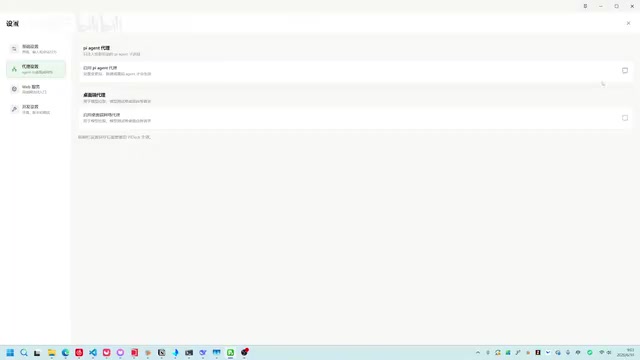
For users with complex network environments, PiDeck provides two layers of proxy settings:
- Pi Agent Proxy: Only takes effect when launching Pi for chat, implemented by setting the HTTP_PROXY environment variable
- Desktop Proxy: Applies to all requests within PiDeck, including model testing, configuration fetching, etc.
The rationale behind this dual-layer design is that Pi Agent's model inference requests and PiDeck's own application-layer requests (such as checking for updates or fetching remote configurations) may need to route through different network channels. For example, in certain enterprise intranet environments, accessing AI model APIs requires a specific proxy, while accessing public services like GitHub requires a different proxy route. The dual-layer proxy configuration gives users fine-grained control over routing strategies for different types of traffic.
In-Flight Message Delivery
During AI tool call execution, users can now append messages with two modes:
- Immediate insertion: The message is injected into the conversation before the next tool call
- Follow-up mode: Waits until the current session fully completes before sending
This allows users to flexibly supplement instructions while the Agent is executing long tasks, without having to wait idly for completion.
In modern AI Agent architectures, "Tool Use" (also known as Function Calling) refers to a large language model proactively invoking external tools (such as code executors, file systems, API endpoints, etc.) during reasoning to complete tasks. A single complex task may involve multiple rounds of tool calls, and the entire process can last tens of seconds or even minutes. During this time, traditional chat interfaces typically lock the input, leaving users passively waiting. PiDeck's implementation inserts message queue checkpoints within the Agent's tool call loop: immediate insertion mode injects the user's message into the context before the next tool call, while follow-up mode caches the message until the task completes before triggering a new round of reasoning. Similar implementations exist in AI coding tools like Cursor and Windsurf, representing the trend of AI interaction evolving from "question-and-answer" to "continuous collaboration."
Other Improvements
- Codex session import: Automatically detects which sessions are up-to-date and which have new messages available for overwriting
- Check for updates: Compares against the latest GitHub version number, displays update notes, and provides download links
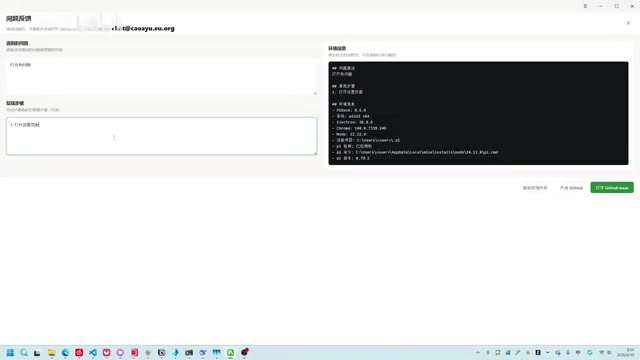
- Improved issue reporting: Built-in feedback templates for quickly filling in reproduction steps and creating GitHub Issues with one click
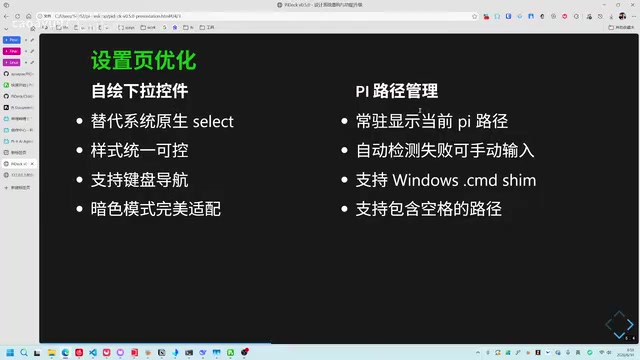
- Support for paths with spaces: Fixes compatibility issues on Windows when user paths contain spaces. This is a classic cross-platform development problem — Windows default user directories (e.g.,
C:\Users\John Smith\) often contain spaces, and many command-line tools fail to properly handle quote escaping when concatenating paths, causing path truncation - Manual Pi path specification: For Pi installations not added to the system PATH, users can manually specify the executable path
Technical Architecture
PiDeck is built on Electron and communicates with AI models via Pi Model RPC. It currently supports Windows, Linux, and macOS.
Electron is a cross-platform desktop application framework developed and open-sourced by GitHub. Its core approach bundles the Chromium browser engine with the Node.js runtime, enabling developers to build native desktop applications using web technologies like HTML, CSS, and JavaScript. Well-known applications such as VS Code, Slack, Discord, and Notion are all built on Electron. Its advantage lies in covering all three major platforms with a single codebase, with direct access to the vast component libraries in the frontend ecosystem. However, this also results in larger installation packages and relatively higher memory usage.
Pi Model RPC (Remote Procedure Call) is the model communication interface provided by Pi AI Agent. PiDeck uses it to send inference requests to backend AI models and receive streaming responses. The RPC protocol allows programs to call methods on remote services as if they were local function calls, abstracting away the complexity of underlying network transport. In desktop scenarios, RPC is typically implemented over local Sockets or HTTP, resulting in extremely low latency. This architecture decouples the UI layer from the model inference layer, allowing PiDeck to flexibly switch between different model backends while also providing the technical foundation for the LAN sharing service — other devices simply need to access the same RPC endpoint over the network to leverage model capabilities.
On Windows, both portable and installer versions are available. On macOS, Apple certificate signing is involved. Starting with macOS 10.15 Catalina, Apple requires applications to be notarized before they can run normally; otherwise, the system displays security warnings or outright blocks the launch. Developers need to join the Apple Developer Program (annual fee of $99), sign the application with a Developer ID certificate, and submit it to Apple's notarization service for automated security scanning. The entire process involves certificate management, entitlements configuration, stapling, and more — making it one of the most complex aspects of cross-platform Electron app distribution.
Due to the complexity of multi-platform compatibility, in-app hot updates have not yet been implemented. Instead, the app detects updates and users install them manually. Automatic updates for Electron apps typically rely on modules like electron-updater, but since they involve native binary replacement and differences in signing verification mechanisms across platforms, achieving stable and reliable hot updates requires extensive platform-specific adaptation work.
Summary
The leap from 0.4.7 to 0.5.0 marks PiDeck's transformation from "functional" to "polished." A unified design language, intuitive interaction logic, and a rich set of new features have evolved it from a simple graphical wrapper for Pi Agent into a desktop AI development tool with production-grade engineering quality. The developer has indicated that the current visual style will be maintained going forward, with future efforts focused on continuous optimization at the feature and system levels.
Key Takeaways
Related articles
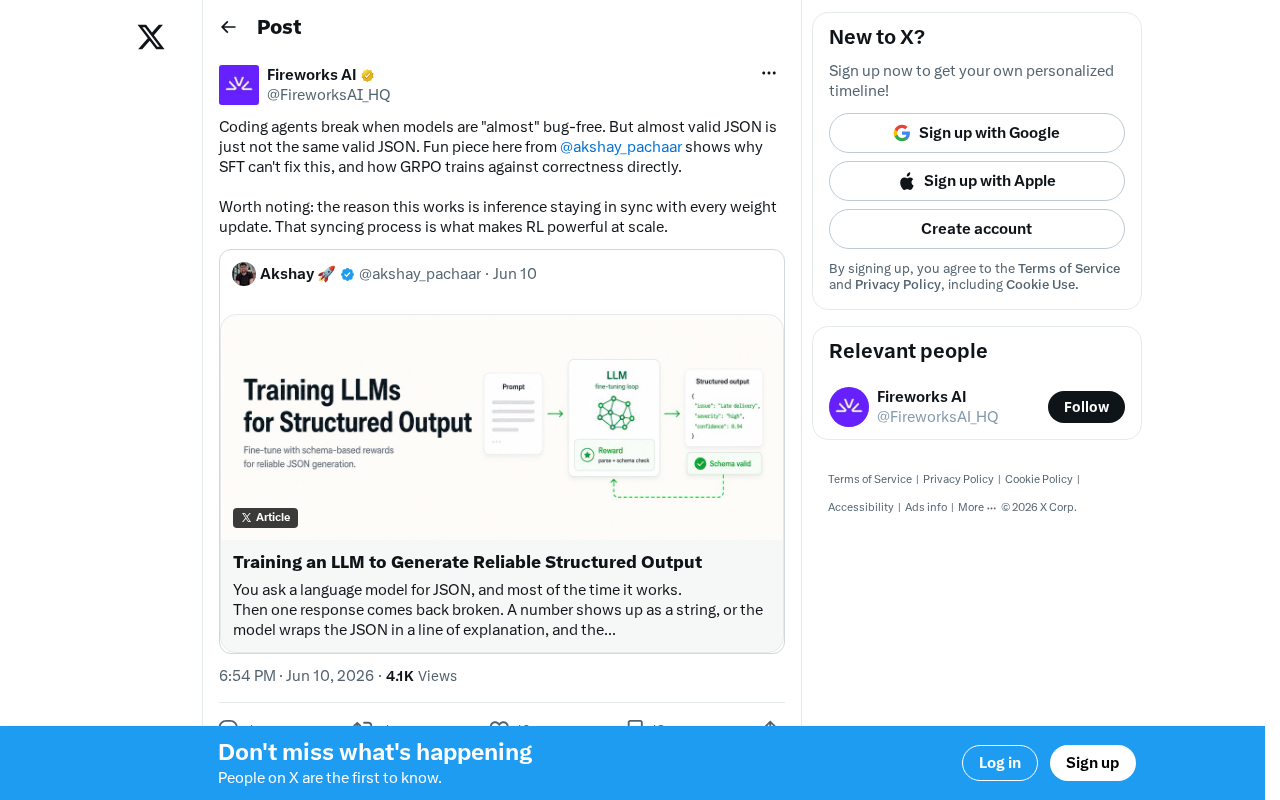
Why SFT Can't Fix the Root Cause of JSON Errors: How GRPO Correctness Training Breaks Through Coding Agent Bottlenecks
Analysis of why SFT can't fix coding agent JSON errors and how GRPO's binary reward signals and synchronized weight updates train directly for correctness.
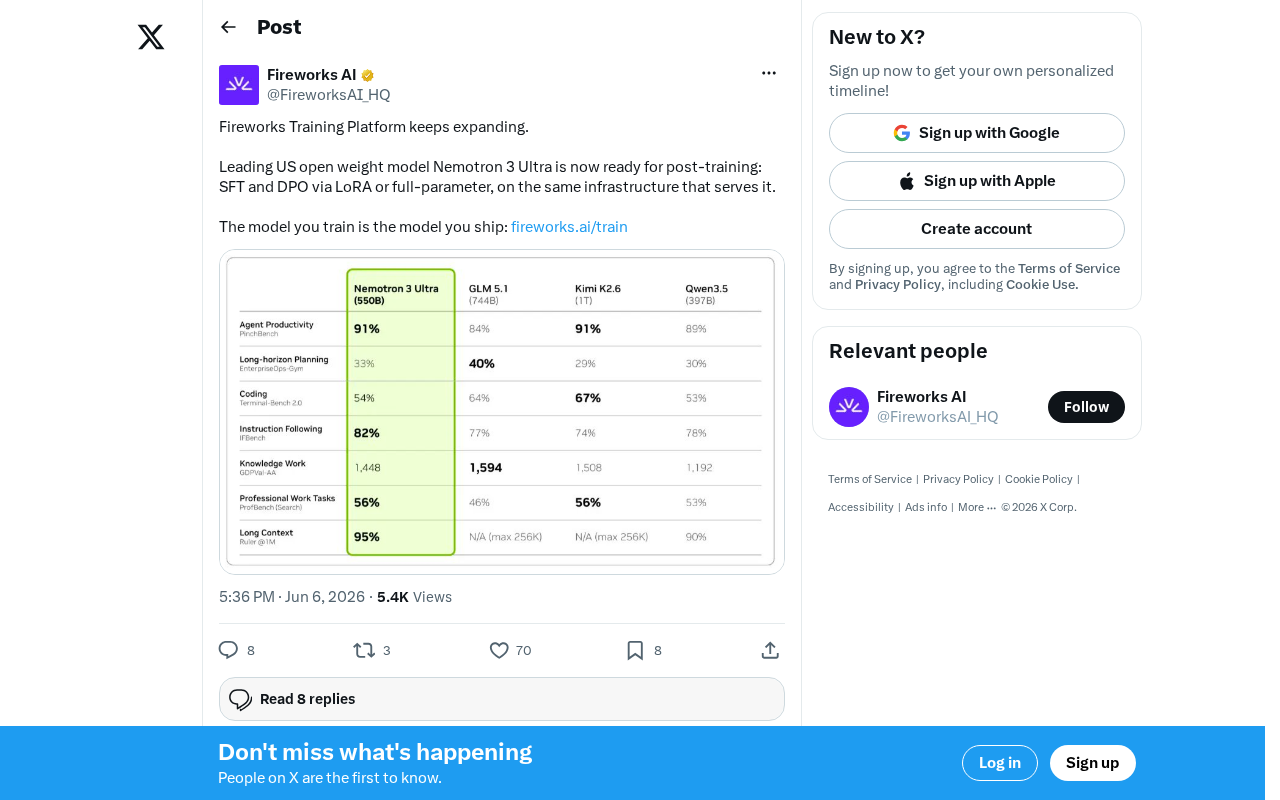
Fireworks Platform Adds Nemotron 3 Ultra Post-Training Support: End-to-End Fine-Tuning and Deployment
Fireworks AI adds NVIDIA Nemotron 3 Ultra post-training support with SFT, DPO, LoRA, and full fine-tuning, enabling seamless train-to-deploy workflows for open-weight LLM customization.
Complete Guide to the Coze Platform: Build AI Agents with Zero Code
A deep dive into ByteDance's Coze platform: zero-code AI agent development, China vs. international editions, use cases, and how non-technical users can quickly build AI applications.