Claude Code: The Ultimate Beginner's Guide — A Deep Dive into the Open-Source Project That Hit 33K Stars in 3 Days
A viral GitHub project turns Claude Code into a complete AI development team with systematic workflows.
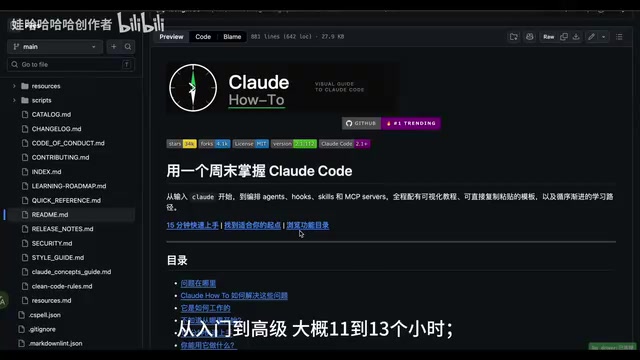
A Claude Code user manual project on GitHub exploded to 33.7K Stars by solving a key problem: most developers don't know how to fully leverage Claude Code. The project covers slash commands, memory systems, MCP protocol, and Hooks plugins, offering a clear learning path from 15-minute quick start to full mastery, transforming Claude Code from a simple Q&A tool into a programmable AI development team.
An Open-Source Project That Makes Claude Code Accessible to Everyone
Recently, a Claude Code user manual project on GitHub went viral, amassing over 33.7K Stars in just a few days. The reason it caught so much attention isn't because it showcases flashy demos — it's because it solves a real pain point: most people simply don't know how to use Claude Code effectively.
Many developers install Claude Code only to use it at the most basic level — asking a question, generating a few lines of code. But this project reveals that Claude Code's capabilities go far beyond that. It can become your code reviewer, documentation assistant, security auditor, refactoring advisor, and even an entire AI development team.
What Is Claude Code?
Claude Code is a command-line AI programming tool developed by Anthropic. Unlike traditional IDE plugins (such as GitHub Copilot), it runs directly in the terminal, can read your entire project's file structure, execute shell commands, and modify multiple files — giving it a holistic understanding of your project. This design makes it more than just a code completion tool; it's an AI Agent capable of understanding project context and executing complex development tasks. Because its capabilities far exceed those of traditional programming assistants, learning to fully leverage its potential presents a real learning curve.
The Core of the Project: From Tool to Workflow
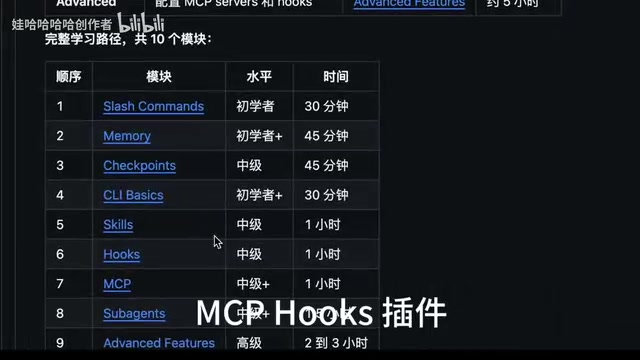
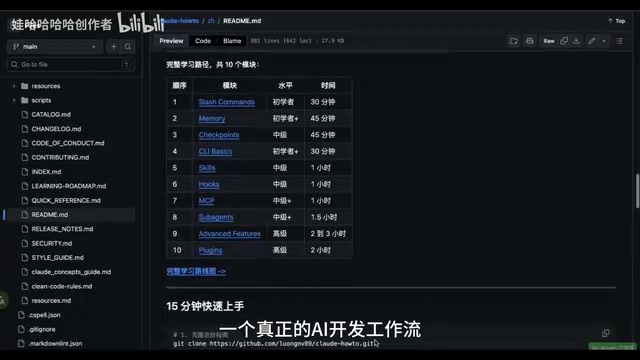
The greatest value of this manual is that it's not a scattered collection of tips — it's a complete guide to building an AI development workflow. The project covers the most essential feature modules in Claude Code:
- Slash Commands: Shortcuts for quickly triggering specific tasks
- Memory System: Letting Claude remember your project context and preferences
- Skills & Visions: Extending Claude's capability boundaries
- MCP Protocol: Connecting external tools and data sources
- Hooks Plugins: Customizing automated workflows
Each module is organized into beginner-friendly tutorials with hands-on steps and command templates. Even with zero prior experience, you can follow along step by step to complete the configuration.
Understanding the MCP Protocol in Depth
MCP (Model Context Protocol) is a standardized protocol open-sourced by Anthropic in late 2024, designed to solve the connection problem between AI models and external data sources/tools. Before MCP, every AI application needed custom integration code for different data sources, resulting in massive duplication of effort and a fragmented ecosystem. MCP defines a unified client-server architecture that allows AI models to access databases, APIs, file systems, browsers, and other external resources through standard interfaces. Think of it as the USB-C port of the AI world — one standard connection for all devices. In Claude Code, MCP enables Claude to directly query your databases, call internal APIs, read Notion documents, and more, dramatically expanding its practical use cases.
Hooks Plugins: Making Automation a Reality
Hooks are an event-driven programming pattern that allows users to automatically trigger predefined actions when specific events occur. In Claude Code, Hooks can insert custom logic at critical points such as before/after code generation, during file modifications, or when commands are executed. For example, you can set up a Hook that automatically runs ESLint checks and unit tests every time Claude modifies code, ensuring generated code meets project standards. Or you can automatically load your project's architecture documentation as context at the start of every conversation. This mechanism fully automates inspection processes that would otherwise require manual execution, making it a key component for building reliable AI development workflows.
Learning Path Design: 15 Minutes to Get Started, 13 Hours to Master
The most thoughtful aspect of this project is its clear learning path with estimated time for each stage. Going from beginner to advanced takes approximately 11-13 hours total. But here's the key — you only need 15 minutes to copy a command template and start using it. This "start using it first, then go deeper" learning strategy dramatically lowers the barrier to entry.
Users at different skill levels can choose different starting points:
- Beginners: Start with basic slash commands and memory configuration
- Intermediate: Learn MCP integration and custom Hooks
- Advanced: Build a complete multi-role AI development workflow
The True Value of Claude Code: Not a Code Generator, but an AI Development Team
Many people still think of AI programming assistants as mere "code completion" tools. But through this project's systematic teaching, you'll discover that Claude Code should be positioned as a programmable AI development team:
- Code Reviewer: Automatically reviews code quality and potential bugs
- Documentation Assistant: Automatically generates and updates documentation based on code
- Security Auditor: Scans for security vulnerabilities and unsafe practices
- Refactoring Advisor: Identifies code smells and provides refactoring solutions
When you chain these roles together through command templates and Hooks, Claude Code is no longer a simple Q&A tool — it becomes an intelligent collaborator integrated into your development workflow. This "multi-role collaboration" approach essentially applies the separation of concerns principle from software engineering to AI tool usage — letting different AI roles focus on different responsibilities, achieving a whole greater than the sum of its parts through workflow orchestration.
Why This Project Deserves Your Attention
Behind those 33.7K Stars is a strong demand from the developer community for methodology around AI tool usage. Tools themselves iterate quickly, but how to systematically use tools is what truly determines the magnitude of productivity gains.
From an industry trend perspective, AI-assisted development is evolving from point solutions to systematic workflows in 2024-2025. Gartner predicts that by 2028, 75% of enterprise software engineers will use AI coding assistants. But the current core challenge isn't insufficient tool capability — it's that developers lack methodology for effectively integrating AI tools into existing development workflows. This explains why a "user manual" project can attract such high attention — the entire industry is at a critical transition point from "having tools" to "knowing how to use tools."
The significance of this project is that it transforms Claude Code from a tool that's "powerful but confusing" into a workflow where you can "follow the steps and get results." For anyone serious about learning AI-assisted development, this is one of the most complete and accessible learning resources available.
Related articles

Claude Code for Test Development in Practice: An AI Programming Workflow That Doubles Your Efficiency
A practical guide to Claude Code for test development: auto-generating test scripts, Plan Mode workflows, MCP + Playwright integration, and Subagent parallel tasks to build systematic AI-assisted workflows.

Hermes Agent Hands-On Review: An AI Efficiency Revolution for Indie Game Developers
Indie game developer reviews Hermes Agent vs OpenClaude: intelligent context compression, real-time Memory, remote control via Telegram, and practical use cases in game dev, social media, and email.

Vibe Coding Beginner's Guide: Tool Selection Across Three Categories with Practical Examples
A comprehensive guide to Vibe Coding's three tool categories: Agent frameworks, CLI Coding, and IDE tools, with practical examples including Snake game and data analysis workbench.