Claude Code vs Codex vs Cursor vs Trae: In-Depth Comparison to Help You Pick the Right AI Coding Tool

A deep-dive comparison of Claude Code, Codex, Cursor, and Trae to help you pick the right AI coding tool.
This article compares four leading AI coding tools — Claude Code, Codex, Cursor, and Trae — across two paradigms: terminal-based AI agents and AI-enhanced IDEs. It breaks down each tool's strengths, weaknesses, and ideal use cases, offering tailored recommendations for beginners, efficiency seekers, solo developers, and budget-conscious users, plus tips on combining tools for an optimal workflow.
Introduction
The AI coding tool landscape is booming, with Claude Code, Codex, Cursor, and Trae each bringing unique strengths to the table. Many developers struggle to choose: which one is actually right for me? This article provides an in-depth comparison across three dimensions — workflow mode, core capabilities, and ideal use cases — to help you decide quickly.
Two Categories: AI Agents vs AI-Enhanced IDEs
Before diving into specifics, it's essential to understand that these four tools fall into two fundamentally different categories.
Agent Mode (Claude Code, Codex)
These tools don't run inside a traditional IDE — they operate in the terminal. You give them a task, and they autonomously read project files, modify code, run tests, fix bugs, and deliver results. The entire process requires no manual intervention; they can run the full pipeline independently. The core idea: You set the goal, and it does the work.
AI-Enhanced IDE Mode (Cursor, Trae)
These tools are essentially the familiar editor interface you already know, augmented with AI capabilities. They autocomplete as you type, modify selected code blocks on request, and generate code through a chat panel. The core idea: You write the code, and it assists you.
These are two fundamentally different work paradigms, and which one to choose depends on your development habits and project requirements.
Breaking Down the Four AI Coding Tools
Claude Code: Best Full-Project Understanding
Claude Code currently has the strongest project-level code comprehension of any tool. When you open a project and ask it to modify a feature, it first reads through the entire codebase, understands the architecture, and then precisely modifies exactly what needs to change — rather than blindly generating a code snippet for you to paste in yourself.
It takes the terminal-based approach, requiring no additional IDE installation. VS Code, Vim — anything works. It's environment-agnostic.
Strengths:
- Best-in-class full-project understanding with precise cross-file modifications
- Environment-agnostic — runs from any terminal
- Ideal for building complete projects from scratch
Weaknesses:
- Higher barrier to entry; requires comfort with terminal operations
- Usage-based pricing; heavy use can cost over $100/month
Codex: Most Hackable Thanks to Open Source
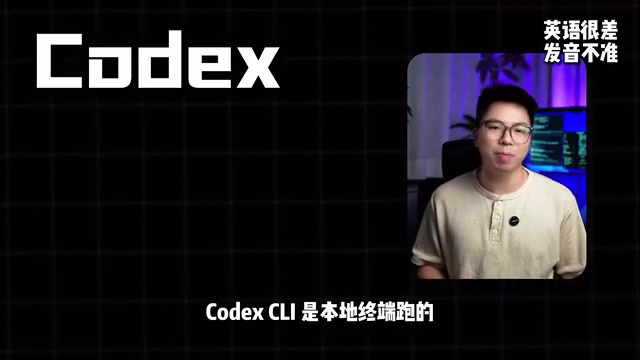
OpenAI's Codex comes in two versions: the cloud-based Codex Web and the locally-run Codex CLI. Similar to Claude Code, it operates in agent mode, but its biggest advantage is being open source — the CLI uses the Apache license, so you can freely modify and customize it.
More importantly, if you already subscribe to ChatGPT Plus, Codex capabilities are included at no extra cost.
Strengths:
- Open-source CLI under Apache license, fully customizable
- Free for ChatGPT Plus subscribers
- Highly hackable, perfect for tinkerers
Weaknesses:
- Code comprehension and complex project handling still lag behind Claude Code
Cursor: The Out-of-the-Box AI Coding Efficiency King

If you don't want to deal with the terminal and just want a tool that works the moment you open it, Cursor is your best bet. It's a full IDE (based on VS Code) — install it and start using it immediately, with AI autocomplete, chat, and inline editing all built in.
Pricing is simple and transparent: the Pro plan caps at $20/month.
Strengths:
- Works out of the box with zero learning curve
- Fast autocomplete that boosts daily coding efficiency
- Fixed pricing with no risk of overspending
Weaknesses:
- Doesn't understand the full project as deeply as terminal-based agents
- When modifying features across dozens of files, it may miss changes or create duplicates
Trae: The Best Free Entry Point for AI Coding
Trae, built by ByteDance, has one killer feature: it's free — the basic tier is permanently free with no limits on AI call volume. That alone is a crushing advantage for students and developers just starting out.
Additionally, Trae offers the best Chinese-language experience among all four tools, and features a Solo mode (similar to an agent) where you describe your requirements and it builds the entire project autonomously.
Strengths:
- Basic tier is permanently free with unlimited AI calls
- Best Chinese-language experience
- Solo mode can autonomously complete projects
Weaknesses:
- Current ceiling doesn't match Cursor or Claude Code
- Noticeable gaps in handling complex projects and large codebases
AI Coding Tool Recommendations: Match to Your Needs
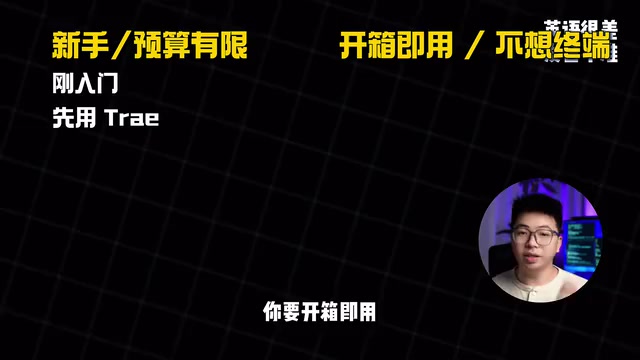
Here are recommendations based on different developer profiles:
| Scenario | Recommended Tool | Reason |
|---|---|---|
| Beginner / Limited budget | Trae | Free and capable enough; switch when you outgrow it |
| Efficiency-focused / No-fuss | Cursor | Works out of the box with fast autocomplete |
| Solo developer / Building from scratch | Claude Code | Best full-project understanding |
| OpenAI ecosystem / Budget-conscious | Codex | Included with GPT Plus, open source and hackable |
Real-World Combos: AI Coding Tools Aren't Mutually Exclusive
It's worth emphasizing that these four tools are not mutually exclusive. A mature workflow can absolutely combine them:
- Claude Code as the workhorse: Handle core feature development and architecture-level changes
- Cursor for frontend debugging: Quick autocomplete and localized code adjustments
- Codex for parallel tasks: Leverage its cloud capabilities to handle independent subtasks
Tools serve your workflow — figure out your requirements first, then choose your tools. Don't let the tools dictate your process. Ultimately, what determines your productivity isn't which tool you use, but whether you're clear about the problem you're trying to solve.
Related articles

DeepSeek Image Recognition Mode Tested: Screenshot-to-Code Achieves Up to 80% Accuracy
Hands-on testing of DeepSeek's image recognition mode for screenshot-to-code, covering Ant Design, Baidu, Bilibili, and Apple websites with ~80% accuracy.
Elastic Acquires Deductive AI for $85M, Accelerating the AI-Powered Debugging Market
Elastic acquires AI debugging startup Deductive AI for up to $85M, boosting its observability and security platform. Analysis of the deal's strategy, competitive landscape, and industry impact.
Baseten Raises $1.5 Billion: Why AI Inference Infrastructure Has Become a Capital Darling
AI inference startup Baseten is raising $1.5B at a $130B valuation. We analyze why inference infrastructure is booming, the competitive landscape, and what this mega-round signals.