Claude Code with Local LLMs: Token-Free Deployment Guide & Configuration
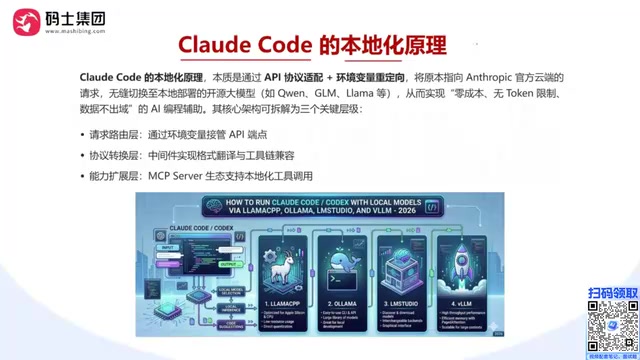
A complete guide to running Claude Code with local LLMs for zero-cost, private AI coding.
This guide explains how to connect Claude Code to locally deployed LLMs using a three-layer architecture: environment variable routing, protocol translation (LiteLLM), and local inference engines (Ollama, LM Studio, vLLM). It covers hardware requirements, quantization options, and deployment approaches for both individual developers and enterprise teams seeking token-free, data-private AI coding.
Why Connect Claude Code to Local Models
Claude Code (CC) is an AI coding agent developed by Anthropic that helps developers write, debug, and optimize code efficiently. Unlike IDE-embedded tools such as GitHub Copilot or Cursor, Claude Code uses the terminal as its primary interface, capable of reading project context directly, executing Shell commands, and managing Git repositories — offering greater autonomy and flexibility.
However, by default Claude Code connects to Anthropic's official API, consuming tokens with every call. Long-term usage costs add up quickly. Anthropic's API charges separately for input and output tokens — taking Claude 3.5 Sonnet as an example, pricing is roughly $3 per million input tokens and $15 per million output tokens. A moderately complex coding task might involve tens of thousands of tokens in context passing, and with heavy daily use, monthly costs can easily reach tens or even hundreds of dollars.
Is there a way to connect Claude Code to locally deployed LLMs for a zero-cost, unlimited-token, data-stays-local experience? Absolutely. This article systematically covers the principles, solution options, and practical pitfalls of Claude Code local deployment, helping you build your own local AI coding environment from scratch.
Core Principle: Three-Layer Architecture for Local Deployment
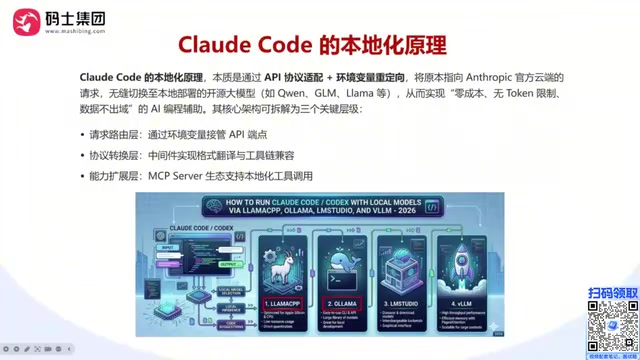
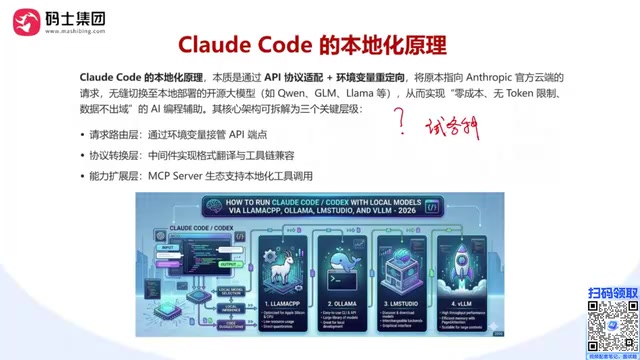
The core architecture of Claude Code local deployment can be broken down into three key layers. Understanding this structure is essential for successful deployment.
Request Routing Layer: Environment Variables Override API Endpoints
Native Claude Code sends all requests to Anthropic's official servers by default. By setting two environment variables, you can redirect requests to a local model service:
- ANTHROPIC_BASE_URL: Points to the IP and port of your local model service — this is the most critical configuration
- ANTHROPIC_AUTH_TOKEN: Authentication token; local deployment typically doesn't require verification, so any value works
Environment variables are OS-level global configuration parameters that applications can read at runtime to determine their behavior. Claude Code adopts a design pattern similar to many OpenAI-compatible clients — making API endpoints configurable via BASE_URL environment variables. This design is very common in cloud-native architectures, essentially a simplified form of "service discovery." Users simply set variables via the export command (Linux/macOS) or set command (Windows) in the terminal, without modifying any program files, to redirect all API requests from Anthropic's servers to local 127.0.0.1 or any LAN address.
This mechanism allows users to flexibly switch backend models without modifying Claude Code's source code — the first step toward local deployment.
Protocol Translation Layer: Format Conversion & Compatibility
Claude Code expects to receive Anthropic-style API formats (e.g., /v1/messages), while local model services (like vLLM) typically provide OpenAI-compatible APIs.
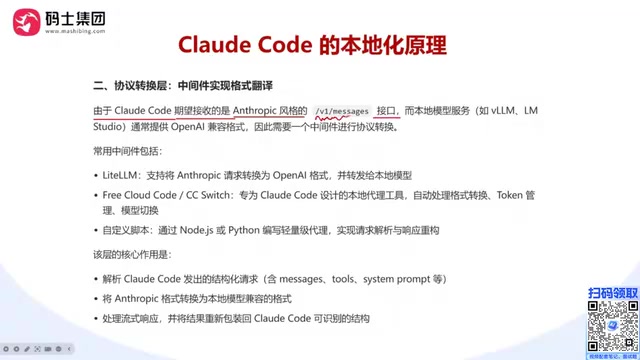
Although both Anthropic and OpenAI provide LLM inference APIs, their interface specifications differ significantly. OpenAI's Chat Completions API uses the /v1/chat/completions endpoint with messages formatted as arrays containing role and content fields. Anthropic's Messages API uses the /v1/messages endpoint, supporting more complex multimodal content block structures, with differences in system prompt passing, streaming event formats, tool use schema definitions, and more. This means sending Claude Code requests directly to an OpenAI-compatible inference engine would cause parsing failures, making the protocol translation layer a necessary component.
When formats don't match between the two ends, a protocol translation middleware is needed to "translate." Common choices include:
- LiteLLM: An open-source LLM API gateway proxy supporting format conversion across 100+ model providers. Its core mechanism receives requests in a specific format from upstream clients (like Claude Code), parses model names, message content, and parameter configurations, then reassembles and forwards requests according to the target backend's specifications — performing reverse conversion on responses. LiteLLM also supports load balancing, request retries, rate limiting, cost tracking, and other enterprise features. It's typically deployed as a Python package or Docker container, with model routing rules defined via YAML configuration files.
- CC Switch: A protocol translation tool designed specifically for Claude Code
- Custom scripts: Simple format conversion logic written to fit specific needs
The middleware's core task is parsing structured requests from Claude Code and converting them into formats the backend inference engine can understand.
Capability Extension Layer: MCP Server Ecosystem
Claude Code's power lies not just in code generation, but in its rich toolchain and MCP (Model Context Protocol) ecosystem. MCP is an open standard protocol launched by Anthropic in late 2024, designed to establish unified communication standards between AI models and external tools/data sources. MCP uses a client-server architecture: AI applications (like Claude Code) act as MCP clients initiating tool call requests, while MCP Servers encapsulate specific tool capabilities (file system operations, database queries, API calls, etc.). The protocol communicates via JSON-RPC 2.0, supporting standardized workflows for tool discovery, parameter validation, and result returns.
In local deployments, MCP Servers allow Claude Code to invoke local tools for true development automation — Git operations, local command execution, Docker container management, database connections, and more — giving Claude Code end-to-end automation capabilities beyond just code generation.
Note that if you connect remote MCP services, data may still flow to third-party providers. For complete data isolation, MCP-connected tools should also be deployed locally.
Inference Engine Selection: Four Major Options Compared
To run LLMs locally, you first need to choose an appropriate inference engine. An inference engine's core responsibility is loading model weight files into VRAM (or RAM), receiving text input, executing Transformer model forward computation, and generating output token by token in an autoregressive manner. Current mainstream inference engines each have their strengths:
| Inference Engine | Use Case | Key Features |
|---|---|---|
| Ollama | Individual developers | Easy installation, quick start, but weak parallelism — rarely used in enterprise settings |
| LM Studio | Individual/small teams | User-friendly GUI, supports multiple model formats, low barrier to entry |
| vLLM | Enterprise deployment | Excellent high-concurrency performance. Core innovation is PagedAttention — borrowing from OS virtual memory paging concepts, it splits KV Cache (VRAM regions storing intermediate attention computation results during Transformer inference) into fixed-size blocks allocated dynamically on demand, improving VRAM utilization 2-4x. Also supports continuous batching and tensor parallelism. Typically used on Linux |
| llama.cpp | Lightweight deployment | Supports CPU inference, low resource usage, suitable for low-spec devices. Defines the GGUF quantization format |
All these inference engines can wrap local LLMs as API services, exposing IP and port for Claude Code to connect.
Three Typical Deployment Approaches in Detail
Approach 1: Claude Code + LM Studio (Recommended for Beginners)
LM Studio provides a friendly graphical interface, ideal for beginners to get started quickly. The workflow is intuitive: download and launch a model service in LM Studio, then point Claude Code's environment variables to LM Studio's service address to complete the connection.
Advantages: Visual operation, convenient model management, ideal for developers unfamiliar with command-line tools.
Approach 2: Claude Code + Ollama (Lightweight & Convenient)
Ollama is known for its minimalist command-line operation — a single command pulls and runs a model. Very convenient for individual developers, but note its limited parallel processing capability, making it less suitable for multi-user scenarios.
Advantages: Fast deployment, clean CLI operation, rich community model library.
Approach 3: Claude Code + vLLM + LiteLLM (Enterprise-Grade)
This is the highest-performance approach, but also the most complex to deploy. Since vLLM provides OpenAI-compatible APIs while Claude Code requires Anthropic format, LiteLLM is needed as the protocol translation bridge. This setup is typically deployed on Linux servers.
Advantages: Strong concurrent request handling, suitable for team collaboration and production environments.
Regardless of which approach you choose, the underlying logic is the same: preserve Claude Code's interaction experience and toolchain while replacing the backend model API service.
Hardware Requirements & Selection Guide
Local LLM deployment has certain hardware requirements, primarily determined by your chosen model's parameter scale:
- 7B/8B parameter models: A single GPU is sufficient, 8GB+ VRAM
- 13B-30B parameter models: 16GB-24GB VRAM recommended
- 70B+ models: Requires multiple high-end GPUs or cloud servers
Key considerations when selecting hardware:
- VRAM size is the most important metric — it directly determines how large a model you can load
- Quantized models can significantly reduce VRAM requirements — a lifesaver for low-spec setups. Quantization compresses model parameters from high-precision floating point (e.g., FP16 at 16-bit) to low-precision representations (e.g., INT4 at 4-bit or INT8 at 8-bit). For example, a 7B parameter model requires about 14GB VRAM at FP16 precision, but only about 3.5-4GB after 4-bit quantization — roughly a 75% reduction. Common quantization formats include GGUF (defined by the llama.cpp project, supporting CPU/GPU hybrid inference — the most common format for personal deployment), GPTQ (GPU-based post-training quantization with fast inference), and AWQ (activation-aware weight quantization with better accuracy-speed balance). Quantization inevitably introduces some precision loss, but modern quantization algorithms keep 4-bit performance degradation within acceptable ranges, with minimal impact on coding assistance tasks.
- Larger models mean stronger capabilities, but higher hardware demands — balance based on actual needs
- NVIDIA GPUs are the most universal choice; AMD or Intel GPUs require corresponding compute toolkits (AMD's ROCm or Intel's oneAPI)
- MacBook's Apple Silicon chips (e.g., M-series with 48GB unified memory) can also handle medium-scale model inference. Apple Silicon uses Unified Memory Architecture (UMA), where CPU, GPU, and Neural Engine share a single physical memory pool without data copying between CPU memory and GPU VRAM. On traditional PCs, GPU VRAM is separate and limited (typically 8-24GB consumer-grade), while MacBook Pro/Mac Studio unified memory can reach 48GB, 96GB, or even 192GB — theoretically loading larger models. Although Apple GPUs have lower floating-point throughput compared to similarly-priced NVIDIA GPUs (resulting in slower tokens/s), their large memory capacity makes running 30B or even 70B models possible without extreme quantization. llama.cpp and Ollama have mature Metal backend optimization for Apple Silicon.
If your local GPU is insufficient (e.g., only an RTX 3070 8GB or RTX 2080 Ti 11GB), consider renting cloud GPU servers with pay-as-you-go pricing for flexible compute scaling.
Core Advantages of Local Deployment
Compared to using the official API directly, Claude Code local deployment offers several significant advantages:
- Zero token costs: No API call fees beyond electricity and possible server rental costs
- No usage limits: No rate limits or quota caps — unrestricted model invocations
- Data security & control: Code and requests never leave your local environment, ideal for sensitive projects and internal codebases. For regulated industries like finance, healthcare, and government, keeping data on-premises is a hard compliance requirement
- Flexible model switching: Freely experiment with different open-source models locally (DeepSeek, Qwen, Llama, Mistral, etc.) to find the best fit for your needs — no need to register accounts across multiple platforms
Summary & Recommendations
The essence of Claude Code local deployment is combining Claude Code's powerful interaction experience and toolchain with local LLMs through a three-layer architecture: environment variable redirection + protocol translation middleware + local inference engine.
- Individual developers: Start with Ollama or LM Studio — simple deployment, up and running in minutes
- Teams and enterprise users: The vLLM + LiteLLM combination delivers better concurrency performance and stability
Which approach to choose and how large a model to deploy ultimately depends on your actual task complexity and available hardware resources. We recommend starting with smaller parameter models and gradually finding the configuration that best fits your workflow.
Related articles
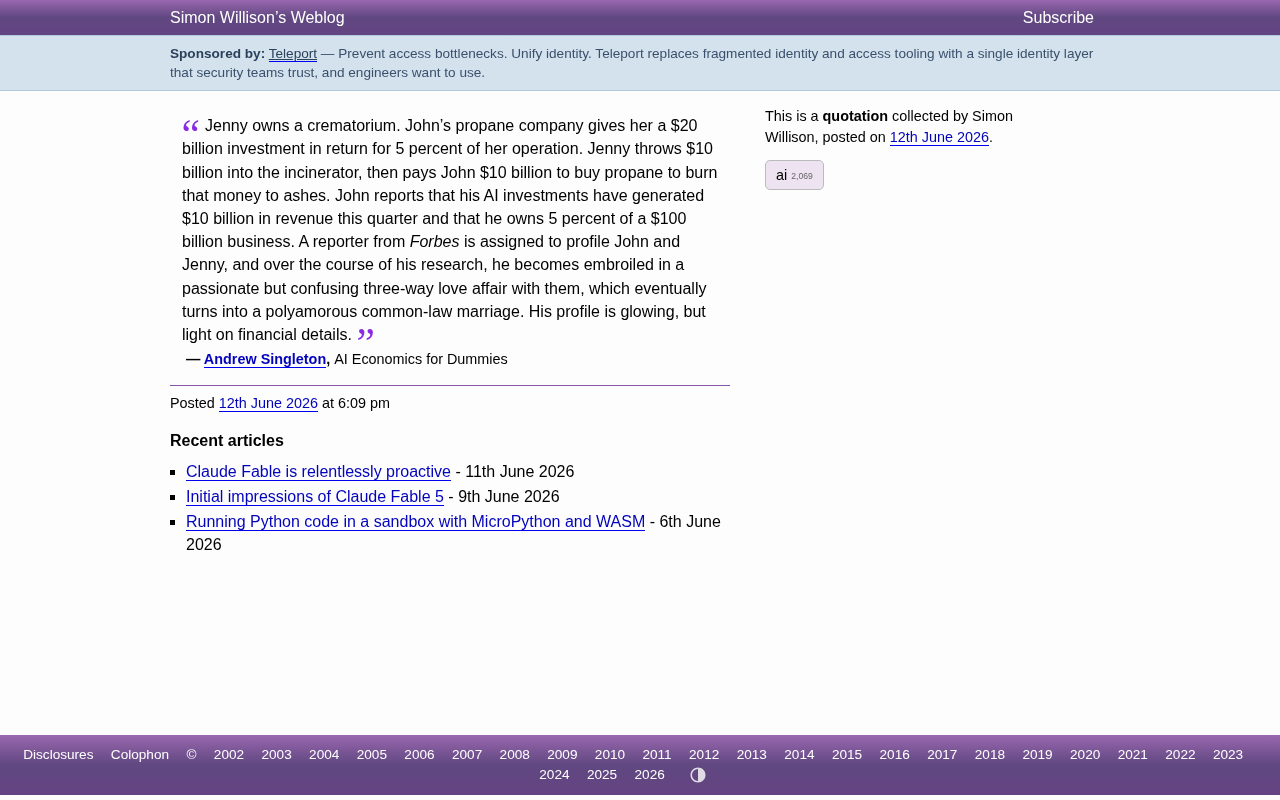
The Absurd Parable of AI Economics: How the Capital Bubble Gets Inflated
A brilliant AI economics satire exposes the absurd capital loop in AI investment: investment becomes revenue, valuations are conjured, and media becomes complicit.
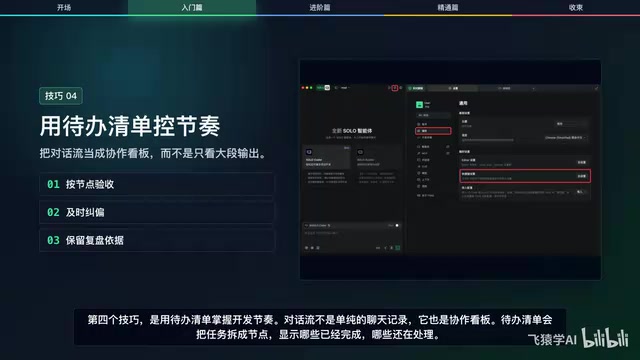
12 Practical Tips for Vibe Coding with Trae SOLO: From Getting Started to Efficient Collaboration
12 practical tips for vibe coding with Trae SOLO covering agent selection, Plan mode, context management, custom rules, and more to build an efficient AI programming workflow.
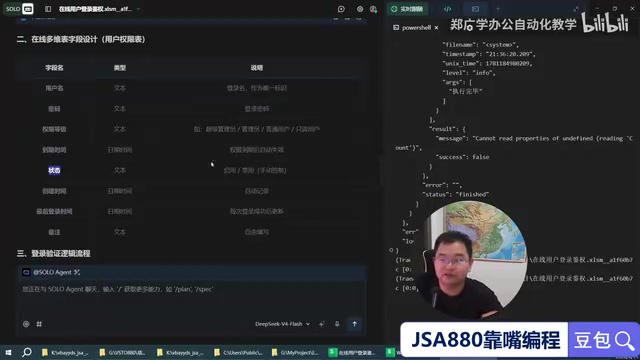
Trae + WPS: Building a Zero-Code JSA Login Authorization System — A Practical Tutorial
Learn how to use Trae AI programming tool with WPS Bitable to build a JSA login authorization system with zero handwritten code, covering online tables, Web API auth scripts, and remote user management.