Trae + WPS: Building a Zero-Code JSA Login Authorization System — A Practical Tutorial
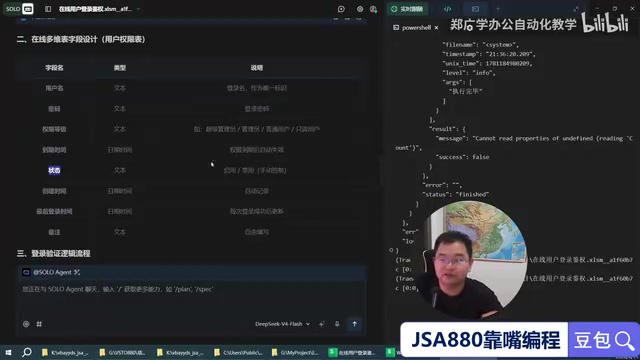
Build a complete WPS JSA login authorization system using Trae AI without writing a single line of code.
This tutorial demonstrates how to use Trae AI IDE with WPS Bitable to build a complete JSA login authorization system through natural language instructions alone. It covers system architecture planning, online table creation via code, secure Web API authentication scripts, local form design, modular code structure, and remote user permission management — all without writing a single line of code manually.
Core Highlight: Full AI Programming, Not a Single Line of Code Written by Hand
In traditional WPS JSA development, implementing a complete user login authorization system involves multiple steps including online table creation, Web API development, local form design, and authentication logic integration. Even experienced developers would need several days to complete this. With the Trae AI programming tool, the entire process is driven solely by natural language instructions to AI, achieving true zero-handwritten-code development.
WPS JSA (JavaScript for Application) is the macro programming environment provided by Kingsoft Office for WPS Office, similar to VBA (Visual Basic for Applications) in Microsoft Office. JSA allows developers to write automation scripts in JavaScript to control WPS Writer, Spreadsheets, Presentation, and other components. Compared to VBA, JSA uses a more modern programming language with better asynchronous processing capabilities and network request support, giving it a natural advantage when interfacing with online services. Trae, on the other hand, is an AI-integrated development environment (IDE) launched by ByteDance, built on the VS Code architecture with a powerful built-in AI programming assistant. It supports generating code, debugging programs, and refactoring projects through natural language conversations. Unlike code completion tools such as GitHub Copilot, Trae emphasizes "conversational development" — developers can describe requirements in plain language, and the AI generates complete code files and writes them directly into the project. This development model is particularly suitable for non-professional programmers or scenarios requiring rapid prototype validation, lowering the programming barrier from "knowing how to write code" to "knowing how to describe requirements."
This article documents a complete practical case: using Trae with WPS Bitable to build a remote user authorization management system featuring local JSA forms + online table data storage.
System Architecture Design: Letting AI Plan the Development Approach
The first step in development isn't rushing to write code, but having AI provide an overall implementation plan. The following core requirements were described to Trae:
- Use a local form as the login interface
- Use an online table (WPS Bitable) to store user data
- Determine user permissions through online table records
- Support permission levels, expiration times, and temporary disable/enable functionality
The AI immediately provided a complete development framework, including the field design for the online Bitable (username, password, permission level, expiration time, status, etc.) and the collaboration workflow between local and online components. This "plan first, execute later" approach is itself a standard software development practice. WPS Bitable is an online collaborative database product launched by Kingsoft, similar to Airtable or Feishu Bitable, supporting CRUD operations via API. In this case, it serves as the cloud database, storing all user account information and permission configurations, allowing administrators to manage user permissions in real-time from anywhere with network access.
Online Table Creation: AI Automatically Creates Tables and Writes Data
Creating the Bitable with Code
The quality of Kingsoft WPS's API documentation is inconsistent, and manually searching for table creation parameters is very time-consuming. Trae directly generated the complete code for creating the user permissions table, automatically setting field types:
- Permission Level: Multi-select type (not plain text)
- Status: Checkbox type (checked = enabled)
- Creation Time, Login Time, and other auxiliary fields
Here's a practical tip: creating tables with scripts rather than manually has the advantage of reusing the table creation script across other Bitables, enabling rapid migration of table structures. This "Infrastructure as Code" philosophy is widely adopted in modern DevOps practices — defining environments and resources through code ensures consistency and repeatability in every deployment. In the database domain, this is similar to Migration Scripts, where development teams can track every change to table structures through version control.
Writing Test Data
The AI automatically added test account data such as Zhang San and Li Si, and completed data validation. The entire process required no manual table operations.
Dual-Track Parallel Development: Doubling Efficiency
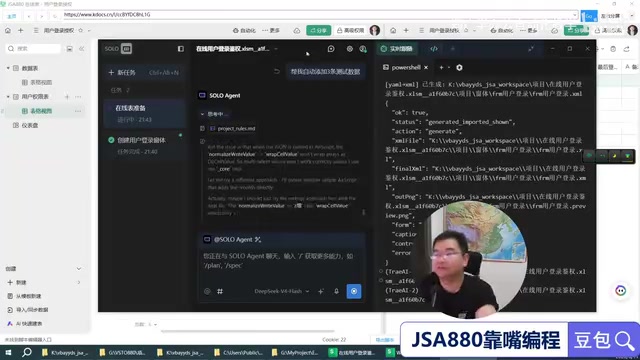
This case demonstrates an efficient working method — dual-track parallel development. Since online table tasks and local table tasks don't interfere with each other (code won't be pushed simultaneously), they can be advanced in parallel:
- Track 1: Create online user permissions table + write Web API authentication script
- Track 2: Create local login form + write form event code
It's like one person directing two AI "workers" to work simultaneously, directly doubling development efficiency. This working model essentially borrows from the "Concurrent Engineering" concept in software engineering. In traditional waterfall development, each phase executes strictly in sequence, with the next step only beginning after the previous one is complete. In AI-assisted development scenarios, since AI can handle multiple independent tasks simultaneously, the developer effectively plays the role of "project manager," responsible for task decomposition and progress coordination. The prerequisite for this model is that tasks have no strong dependencies — online table API development and local form UI development can indeed proceed independently, only needing to interface during the final integration phase. This parallels the microservices architecture approach where each service is developed independently and ultimately integrated through APIs.
Web API Authentication Script: Secure Remote Verification
Key Security Design
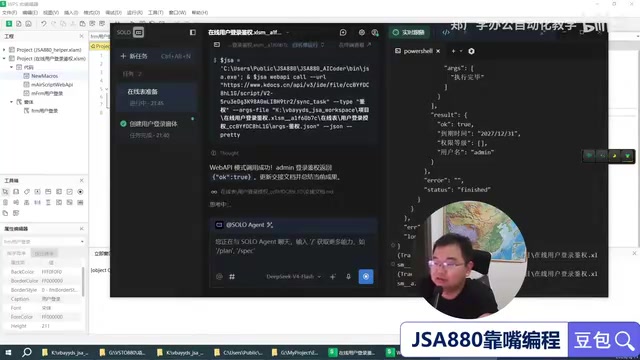
When writing the online authentication API, there's an important security consideration: the API only verifies whether the incoming username and password match, and never returns all user data. This way, even if the local end is compromised, attackers cannot pull the complete user password table.
This design follows the "Principle of Least Privilege" in information security, meaning each component only obtains the minimum information necessary to complete its function. If the opposite approach were taken — pulling all user data locally for comparison — once the local program is reverse-engineered, the entire user database would be exposed. In actual production environments, more comprehensive measures also include hashing passwords in transit (using algorithms like SHA-256 or bcrypt) and implementing Rate Limiting on the API side to prevent brute-force attacks. Although this case is a lightweight authorization system, its security architecture design philosophy is consistent with enterprise-level systems.
The AI-generated authentication script covers complete business logic:
- Whether the username exists
- Whether the account is disabled
- Whether the password is correct
- Whether permissions have expired
If written entirely by hand, this logic would be extremely complex, but Trae generated over a hundred lines of code in one go, covering all edge cases.
Local Form and Remote Integration
Automatic Form Generation
Based on instructions, the AI automatically created a login form interface containing the following controls:
- Username input field
- Password input field
- "Remember username" checkbox
- Login button
Although the auto-generated layout may have minor imperfections, JSA's form designer supports manual fine-tuning, and a few adjustments can achieve the desired result. JSA's form system is similar to early Visual Basic's form design pattern, adopting an event-driven programming paradigm — each control (button, input field, etc.) can be bound to specific event handler functions that are automatically called when users perform actions (such as clicking a button). This programming model is intuitive and easy to understand, making it ideal for building desktop interactive interfaces.
Modular Code Structure
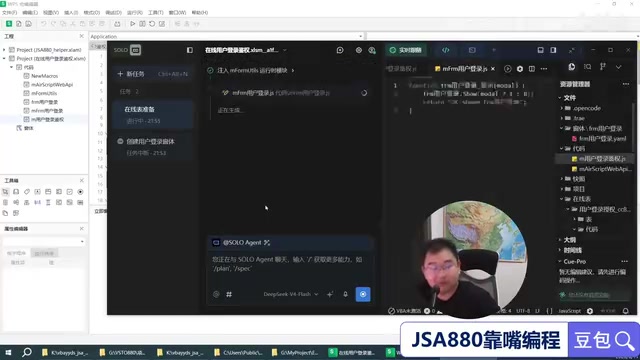
The local code adopts a modular design with the authentication function independently encapsulated. The benefit is that login verification isn't only used in the form — other buttons and features in the program may also need to call the authentication logic, and independent encapsulation provides stronger reusability.
Modular design is one of the fundamental principles of software engineering, with the core idea of decomposing programs into independent, reusable functional units. In this case, encapsulating the authentication function as a separate module follows the "Single Responsibility Principle" and "Separation of Concerns" design philosophies. This means modifications to authentication logic won't affect form interface code, and vice versa. In actual enterprise applications, this design also facilitates team collaboration — one person handles interface development while another handles authentication logic, without interference. More importantly, when the authentication method needs to be changed in the future (such as switching from password verification to OAuth token verification), only the authentication module needs modification, with no changes required in the calling code.
The development process follows strict sequential steps:
- First write the independent authentication call module
- Then complete the form's event binding code
Live Demo: The Power of Remote Authorization
The actual results after the system is running are impressive:
- Normal Login: Enter the correct username and password (e.g., mini/mini123), verification passes, and the system is accessed successfully
- Remote Disable: Uncheck a user's status checkbox in the online table, and that user immediately cannot log in, receiving an "Account has been disabled" message
- Remote Enable: Re-check the status checkbox, and the user instantly regains login ability
- Multi-Account Support: Different users (e.g., Zhang San/123456) are verified independently without affecting each other
This means administrators can control user permissions anytime, anywhere through WPS online tables, without touching local files. Employee resigned? One-click disable. Temporary authorization? Set an expiration time for automatic invalidation. This "remote control panel" model is very common in SaaS (Software as a Service) products, such as enterprise administrators managing employee software access permissions through a web backend. The clever aspect of this case is that it uses WPS Bitable — an existing online collaboration tool — to replace a traditional admin backend, saving the cost of developing an additional management interface while naturally supporting multi-person collaborative management and operation log tracking.
Learning Cost Comparison and Extension Suggestions
The development cost of learning this system through traditional methods is quite high:
- Learning WPS online table API: at least 2 months
- Hand-writing complete authentication logic: over half a year
- Some learners still haven't independently implemented it after 2-3 years
With Trae AI-assisted development, the core skills needed are just three abilities: how to correctly instruct AI step by step, how to clearly describe business requirements, and how to manage the overall development process. This marks a significant transformation in the developer's role — from "code writer" to "requirements architect." In the AI programming era, the ability to understand business logic, decompose complex problems, and validate output quality is more important than memorizing API parameters and syntax details. This transformation is similar to the evolution in manufacturing from manual production to automation: workers no longer need to hand-polish every component, but they need to know how to design products, operate machines, and inspect finished goods.
For users who want to extend the system to other platforms:
- Python Extension: Simply provide the JSA online integration code to the AI, and it will automatically complete the language conversion. Python has rich HTTP request libraries (such as requests) and GUI frameworks (such as Tkinter, PyQt), enabling rapid construction of standalone desktop client applications
- Web Extension: Similarly, just import the corresponding JS modules for quick porting. Since JSA itself is JavaScript, the language barrier for migrating to the web is virtually zero, with the main work focused on converting form interfaces to HTML/CSS pages
Key Takeaways
Related articles
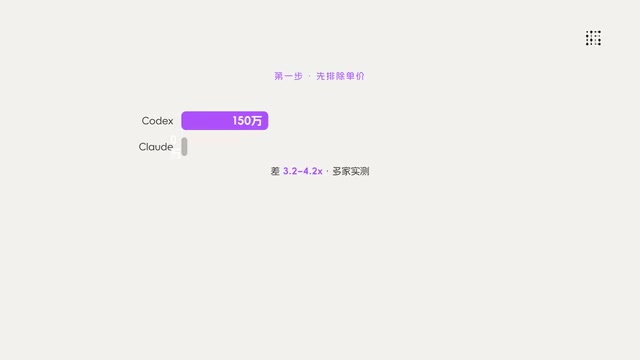
Codex VS Claude Code: The Token Economics Behind a 10x Price Gap
Same coding task: Codex costs $15, Claude Code costs $155. Deep dive into the real reasons behind the 10x gap — it's not pricing, it's token volume, output style, and context strategy.
Gemma 4 Open-Source Model Local Deployment Guide: Ollama Installation & Mobile Setup
Step-by-step guide to deploying Google's Gemma 4 open-source model locally with Ollama and running the lightweight version on mobile with tool calling support.
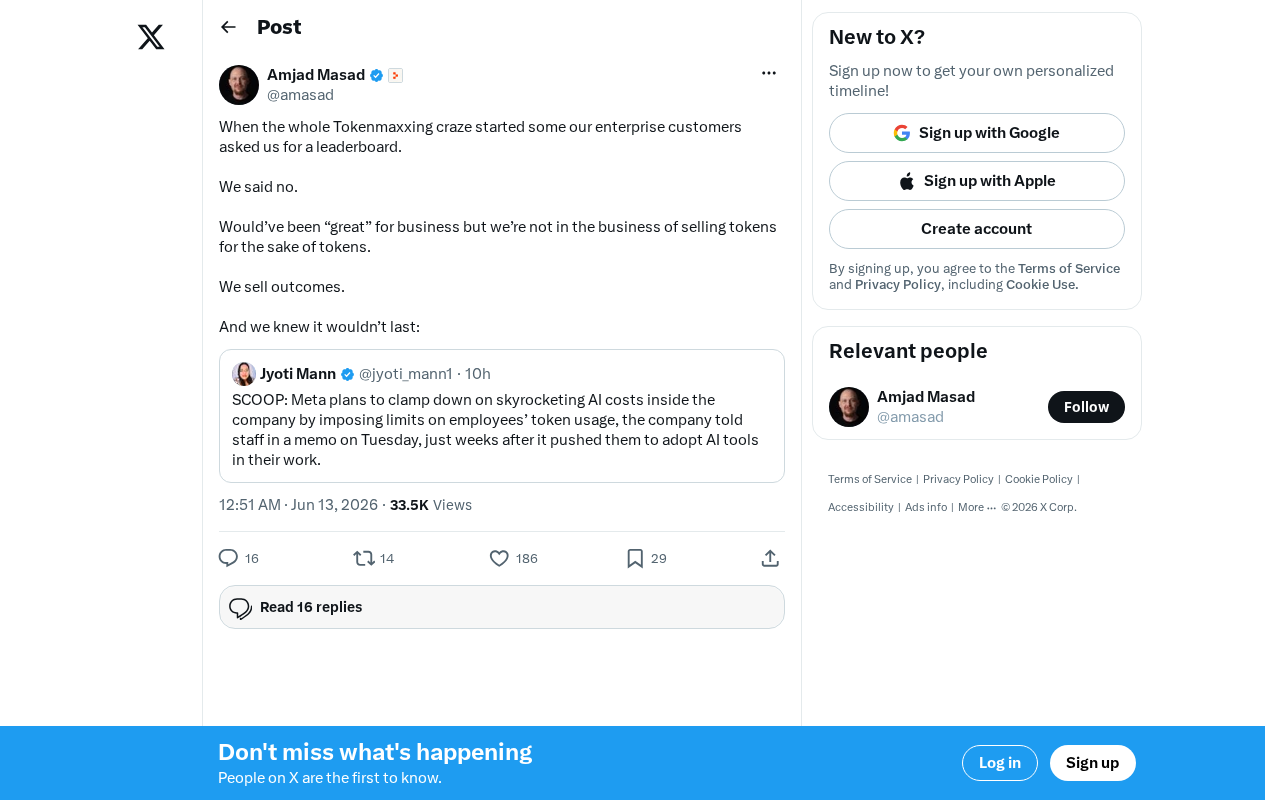
The Decline of Tokenmaxxing: Why Selling Outcomes Matters More Than Selling Tokens
The Tokenmaxxing craze is fading as enterprise AI procurement shifts from chasing Token counts to focusing on actual business outcomes. Learn why outcome-based AI evaluation is the right approach.