Claude Code Plugin System Explained: Four Core Components Building an Extensible Development Platform
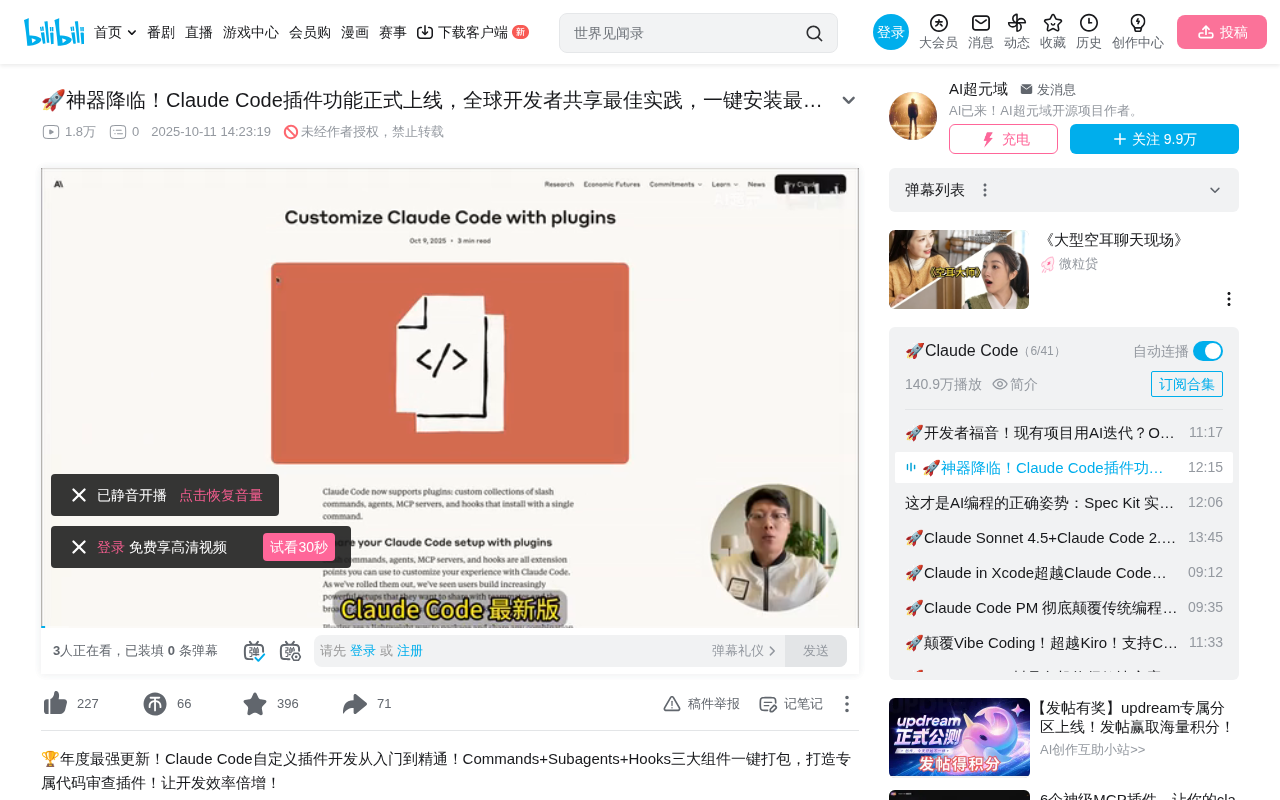
Claude Code launches a plugin system integrating four core components to build an extensible development platform
Claude Code version 2.0.14 introduces a Plugin System that unifies Slash Commands, Sub-agents, MCP integration, and Hooks into a cohesive extension framework. Developers can package workflows into installable, shareable plugins distributed via GitHub repositories and deployed with a single command. This marks Claude Code's evolution from a command-line AI tool into an extensible development platform akin to VS Code, building platform competitiveness through an open ecosystem.
Overview
The latest version of Claude Code (2.0.14) officially introduces a Plugin System (Plugins)—an extension framework that integrates four core components: Slash Commands, Sub-agents, MCP, and Hooks. Developers can package team standards, test scripts, code review workflows, and more into installable, shareable plugins that can be deployed with a single command.
This means that whether you're an individual developer or part of a collaborative team, you can quickly access best practices shared by developers worldwide through the plugin marketplace, dramatically lowering the barrier to workflow configuration. This move also signals that Claude Code is evolving from a command-line AI programming tool into an extensible development platform similar to VS Code—attracting third-party developers through an open plugin ecosystem and building platform competitiveness driven by network effects.
The Four Core Components of the Plugin System
Slash Commands
Slash Commands are the most intuitive interaction method in the plugin system. Users simply type / followed by a command name in Claude Code to trigger preset workflows. For example, typing /plugin lets you browse, install, and manage plugins, while custom commands can launch specific development tasks.
The design philosophy of Slash Commands originates from the interaction paradigm of collaboration platforms like Discord and Slack. On these platforms, users trigger specific functions by typing a / prefix—a pattern widely adopted for its low learning curve and high discoverability. Claude Code brings this paradigm into the AI programming assistant space, allowing complex workflows to be simplified into a single short command call. Unlike traditional CLI commands, Slash Commands typically feature auto-completion and context awareness, providing intelligent suggestions based on the current project state so developers don't need to memorize complex parameter combinations.
Sub-agents
Plugins can encapsulate specialized sub-agents, each with clearly defined roles and professional capabilities. For example, in a code review plugin, you might set up a "Security Expert Agent" focused on vulnerability scanning and an "Architecture Review Agent" responsible for evaluating code design quality.
The concept of sub-agents comes from Multi-Agent System (MAS) theory. In this architecture, complex tasks are decomposed into multiple subtasks, each handled independently by an agent with specific expertise. This design follows the "Single Responsibility Principle"—each Agent focuses only on its area of expertise, collaborating to achieve the overall goal. Compared to a single large model handling all tasks, the multi-agent architecture offers advantages: each Agent can have a specially optimized System Prompt, independent context window management strategies, and reasoning strategies fine-tuned for specific tasks. This means a "Security Expert" in a code review plugin can carry security knowledge bases like OWASP Top 10 as context, while the "Architecture Review" Agent can load reference materials related to design patterns and SOLID principles.
MCP Integration
Through MCP (Model Context Protocol) integration, plugins can connect to external tools and services, enabling richer functionality extensions.
MCP (Model Context Protocol) is an open standard protocol introduced by Anthropic in late 2024, designed to establish a unified communication interface between AI models and external data sources and tools. Before MCP, every AI application needed to write dedicated integration code for different external services, resulting in massive duplication of effort and a fragmented ecosystem. MCP defines a standardized client-server architecture that allows AI models to plug into various external tools as seamlessly as connecting peripherals via USB. MCP servers can expose three core capabilities: Resources (data resources such as file contents and database records), Tools (callable tools such as API requests and code execution), and Prompts (prompt templates such as preset analysis frameworks). In the plugin system, MCP integration means plugins can seamlessly connect to databases, third-party API services, local file systems, and even other AI models, greatly expanding the capability boundaries of plugins. For example, a project management plugin could connect to Jira, GitHub Issues, and Notion databases simultaneously via MCP, enabling cross-platform task synchronization.
Hooks
Hooks allow scripts to be automatically executed when specific events are triggered, enabling scenarios like automated code review. Combined with helper scripts, they can build complete automation pipelines.
Hooks are a classic event-driven design pattern in software engineering, widely used in Git Hooks, Webpack Plugins, React Hooks, and more. The core idea is to insert custom logic at specific lifecycle points during program execution without modifying the main program code. In Claude Code's plugin system, Hooks can listen for events such as "file save," "code commit," "session start," and "before/after tool invocation," automatically triggering preset scripts or workflows. This is similar to the trigger concept in CI/CD pipelines but with finer granularity and more immediate response, suitable for real-time feedback during development. For example, you can configure a Hook to automatically run a linter check every time Claude generates code, or automatically generate a development log when a session ends.
Core Advantages Analysis
Standardization and Consistency
The greatest value of the plugin system lies in ensuring unified team development environments. Previously, team members needed to manually configure various tools and standards; now they only need to install the same plugin package to get a completely consistent development environment and workflow.
This solves the long-standing "environment drift" problem in software engineering—over time, different developers' local environments gradually diverge, leading to the classic "it works on my machine" dilemma. Through plugin-based standardized configuration distribution, teams can ensure every member uses the same version of coding standards, the same review criteria, and the same automation processes, fundamentally eliminating collaboration friction caused by environmental differences.
One-Click Installation Convenience
Users only need to execute a single command to install complex workflows:
/plugin marketplace add [GitHub repository name]
This dramatically lowers the barrier to entry—even users with no programming experience can access efficient development workflows through the plugin functionality.
The GitHub repository-based distribution mechanism is an elegant design choice. It not only lowers the barrier to plugin publishing (developers don't need to learn additional publishing workflows) but also naturally leverages Git's version control capabilities for plugin version management, change tracking, and rollback. Meanwhile, GitHub's social features like Stars, Issues, and Pull Requests provide ready-made infrastructure for plugin quality assessment and community collaboration.
Ecosystem Sharing
Developers worldwide can publish their plugins on GitHub. Currently, in addition to officially released Claude Code plugins, community developers are continuously contributing quality plugins. A unified plugin marketplace enables centralized discovery, version management, automatic updates, and dependency management.
This platform strategy shares similar logic with the VS Code Extension Marketplace and npm ecosystem. The core of platform economics lies in network effects—the more plugins available, the more attractive the platform is to users; the more users there are, the stronger the motivation for developers to create plugins. Once this positive cycle forms, it builds powerful competitive barriers, making it difficult for latecomers to replicate the same ecosystem advantages.
Hands-On Demo: Developing an AI Agent Using an Official Plugin
Installation and Usage Flow
Using the official Agent SDK plugin as an example, the entire usage flow is very smooth:
- Browse the plugin marketplace via the
/plugincommand - Select the Agent SDK plugin for installation
- Restart Claude Code to load the new plugin
- Enter a slash command to start the plugin workflow
AI Agent is one of the core paradigms in current large model applications. The key difference from simple conversational AI is that Agents possess the ability to autonomously plan, call tools, and interact with their environment. A typical Agent can analyze user intent, formulate execution plans, call external APIs to gather information, adjust strategies based on results, and ultimately complete complex tasks. The Agent SDK provides developers with a standardized framework for building such applications, encapsulating underlying complexities like tool registration, conversation management, and state persistence. Currently, mainstream Agent frameworks include LangChain/LangGraph, CrewAI, AutoGen, and others, while Anthropic's Agent SDK deeply integrates Claude model's native capabilities (such as Tool Use and Extended Thinking), offering natural advantages when paired with Claude models.
Guided Development Experience
After installing the Agent SDK plugin, you only need to enter a project name, and the plugin will guide you through development via interactive Q&A:
- Step 1: Choose a programming language (TypeScript/Python)
- Step 2: Confirm the project name
- Step 3: Describe the Agent type (e.g., weather information Agent)
- Step 4: Select a template (Hello World or basic Agent with tool integration)
- Step 5: Confirm implementation steps, then auto-execute
The plugin automatically fetches the official Agent SDK documentation and follows the packaged workflow to complete the entire project creation and verification. In the end, you get a fully functional weather forecast Agent without writing any code manually.
This guided development experience is essentially the codification of expert knowledge—the plugin developer has encapsulated the complete knowledge of "how to correctly build an Agent" (including project structure, dependency configuration, best practices, and common pitfall avoidance) into the workflow, enabling even beginners to produce production-standard code.
Hands-On Demo: Creating a Custom Code Review Plugin
Plugin Directory Structure
The directory structure for custom plugins is clear and straightforward:
plugin-name/
├── manifest.json          # Plugin manifest (name, version, description, author)
├── commands/              # Custom slash commands
│   ├── code-review.md     # Code quality review
│   ├── security-review.md # Security vulnerability scanning
│   └── performance.md     # Performance analysis
├── subagents/             # Sub-agent definitions
│   ├── security-expert.md # Security Expert Agent
│   └── architecture.md    # Architecture Review Agent
└── hooks/                 # Automation hooks
    └── auto-review.json   # Code review automation
Notably, sub-agent and command definition files use Markdown format (.md), meaning developers can define Agent behavior and capabilities using natural language—no need to write complex code logic, just clearly describe the Agent's role, responsibilities, output format, and judgment criteria. This "Prompt as Code" philosophy dramatically lowers the technical barrier to plugin development.
Review Results Verification
After installing the custom plugin into Claude Code, we tested it by reviewing the previously generated weather forecast Agent:
Performance Review Report includes:
- Overview and performance issue analysis
- Specific problem descriptions and locations
- Detailed optimization recommendations
Security Review Report includes:
- Review objectives and scope
- Confirmed security vulnerabilities (with severity levels)
- Vulnerability code location
- Attack scenario analysis
Test results show that the custom plugin's review output is highly detailed and professional, fully suitable as a standardized tool for team code reviews. This approach of automating security reviews and performance analysis can effectively compensate for the shortage of security experts or performance engineers on a team, achieving the goal of "democratizing expert capabilities."
Summary and Outlook
The launch of Claude Code's plugin system marks the transformation of AI programming assistants from "single tools" to "extensible platforms." Its core value lies in:
- Lowering barriers: Non-technical users can access professional-grade workflows through plugins
- Promoting collaboration: Team standards and best practices can be distributed in a standardized way
- Ecosystem prosperity: Global developers co-build and share, forming a positive cycle
As the number of community plugins grows, Claude Code is poised to become a true developer ecosystem platform, not merely a command-line AI assistant. From an industry competition perspective, this move also differentiates Claude Code from competitors like GitHub Copilot and Cursor—the latter focus more on code completion and in-editor integration, while Claude Code builds an open workflow orchestration platform through its plugin system, covering the complete development lifecycle from code generation to review, testing, and deployment.
Developers are encouraged to try this feature early and consider packaging their own workflows as plugins to share with the community. As the AI Agent paradigm matures and the MCP ecosystem expands, the potential of the plugin system will far exceed what we see today—future plugins may not just be workflow templates, but intelligent workflow engines capable of autonomous learning and evolution.
Related articles
 Tutorials
Cursor + Codex Dual-IDE Collaboration: A Practical Methodology for Open-Source Project Customization
A complete methodology for open-source project customization based on real-world experience, detailing the Cursor+Codex dual-IDE workflow, seven-stage process, MVP validation, and AI source code reading techniques.
 Tutorials
Cursor Multi-Agent in Practice: Building a Full-Stack Next.js Blog in 50 Minutes
Build a full-stack blog in 50 minutes using Cursor IDE's multi-Agent mode with Next.js, Clerk auth, and Supabase. Learn the 4-phase AI Agent workflow and key integration pitfalls.
 Tutorials
Building an AI Software Factory from Scratch: A Cursor Engineer's Hands-On Experience with Multi-Agent Collaboration
Cursor engineer Eric shares practical insights on building an AI software factory: automation levels, guardrail design, parallel Agent management, and scaling to 1000+ Agents for 24/7 development.