CodeGraph: Give Your Coding Agent a Code Map, Save 47% Tokens
CodeGraph builds a local code map so coding agents understand codebases faster while using 47% fewer tokens.
CodeGraph is an open-source project (~40K GitHub stars) that uses Tree-sitter to parse codebases and generate a locally queryable code map stored in SQLite. By exposing symbol relationships, call graphs, and impact analysis via an MCP Server, it lets coding agents like Claude Code and Cursor navigate projects structurally rather than through brute-force search. Benchmarks show 47% token reduction, 58% fewer tool calls, and 22% faster completion on architecture questions.
The Real Bottleneck for Coding Agents: The Cost of Code Understanding
When you throw a bug at Claude Code, Cursor, or Codex, the model usually doesn't know the answer right away. It first searches for keywords, then opens routing files, then traces the Controller, then the Service, then the Repository—and along the way it might stumble into type definitions, test files, and config files. On a good day it finds the main path quickly; on a bad day it bounces back and forth between grep, glob, and read, stuffing loads of irrelevant code into the context.
This is exactly the problem that CodeGraph—an open-source project with roughly 40,000 stars on GitHub—aims to solve. Its core idea is straightforward: since the Agent has to find its way around the project from scratch every time, why not read through the codebase in advance and organize functions, classes, methods, call relationships, import relationships, inheritance hierarchies, and file structures into a locally queryable code map? When the Agent actually needs to perform a task, it consults the map first, then decides whether to read specific files.
The key shift here: CodeGraph transforms "getting to know the codebase" from ad-hoc searching into engineered indexing. The Agent relies less on guessing and more on pre-organized code facts to determine its next step.
CodeGraph's Four-Step Mechanism
Step 1: Extract
CodeGraph uses Tree-sitter to parse source code. Tree-sitter is a syntax parser designed for code editors and tooling—it turns source code into an AST (Abstract Syntax Tree). CodeGraph then applies language-specific query rules to extract nodes like functions, classes, methods, and types from the AST, as well as edges like calls, imports, inheritance, and implementations.
Step 2: Store
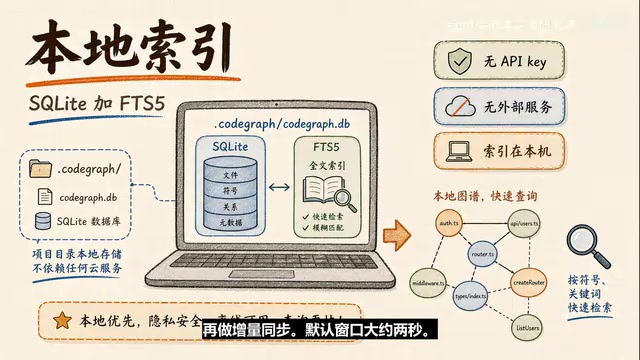
The extracted nodes and relationships go into a project-local SQLite database, stored at .codegraph/codegraph.db. It also uses FTS5 for full-text search—FTS5 is SQLite's full-text retrieval capability—so you can query both symbol relationships and quickly search code entities by name.
Step 3: Resolve
Extracting a function call alone isn't enough. What's truly useful is connecting calls to definitions, imports to files, inheritance to parent classes, and framework routes to Handlers. The official documentation also mentions "bridge-building" for some dynamic dispatch boundaries—such as callbacks, React re-renders, interface-to-implementation mappings, and some mobile and cross-language scenarios.
An important boundary here: these inferred edges are not equivalent to compiler-level proofs. The official docs mark heuristic-sourced edges accordingly, meaning they have engineering value, but you should know they come from heuristic rules.
Step 4: Sync
Once CodeGraph runs as an MCP Server, it uses system file watchers (FSEvents on macOS, inotify on Linux, ReadDirectoryChangesW on Windows) to monitor source code changes in the project. File changes don't trigger an immediate graph rebuild—instead, they pass through a short debounce window (default ~2 seconds) before incremental sync occurs.
The Fundamental Difference from Regular Code Search
The tools CodeGraph exposes to Agents via its MCP Server are straightforward:
- Search: Find symbols
- Callers: See who calls a given function
- Callees: See what a given function calls
- Impact: Analyze what might be affected by changing a symbol
- Files: Query indexed file structure
- Trace: Trace the complete path of a request from entry point to downstream
Regular search starts from text—you search a keyword, get a bunch of files, then rely on the model to read files and guess relationships. CodeGraph starts from symbols and relationships, letting the Agent first see who defined something, who calls it, and where it connects to. Reading source code is still necessary, but the scope of what needs to be read shrinks significantly.
For example: if you ask how an API request travels all the way to the database, regular search might start from route keywords and read files layer by layer. CodeGraph's approach is to first find the route node and Handler, then follow call edges through Controller → Service → Repository → database access function. What the Agent gets is a candidate path, not just a pile of scattered files.
Benchmark Results: How Many Tokens Does It Actually Save?
The official README provides a set of benchmarks (re-verified with Opus 4.8): Claude Code in Headless mode answers architecture questions across 7 real open-source repositories, with and without CodeGraph, 4 runs per group taking the median.
Average results:
- Cost reduced by 16%
- Tokens reduced by 47%
- Time 22% faster
- Tool calls reduced by 58%
Two details worth noting:
First, these numbers don't exactly match claims in some earlier articles (e.g., "57% fewer tokens, 25% cost reduction"). The official page has multiple historical figures; the latest README uses the numbers above.
Second, these results have a clear scope of applicability—the tests used Claude Code Headless + Opus 4.8 + 7 open-source projects + architecture understanding questions. Your project's language, code style, whether the Agent actually invokes CodeGraph, and whether the question is structural will all affect the gains.
Supported Languages & Installation Essentials
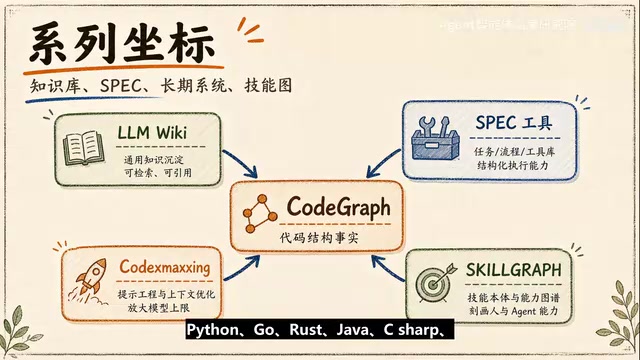
Language support covers: TypeScript, JavaScript, Python, Go, Rust, Java, C#, PHP, Ruby, C/C++, Swift, Kotlin, Scala, Dart, Svelte, Vue, Lua, and more.
Framework route recognition includes: Django, Flask, FastAPI, Express, NestJS, Rails, Spring, Gin, ASP.NET, React Router, SvelteKit, and others.
For installation, just remember two layers: first connect CodeGraph to your Agent (supports Claude Code, Cursor, Codex CLI, Gemini CLI, etc.), then build a local index in each project.
One very notable design choice: local-first. CodeGraph requires no API key, depends on no external services, and stores indexes in a local SQLite database. For private repos and enterprise code, this is critical. To be precise though—CodeGraph's own indexing and MCP service are local, but if you're using a cloud-based Coding Agent, which code snippets the Agent subsequently sends to the model depends on that Agent's runtime mode and permission settings.
CodeGraph's Engineering Position & Boundaries
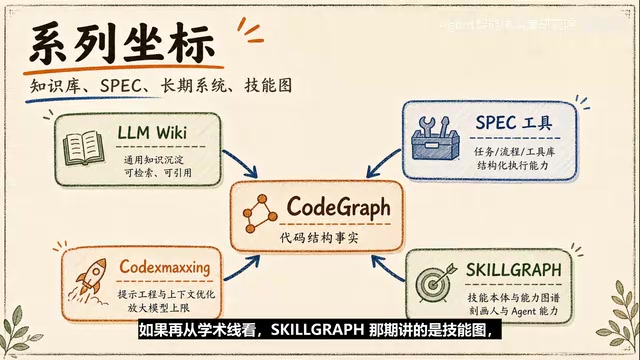
I prefer to think of CodeGraph as a piece of infrastructure for Agent engineering. It's not responsible for writing prettier code or deciding whether a requirement should be implemented—it's responsible for letting the Agent see the terrain clearly before taking action.
What it changes:
- Daily Q&A becomes more like structural queries—previously asking "who uses this function" might trigger file searches; now the Agent can query callers first
- Impact analysis is easier to front-load—the Impact tool lays out the blast radius first, then you decide what to test
- The Agent's context stays cleaner—less irrelevant information means answers more closely follow the main path
- Index freshness can be built into workflows—status, auto-sync, and incremental updates are all designed around "are the relationships the Agent queries up to date?"
But it also has clear boundaries:
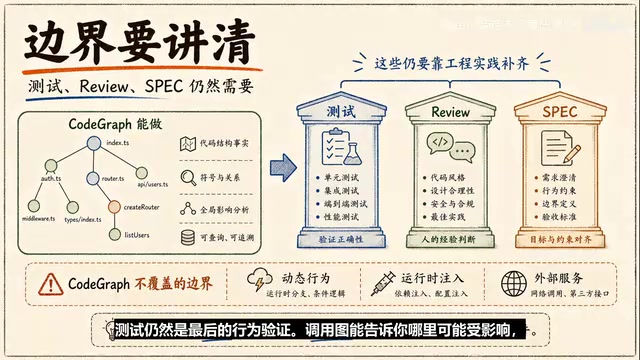
- Dynamic behavior still requires caution: Reflection, runtime injection, complex dependency containers, database schemas, and external service calls may exceed what a static graph can capture
- Tests remain the ultimate behavioral verification: Call graphs can tell you what might be affected; tests tell you whether behavior actually broke
- Depends on the Agent's usage habits: If the Agent continues to brute-force full-text searches, the benefits get eaten up. Enterprises should write usage rules into Agent instructions
- The graph needs to stay clean: Indexes should exclude dependency directories, build artifacts, cache files, and large files
Why Coding Agents Need a Code Map
Coding agents are evolving from "help me complete a few lines of code" to "help me understand a system and safely modify it." The stronger the model, the more visible exploration costs become. In the past you might not have cared if the Agent read a few extra files; now a single task might involve multiple Agents, multiple stages, and multiple feedback loops—repeated exploration becomes a real source of time, cost, and errors.
CodeGraph's answer is very engineering-oriented: extract code structure in advance, store it locally, and let the Agent query it. It doesn't promise AI will automatically write an entire system, nor does it wrap the problem in mysticism—it converts a very specific pain point (code understanding cost) into a tractable indexing problem.
If you're already using Claude Code, Cursor, or Codex on real projects, CodeGraph is best suited for those legacy projects where Agents frequently get lost: backend systems with many routes, applications mixing frontend and backend, business code with deep call hierarchies, or repositories maintained by multiple people over many years where structure can't be guessed from file names alone.
One line to wrap up: CodeGraph's significance is letting coding agents first have a better code map, then decide how much context they need. The future competition among Coding Agents may not just be about how well the model writes code, but whether it can understand the project faster, more accurately, and more efficiently before it starts working.
Related articles
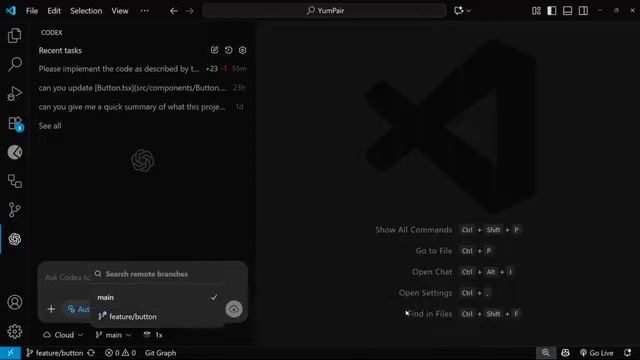
OpenAI Codex Cloud Task Delegation: The Complete Workflow from VS Code to PR
A detailed guide to OpenAI Codex extension's cloud task delegation, covering the complete workflow from initiating cloud coding tasks in VS Code to reviewing changes and creating Pull Requests.
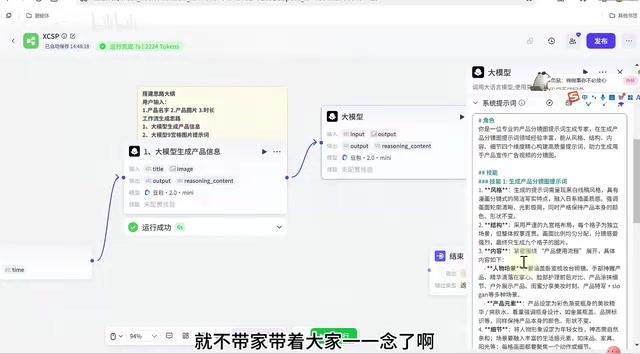
Coze Workflow in Practice: Complete Tutorial for AI One-Click Product Promo Video Generation
Step-by-step guide to building a Coze workflow for AI product promo videos, integrating HappyHours and Jimeng across 12 nodes with nine-grid storyboards and polling loops.
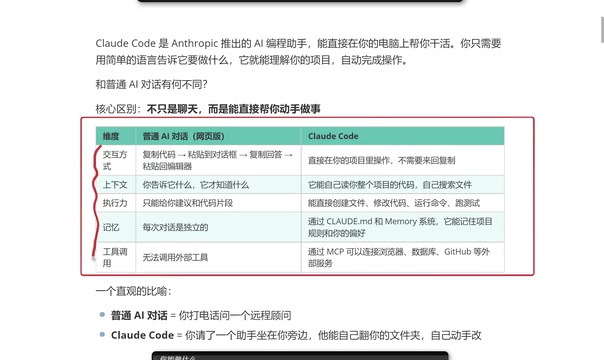
Getting Started with Claude Code: 5 Key Differences from Traditional AI Chatbots
Explore 5 key differences between Claude Code and traditional AI chatbots like ChatGPT, covering interaction, context, execution, memory, and tool integration.