Codex Capabilities Explained: From Code Writing and Browser Automation to Controlling Your Computer and Phone

OpenAI Codex goes beyond ChatGPT with AI coding, browser automation, and computer/phone control.
This article breaks down OpenAI Codex's three core capabilities that set it apart from ChatGPT's web version: AI-powered code writing and debugging, browser automation via visual understanding, and the ability to control your computer and even iPhone wirelessly. It compares Codex with tools like Cursor, Trae, and traditional RPA platforms, and provides practical membership tier recommendations for getting started.
What Does Codex Actually Change?
Many people are already very familiar with ChatGPT's web version, but far fewer know about OpenAI's desktop application, Codex. Codex is not simply a "desktop clone" of ChatGPT — it offers capabilities in code writing, browser automation, and computer control that far exceed what the web version can do. This article systematically breaks down Codex's three core capabilities, helping you understand the fundamental differences between it and traditional ChatGPT.
ChatGPT Web Version: The Baseline We Already Know
Before diving into Codex, let's quickly review the core features of ChatGPT's web version.
Intelligent Conversation and Search
When you open ChatGPT's web version, it's essentially a chat window — conversation history on the left, model selection on the right (such as GPT-4.5 advanced, etc.). You can use it as an advanced search engine. For example, ask "Where can I buy a Mac mini M4 for under $500 right now?" and it will search multiple platforms and provide detailed purchasing recommendations.
Beyond that, it supports voice input, emotional companionship, business planning, and many other use cases. The more advanced the model you choose, the longer it takes to think, but the higher the answer quality.
Image Generation
ChatGPT's image generation capability is also worth noting. Especially after the release of the Image 2 model, whether it's e-commerce product pages, poster designs, or creative images in Y2K style, the generation quality has been widely recognized. You can describe your requirements directly or upload a reference image for it to generate a new one based on that.
Codex vs ChatGPT: More Than Just "Web vs Desktop"
To put it simply: ChatGPT is the web version, Codex is the software version. Within Codex, you can still have conversations, generate text and images — everything the web version can do, Codex can do too.

But Codex's real killer feature is its local capabilities — the ability to control your computer. This is something the web version simply cannot do. Web applications run inside a browser sandbox, restricted by strict security policies that prevent access to the local file system, execution of system commands, or interaction with other applications. Desktop applications, on the other hand, are installed natively on the operating system and, once authorized by the user, can obtain system-level permissions such as file read/write access, terminal execution, and screen capture. This is the technical foundation for all of Codex's local capabilities. Specifically, Codex's local capabilities can be divided into three major areas.
Codex's Three Core Capabilities in Detail
Capability 1: AI Code Writing, Execution, and Debugging
Codex's most essential capability is AI programming. It can handle the following tasks:
- Automatically create folders and files: Just describe your project requirements, and it will automatically create a complete project structure locally.
- Write code: Whether it's a Python script, a Node.js application, or a frontend webpage, Codex can generate it directly.
- Local execution and debugging: Code doesn't end at writing. Codex can execute commands in your local terminal, run code, and install dependencies (e.g., automatically installing required third-party libraries via package managers like pip or npm), enabling a fully automated development workflow.
- Reverse engineering: Analyze and understand existing codebases.
This capability essentially competes with AI programming tools like Cursor and Trae. Cursor is an AI-native code editor developed by Anysphere, deeply rebuilt on top of VS Code, with built-in code completion, multi-file editing, and conversational programming capabilities — it's one of the most popular tools in the AI coding space. Trae is a free AI IDE from ByteDance, also built on the VS Code architecture, designed to be friendly for Chinese-speaking developers. The key difference between Codex and these tools is that Cursor and Trae are fundamentally code editors that require developers to have some foundation in project management and terminal operations. Codex, however, embeds programming capabilities into a general-purpose desktop application — users don't even need to understand what a terminal or package manager is; they just describe their needs in natural language. The difference is that Codex is integrated into a unified desktop application without requiring additional IDE plugins.

Capability 2: Browser Automation
Codex's second major capability is automated browser control (primarily Google Chrome). Think of it as similar to Tabit (an AI-powered smart browser) — you tell it what you want to accomplish in the browser, and it intelligently executes the task for you.
For example, automatically logging into websites, batch data collection, auto-filling forms — tasks that previously required writing web scrapers or RPA scripts can now be accomplished by simply describing them in natural language. Browser automation has long relied on technical frameworks like Selenium, Puppeteer, and Playwright, requiring developers to write precise DOM selectors and interaction logic with high maintenance costs — scripts can break the moment a webpage's structure changes. Traditional RPA tools like UiPath and Yingdao (影刀) lower the barrier through record-and-playback approaches but still require users to define explicit operation flows. Codex's browser automation uses a combination of visual understanding and large language model reasoning — it "sees" the screen content to understand the current state and decides what to do next. This approach is far more tolerant of webpage structure changes than traditional solutions. AI browsers like Tabit take a similar approach, but Codex's advantage is that it's not a standalone browser product — it can directly control the user's existing Chrome browser, including logged-in accounts and cookie states. Execution speed is currently relatively slow, but the barrier to entry is extremely low.
Capability 3: Computer and iPhone Automation
This is Codex's most impressive capability. On Mac (it's currently unclear whether Windows is supported), Codex can control any software on your computer, not just the browser.
Even more remarkably, it can directly control your iPhone — and without a USB cable. The technical foundation for Codex's iPhone control is the deep interconnection between the macOS and iOS ecosystems. Starting with macOS Sequoia, Apple officially introduced iPhone Mirroring, which allows a Mac to wirelessly mirror and fully control an iPhone without a cable connection, relying on Apple's Continuity protocol stack. Codex leverages this system-level capability by injecting AI visual understanding and operation commands into the mirroring window, enabling automated control of phone apps. This also explains why this feature is currently only confirmed to work on Mac — it depends on Apple ecosystem-exclusive features. You just give Codex a command, and it executes the corresponding operation on your phone.

This capability can be compared to an RPA tool with a brain. Yingdao (影刀) is a leading RPA platform in China that supports automation across web, desktop software, and mobile devices, widely used in e-commerce operations, financial reconciliation, and other fixed-process scenarios. Traditional RPA tools require you to precisely define every step: step one — open the webpage, step two — log in, step three — execute the operation... If something unexpected happens at any point (such as an account not being logged in, a CAPTCHA appearing, or a page loading timeout) and you haven't preset handling logic, the process breaks.
Codex's advantage is that it can adapt on the fly. When encountering unexpected situations, it independently assesses and adjusts its strategy rather than rigidly following preset steps. This relies on the reasoning capabilities of large language models — it can understand what's displayed on screen, determine which stage of the process it's at, and dynamically decide what to do next. Of course, this doesn't mean traditional RPA tools have no value — in fixed scenarios, tools like Yingdao are still faster, more stable, and don't consume the computational resources required for AI reasoning.
Membership Tiers and Usage Recommendations
Now that you understand Codex's capabilities, let's look at the barrier to entry. OpenAI's current membership tiers are roughly as follows:
| Membership Tier | Monthly Fee | Target Users |
|---|---|---|
| Go | ~$8-10 | Light usage |
| Plus | $20 | General users (recommended starting point) |
| Pro | $100 / $200 | Heavy AI programming users |
OpenAI's membership tiers correspond to different model access permissions and compute resource quotas. The free tier typically only provides access to lightweight models like GPT-4o-mini, which respond quickly but have limited reasoning depth. Plus members can use the full GPT-4o as well as reasoning models like o1 and o3. Pro members get access to the highest-tier reasoning modes like o1 Pro Mode, which significantly outperform base models on complex programming tasks, mathematical reasoning, and multi-step planning.
For first-time users, Plus membership ($20/month) is more than sufficient. Unless you're a heavy AI programming user, there's no need to jump straight to Pro. The Pro tier's advantage is access to the most advanced models, which think more deeply but also take longer to respond (in testing, a complex problem might take over 5 minutes). The "longer thinking time" refers to the Chain-of-Thought reasoning mechanism used by the o1 series models, where the model performs multiple rounds of internal reasoning before outputting an answer, consuming more computational resources but significantly improving accuracy on complex tasks.
A practical tip: Don't use the free version to evaluate AI's capabilities. The free version uses base models, and the experience gap compared to paid versions is enormous. If you're serious about using AI to boost productivity, go straight for a membership with access to advanced models.
Summary: Who Is Codex For?
At its core, Codex deeply integrates ChatGPT's intelligent conversational capabilities with local computer control capabilities. It's no longer just a "chatbot" — it's an AI programming assistant that can actually write code for you, control your browser, and automate operations on your computer and phone.
For users looking to get started with AI programming or improve workflow automation, Codex offers a tool with an extremely low barrier to entry but a very high capability ceiling. Start with a Plus membership, gradually explore its various capabilities, and you'll find that AI programming isn't as far away as you might have imagined.
Related articles
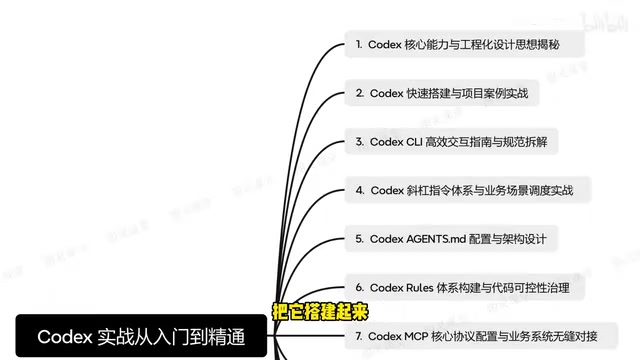
The Complete Guide to OpenAI Codex CLI: From Installation and Configuration to Enterprise-Level Practice
In-depth guide to OpenAI Codex CLI: covering installation, agents.md design, multi-agent collaboration, MCP protocol integration, and a RAG customer service project.

Decoding Google's AI Control Roadmap: A Defense Framework for When AI Goes Off the Rails
Google releases its AI Control Roadmap, a new safety paradigm that assumes alignment may fail and builds defenses at the system architecture level.

Agent Factory: Voice-Driven AI Coding — A Hands-On Guide to Building Apps for Free
Agent Factory wraps Claude Code into a voice-driven AI coding tool with dozens of free models, letting you build apps, games, and websites through conversation.