Codex Getting Started Guide: Dual-Channel Setup with DeepSeek (China) and ChatGPT (Global)
Codex Getting Started Guide: Dual-Chan…
Codex is OpenAI's AI programming Agent that can directly operate your computer for coding and automation.
Codex is OpenAI's AI Agent tool that goes beyond traditional AI chat by directly reading/writing files, executing commands, operating browsers, and managing GitHub repositories. Its six core capabilities include code reading and analysis, bug fixing, environment setup, frontend visual testing, documentation processing, and automated collaboration. China-based users can access it via DeepSeek as an alternative, while global users can use their ChatGPT account for the full feature experience.
What Is Codex? An AI Programming Agent That Can Directly Operate Your Computer
Recently, OpenAI's Codex tool has been drawing renewed attention. Unlike traditional web-based AI chatbots, Codex is a true AI Agent — it doesn't just chat with you, but can directly read and write files on your computer, execute local commands, operate a browser, and even manage your GitHub repositories.
What is an AI Agent? An AI Agent is an artificial intelligence system capable of autonomously perceiving its environment, making plans, and taking actions — fundamentally different from traditional Q&A-style AI. Traditional AI (like early ChatGPT's conversational mode) is essentially an "input-output" text converter that can only generate suggestive text. The Agent architecture introduces "Tool Use" and "ReAct Loop" mechanisms, enabling AI to call external APIs, read/write file systems, execute terminal commands, and more. Codex uses exactly this Agent architecture, relying on OpenAI's Function Calling capability to translate natural language instructions into concrete system operations.
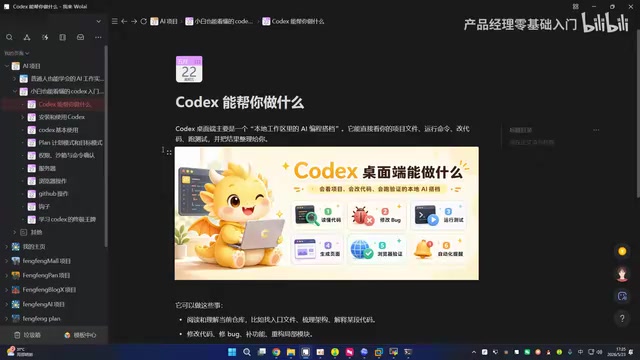
In short, the key difference between Codex and regular AI chat tools is: it has the ability to actually operate on your local environment. This means it can evolve from "armchair advice" to "hands-on action," truly becoming your programming assistant and automation tool.
However, even IT professionals encounter significant hurdles when using Codex — account login, environment configuration, and China's network restrictions deter many users. This article systematically covers Codex's six core capabilities and introduces two setup approaches: DeepSeek for China-based access and ChatGPT for global access, helping you get everything up and running quickly.
Codex's Six Core Capabilities Explained
1. Code Reading and Project Architecture Analysis
Codex can read and understand your entire code repository, including:
- Quickly locating entry files: Finding the project's startup files and core modules
- Mapping project architecture: Analyzing code structure and inter-module dependencies
- Line-by-line code explanation: Providing detailed logic breakdowns of any code segment
Whether you're onboarding to a new project, reading open-source code, or revisiting code you wrote months ago, this capability saves you tremendous time.
2. Code Modification and Bug Fixing
This is the feature programmers use most daily. Codex can not only pinpoint bugs precisely but also directly modify code and add feature modules. It operates within a sandbox environment, balancing security and efficiency.
How Does the Sandbox Protect Your System? A sandbox is a security technique that isolates a program's runtime environment from the host system, widely used in browsers, operating systems, and development tools. Codex's sandbox mechanism uses containerization technology (similar to Docker) to create an independent isolated space for each code execution, ensuring AI operations won't accidentally damage your real system files or environment variables. Even if Codex executes an erroneous command, the impact is confined within the sandbox and can be rolled back at any time. This design effectively controls risk boundaries while granting AI "hands-on ability" — a critical security safeguard for AI Agents moving from labs to production environments.
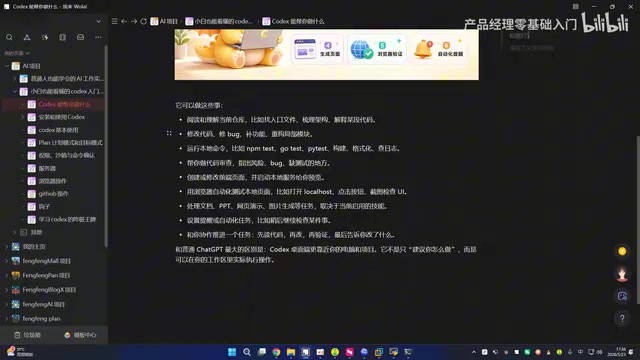
3. Running Local Commands and Development Environment Setup
Codex can execute command-line operations directly in your local environment, such as:
- Setting up Go, Rust, Python, and other specific development environments
- Installing project dependencies
- Configuring complete development toolchains
It's like having an on-call DevOps assistant, eliminating the tedious process of searching documentation and tweaking configurations.
4. Frontend Development and Browser-Based Visual Testing
Codex can create and modify frontend pages and perform visual testing through its built-in browser capability. It can render local pages directly in the browser, helping you verify whether UI effects and interaction logic meet expectations.
5. Documentation Writing and Multimedia Content Processing
Codex's capabilities extend beyond writing code. It can also handle:
- Technical documentation writing and organization
- Presentation creation
- Web demo development
- Image generation
This expands it from a pure programming tool into a more versatile productivity tool.
6. Automated Tasks and Project Collaboration
Codex supports setting up reminders and automated task workflows, collaborating with you to drive projects forward. Its workflow is: read code → modify → verify → report, forming a complete closed loop. After each operation, it clearly tells you what was changed and why.
Dual-Channel Access: Two Configuration Approaches Compared
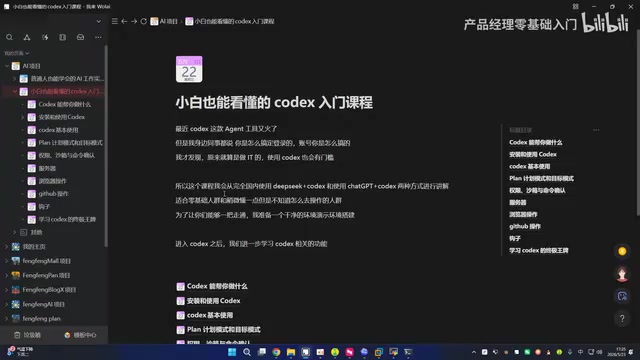
For users in China, the biggest barriers to using Codex are network and account issues. There are currently two mainstream approaches — choose based on your situation.
Option 1: DeepSeek + Codex (Recommended for China-Based Users)
For users without a ChatGPT account or with limited network access, you can access Codex through DeepSeek. This approach works entirely within China's domestic network environment, requires no special network configuration, and has a very low barrier to entry.
Why Can DeepSeek Replace OpenAI? DeepSeek is a domestic large language model developed by DeepSeek AI. Its API interface design is highly compatible with OpenAI's, following the same REST API specifications and message formats. This compatibility allows tools originally designed for OpenAI (including parts of Codex's implementation) to seamlessly switch to DeepSeek as the inference backend by simply modifying the API endpoint and key. The DeepSeek-V3 and DeepSeek-R1 series models perform well on code generation benchmarks (such as HumanEval and SWE-bench), demonstrating the capability to support programming Agent tasks. For China-based users, this "API replacement" approach bypasses network access restrictions while preserving Codex's core workflow.
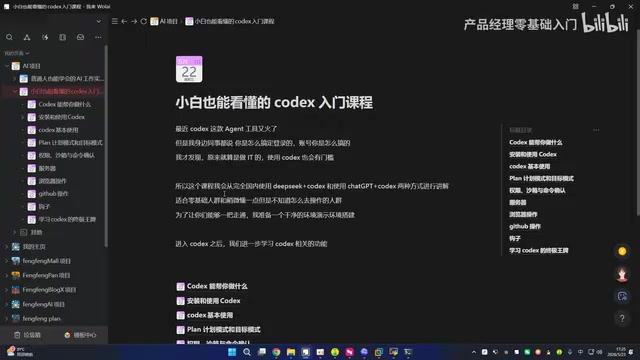
Best for: Users without overseas accounts, who don't want to deal with network configuration, and want to quickly experience Codex's core features.
Option 2: ChatGPT + Codex (Full Feature Experience)
If you already have a ChatGPT account, you can directly use OpenAI's official Codex service. This approach provides the most complete feature experience, including Plan mode, permission sandbox, server operations, GitHub integration, and other advanced features.
Best for: Developers with a ChatGPT account who want access to all advanced features.
Advanced Codex Features: From Basics to Power User Techniques
Beyond basic usage, Codex offers a series of advanced capabilities worth exploring:
- Plan Mode: Have Codex draft an execution plan first; you confirm before it proceeds, avoiding risks from "doing everything at once"
- Permission Sandbox: Run code in an isolated environment to protect your system security
- Remote Server Operations: Remotely manage servers, execute deployments and DevOps tasks
- Browser Automation: Automate browser interactions for end-to-end testing
- Deep GitHub Integration: Directly operate Git repositories, manage branches, commit code, and handle Pull Requests
Plan Mode: "Code Review" for the AI Era Plan mode embodies the "Human-in-the-Loop" design philosophy in human-machine collaboration. In increasingly automated AI systems, maintaining human control is a core engineering challenge. Plan mode requires Codex to list complete execution steps in natural language before performing any substantive operation, proceeding only after user review and confirmation. This design borrows from the "code review" concept in software engineering, making AI's "intent" transparent and preventing large-scale erroneous modifications due to misunderstood requirements. For production environment operations (such as server deployments and database changes), this "plan first, execute later" approach is essential.
Related articles
 Tutorials
Cursor + Codex Dual-IDE Collaboration: A Practical Methodology for Open-Source Project Customization
A complete methodology for open-source project customization based on real-world experience, detailing the Cursor+Codex dual-IDE workflow, seven-stage process, MVP validation, and AI source code reading techniques.
 Tutorials
Cursor Multi-Agent in Practice: Building a Full-Stack Next.js Blog in 50 Minutes
Build a full-stack blog in 50 minutes using Cursor IDE's multi-Agent mode with Next.js, Clerk auth, and Supabase. Learn the 4-phase AI Agent workflow and key integration pitfalls.
 Tutorials
Building an AI Software Factory from Scratch: A Cursor Engineer's Hands-On Experience with Multi-Agent Collaboration
Cursor engineer Eric shares practical insights on building an AI software factory: automation levels, guardrail design, parallel Agent management, and scaling to 1000+ Agents for 24/7 development.